Duo Security
Send your Duo Security authentication and administrative logs to Coralogix. Duo's duo_log_sync daemon polls the Admin API and streams events over TCP on your own host; a Fluentd shipper picks them up from that port and forwards them to Coralogix.
What you need
- A Duo Security account with administrator access.
- A host that can reach the Duo Admin API and run Python 3, an EC2 instance, VM, or equivalent.
- A Coralogix Send-Your-Data API key.
Create the Admin API application
The Admin API application is what duo_log_sync authenticates against. Creating it yields the three credentials the configuration file needs.
Open the Duo admin portal, where your authentication and administrative logs are stored.
Select Applications, then Protect an Application, then find Admin API in the list and select Protect.
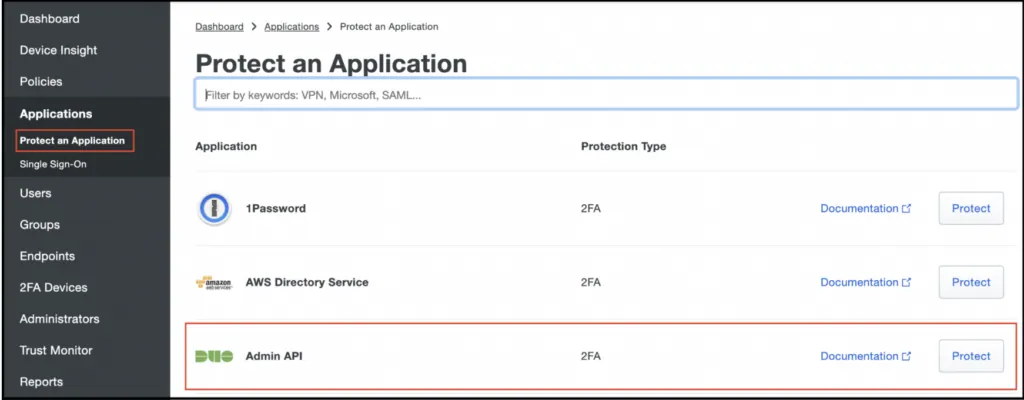
Shows the application catalog with the Admin API entry that grants log access.
From the application's Details section, copy the Integration key, Secret key, and API hostname. These become ikey, skey, and host in the configuration file.
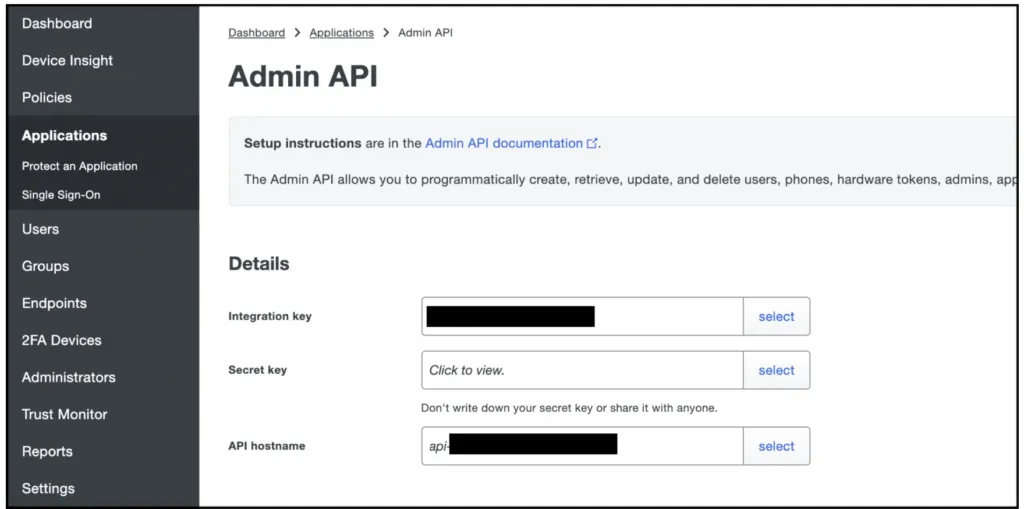
Shows the three credentials that authenticate the log sync daemon.
Duo reveals the secret key only on request and advises against storing it anywhere it can be read back. Treat it like any other credential.
Set up the log sync daemon
Duo documents the daemon in full in its duo_log_sync README.
Create c:\temp on Windows. Linux hosts already have /tmp.
Create config.yml inside the duologsync directory and populate it with the skey, ikey, and host values from the Admin API application. On Windows, escape the directory references and give full paths.
duoclient:
  skey: "ENTER-SECRET-KEY-HERE"
  ikey: "ENTER-INTEGRATION-KEY-HERE"
  host: "ENTER-API-HOSTNAME-HERE"

logs:
  logDir: "/tmp"
  endpoints:
    enabled: ["auth", "telephony", "adminaction"]
  polling:
    duration: 5
    daysinpast: 1
  checkpointDir: "/tmp"

transport:
  protocol: "TCP"
  host: "localhost"
  port: 8877
  certFileDir: "/tmp"
  certFileName: "selfsigned.cert"

recoverFromCheckpoint:
  enabled: False
Create a self-signed certificate and place it in the tmp directory, matching certFileDir and certFileName.
From inside the duo_log_sync directory, run the installer:
python3 setup.py install
With the daemon running, deploy the Fluentd log shipper to read from port 8877 and forward the events to Coralogix.