Hosted Grafana view
Visualize your logs and metrics with Coralogix's Hosted Grafana, without integrating a personal Grafana instance with your account. You get the Grafana functions you already know, and all Coralogix data sources are preconfigured, so there's nothing to install or connect.
What you need
- To view Grafana dashboards, you need
GRAFANA:READ(included in all standard roles). - To create or modify Grafana dashboards, you need
GRAFANA:UPDATE(not available to Read-Only User).
Open Hosted Grafana
Go to Apps, then Grafana Labs. Grafana's main screen opens inside Coralogix, where you can search, create, and edit your dashboards and navigate between Grafana pages.
Query your data
Select the correct data source when you create a panel: logs or metrics. You can query both in real time.
- Logs are queried with Lucene, the same syntax as the Coralogix Logs screen.
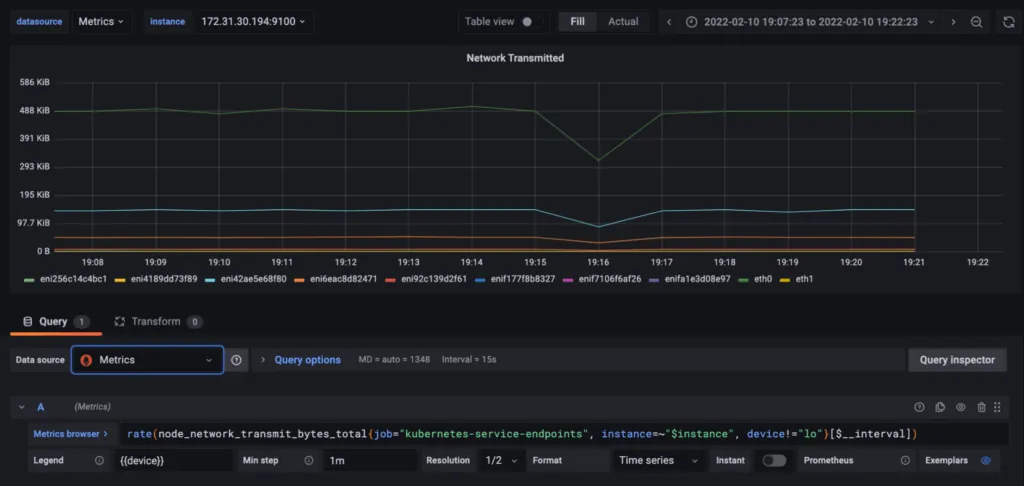
- Metrics are queried with PromQL. For tips, see our PromQL tips blog post.
Note
DataPrime is not available in Grafana. To query your data with DataPrime, use Explore.
Note
Coralogix's Hosted Grafana instances currently run Grafana version 10.1.2.
Limitations
- Only predefined, internal data sources are available; you can't add external connections.
- The instance is managed by Coralogix, so you can't install plugins or change server settings such as feature toggles.
- The maximum number of time series per search is 300,000.
- Alerting is disabled.
- Grafana Live dashboards are disabled.
- The minimum dashboard interval is 10 seconds.
- Editor access is limited to Coralogix admins; all other users have Viewer access.
Last updated on