AWS resource metadata collection
Log events tell you what happened; resource metadata tells you what it happened on. The AWS Resource Metadata Collection Lambda function collects details about the EC2 instances and Lambda functions in a region (service, resource tags, region, creation and modification timestamps, and your own custom tags) and sends them to Coralogix, where they attach context to the log events those resources produce.
That context pays off in four places:
- Troubleshooting, resource-specific patterns and utilization narrow down where an issue started.
- Resource optimization, the relationships between resources, such as which Lambda functions talk to which instances, become visible.
- Security and compliance, resource attributes feed security monitoring, compliance reporting, and audits.
- Cost management. Attributes support cost allocation.
Running more than 5,000 Lambda functions, or collecting across multiple accounts and regions, needs the high-volume variant. See AWS Resource Metadata Collection (High Volume).
What you need
- An AWS account with permission to create Lambda functions.
- A Coralogix Send-Your-Data API key.
- If you use Secrets Manager, the Secrets Manager Lambda layer deployed first. Deploy only one layer per region.
Deploy the integration
In Coralogix, select Data Flow, then Integrations, then AWS Resource Metadata, then Add new.
Complete the form, then select Next.
| Field | What to enter |
|---|---|
| Integration Name | A name for this integration. |
| Authentication Type | ApiKey or Existing Secret. For ApiKey, enter an existing Send-Your-Data API key or select Create a new key. For Existing Secret, enter the AWS secret name. |
| Collect Aliases | Select to collect resource aliases. |
| AWS Region | The region to collect from. |
| Advanced Settings | Expand to select Use AWS PrivateLink, which routes the connection between your VPC and AWS services without traversing the public internet. The integration fails if PrivateLink is not already set up correctly. |
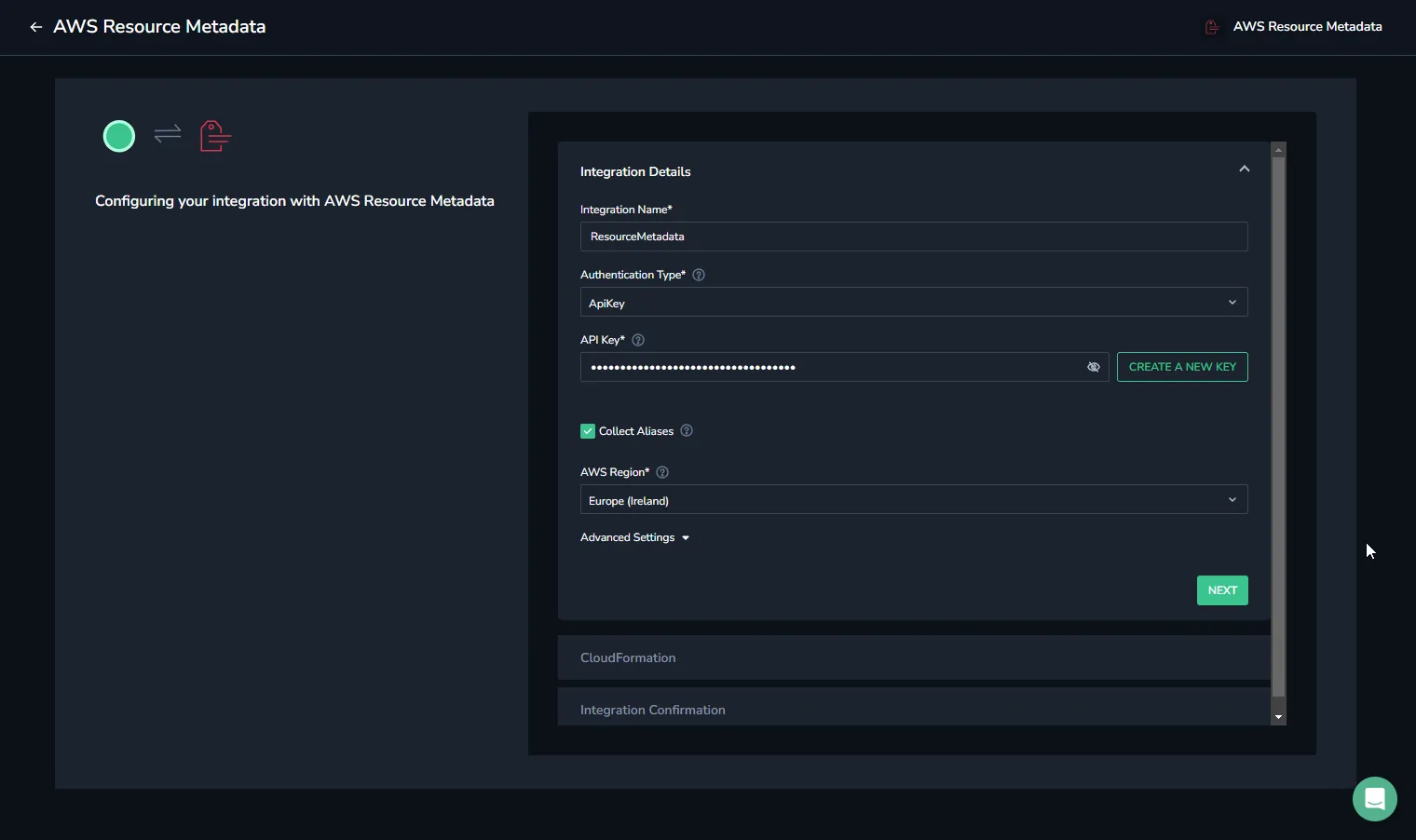
Shows the first of the wizard's three sections, with CloudFormation and Integration Confirmation still to come.
Read the instructions on the CloudFormation step, then select Create CloudFormation. AWS opens with the values pre-populated. Check them, select the acknowledgement checkboxes, and select Create stack.
Return to Coralogix and select Complete. This runs a test against the deployment and reports Connected or Failed.
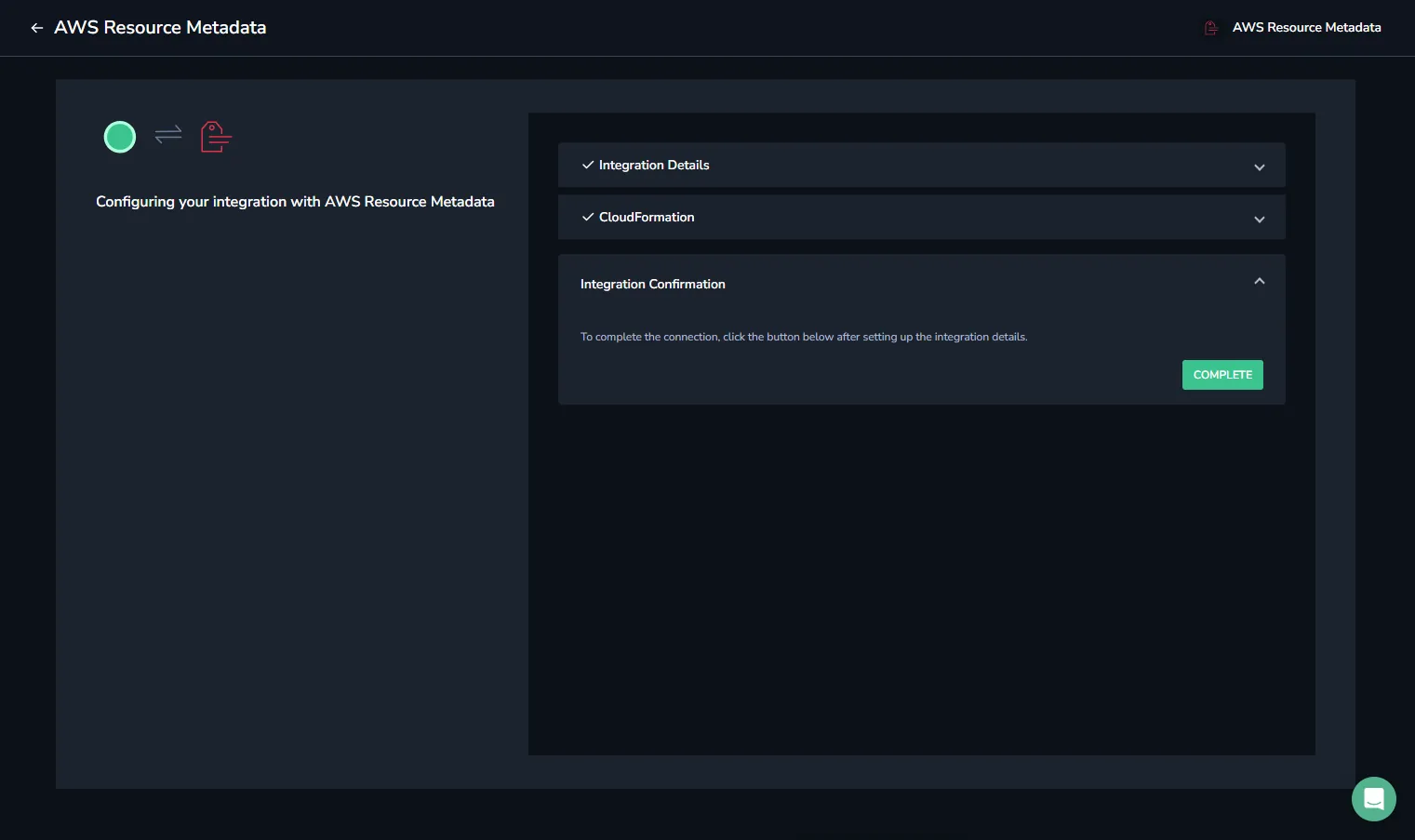
Shows the final step that verifies the deployed stack can reach Coralogix.
Once the integration reports Connected, use Serverless Monitoring in Coralogix APM to inspect the Lambda functions running in that region.
Parameters
| Parameter | Description | Default | Required |
|---|---|---|---|
| CoralogixRegion | The Coralogix region. EU1, EU2, AP1, AP2, AP3, US1, US2, or Custom. To use a custom domain, leave this at its default and set CustomDomain. | Custom | ✔️ |
| CustomDomain | Your Coralogix custom domain. Leave empty if you do not use one. | ||
| ApplicationName | The stack name of this application created through AWS CloudFormation. | ✔️ | |
| CreateSecret | Set to False to use a Secrets Manager secret you created yourself that already holds the Send-Your-Data API key. | True | |
| ApiKey | Your Send-Your-Data API key. When using a pre-created secret, enter the secret's name instead. | ✔️ | |
| ResourceTtlMinutes | How long a collected resource stays valid. | 60 | |
| LatestVersionsPerFunction | How many of each Lambda function's latest published versions to collect. | 0 | |
| CollectAliases | Whether to collect resource aliases. True or False. | False | |
| LambdaFunctionIncludeRegexFilter | If set, only Lambda functions whose ARNs match the expression are collected. | ||
| LambdaFunctionExcludeRegexFilter | If set, only Lambda functions whose ARNs do not match the expression are collected. | ||
| LambdaFunctionTagFilters | If set, only Lambda functions with matching tags are collected. Follows the JSON syntax for --tag-filters. | ||
| ExcludedEC2ResourceType | Set to True to exclude the EC2 resource type. | False | |
| ExcludedLambdaResourceType | Set to True to exclude the Lambda resource type. | False | |
| Schedule | How often metadata is collected. | rate(30 minutes) | |
| LayerARN | ARN of the Coralogix Secrets Manager Lambda layer, when using Secrets Manager. | ||
| NotificationEmail | Address that receives an SNS notification if the Lambda fails. Requires a working SNS topic with a validated domain. | ||
| SnsKmsKeyArn | Optional KMS key ARN (not an alias) encrypting the Lambda failure-notification SNS topic. Leave empty for no encryption. The key policy must allow sns.amazonaws.com and the Lambda execution role to use kms:Decrypt and kms:GenerateDataKey*. | ||
| FunctionArchitecture | Lambda function architecture. x86_64 or arm64. | x86_64 | |
| FunctionMemorySize | Maximum memory the Lambda may consume. The default is the minimum recommended setting; consult Coralogix support before changing it. | 256 | |
| FunctionTimeout | Maximum seconds the function may run. The default is the minimum recommended setting; consult Coralogix support before changing it. | 300 |
For the high-volume parameters (event mode, cross-account and cross-region collection, MaximumConcurrency, and EC2ChunkSize) see AWS Resource Metadata Collection (High Volume).