Optional configurations: Microsoft Azure
A Coralogix function app reaches your storage account or Event Hub over the network. When those resources are closed to public access, the function app needs to sit inside a virtual network (VNet) that can reach them.
What you need
- A function app deployed with Function App Service Plan Type set to Premium. The Networking feature (and therefore VNet integration) is not available on other plans.
- A virtual network with access to the storage account or Event Hub you want to monitor.
VNet integration is unavailable on consumption (serverless) plans, which are usually much cheaper. The Premium plan bills for resources continuously rather than per use, so this configuration can cost significantly more.
Connect the function app to a VNet
In the function app, select Networking in the left-hand panel, then open the VNet integration configuration.
Select Add VNet, then choose the subscription, virtual network, and subnet that can reach your storage account or Event Hub. Select OK.
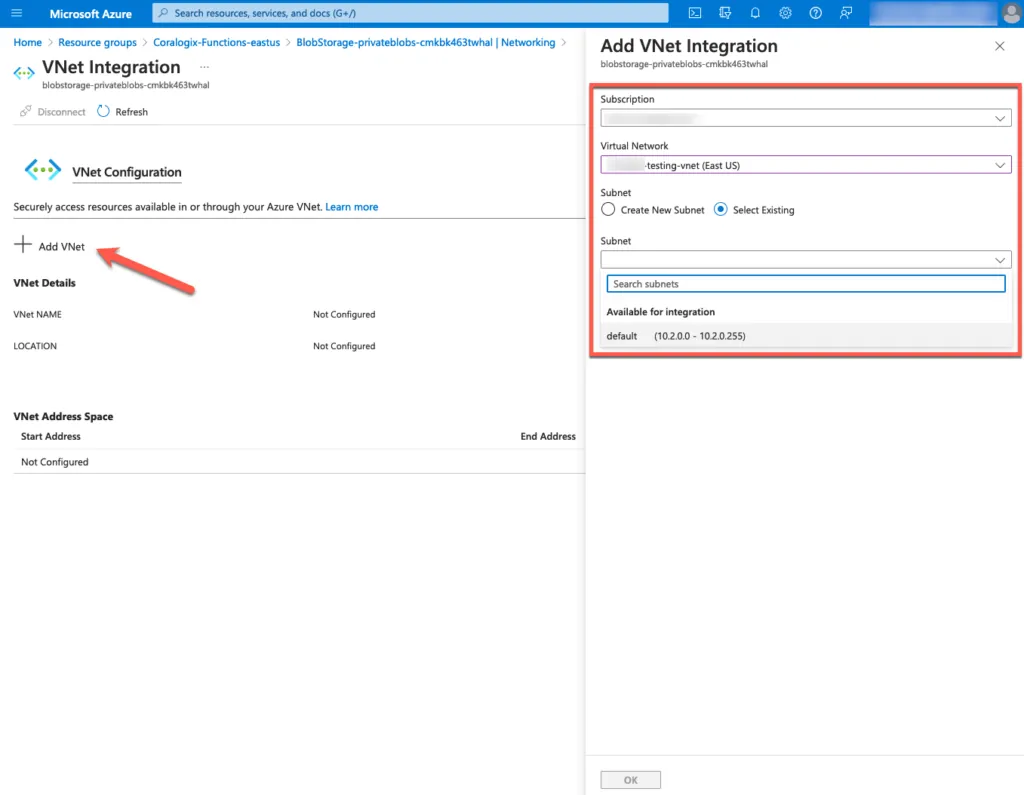
Shows the function app being attached to a virtual network.
On the storage account or Event Hub, select Networking, then confirm the virtual network appears under Virtual networks with its endpoint enabled.
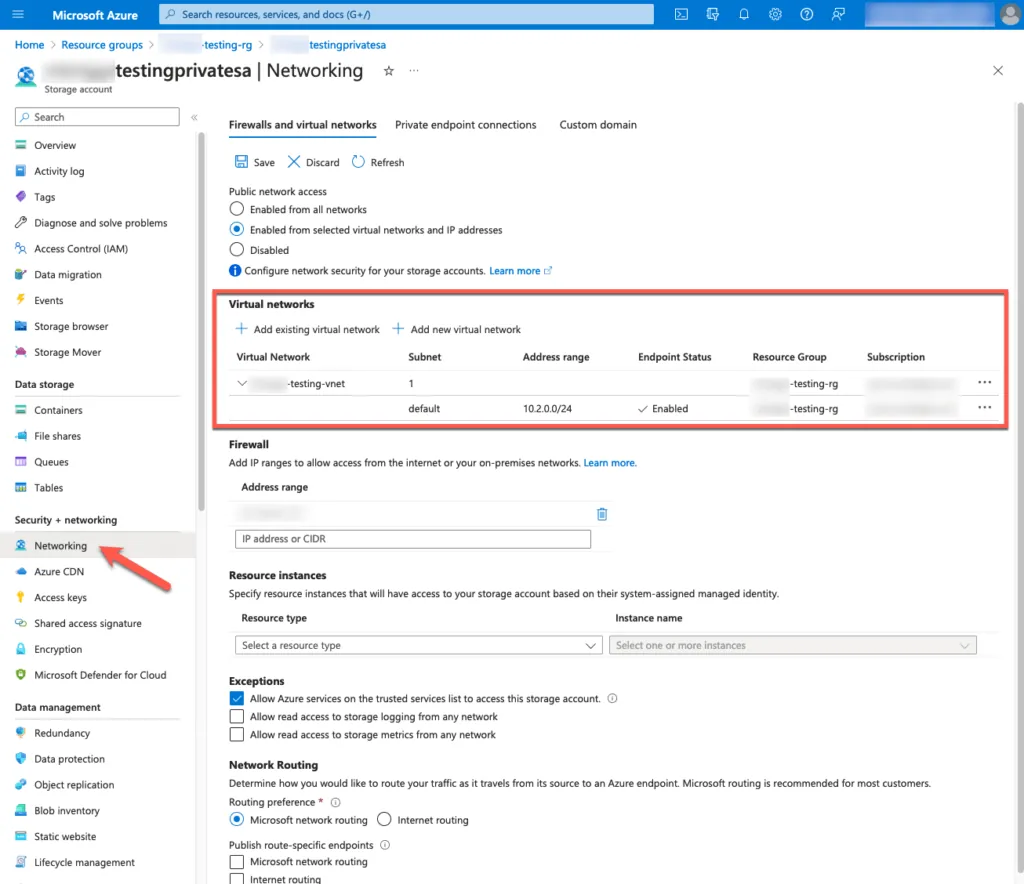
Shows the resource side of the pairing, where the permitted networks are declared.
If no virtual network is aligned with the resource, select Add new virtual network.
Reusing an existing virtual network is a common cause of silent failure: it may be internet-restricted, which blocks the function app's outbound messages to the Coralogix API. When in doubt, create a new VNet dedicated to the Coralogix integration and the private resource.