Akamai
The following tutorial demonstrates how to collect your Akamai DataStream logs and send them to Coralogix. Once ingested by our platform, query, archive, define alerts, and create dashboards with your data.
Akamai DataStream
Seamlessly collect Akamai DataStream logs and send them to Coralogix.
What you need
-
A data stream created, including your Akamai data stream ID.
-
API client for the DataStream Pull API set up, including the Client API host, client secret, access token, and client token.
Configure the stream
Coralogix supports logs collection from Akamai DataStream v2. To configure the logs delivery follow the next steps:
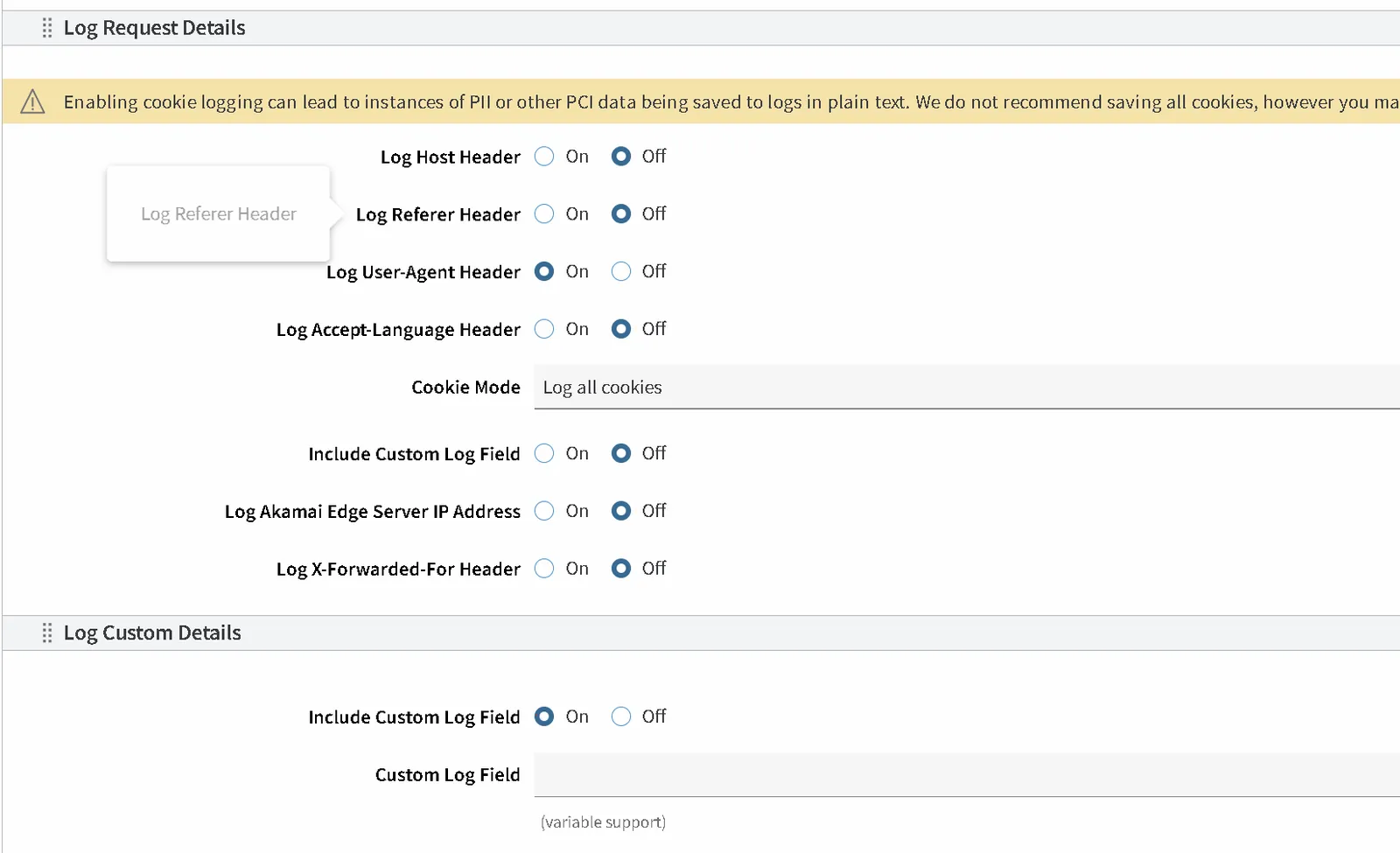
In your Property add "Log Request Details" behavior, switch "Include Custom Log Field" option and fill it with the content that will be recognized by Coralogix as subsystem name (the applicationName is taken from the "reqHost" field, and subsystemName is taken from the "customField") :
In your Property add "DataStream" behavior, select "Stream version" to v2 and enable it:

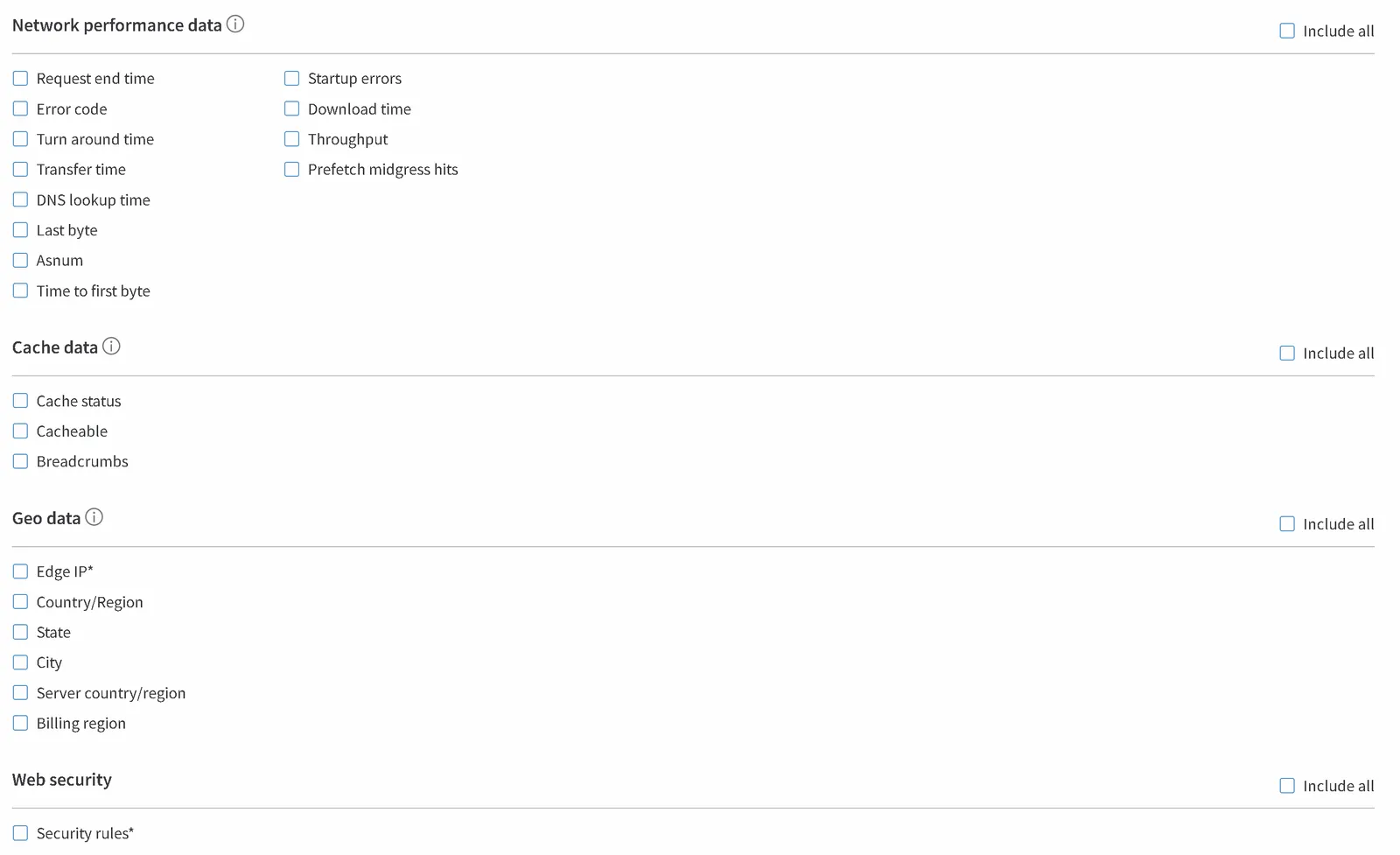
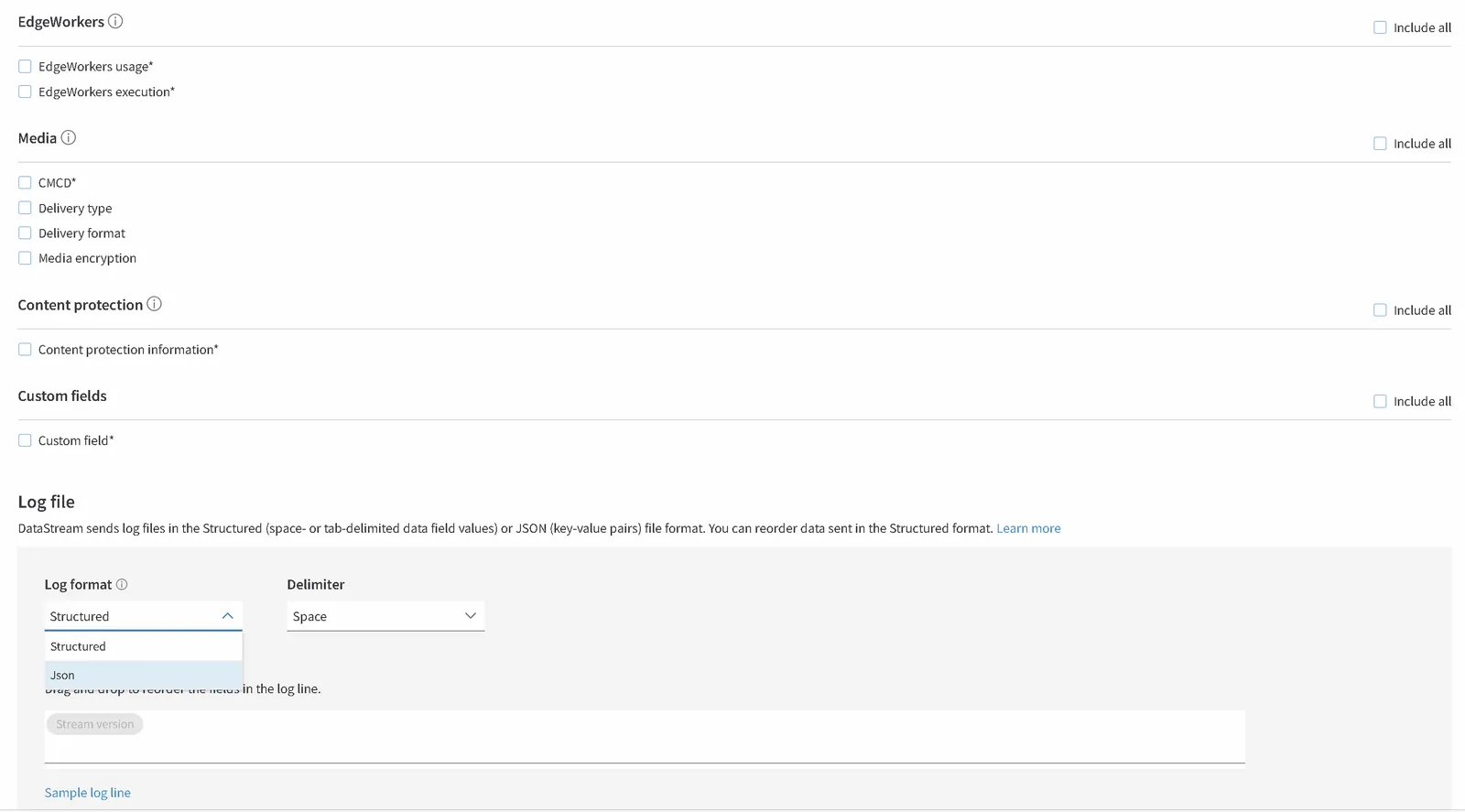
Create the DataStream for your Property. On the "Data sets" step of the setup wizard select all possible fields, then select "Log format" as JSON:
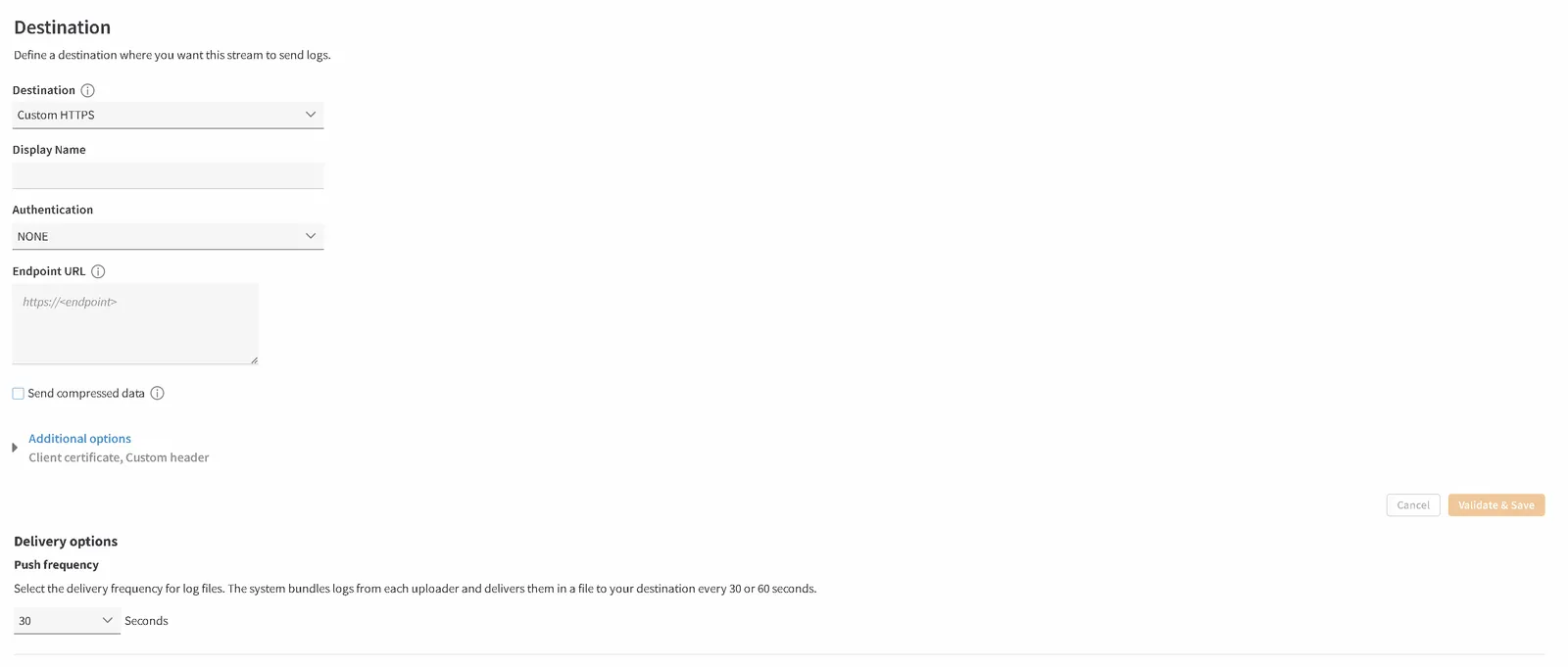
For the "Delivery" step of the setup wizard, select "Custom HTTPS" method and configure it as follows:
-
Authentication. Change Authentication from NONE to BASIC.
-
Username. Enter any value.
-
Password. Enter your Coralogix Send-Your-Data API key.
WarningLeave Authentication set to NONE and Coralogix rejects the delivery with a
403error. Akamai sends the credentials in theAuthorizationheader only when Authentication is BASIC. -
-
Endpoint URL. Select your Coralogix domain in the upper-right corner of the page to create your endpoint URL:
https://ingress.eu2.coralogix.com/akamai/v1/datastream. -
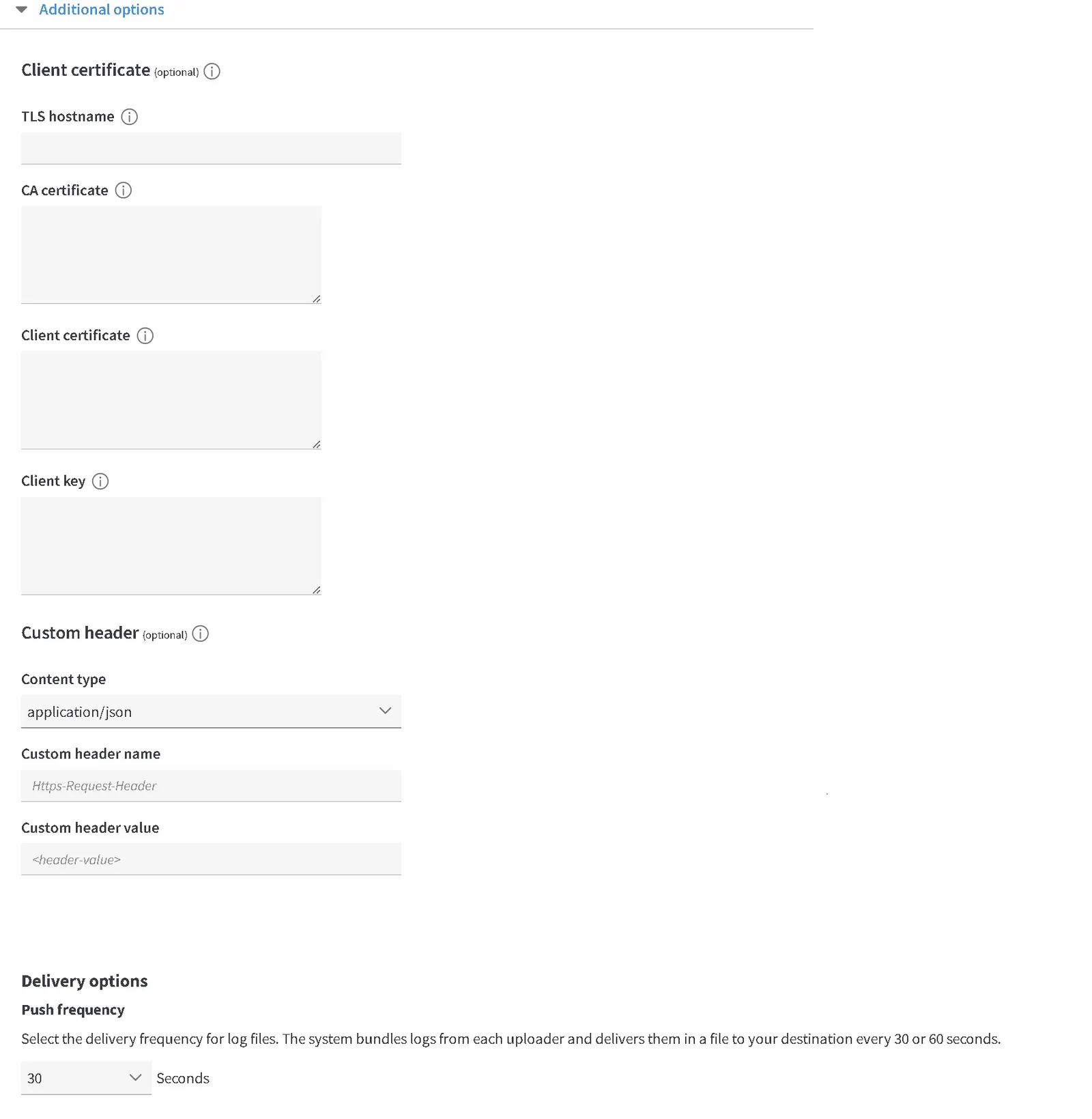
Additional options
-
Select Content type as application/json.
-
Leave Custom header name and Custom header value empty. The API key goes in the Authentication password, not in a custom header.
-
-
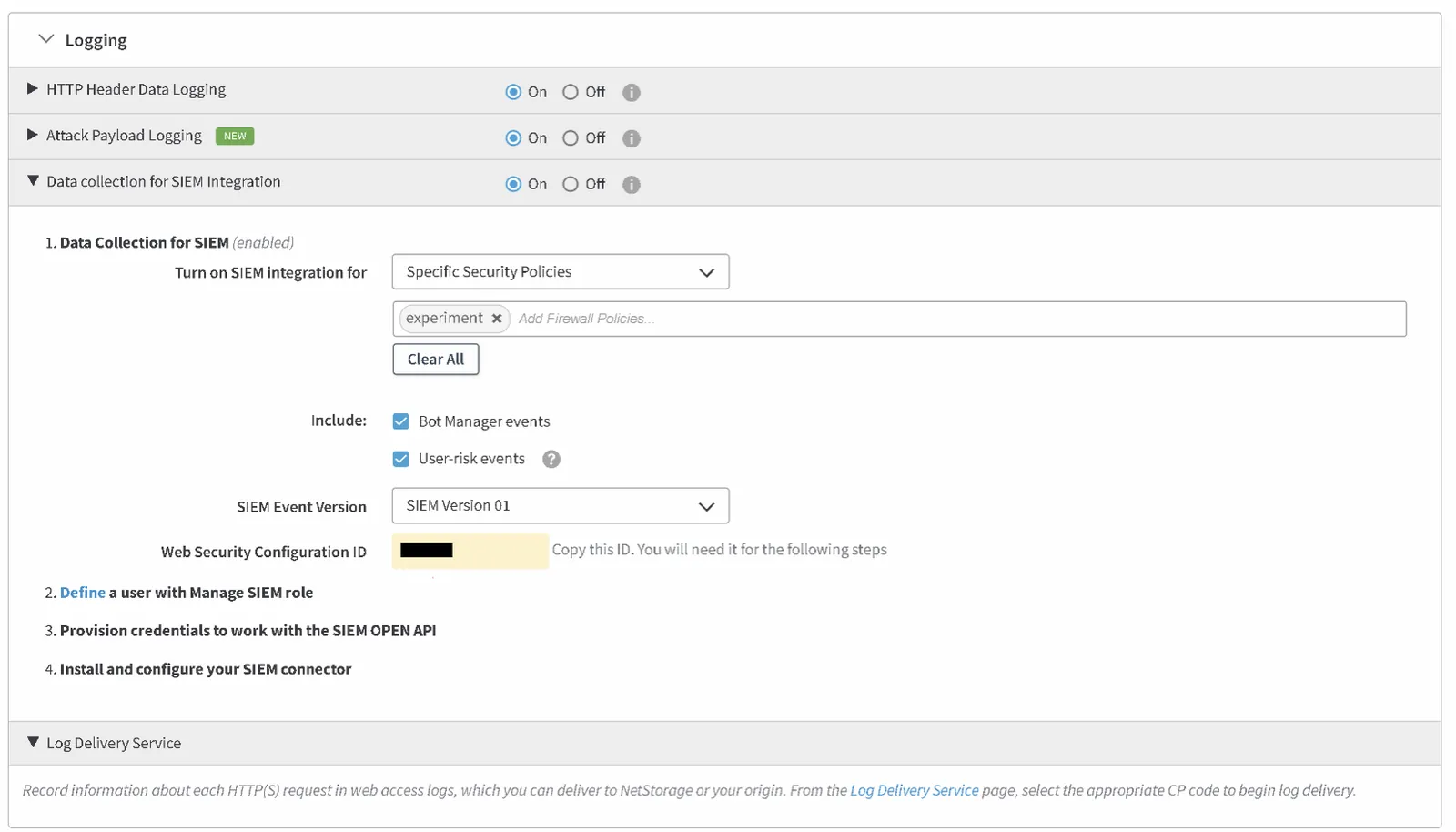
Security configuration
Deploy the new version of your stream.
Example output
{
  "version": 1,
  "contentProtection": "//epd@geoguard/v1/hp/0",
  "bytes": "4995",
  "cliIP": "128.147.28.68",
  "statusCode": "206",
  "proto": "HTTPS",
  "reqHost": "test.hostname.net",
  "reqMethod": "GET",
  "reqPath": "path/path01/file.ext",
  "reqPort": "443",
  "rspContentLen": "5000",
  "rspContentType": "text/html",
  "UA": "Mozilla%2F5.0+%28Macintosh%3B+Intel+Mac+OS+X+10_14_3%29",
  "tlsOverheadTimeMSec": "0",
  "tlsVersion": "TLSv1",
  "objSize": "484",
  "uncompressedSize": "484",
  "overheadBytes": "232",
  "totalBytes": "0",
  "queryStr": "param=value",
  "fileSizeBucket": "1KB-10KB",
  "downloadInitiated": "1",
  "downloadsCompleted": "1",
  "accLang": "en-US",
  "cookie": "cookie-content",
  "range": "37334-42356",
  "referer": "https%3A%2F%2Ftest.referrer.net%2Fen-US%2Fdocs%2FWeb%2Ftest",
  "xForwardedFor": "8.47.28.38",
  "maxAgeSec": "3600",
  "reqEndTimeMSec": "3",
  "errorCode": "ERR_ACCESS_DENIED|fwd_acl",
  "turnAroundTimeMSec": "11",
  "transferTimeMSec": "125",
  "dnsLookupTimeMSec": "50",
  "lastByte": "1",
  "asn": "2202",
  "timeToFirstByte": "500",
  "startupError": "1",
  "downloadTime": "12001",
  "throughput": "500",
  "prefetchMidgressHits": "1",
  "cacheStatus": "1",
  "cacheable": "1",
  "breadcrumbs": "//BC/%5Ba=23.33.41.20,c=g,k=0,l=1%5D",
  "streamId": "12345",
  "cp": "123456",
  "reqId": "1239f220",
  "reqTimeSec": "1573840000",
  "edgeAttempts": "1",
  "edgeIP": "23.50.51.173",
  "country": "US",
  "state": "Virginia",
  "city": "HERNDON",
  "serverCountry": "SG",
  "billingRegion": "8",
  "securityRules": "ULnR_28976|3900000:3900001:3900005:3900006:BOT-ANOMALY-HEADER|",
  "ewUsageInfo": "//4380/4.0/1/-/0/4/#1,2\\//4380/4.0/4/-/0/4/#0,0\\//4380/4.0/5/-/1/1/#0,0",
  "ewExecutionInfo": "c:4380:7:161:162:161:n:::12473:200|C:4380:3:0:4:0:n:::6967:200|R:4380:20:99:99:1:n:::35982:200",
  "cmcd": "//1.0@V/cid=faec5fc2-ac30-11ea-bb37-0242ac130002,pr=1.08,sf=d,sid=6e2fb550-c457-11e9-bb97-0800200c9a66,st=v,bs,rtp=12000,bl=21300,dl=18500,mtp=48100,nor=..%2F300kbps%2Ftrack.m4v,nrr=%2212323-48763%22,su,br=3200,d=4004,ot=m,tb=6000;ecc=1;pin=Jm|amd|cus;pfs=c;ssl=300c02b::;alpn=h2;h2=51:1;netp=;aidv=18",
  "deliveryType": "1",
  "deliveryFormat": "1",
  "mediaEncryption": "1",
  "customField": "any-custom-value"
}