Heroku logs
Use our logging add-on to seamlessly forward all Heroku logging output to Coralogix.
This tutorial demonstrates how to:
-
Create a sample application
-
Configure your Heroku Shield private space to send logs to Coralogix
-
Attach multiple Heroku apps to one Coralogix account
Overview
Logging add-on
Coralogix offers a logging add-on that forwards all Heroku output to a Coralogix account that you specify. Alternatively, you can use the CLI with the following:
heroku addons:create coralogix:test
Within seconds, any logs that your application generates will feed right into Coralogix, paving the way for using our high scale, high-speed search, and analytics.
Extension package
In addition, Coralogix offers an extension package for Heroku logging that includes a set of Heroku parsing rules to parse the unstructured data streaming from your Heroku app, a set of predefined Heroku alerts, and a predefined dashboard for your Heroku Router logs. What you will need to do to get those is go to Coralogix Extension Packages and deploy the Heroku extension package and then, in a single step, you will get tremendous value out of your Heroku Router logs.
Here's a basic example that shows that even with a small application generating simple log records, as soon it starts scaling, logs become hard to traverse and understand.
What the logs look like in Coralogix
Heroku's own heroku logs output interleaves platform messages, application output, and errors from every dyno into one stream. With a handful of workers running, tracing a message back to its source becomes guesswork.
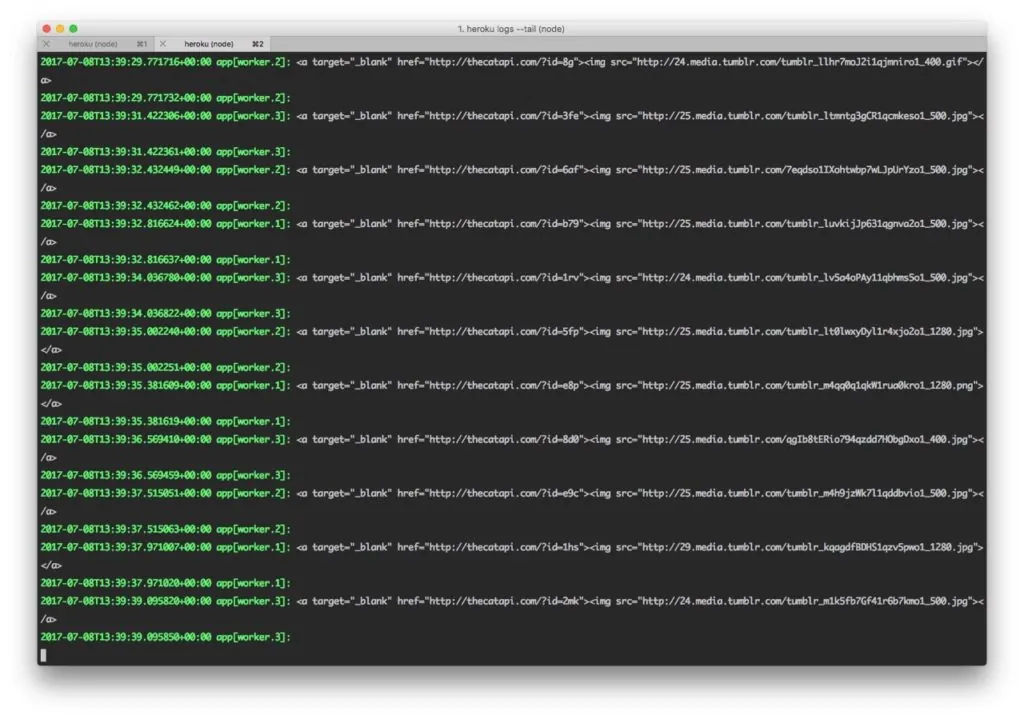
Shows the raw stream the add-on replaces.
Once logs reach Coralogix, open the dashboard (or CLI:addons:open coralogix) and the same data is structured and filterable.
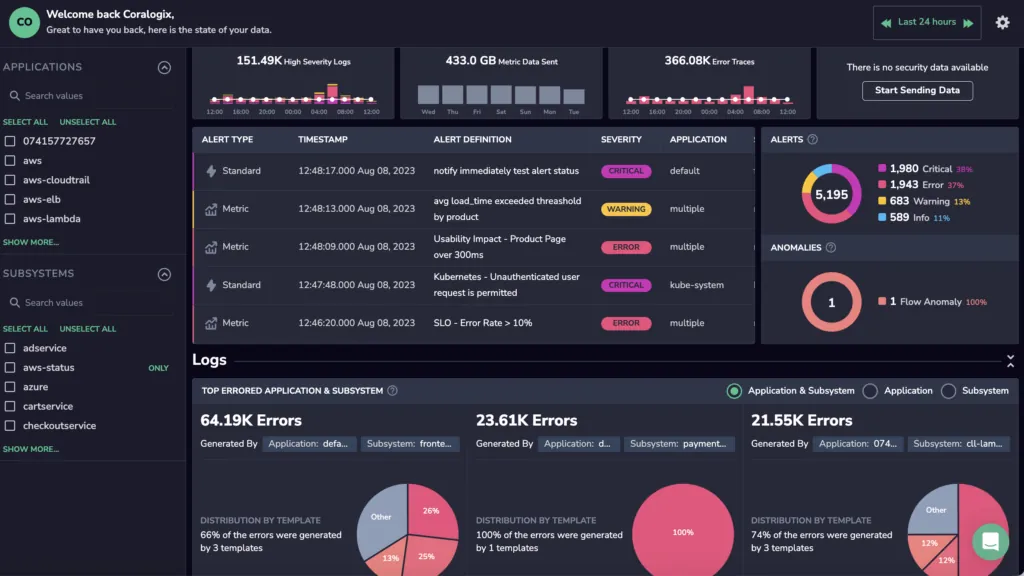
Shows the initial display, before any learning has happened.
Three things develop over time:
- After 24 hours, Loggregation clusters repeated entries. In the sample application it surfaces that the supposedly random Cat API repeats the same value over a thousand times, harmless here, and exactly the kind of pattern that matters in a production service.
- On each build, the Heroku Pipelines integration tags the new version in Coralogix and surfaces the errors, alerts, and anomalies introduced since the previous build, so a regression can be tied to a release.
- After five days of learning, a daily report highlights new anomalies (new errors and critical messages) instead of restating the noise you already know about.
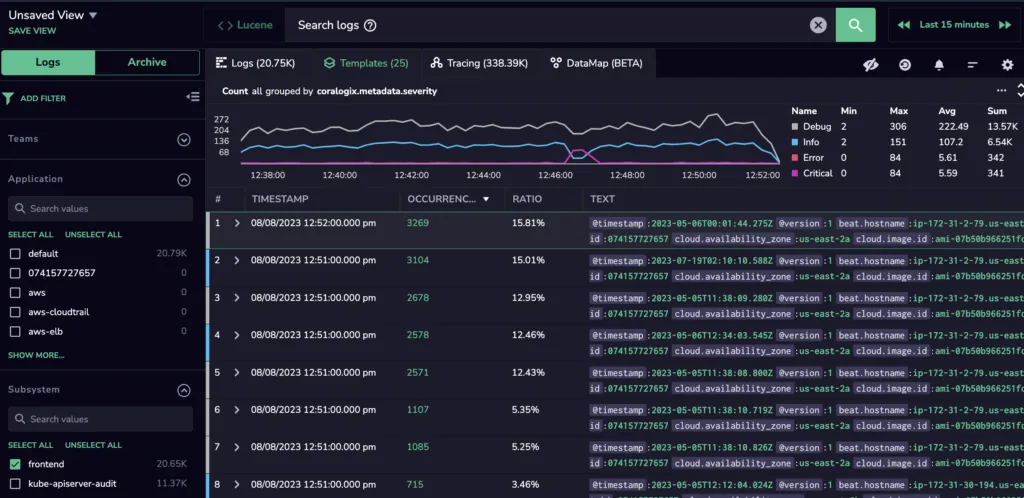
Shows the clustering that turns thousands of near-identical lines into a handful of templates.
Private space logging
You may configure your Heroku Shield private space to send logs to Coralogix by pointing the Heroku log drain to the appropriate Coralogix destination.
This approach is not supported on Heroku's Fir generation. Use Heroku Telemetry Drain instead.
What you need
- Coralogix Company ID
- Send-Your-Data API Key (Private Key)
- Select the https://ingress. endpoint that corresponds to your Coralogix domain using the domain selector at the top of the page
Endpoint URL format
The log drain URL uses HTTP Basic Authentication with your Company ID as the username and your Private Key as the password:
https://<CompanyId>:<PrivateKey>@https://ingress.eu2.coralogix.com/heroku/v1/private?appName=<applicationName>
Query parameters
| Parameter | Required | Description |
|---|---|---|
appName | Yes | The application name that will appear in Coralogix. If not provided, defaults to default. |
subsName | No | Override the subsystem name for all logs. By default, the subsystem name is extracted from the Heroku process ID (e.g., web, worker). |
cxf_<key> | No | Custom fields to append to log messages. See Custom fields below. |
Content-Type requirements
The log drain must send logs with one of the following Content-Type headers:
application/logplex-1(standard Heroku log drain format)text/plain
Add and remove log drains
Add a log drain:
heroku drains:add "https://<CompanyId>:<PrivateKey>@https://ingress.eu2.coralogix.com/heroku/v1/private?appName=<applicationName>" -a myapp
Remove a log drain:
heroku drains:remove "https://<CompanyId>:<PrivateKey>@https://ingress.eu2.coralogix.com/heroku/v1/private?appName=<applicationName>" -a myapp
Find out how to find Heroku messages from a specific app here.
Custom fields
You can add custom fields to your log messages by including query parameters prefixed with cxf_. These fields are appended to the log message body as key-value pairs.
Constraints:
- Maximum 20 custom fields per request
- Field key (after
cxf_prefix): alphanumeric characters, underscores (_), and hyphens (-) only, maximum 64 characters - Field value: maximum 256 characters
Example:
https://<CompanyId>:<PrivateKey>@https://ingress.eu2.coralogix.com/heroku/v1/private?appName=myapp&cxf_env=production&cxf_region=us-east-1
This appends env=production region=us-east-1 to each log message.
Custom fields are only appended to text log messages. They are not merged into JSON-converted metric logs.
Override the subsystem name
By default, the subsystem name is derived from the Heroku process type (e.g., web.1 becomes subsystem web with thread ID 1). You can override this for all logs from a drain by setting the subsName parameter:
https://<CompanyId>:<PrivateKey>@https://ingress.eu2.coralogix.com/heroku/v1/private?appName=myapp&subsName=my-custom-subsystem
Attach multiple apps to one Coralogix account
You can add multiple apps to the same Coralogix account you created when provisioning your first Heroku app with the Coralogix add-on. All apps will have a unified billing and you will be able to filter by our tag of "application name".
To attach multiple apps to the same Coralogix account using CLI, follow this link. Or from your Heroku dashboard: configure addons -> open details for Coralogix -> attach another app.
Send Heroku metric logs to Coralogix
Coralogix automatically parses Heroku Metric logs into JSON documents, to make analysis and parsing much easier. A more in depth explanation is available here.
Note
Removing your parent Heroku app, to which Coralogix was provisioned originally, will remove the Coralogix addon from all other apps that were attached to this Coralogix account in the past.