Copy as Markdown[Open in ChatGPT](https://chatgpt.com/?q=Read%20https%3A%2F%2Fcoralogix.com%2Fdocs%2Fintegrations%2Fpaas-platforms%2Fheroku%2Fheroku-telemetry-drains.md%20and%20help%20me%20with%20my%20question%20about%20this%20Coralogix%20documentation%20page.)[Open in Claude](https://claude.ai/new?q=Read%20https%3A%2F%2Fcoralogix.com%2Fdocs%2Fintegrations%2Fpaas-platforms%2Fheroku%2Fheroku-telemetry-drains.md%20and%20help%20me%20with%20my%20question%20about%20this%20Coralogix%20documentation%20page.)
# Heroku telemetry drains
This guide provides step-by-step instructions for setting up Heroku telemetry drains to collect logs, metrics, and traces from your Heroku Private Space applications into Coralogix.
## Prerequisites[](#prerequisites "Direct link to Prerequisites")
* Application deployed on Heroku Private Space (Fir Generation)
* Heroku CLI installed and authenticated
* Coralogix [Send-Your-Data](https://coralogix.com/docs/docs/user-guides/account-management/api-keys/send-your-data-api-key/.md) API key
## Setup guide[](#setup-guide "Direct link to Setup guide")
Throughout this guide, you’ll see environment variables used in CLI examples. You can export these in your shell for convenience:
```
export HEROKU_APP_NAME="your-app-name"
export CORALOGIX_ENDPOINT="https://ingress.eu2.coralogix.com:443"
export CORALOGIX_API_KEY="xxxxxxxxxxxxxxxxxxxxxxxxxxxxxxxx"
```
When setting the `CORALOGIX_ENDPOINT`, choose the ingress.:443 endpoint that corresponds to your Coralogix [domain](https://coralogix.com/docs/docs/user-guides/account-management/account-settings/coralogix-domain/.md) using the domain selector at the top of the page.
### 1. Verify your app is running in Private Space[](#1-verify-your-app-is-running-in-private-space "Direct link to 1. Verify your app is running in Private Space")
Before continuing, ensure your app is running in a Private Space using the `cnb` stack. Telemetry drains in Heroku are only supported for apps in Private Spaces using Fir generation stack.
```
heroku apps:info $HEROKU_APP_NAME
```
Expected Example Output:
```
=== salty-badlands-66134
Auto Cert Mgmt: false
Dynos: web: 1
Git URL: https://git.heroku.com/salty-badlands-66134.git
Owner: team@herokumanager.com
Region: frankfurt
Repo Size: 11 MB
Space: telemetry-cx
Stack: cnb
Web URL: https://salty-badlands-66134-44dbb100043e.hydrangea-frankfurt.herokuapp.com/
```
### 2. Add telemetry drain to Coralogix[](#2-add-telemetry-drain-to-coralogix "Direct link to 2. Add telemetry drain to Coralogix")
Now, add the application telemetry drain to send logs, metrics, and traces to Coralogix.
```
heroku telemetry:add $CORALOGIX_ENDPOINT --app $HEROKU_APP_NAME --headers '{"Authorization":"Bearer $CORALOGIX_API_KEY", "CX-Application-Name": "heroku-telemetry-cx", "CX-Subsystem-Name":"heroku-telemetry-cx"}'
```
Expected Output:
```
successfully added drain https://ingress.eu2.coralogix.com:443
```
**Coralogix Options:**
* You may customize `CX-Application-Name` and `CX-Subsystem-Name` to suit your application.
**Heroku Options:**
* **Signal filtering**: Specify which signals to send, e.g., `--signals logs,traces` (defaults to all).
* **Transport protocol**: Use `--transport grpc` to switch from the default HTTP.
* **Space-level drains**: Add a drain at the Private Space level using `--space your_space`.
For all configuration options, refer to the [Heroku Telemetry Drains documentation](https://devcenter.heroku.com/articles/working-with-heroku-telemetry-drains).
### 3. Verify telemetry drain configuration[](#3-verify-telemetry-drain-configuration "Direct link to 3. Verify telemetry drain configuration")
Confirm the telemetry drain was added successfully:
```
heroku telemetry --app $HEROKU_APP_NAME
```
Expected Example Output:
```
=== salty-badlands-66134 Telemetry Drains
Id Signals Endpoint
──────────────────────────────────── ─────────────────────────────── ─────────────────────────────────
bf9479d2-767a-4f84-8e7f-24d20e2c2802 [ 'traces', 'metrics', 'logs' ] https://ingress.eu2.coralogix.com:443
```
### 4. Get detailed telemetry drain information[](#4-get-detailed-telemetry-drain-information "Direct link to 4. Get detailed telemetry drain information")
To retrieve detailed info about a specific telemetry drain (replace the ID with your actual drain ID):
```
heroku telemetry:info bf9479d2-767a-4f84-8e7f-24d20e2c2802
```
Expected Output:
```
=== bf9479d2-767a-4f84-8e7f-24d20e2c2802
App: salty-badlands-66134
Signals: traces, metrics, logs
Endpoint: https://ingress.eu2.coralogix.com:443
Transport: HTTP
Headers: {"Authorization":"Bearer cxtp_abc1234567891098762521712","CX-Application-Name":"heroku-telemetry-cx","CX-Subsystem-Name":"heroku-telemetry-cx"}
```
### 5. Verify data in a Coralogix dashboard[](#5-verify-data-in-a-coralogix-dashboard "Direct link to 5. Verify data in a Coralogix dashboard")
After the telemetry drain is configured and active, you should begin seeing data in your Coralogix dashboard. Navigate to your Coralogix console view to confirm that the integration is working.
| | | |
| :------------------------------------------------------------------------------------------------------------------------------------------: | :---------------------------------------------------------------------------------------------------------------------------------------------: | :-------------------------------------------------------------------------------------------------------------------------------------------------: |
| **Logs**
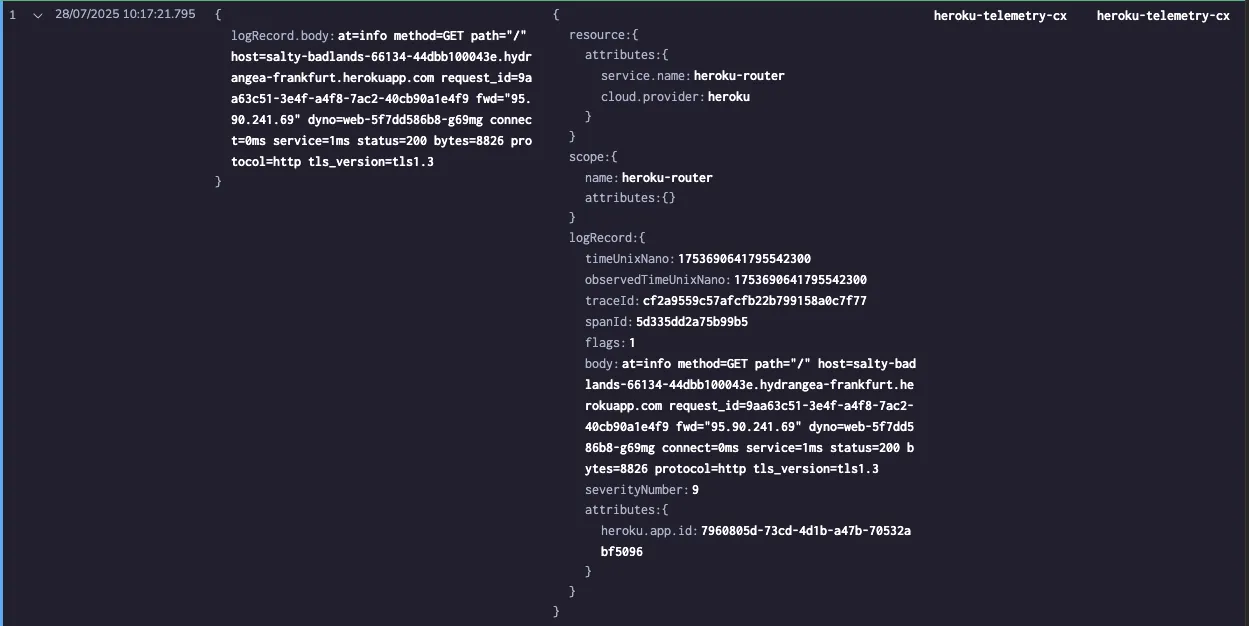
Search and analyze Heroku logs. | **Traces**
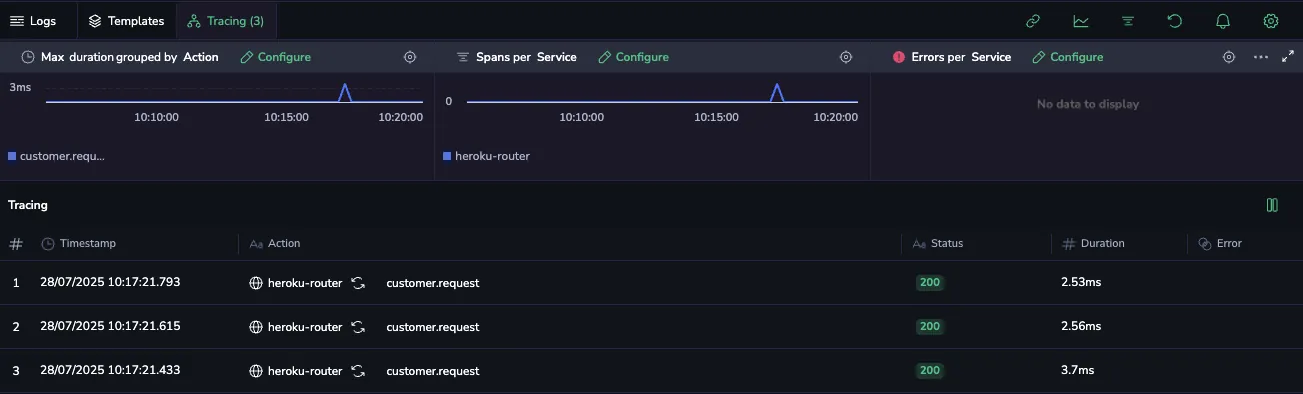
Visualize distributed traces. | **Metrics**
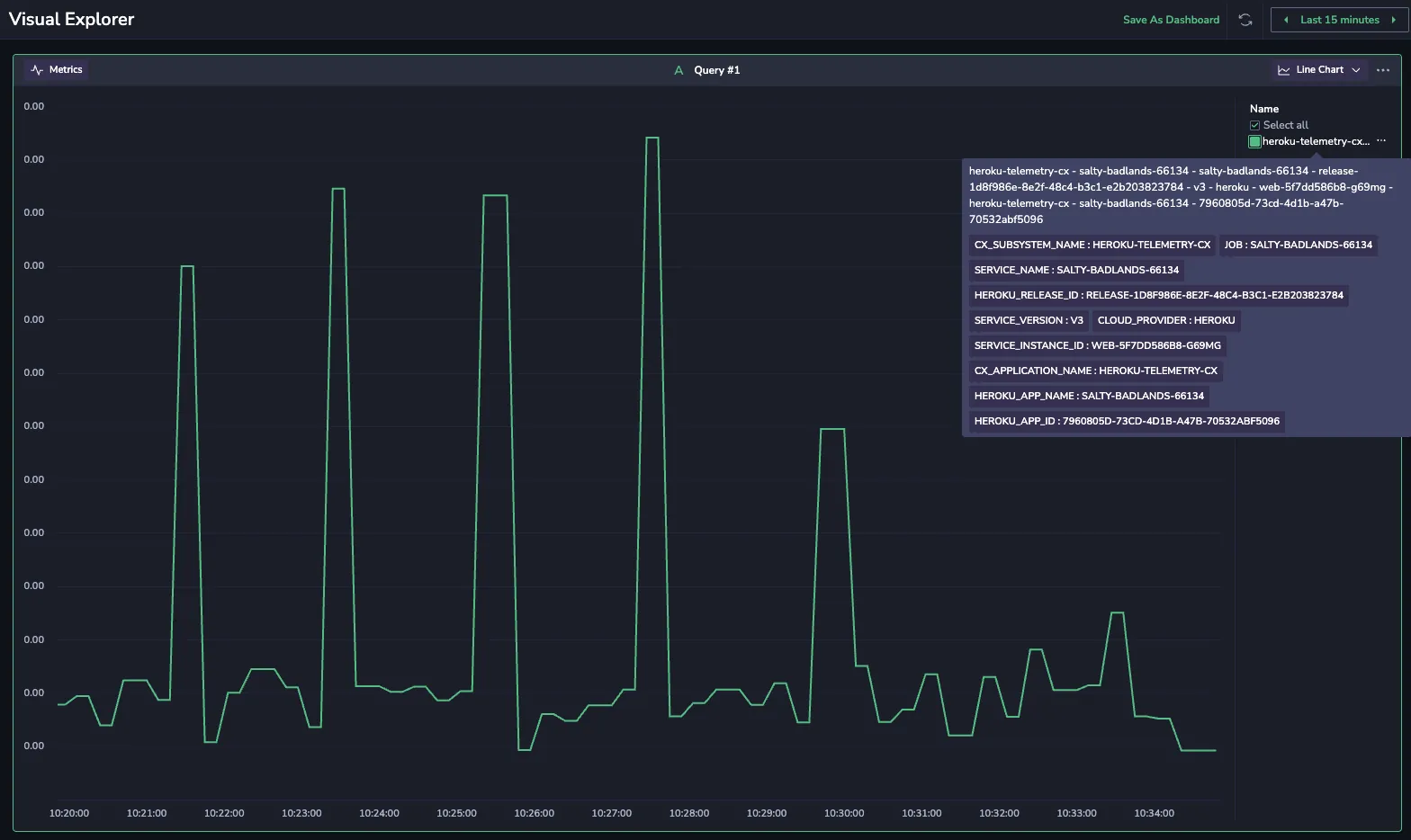
Monitor app performance metrics. |
## Further reading[](#further-reading "Direct link to Further reading")
* [Heroku Telemetry Drains Documentation](https://devcenter.heroku.com/articles/working-with-heroku-telemetry-drains)
* [Heroku Generations](https://devcenter.heroku.com/articles/generations#fir)
* [Working with Heroku Private Spaces](https://devcenter.heroku.com/articles/working-with-private-spaces)
* [Coralogix Endpoints](https://coralogix.com/docs/docs/integrations/coralogix-endpoints/.md)