Metrics cost optimizer
Coralogix metrics optimization mechanism helps you improve system observability while reducing costs. Drop irrelevant metrics even after their ingestion to reduce data storage and processing costs.
Blocking metrics
1.
Go to Settings > Usage & Plans > Metrics Usage.
2.
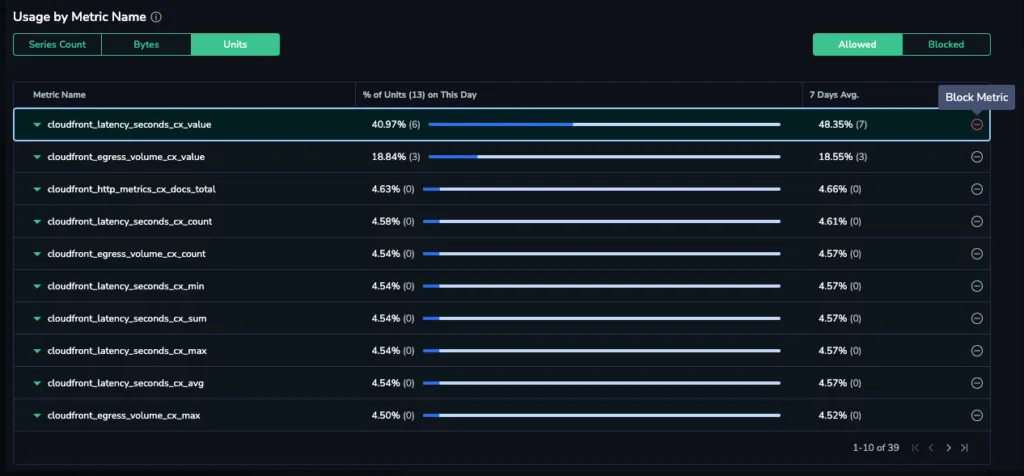
On the Metrics Usage page, select the Units option and identify the metrics that take up the most of metrics quota. Then, use the Block Metric button to block the metrics that cost the most.
Unblocking metrics
You can always restore blocked metrics to your allowlist by unblocking them.
1.
On the Metrics Usage page, select the Units option and click the Blocked switch.
2.
Click the Allow Metrics button for each metrics you’d like to unblock.

Last updated on