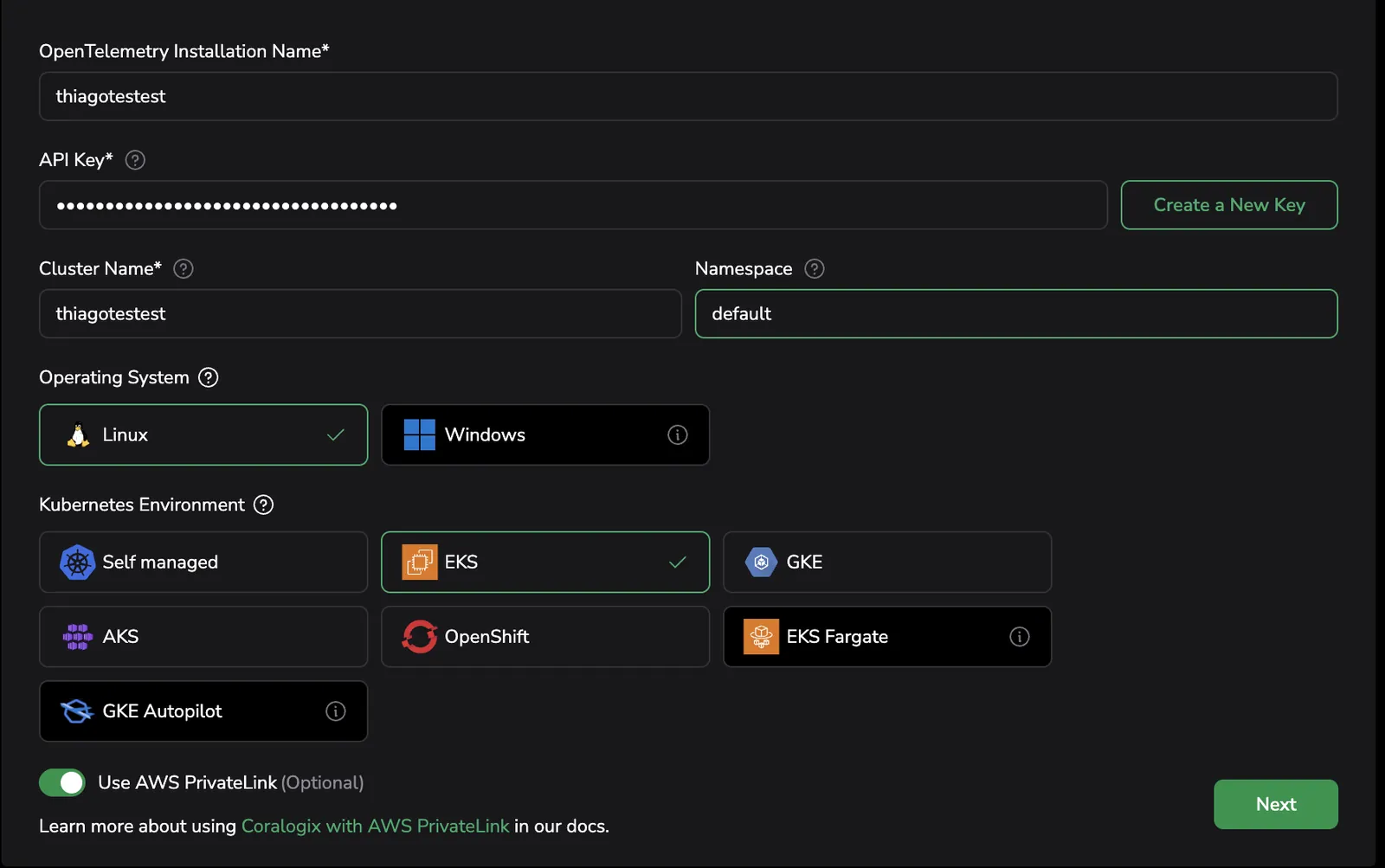
k8-ui-install-step1
Set up the integration in Coralogix
-
Access Data Flow > Integrations.
-
From the Integrations section, select Kubernetes Complete Observability.
-
On the Kubernetes Complete Observability integration page, click + Setup Collector to create a new integration. For existing integrations, click the arrow icon on the right to upgrade to the new version.

-
Provide a name to identify this integration (especially useful if you have multiple clusters).
-
Enter a Send-Your-Data API key or click Create a New Key to generate a new dedicated API key.
-
Enter your Kubernetes cluster name in the Cluster Name field.
-
Enter your Kubernetes namespace in the Namespace field. If left empty, the namespace from your current kubectl context will be used.
-
Select the operating system and environment that your Kubernetes workloads are deployed on.
-
Click Next.