non-k8-install
If you are not using one of the Coralogix integrations (Kubernetes or ECS on EC2) and instead run your own OpenTelemetry collector, you can generate a working example configuration directly from the Coralogix UI and adapt it to your setup.
Follow the steps below to generate a baseline configuration using the Kubernetes integration UI:
-
If the Kubernetes integration is not yet configured, follow the instructions here. If the integration is configured, skip this step and proceed to the next one.
-
From the Kubernetes Complete Observability page, Select Actions, then Update.
-
Navigate to Review values.yaml and Deploy and select Download content. Download the Kubernetes manifest.
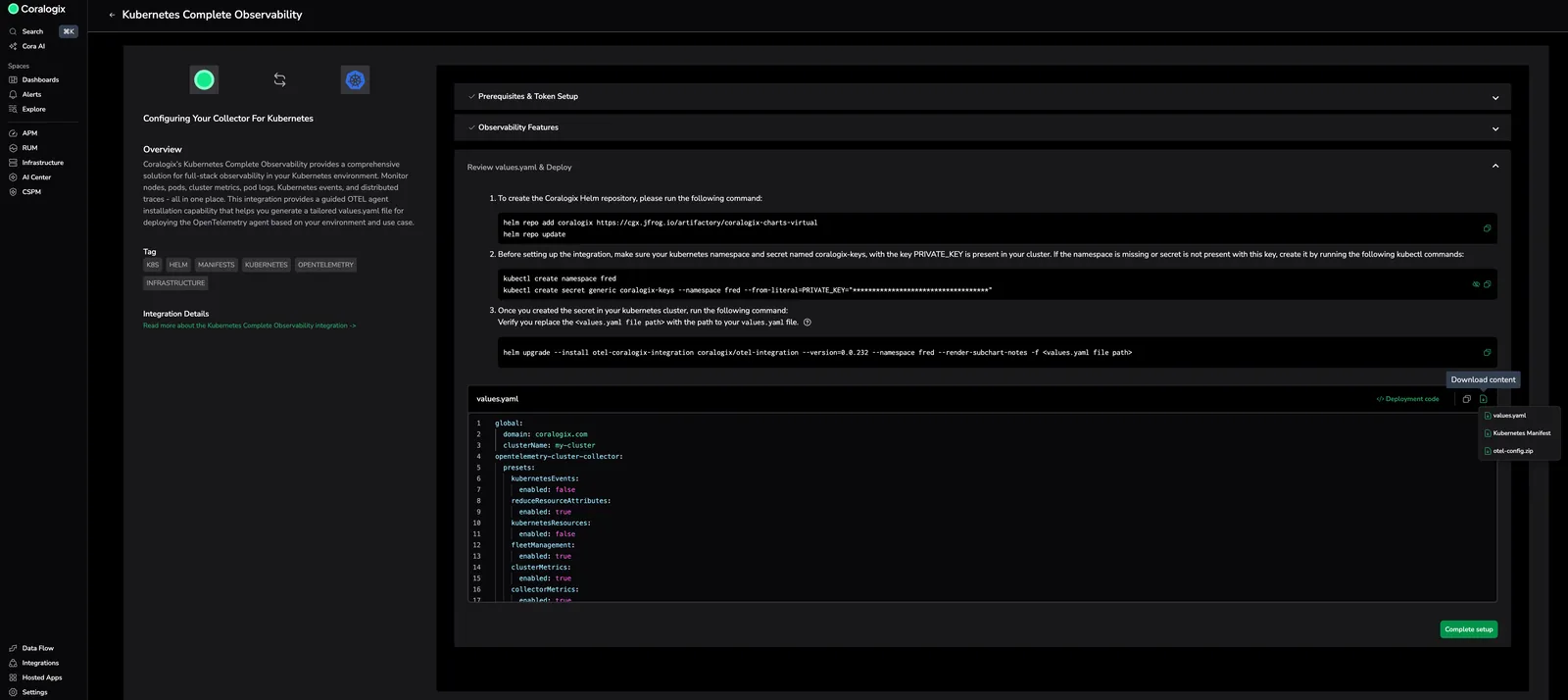
-
Use the downloaded manifest as a reference configuration. It includes a fully configured setup and reflects the latest supported settings. You can adapt this configuration for your own OpenTelemetry collector if needed.
Whenever possible, use the Coralogix integrations for Kubernetes or ECS on EC2. They provide ongoing updates, feature compatibility, and streamlined support, while still allowing you to inspect and reuse the underlying configuration when customization is required.