Codex
The Codex dashboard has two tabs: Activity and Cost. Activity holds Key insights, Usage, and Users. Cost holds Tokens. An Impact tab is not available yet. Every figure is derived from Codex usage data over the time range and filters you've set.
Before the dashboard shows data, set up the integration. See Connect Codex CLI.
Key insights
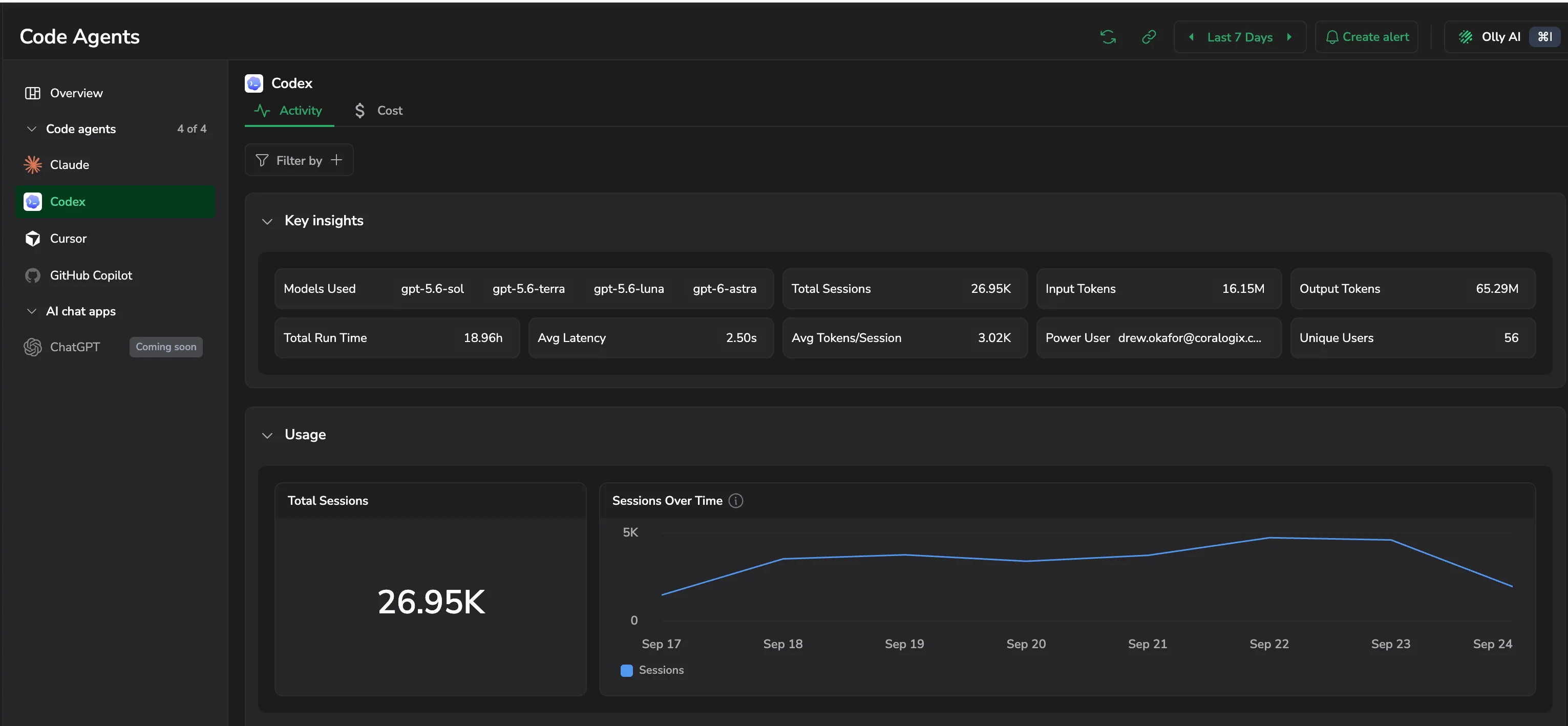
A snapshot of Codex activity. Models in use, total sessions, input and output tokens, total run time, average latency, average tokens per session, your power user, and how many unique users were active.
Tokens
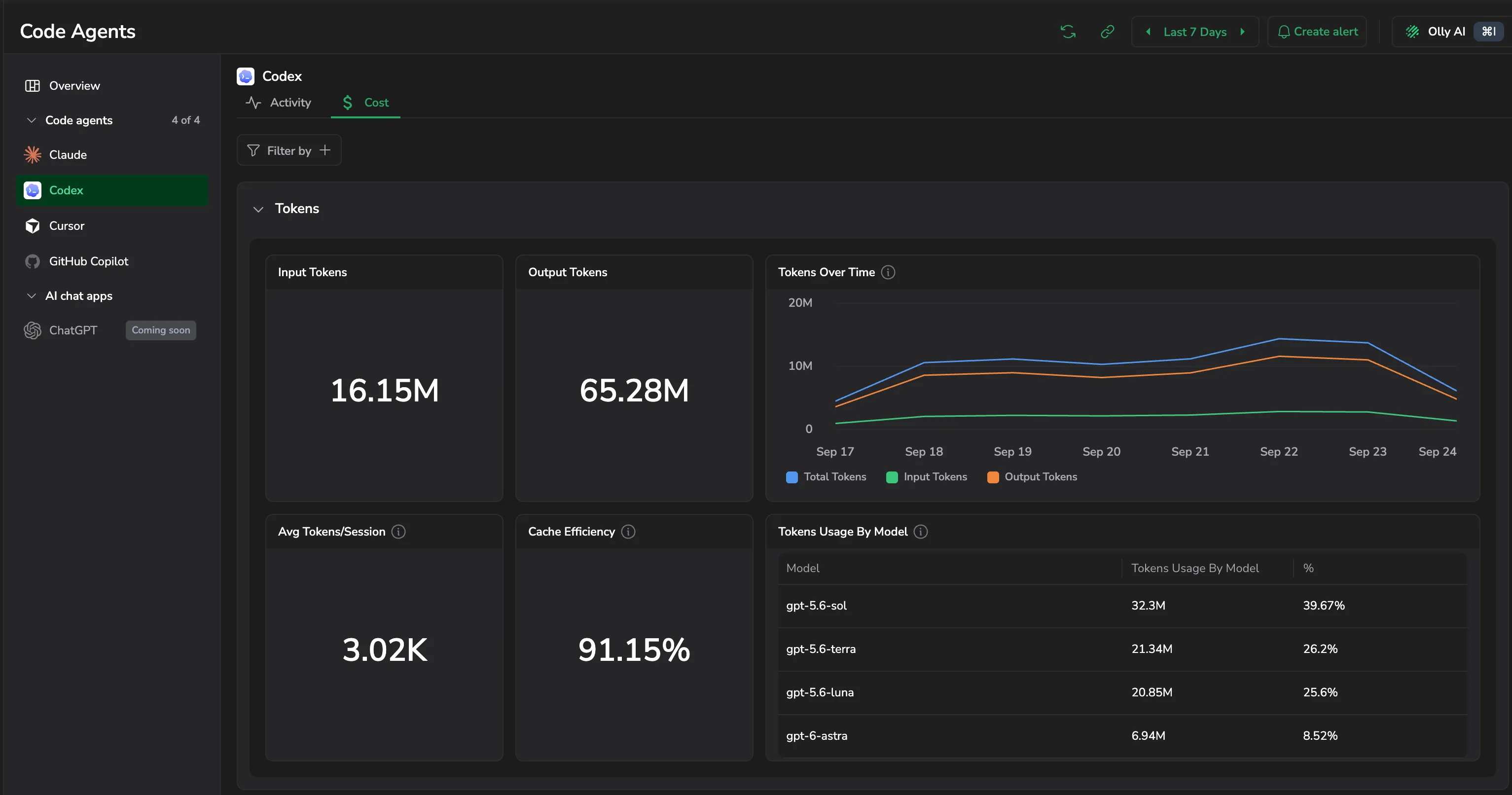
- Input tokens and Output tokens: totals for the period.
- Tokens over time: when consumption peaked, charting total tokens against the input and output split.
- Avg tokens/session: how token-heavy a typical session is.
- Cache efficiency: share of input served from cache; higher means lower cost per request.
- Tokens usage by model: token share across the models you're using.
Usage
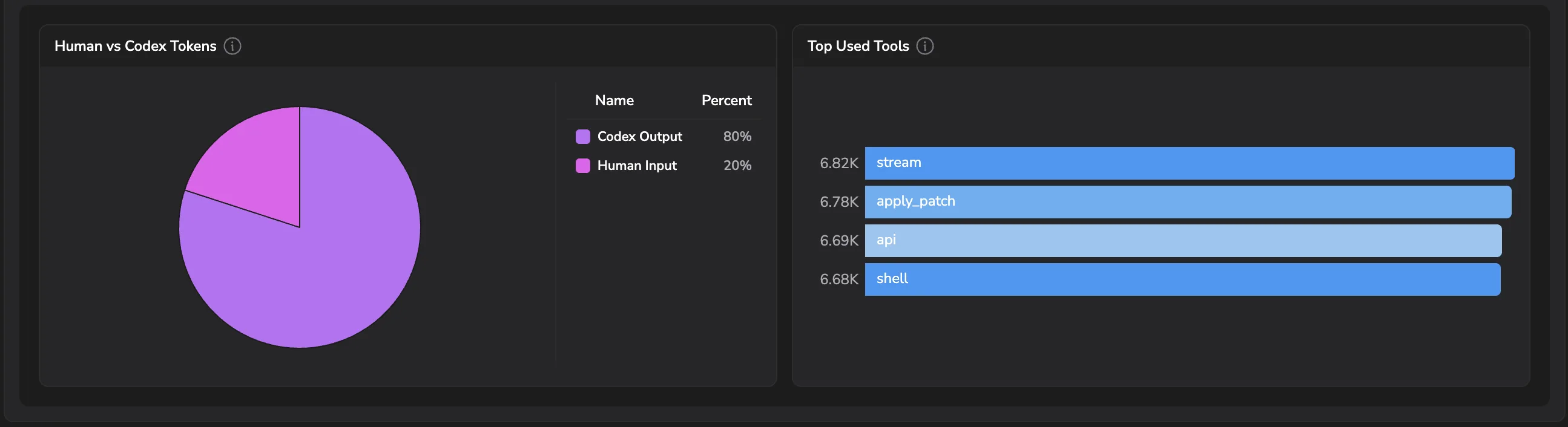
- Total sessions and Sessions over time, volume of Codex activity across the window.
- Human vs Codex tokens: split of tokens you sent in versus tokens Codex generated.
- Top used tools: the tools Codex invoked most across sessions.
Users
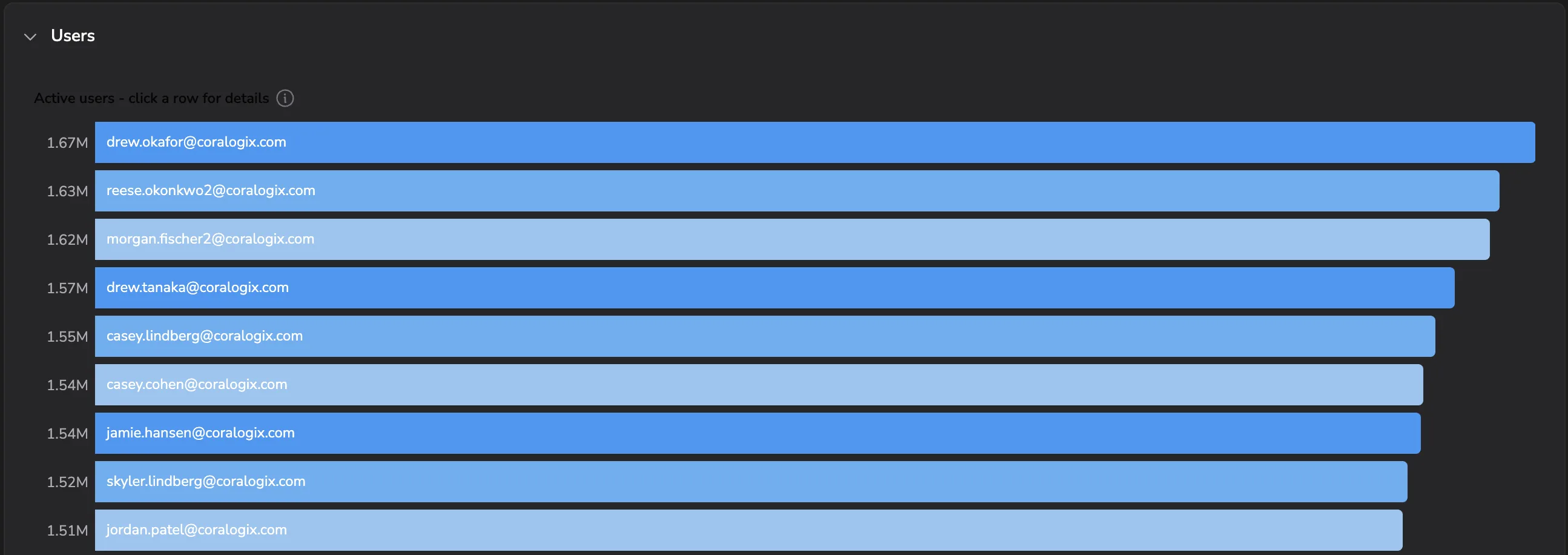
Active users ranked by token consumption. Select any row to drill into that user's session activity and token use.
Last updated on