Copilot
The Copilot dashboard has three tabs: Activity, Cost, and Impact. Activity holds Key insights, Usage, and Users. Cost holds the cost widgets. Impact holds Git Repos, and appears only when the GitHub Copilot collector is connected. Every figure is derived from Copilot's own usage data over the time range and filters you've set.
Before the dashboard shows data, set up the integration. See Set up GitHub Copilot.
Key insights
A snapshot of Copilot activity across your org: models in use, active users, interactions, total cost, total tokens, the most-used feature, your power user, the top IDE, and the top programming language.
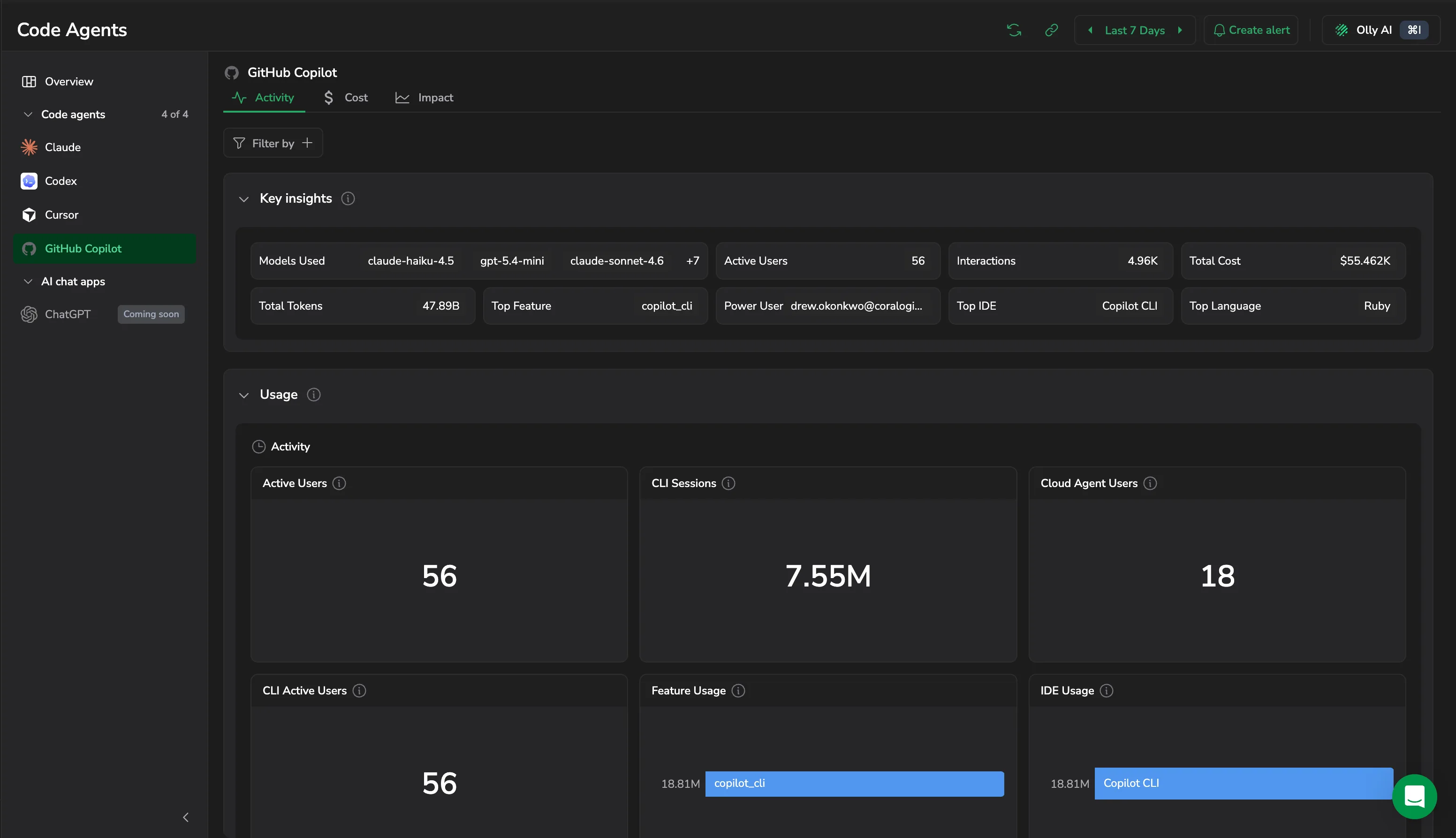
Usage
- Active Users, CLI Sessions, CLI Active Users, and Cloud Agent Users: how much Copilot is being used, and through which surface.
- Feature Usage: which Copilot features drive that usage.
- IDE Usage: where developers run Copilot.
Code Impact
- PRs Created and PRs Merged: what the work turned into.
- Suggestion Apply Rate: the share of Copilot suggestions developers applied.
- Coding Language: the languages they applied them in.
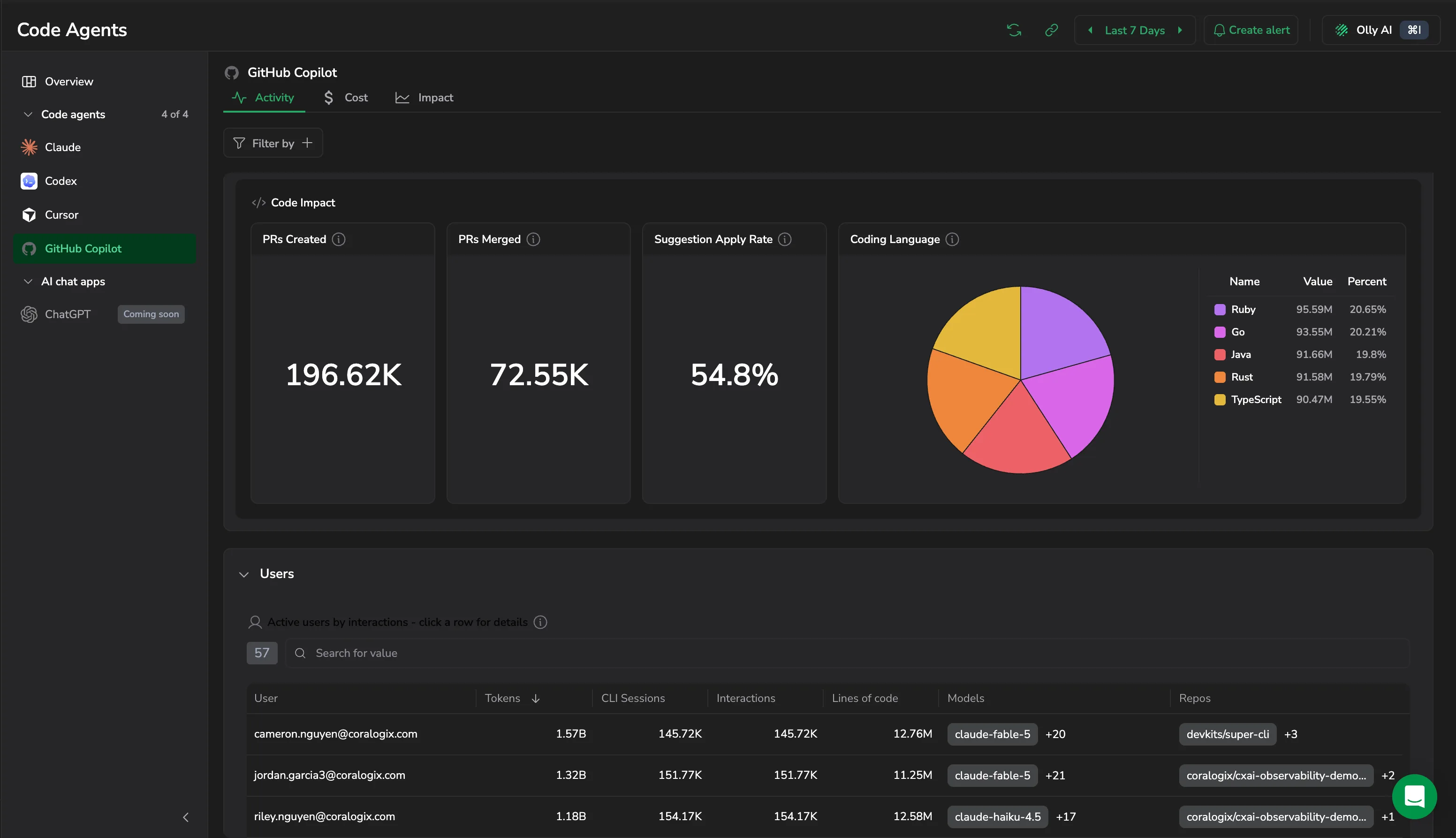
Users
Active users ranked by interactions. The section header counts them, and each row carries User, Tokens, CLI Sessions, Interactions, Lines of code, Models, and Repos. Search the table, or select a row to drill into that user's session activity and code impact.
Cost
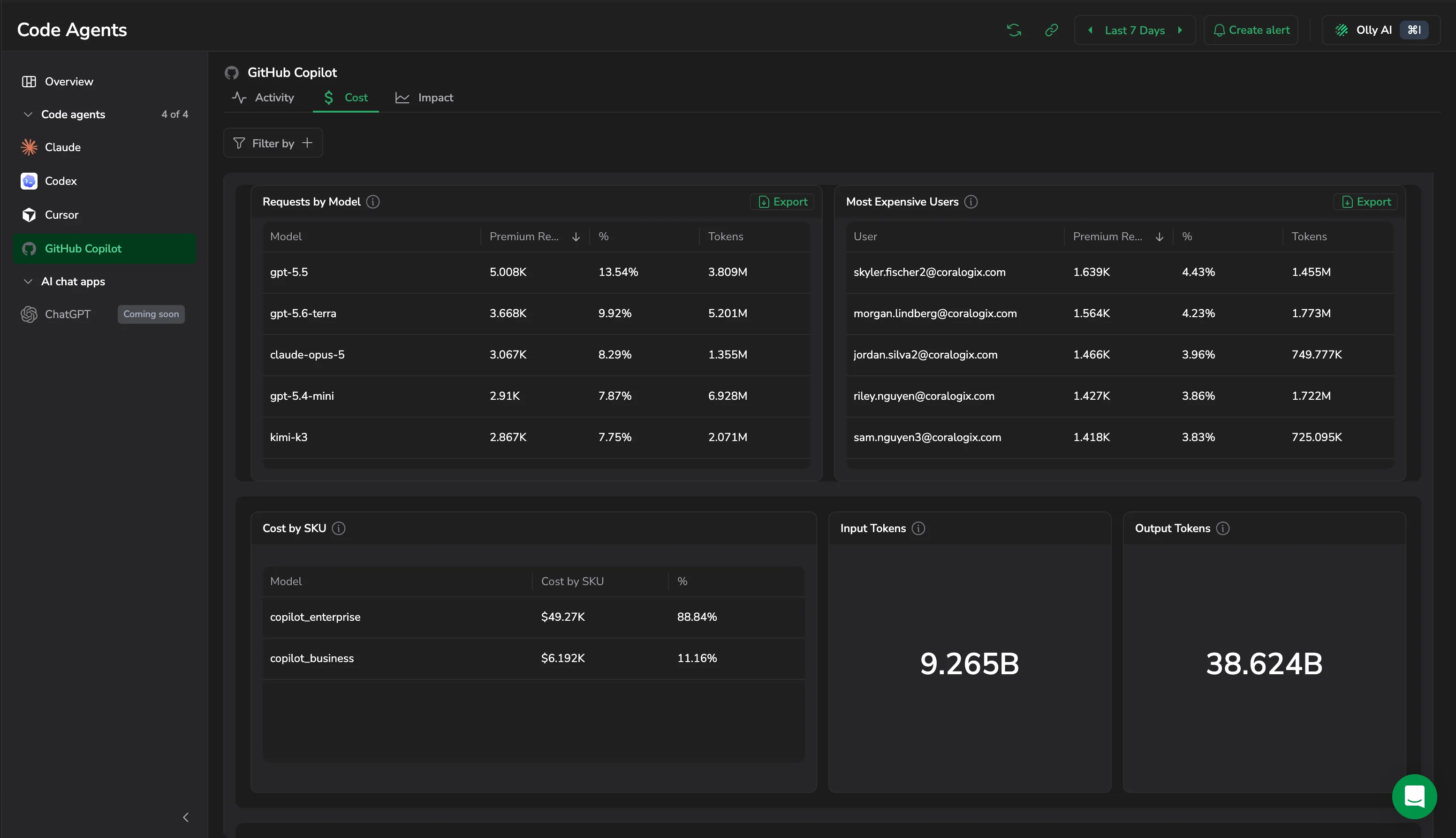
Built to answer one question: where is your Copilot spend going, and what's it buying you?
The tab opens with Insights, ranked observations such as premium models dominating usage or spend landing on unmanaged repositories, each with an action that takes you to the widget behind it.
- Net Cost and Net Cost Over Time: spend for the period, and how it trended.
- CLI Tokens and CLI Tokens Over Time: token volume attributed to Copilot CLI usage.
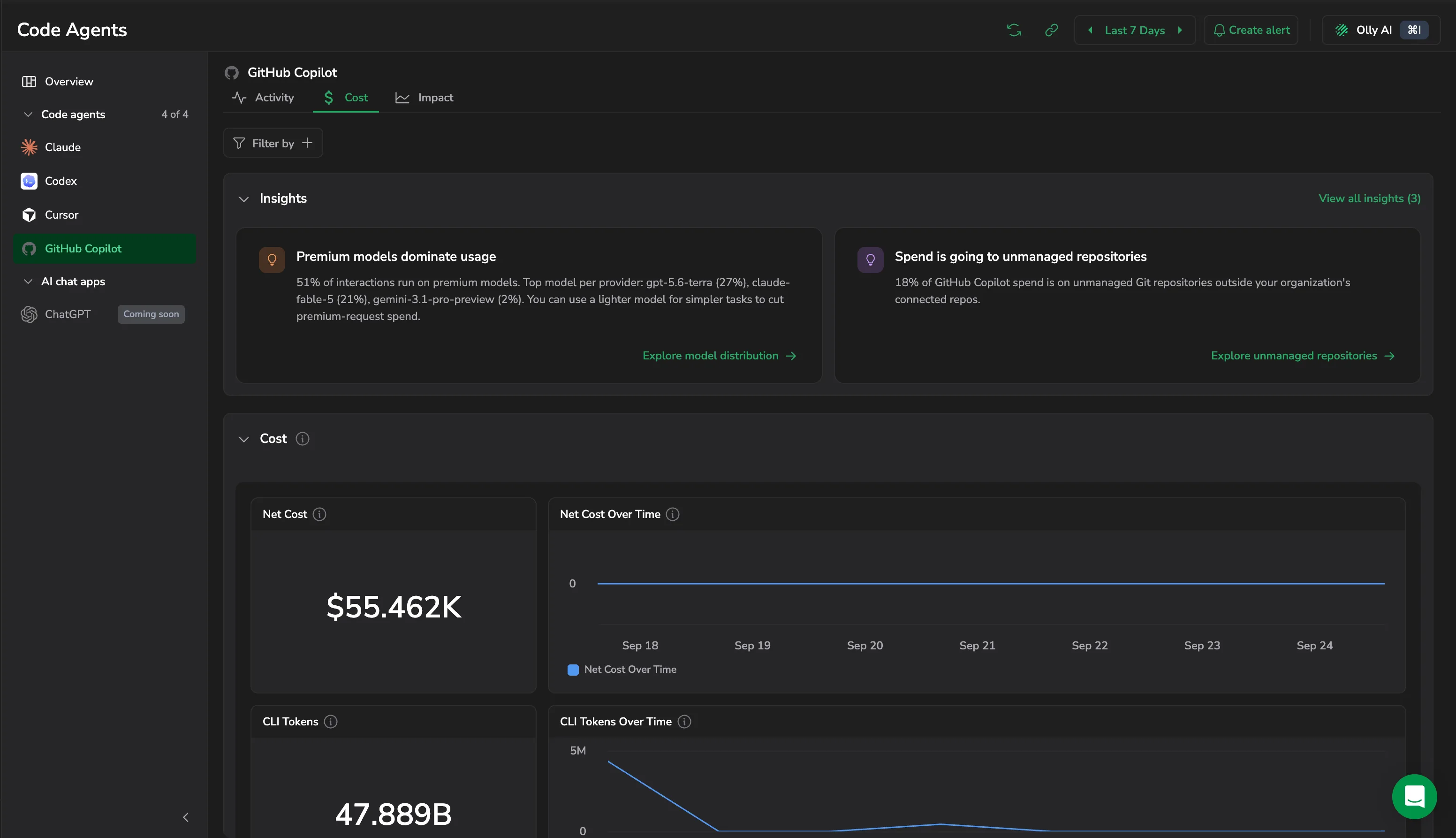
- Requests by Model: Model, Premium Requests, %, and Tokens.
- Most Expensive Users: the same measures, per person.
- Cost by SKU: spend split across your Copilot license tiers, such as
copilot_enterpriseandcopilot_business. - Input Tokens and Output Tokens: totals for the period.
Each table exports on its own.
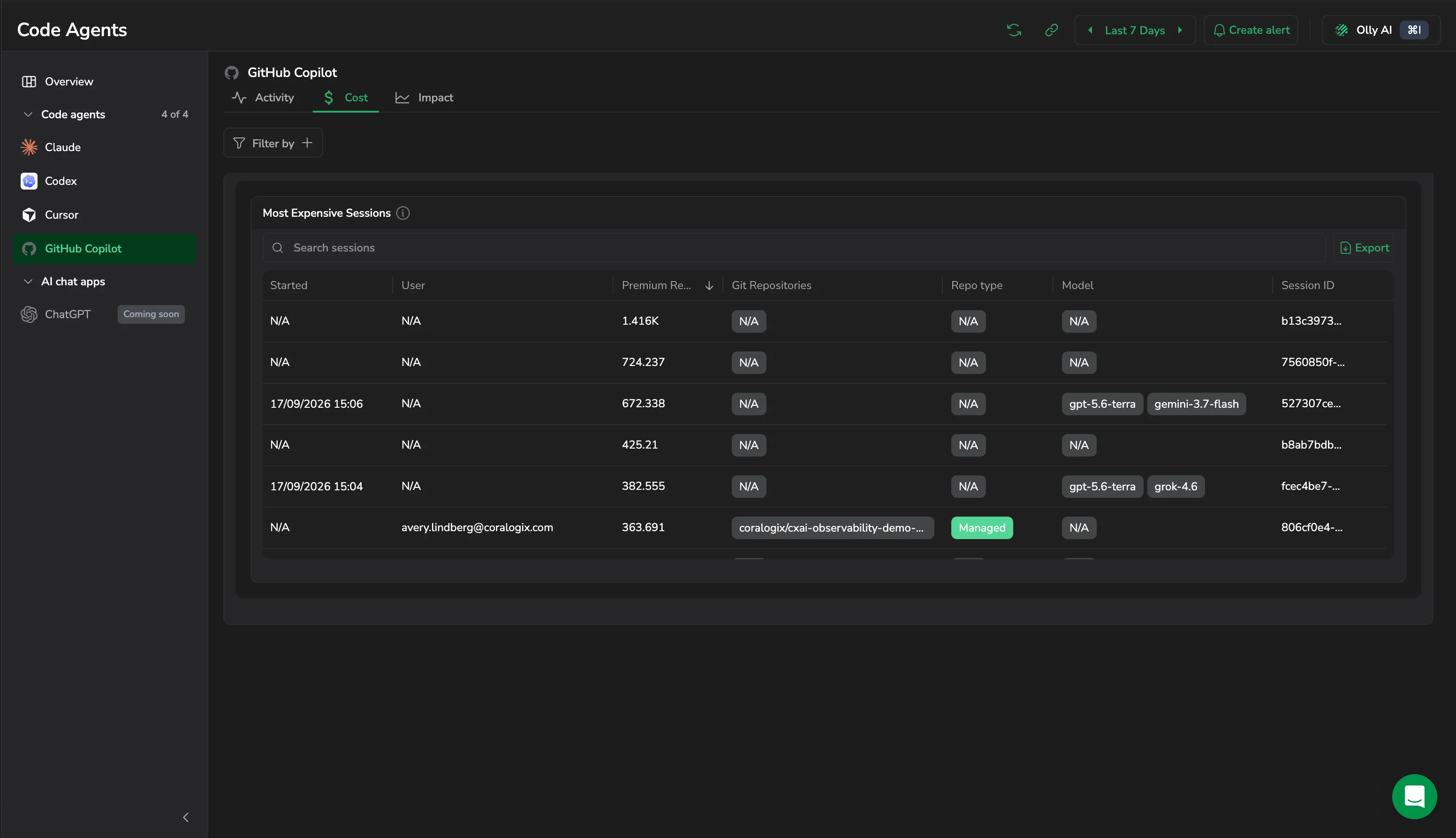
Most Expensive Sessions lists the costliest sessions with Started, User, Premium Requests, Git Repositories, Repo type, Model, and Session ID. Search it or select Export to download it. Rows report N/A where a session did not carry that attribute.
Git Repos
The Git Repos section attributes each Copilot CLI session's token usage to the repository it touched, then splits that activity between Managed repositories (those owned by an Organization you configure in Settings → AI Center → Code agent) and Unmanaged ones: personal projects, external clones, or private work running on the company's Copilot license.
The built-in OpenTelemetry in Copilot CLI reports the repository per session on the github.copilot.git.repository attribute. For how that attribute is read and classified, see Repository breakdown.
Widgets
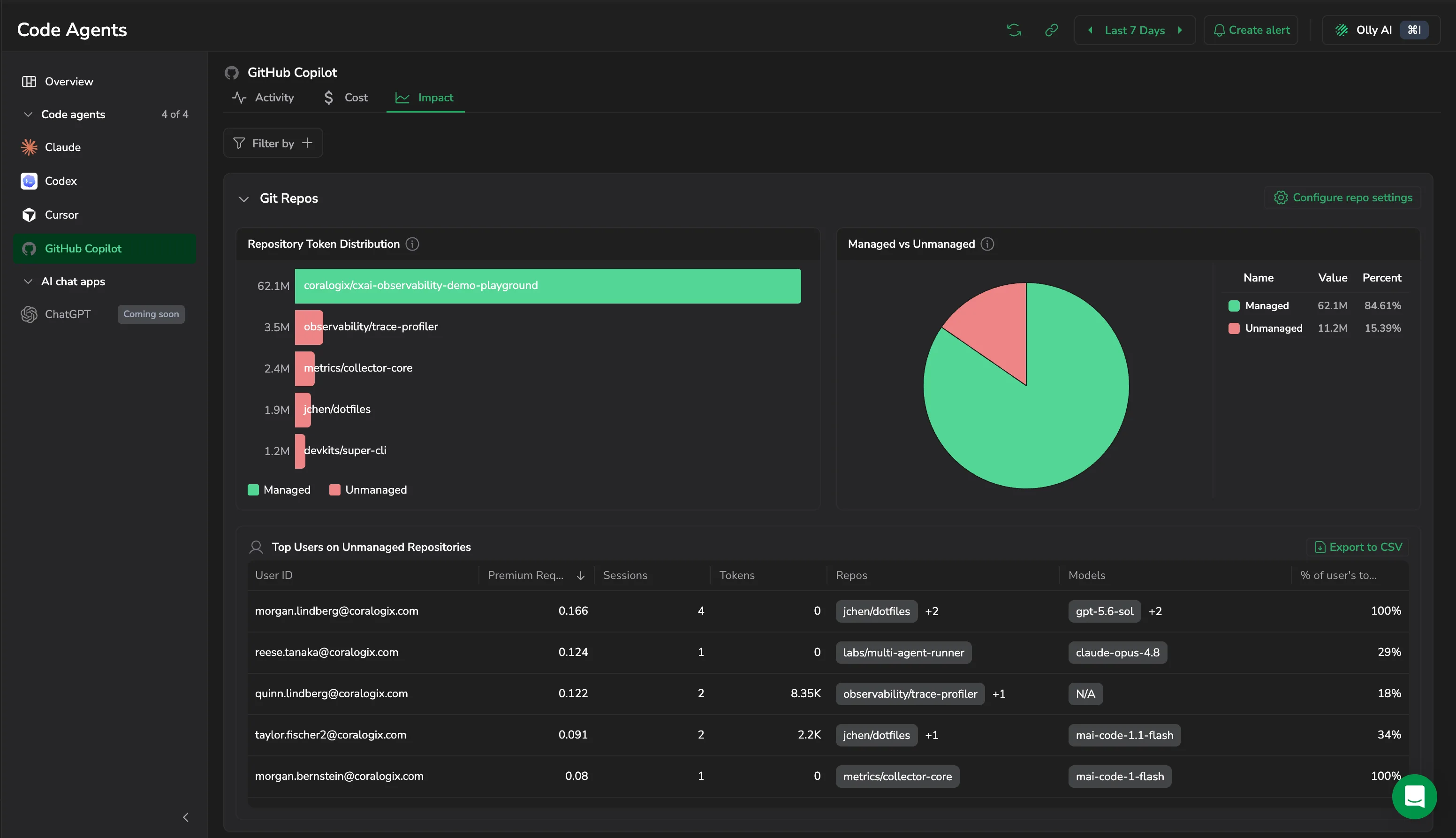
Repository Token Distribution
A ranked bar chart of token share by repository, each bar colored Managed or Unmanaged.
Managed vs Unmanaged
The split of total tokens between Managed repositories and Unmanaged ones, those owned by no configured Organization. Until you configure an Organization, every repository appears as Unmanaged.
Top Users on Unmanaged Repositories
A ranked table of the users with the most activity on Unmanaged repos, with User ID, Premium Requests, Sessions, Tokens, Repos, Models, and the share of that user's total. Select Export to CSV to download it.
What you need
- CLI session telemetry (Copilot CLI): feeds per-session tokens, premium requests, and the
github.copilot.git.repositoryattribute that ties activity to a repository. - Repository Organizations: split attributed activity into Managed and Unmanaged buckets based on the Organizations you configure in Settings → AI Center → Code agent. Until you configure an Organization, every repository appears as Unmanaged.
Alert examples
Example alerts you can build on Copilot's metrics to catch cost, adoption, and governance issues early. Each one expands to show what it detects and the query to use. Most of these are also available as ready-to-deploy alerts in the Code Agents alerts extension.
Alerts when one user accounts for more than 60% of total CLI prompt tokens, a sign that heavy automated CLI jobs from one developer are crowding out org capacity.
sum by (user_email) (
  increase(github_copilot_user_cli_prompt_tokens_sum[1h])
)
/ on() group_left() (
  sum(increase(github_copilot_user_cli_prompt_tokens_sum[1h])) + 1
)
Alerts when accepted suggestions as a share of total generated suggestions drops below 20%. Developers are rejecting most of Copilot's output, which can signal prompt-quality or model-alignment issues.
sum(increase(github_copilot_org_code_acceptance_activity_count[24h]))
/ (sum(increase(github_copilot_org_code_generation_activity_count[24h])) + 1)
Alerts when no users are active for the current day, a sign of a complete outage, auth failure, or connectivity issue.
sum(github_copilot_org_daily_active_users{}) == 0
Alerts when billed seats exceed monthly active users by more than 20 (adjustable). Every unused seat is avoidable spend.
sum(github_copilot_billing_net_quantity)
- sum(github_copilot_org_monthly_active_users)
Alerts when Copilot net billing increases more than 30% compared to 7 days ago, a sign of unexpected seat additions or SKU upgrades before the monthly invoice.
sum(github_copilot_billing_net_amount)
/ sum(github_copilot_billing_net_amount offset 7d)
Alerts when a Copilot interaction is recorded against a model that wasn't present over the previous 7 days. The alert surfaces the exact model name so leadership can assess whether it's sanctioned and act accordingly.
count by (model) (
  github_copilot_user_user_initiated_interaction_count_by_model_feature
)
unless
count by (model) (
  github_copilot_user_user_initiated_interaction_count_by_model_feature offset 7d
)