Cursor
The Cursor dashboard has three tabs: Activity, Cost, and Impact. Every figure comes from the Cursor Usage and Cost APIs integration, so one organization-level and team-level connection covers every member. There is no per-developer export to collect and no collector to deploy.
Before the dashboard shows data, set up the integration. See Connect Cursor.
The dashboard opens on the last 7 days. You can pick 24 hours, 2, 3, 5, 7, or 14 days. Cursor reports per session rather than per day, so 24 hours is the shortest range available, and a shorter range carried over from another page snaps back to 7 days.
Activity
Key insights
Ranked, metric-based observations drawn from your usage in the selected range, such as idle seats, cost concentrated in a few users, spend anomalies, and members still on an old client. Each card links to the widget it came from.
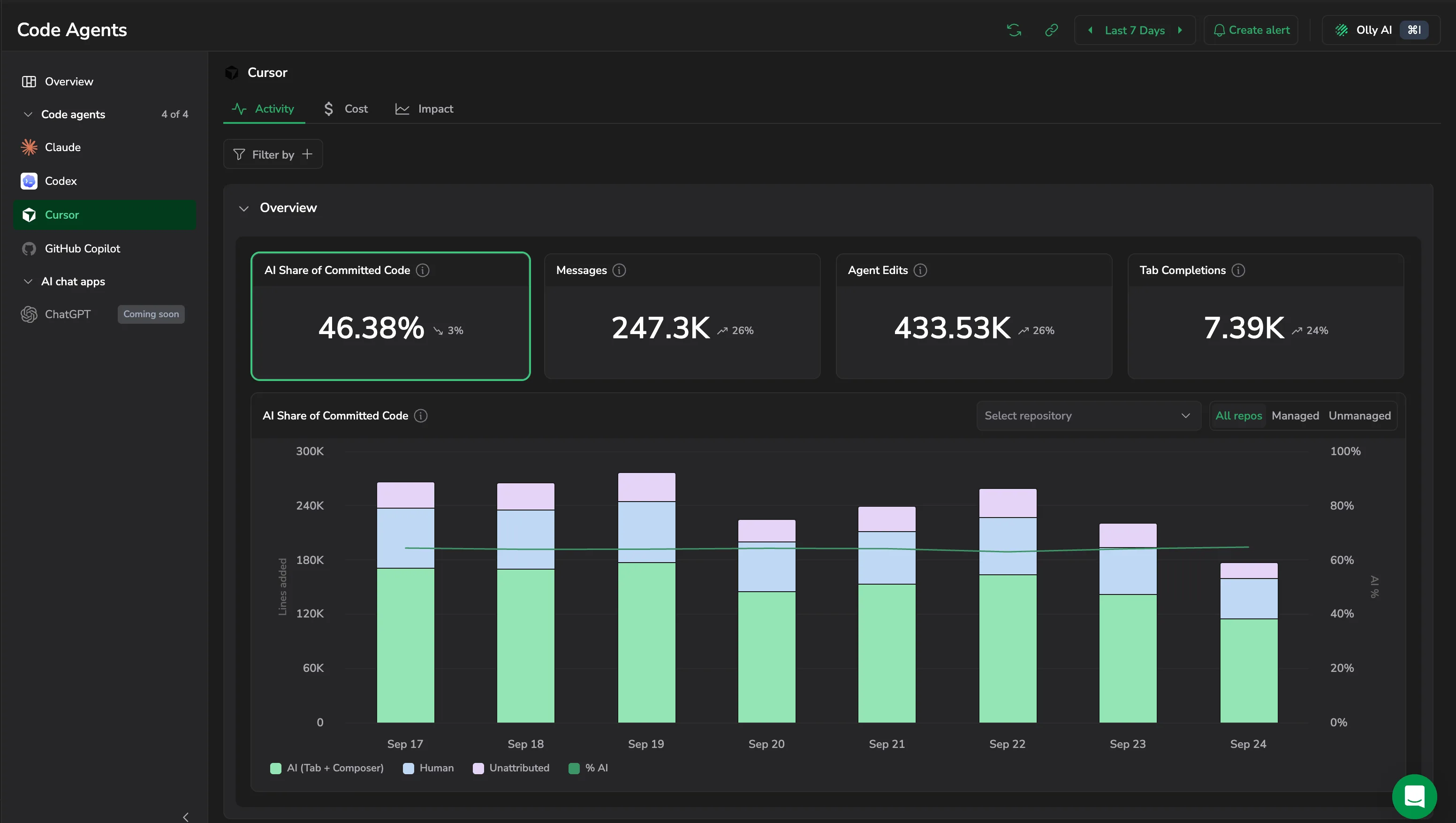
Overview
- AI Share of Committed Code, Messages, Agent Edits, and Tab Completions: headline counters for the period.
- AI Share of Committed Code also charts lines added, stacked into AI (Tab + Composer), Human, and Unattributed, against the AI percentage. Use Select repository to scope it to one repository, or the All repos / Managed / Unmanaged control to scope it by repository class.
- Messages by Model: which models your team is actually sending work to.
- Requests by Surface: where requests originate, such as chat, inline edits, or tab completion.
- Agent Edits and Lines of Code: volume of agent-authored change over time.
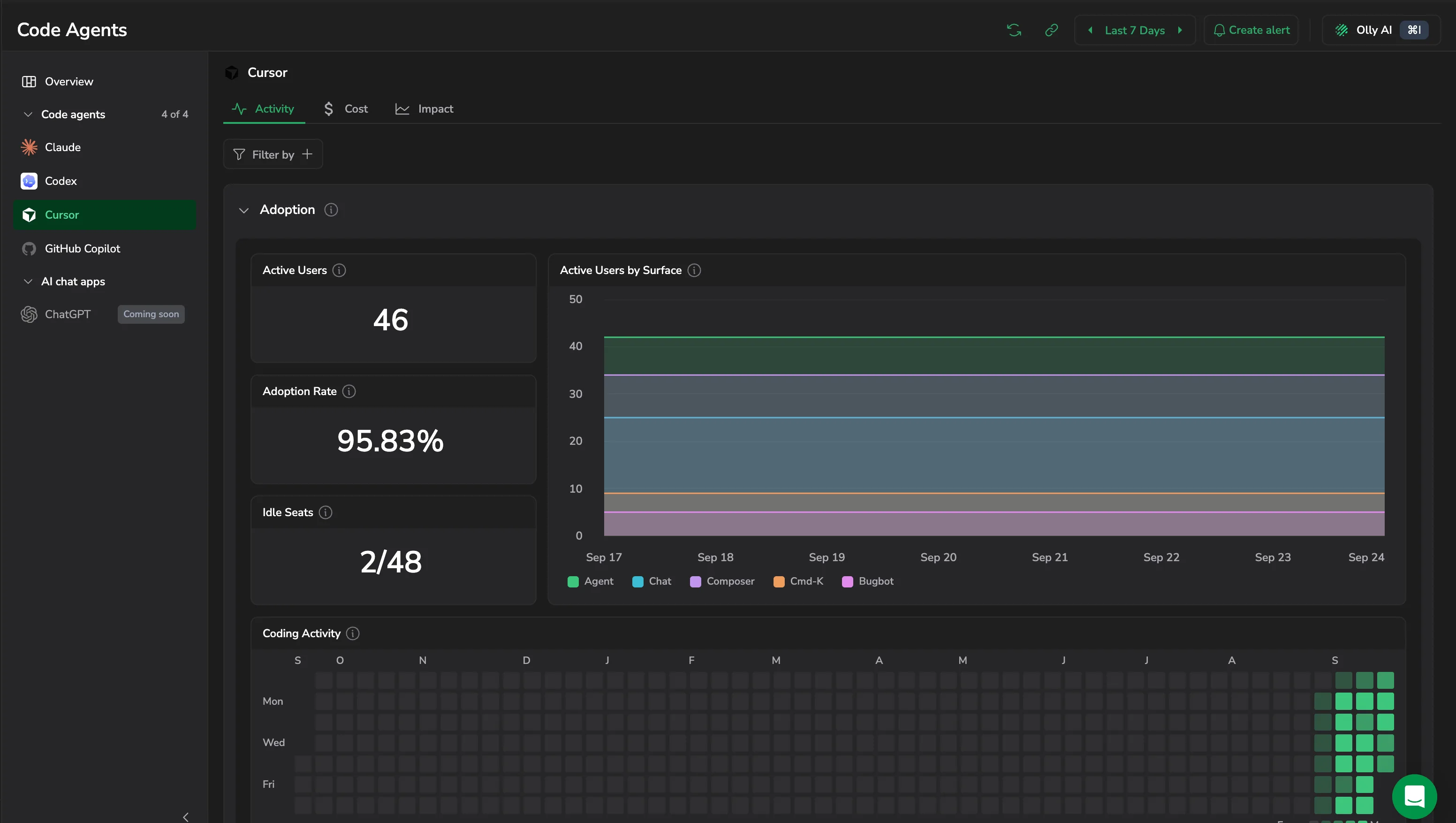
Adoption
- Active Users, Adoption Rate, and Idle Seats: how much of your licensed roster is actually using Cursor. Idle Seats reads as idle against total seats, so
2/48means two of forty-eight seats went unused in the window. - Active Users by Surface: engagement split across Agent, Chat, Composer, Cmd-K, and Bugbot.
- Coding Activity: a heatmap of when your team works.
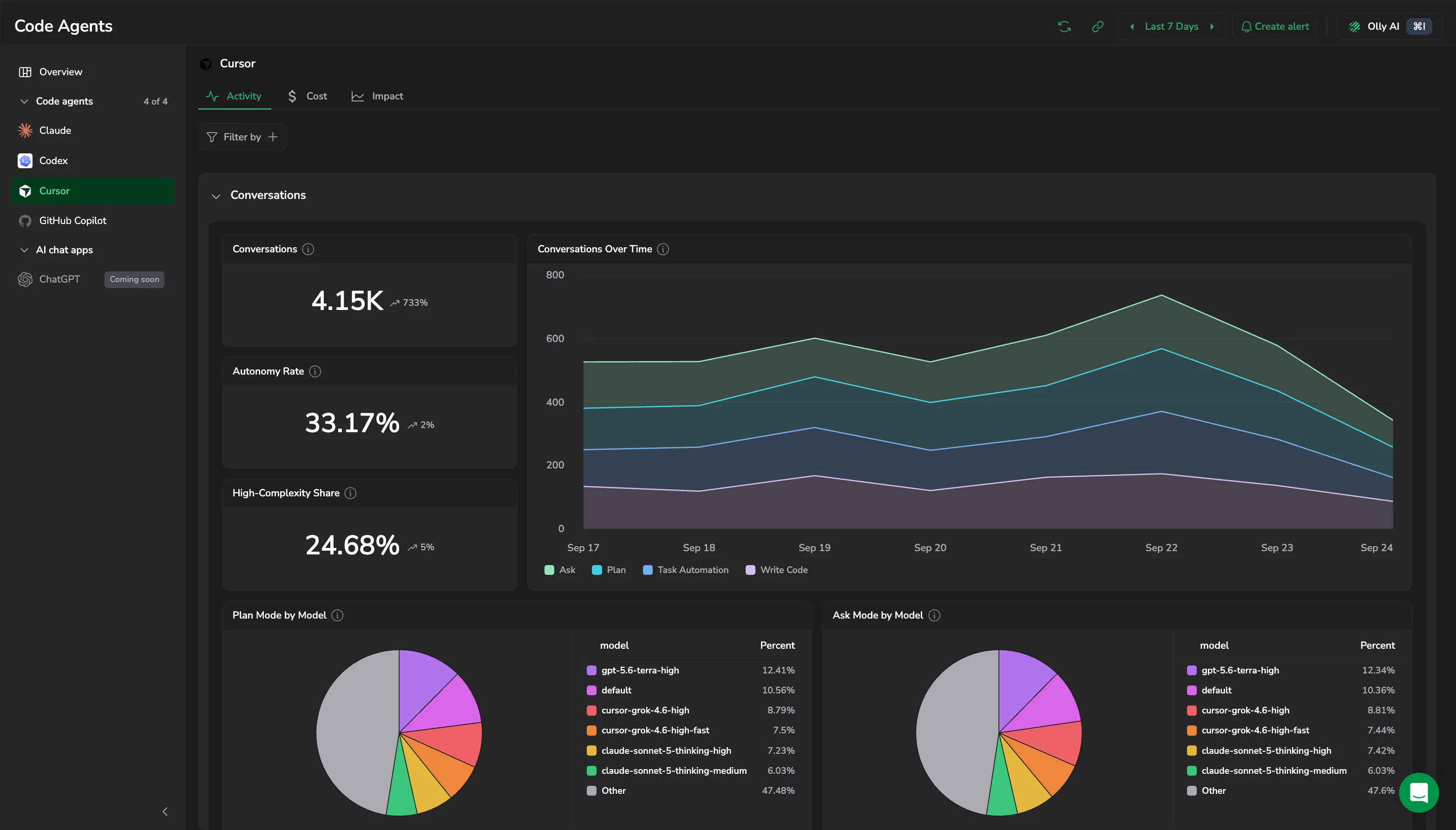
Conversations
- Conversations, Autonomy Rate, and High-Complexity Share: volume, how often the agent ran without step-by-step guidance, and how much of the work was hard.
- Conversations Over Time: volume split into Ask, Plan, Task Automation, and Write Code. Select a point to open the conversations behind it.
- Plan Mode by Model and Ask Mode by Model: which models serve which interaction mode.
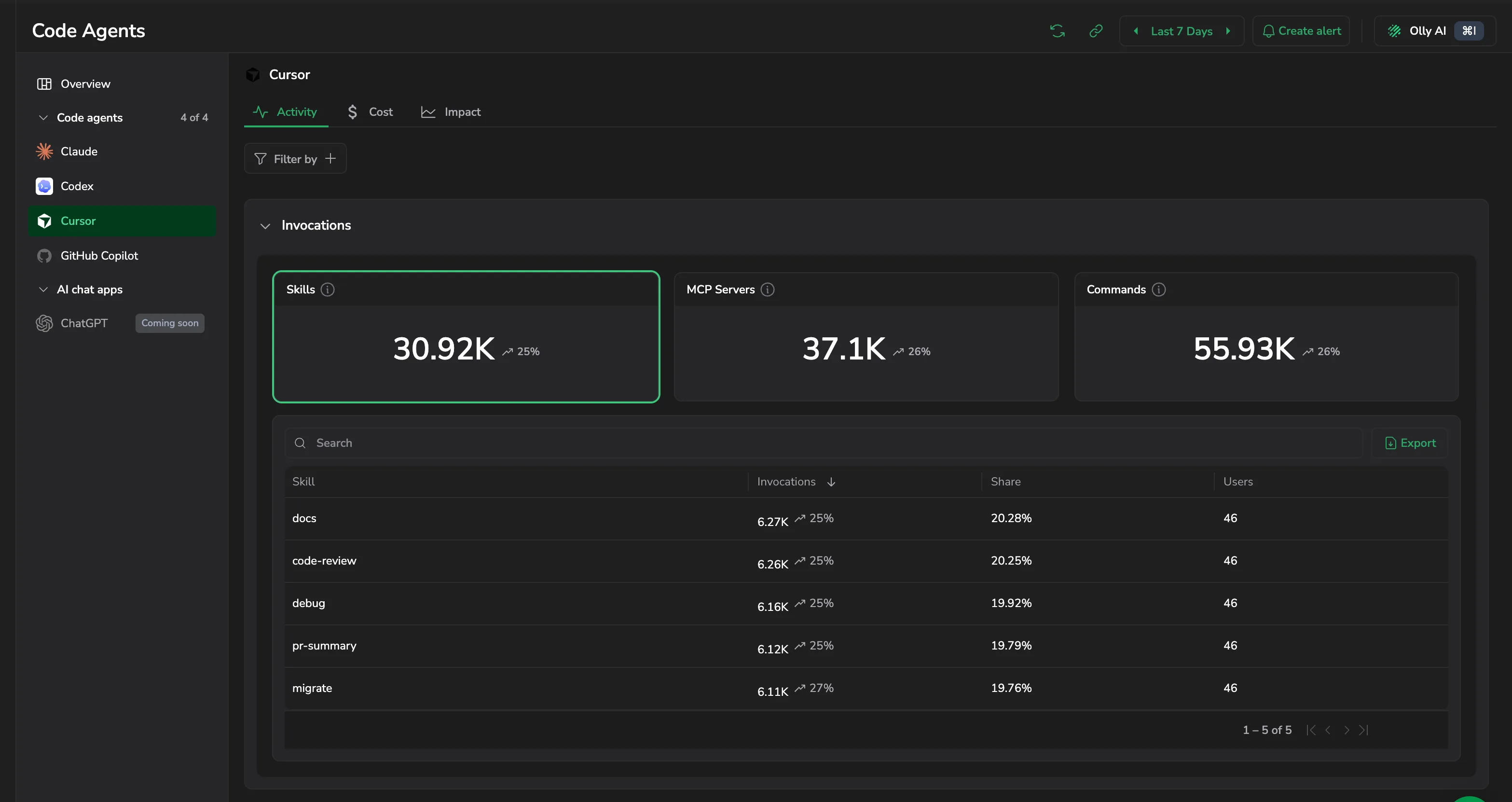
Invocations
Skills, MCP Servers, and Commands each report their invocation count and its trend. Select one to load the table beneath it, listing each entry with Invocations, Share, and Users. Search the table or select Export to download it.
Users
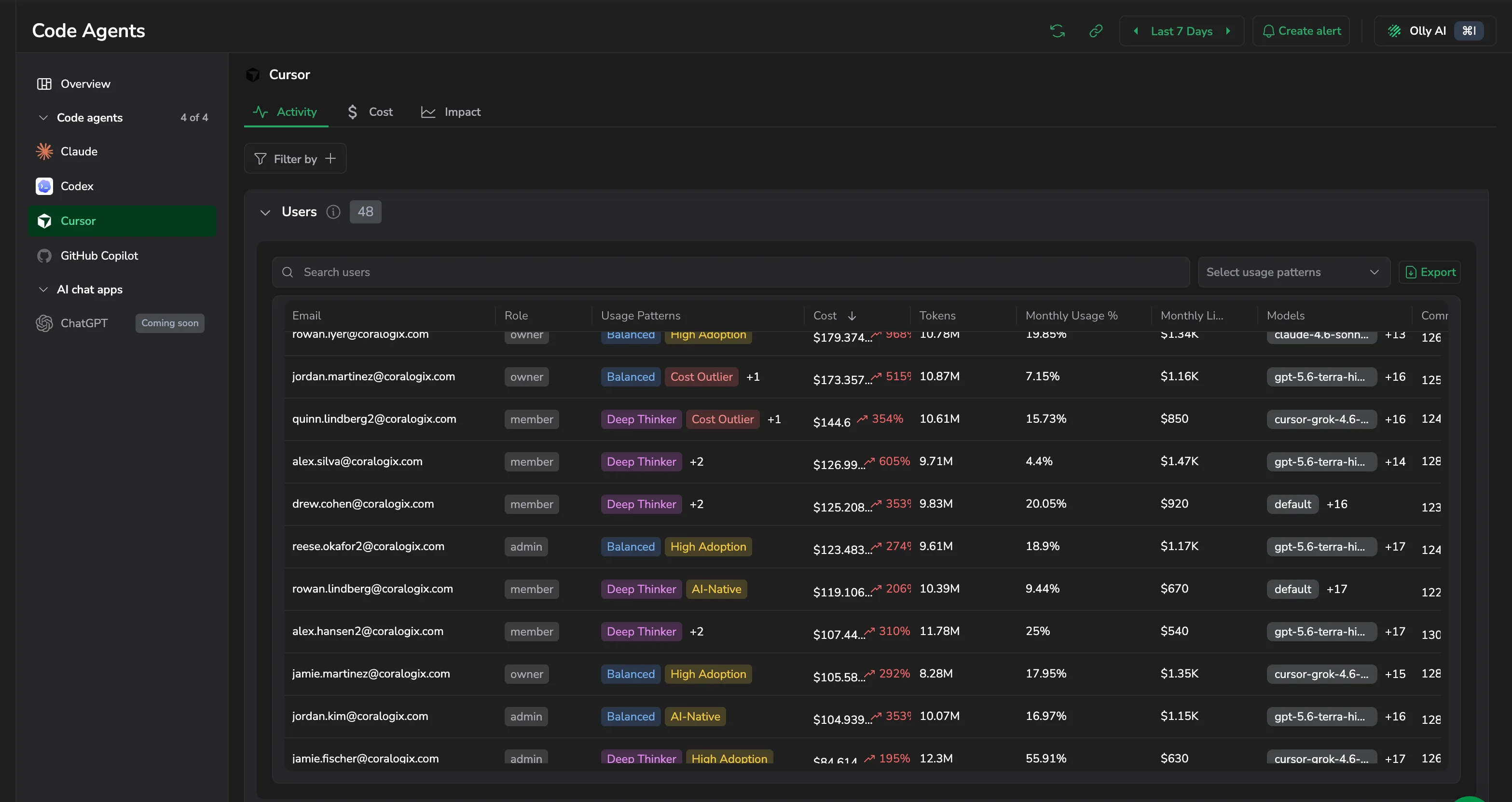
The section header counts the users in range. Each row carries Email, Role, Usage Patterns, Cost, Tokens, Monthly Usage %, Monthly Limit, Models, Commits, and Group. Usage Patterns tags how someone works, such as Balanced, Deep Thinker, High Adoption, or Cost Outlier, and Select usage patterns filters the table to one of them. Search by email, select Export to download the table, or select a row to open that user's drawer, covering their cost and requests, their code impact, and the commands, MCP servers, and Skills they use most.
Monthly Usage % and Monthly Limit are cycle-to-date and ignore the time picker.
Cost
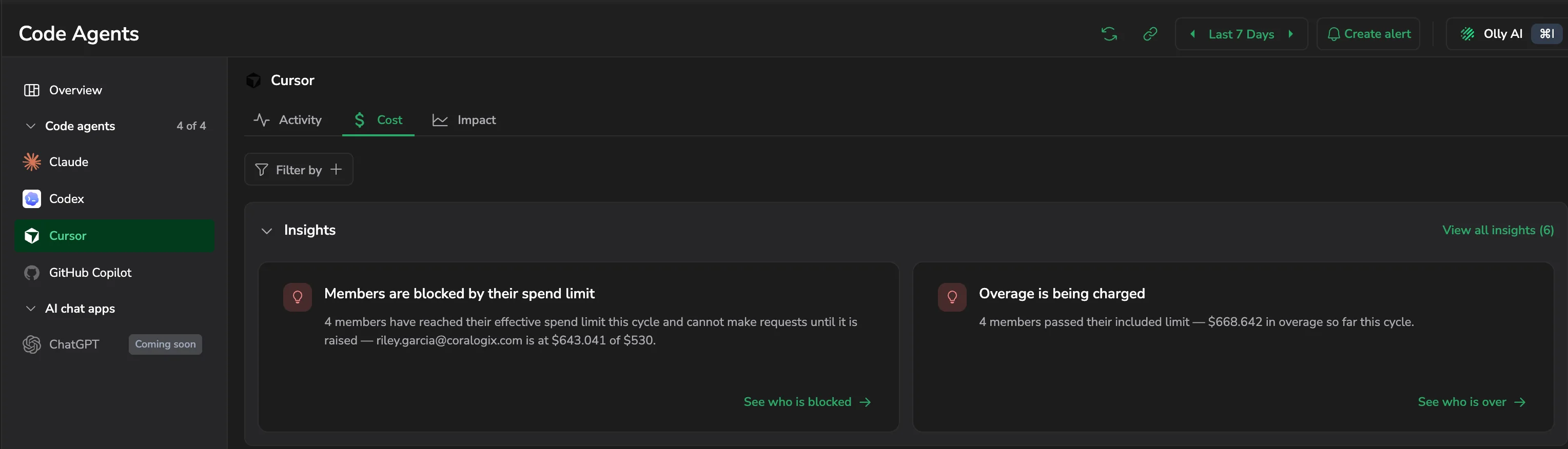
Cost opens with its own Key insights, calling out things like members blocked by their spend limit or overage being charged, each with an action that takes you to the members concerned.
Budget and spend
- Annual Budget: your organization's pooled contract budget, read from Cursor rather than summed from per-member limits. It ignores the time picker and the page filters.
- Annual Budget Used: the share of that pooled budget you have consumed.
- Cost (time range) and Overage: spend in the selected range, and spend beyond the budget.
- Gross Cost (cycle): gross spend for the billing cycle the selected range ends in.
- Cost over time: where spend is trending, charted per billing group. Use the group selector to focus on one.
A label beside the budget counts down to the end of your contract term.
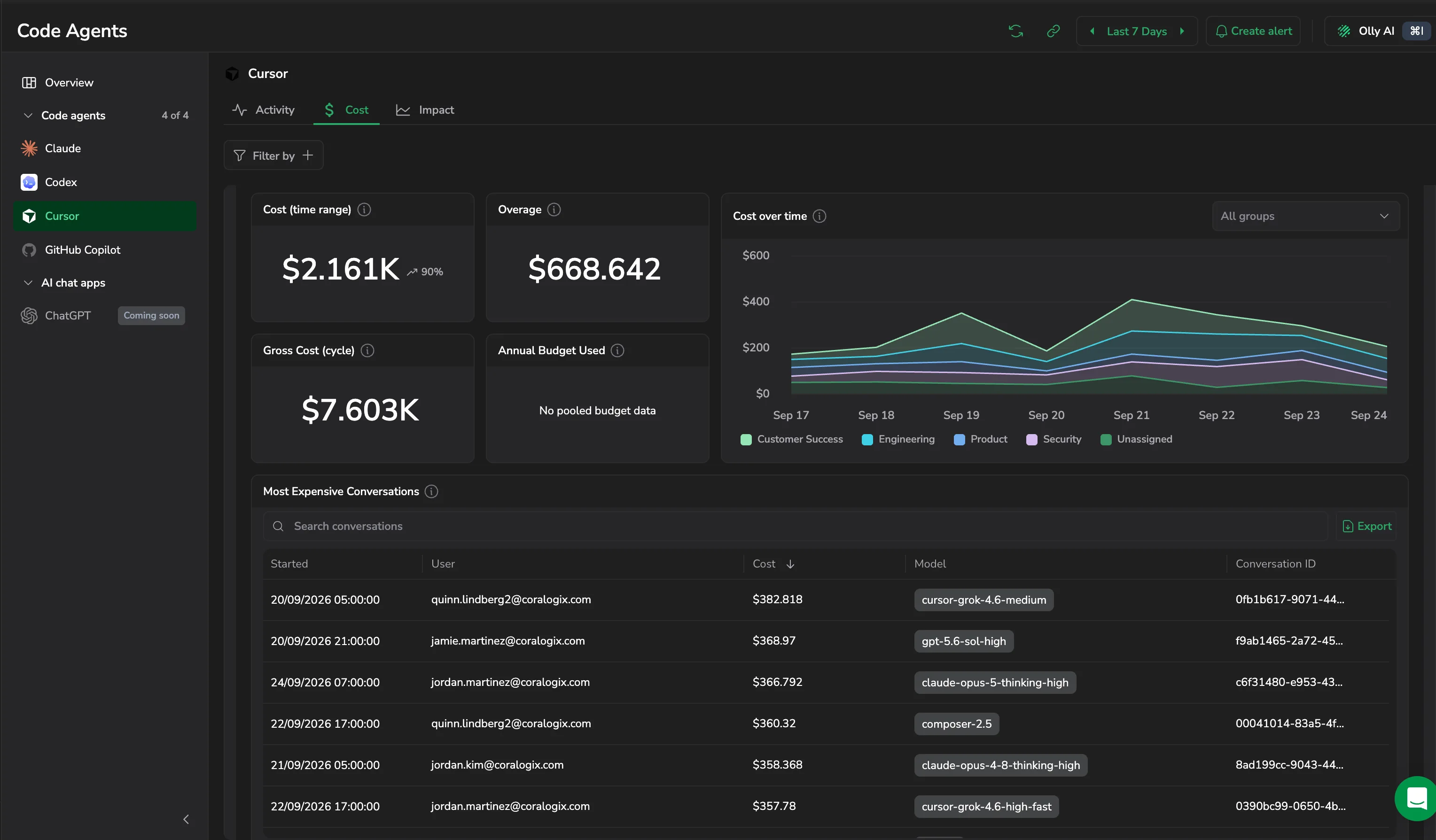
The pooled budget needs an organization admin API key. Without one, the widget reads Needs an organization admin API key. If your Cursor plan does not report pooled usage, it reads No pooled budget data. Because the pool is organization-wide, filtering by user or billing group leaves these widgets empty rather than showing a narrowed number.
Models
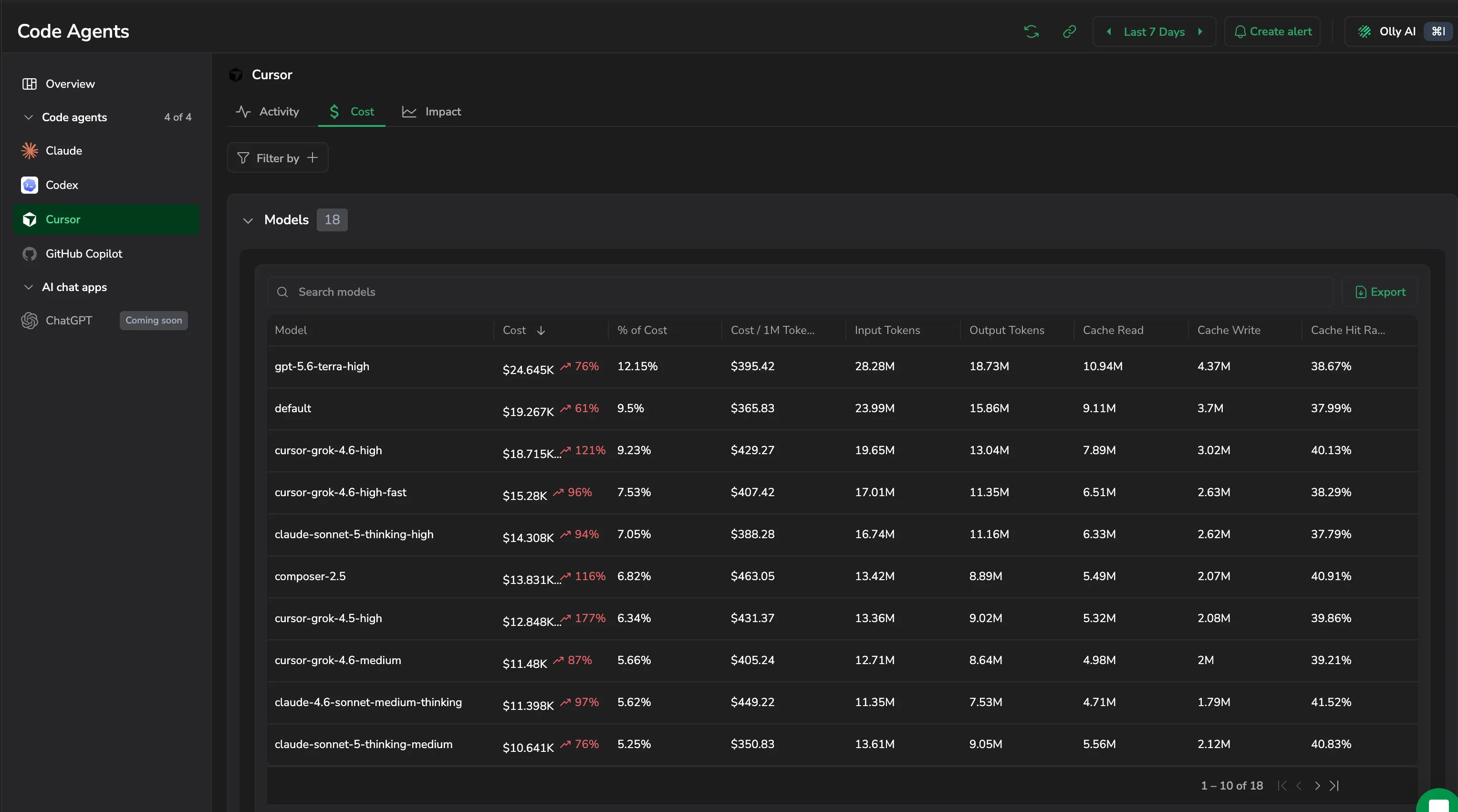
The section header counts the models in range. Each row carries Model, Cost, % of Cost, Cost / 1M Tokens, Input Tokens, Output Tokens, Cache Read, Cache Write, and Cache Hit Rate, with cost showing its trend. Search the table or select Export to download it.
Cursor bills in request units rather than per call, so a Key insights card flags when someone's cost per request unit jumps against the previous window.
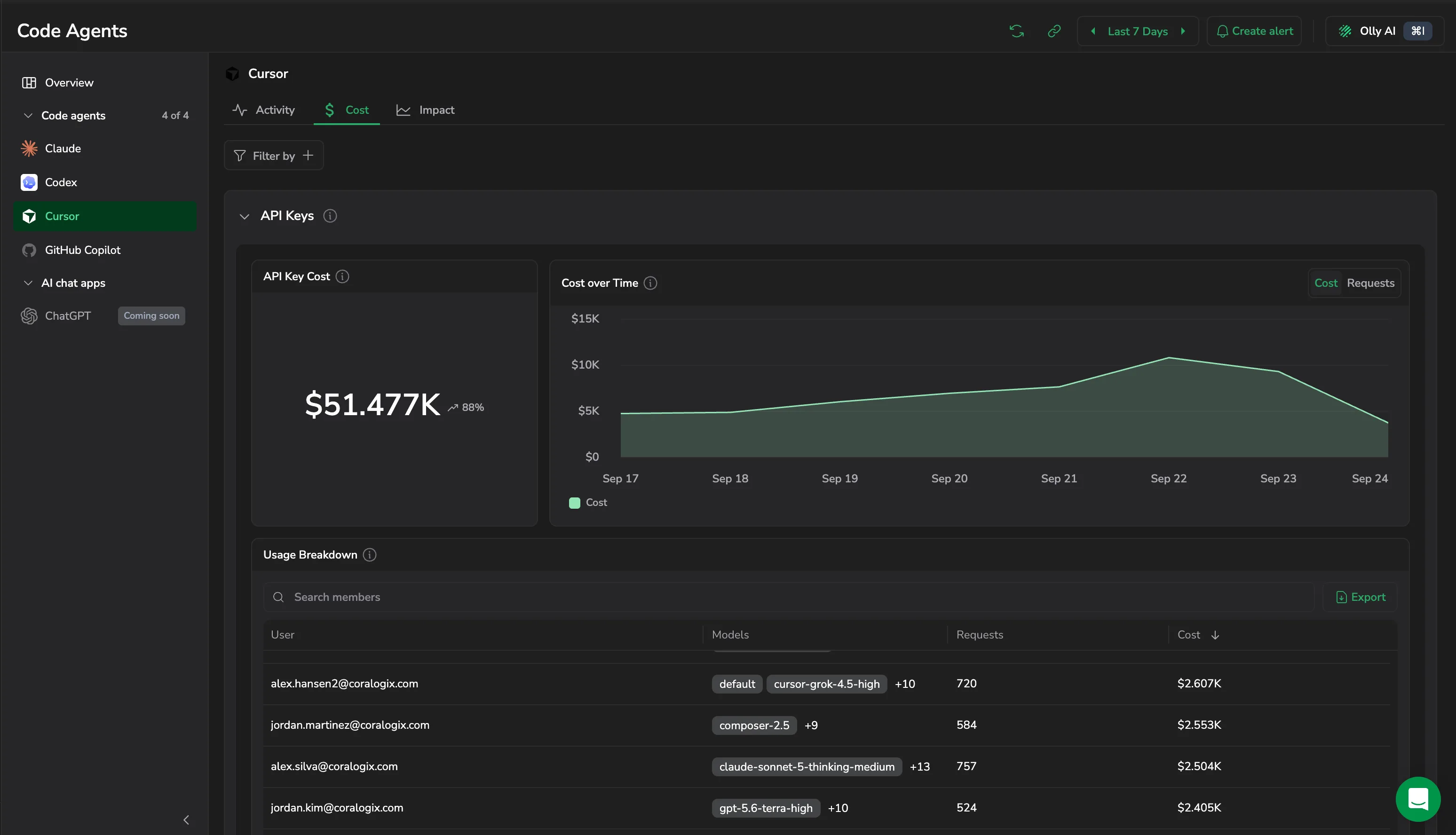
API Keys
API Key Cost alongside a chart you switch between Cost and Requests, and a Usage Breakdown table of User, Models, Requests, and Cost. Search it by member or select Export to download it.
Most Expensive Conversations
The costliest conversations in the range, with Started, User, Cost, Model, and Conversation ID. Search the table or select Export to download it. Costs here are estimated from list price, not billed cost.
Impact
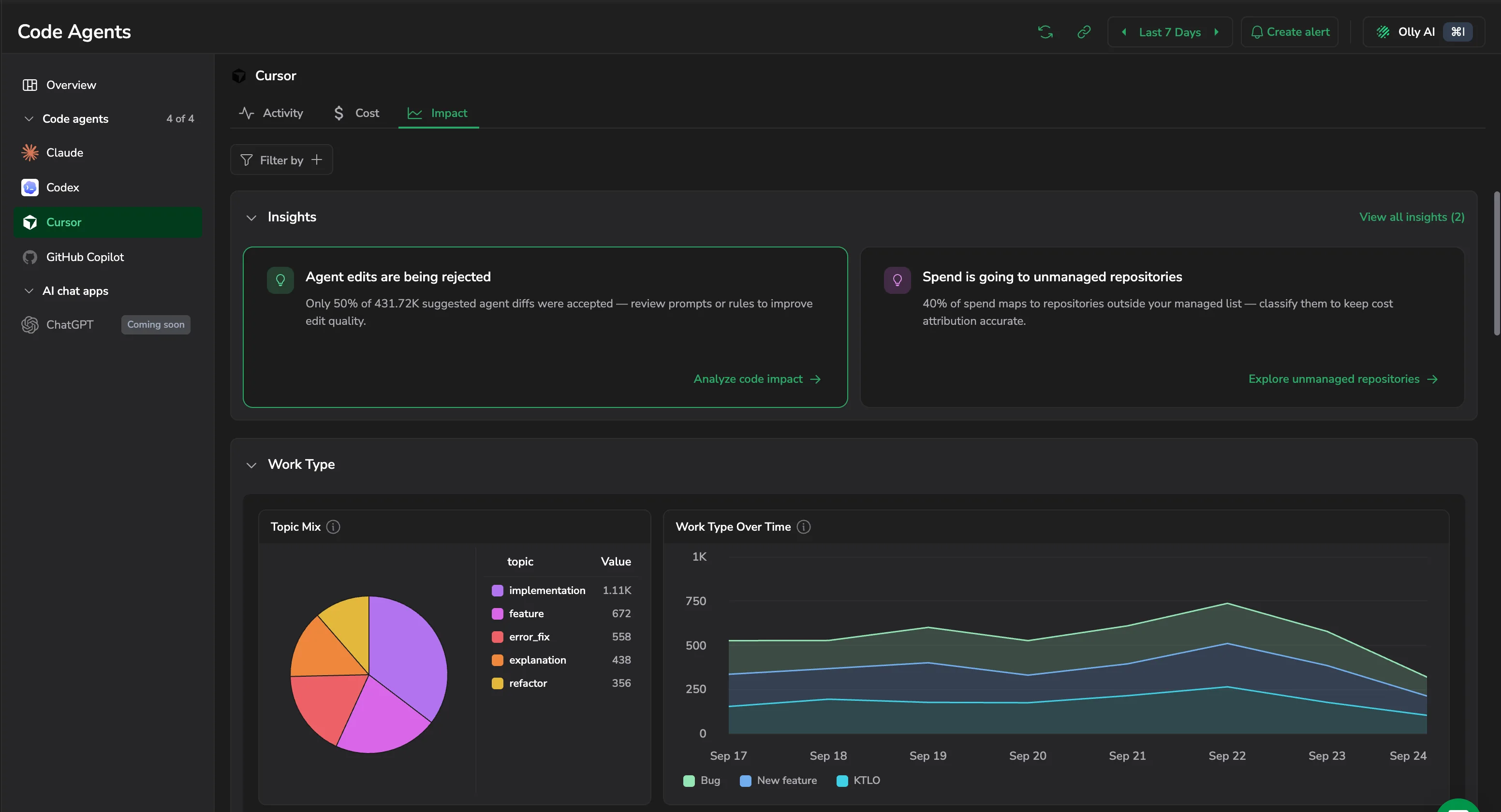
Impact opens with its own Key insights, such as agent edits being rejected or spend going to unmanaged repositories, each linking to the section that explains it.
Work Type
- Topic Mix: the subjects your team works on, such as implementation, feature, error fix, explanation, and refactor.
- Work Type Over Time: the split between Bug, New feature, and KTLO, the keep-the-lights-on maintenance work.
- Task Complexity: the spread across Trivial, Low, Medium, and High.
- Task Guidance Over Time: how much steering the agent needed, by Low, Medium, and High.
Code Impact
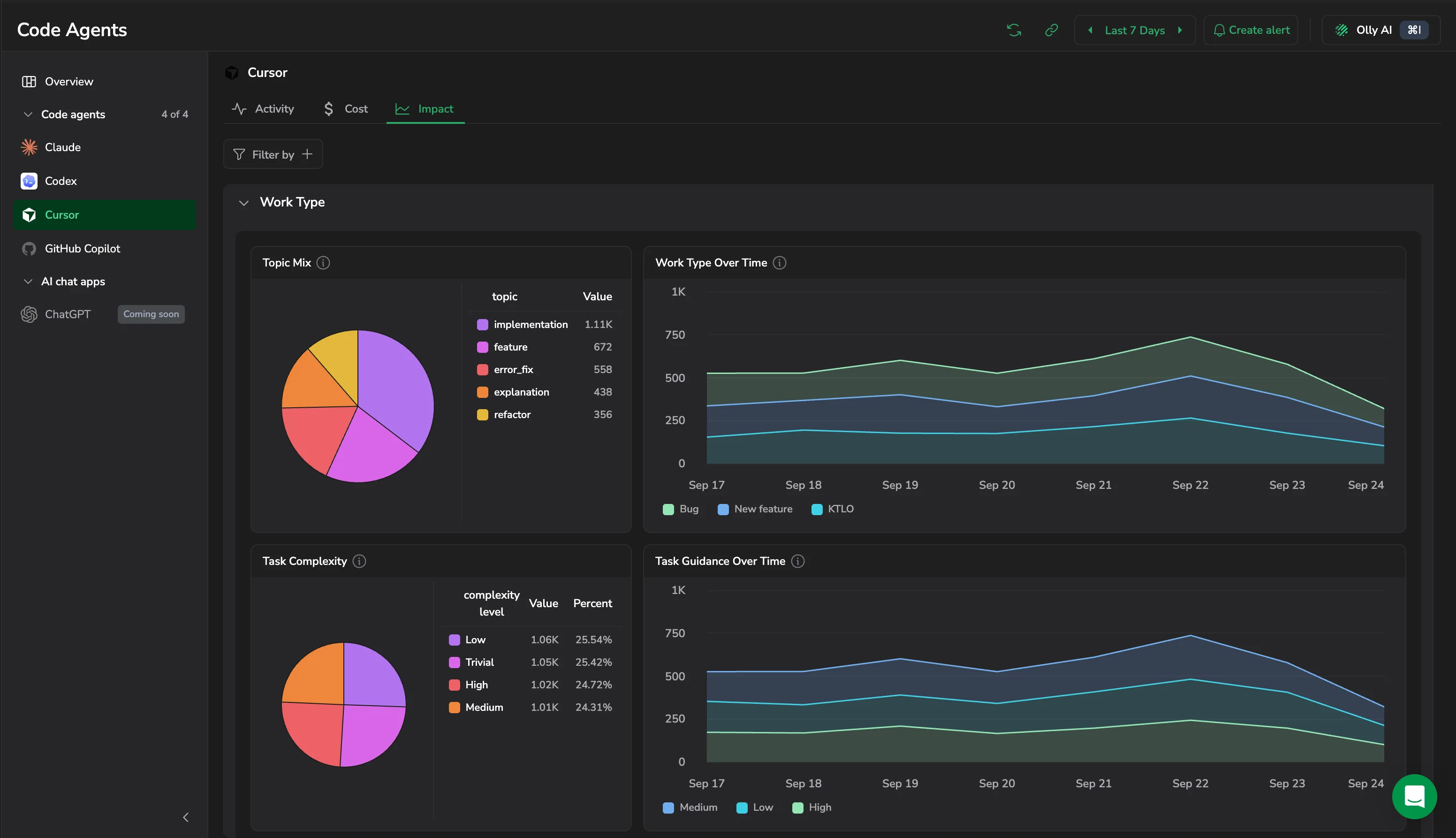
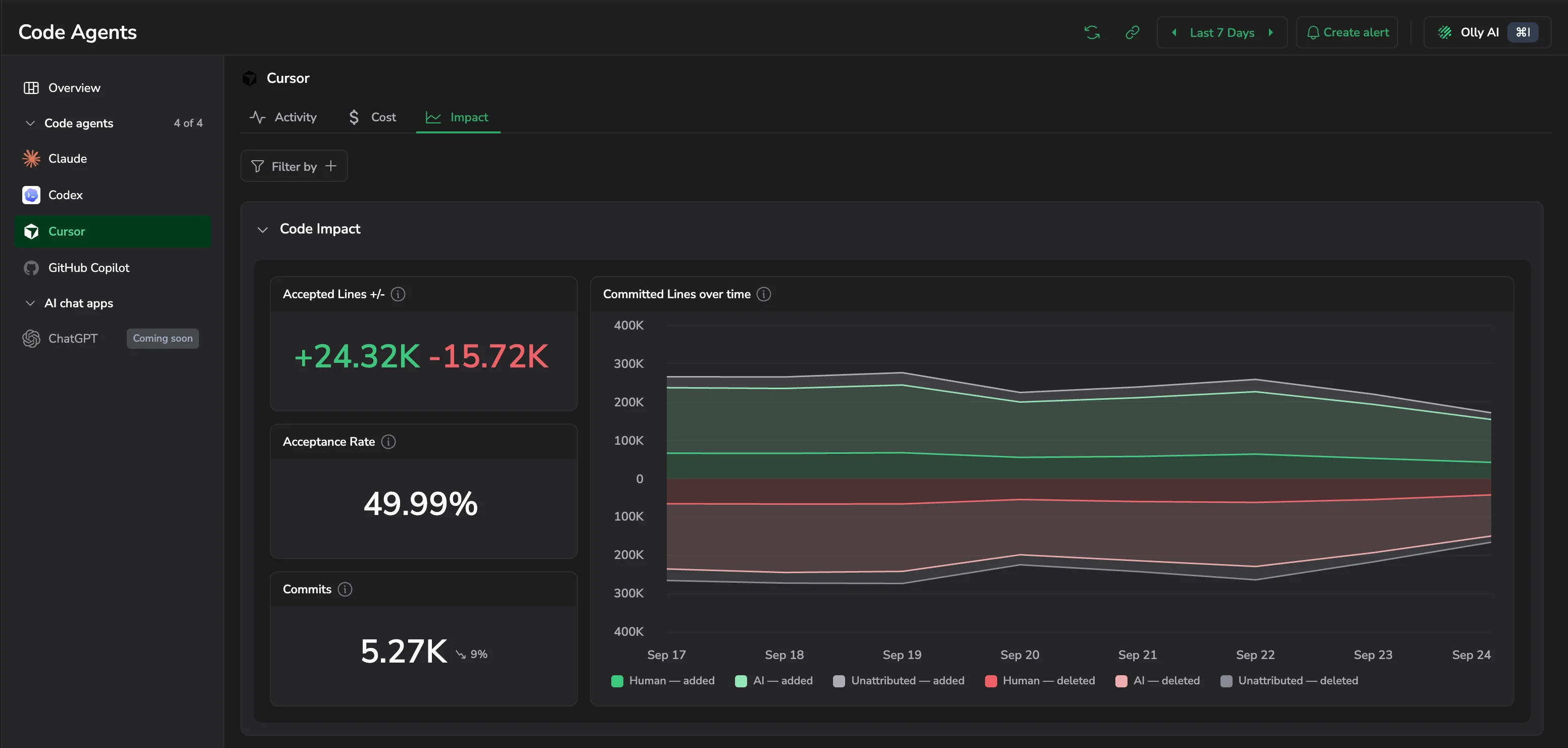
- Accepted Lines +/-, Acceptance Rate, and Commits: how much agent output survived review.
- Committed Lines over time: committed lines split by author into AI, Human, and Unattributed, the last being lines Cursor could not attribute, and charted as added above the axis against deleted below it. Select a bucket to see the per-user split of added and deleted lines for that day.
Git Repositories
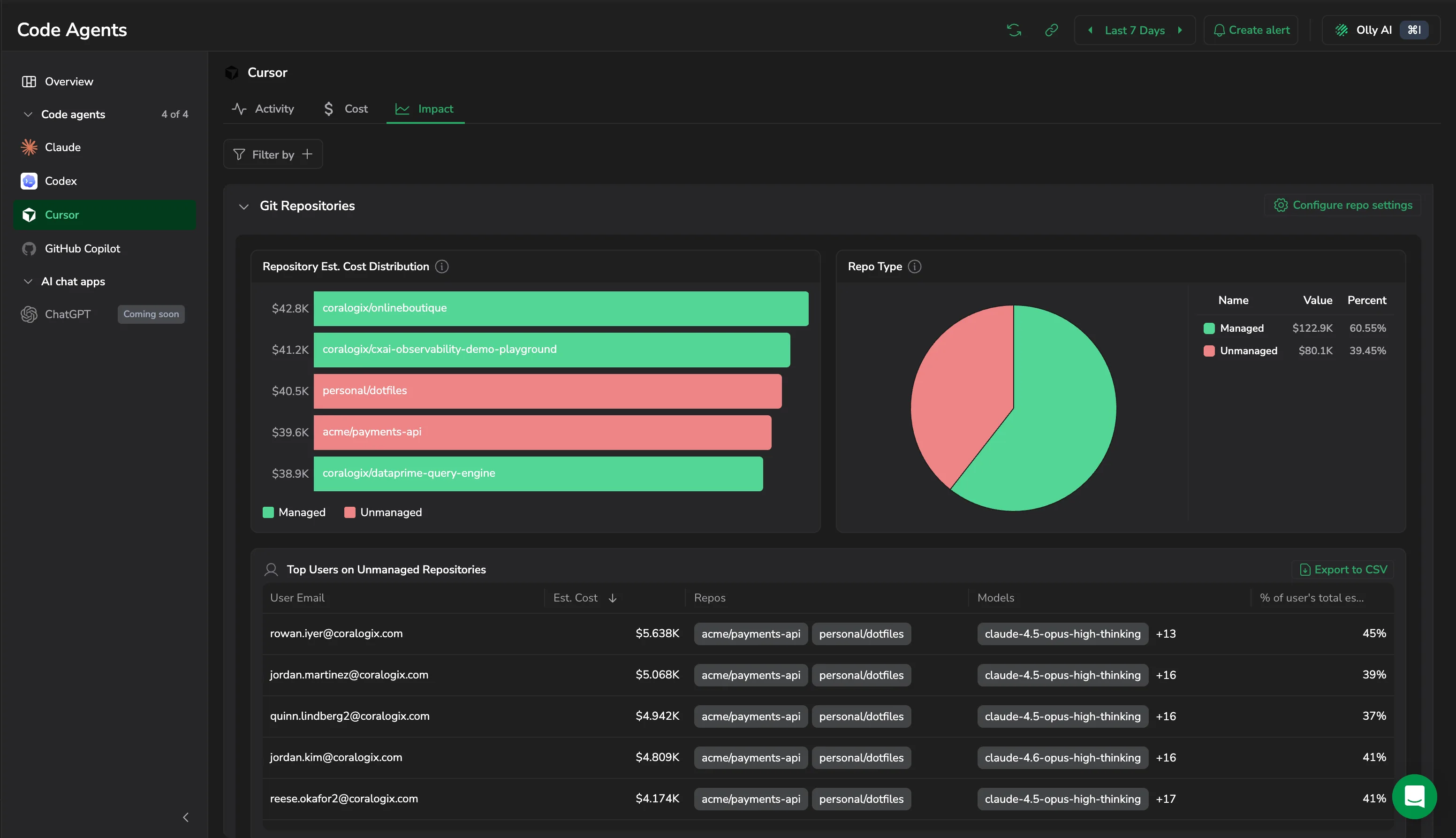
Repository Est. Cost Distribution ranks repositories by estimated cost, colored by class, and Repo Type gives the overall Managed against Unmanaged split. Top Users on Unmanaged Repositories lists User Email, Est. Cost, Repos, Models, and the share of that user's total estimated cost, and exports to CSV. Select Configure repo settings to set the Organizations that decide the split. See Repository breakdown.
Bugbot
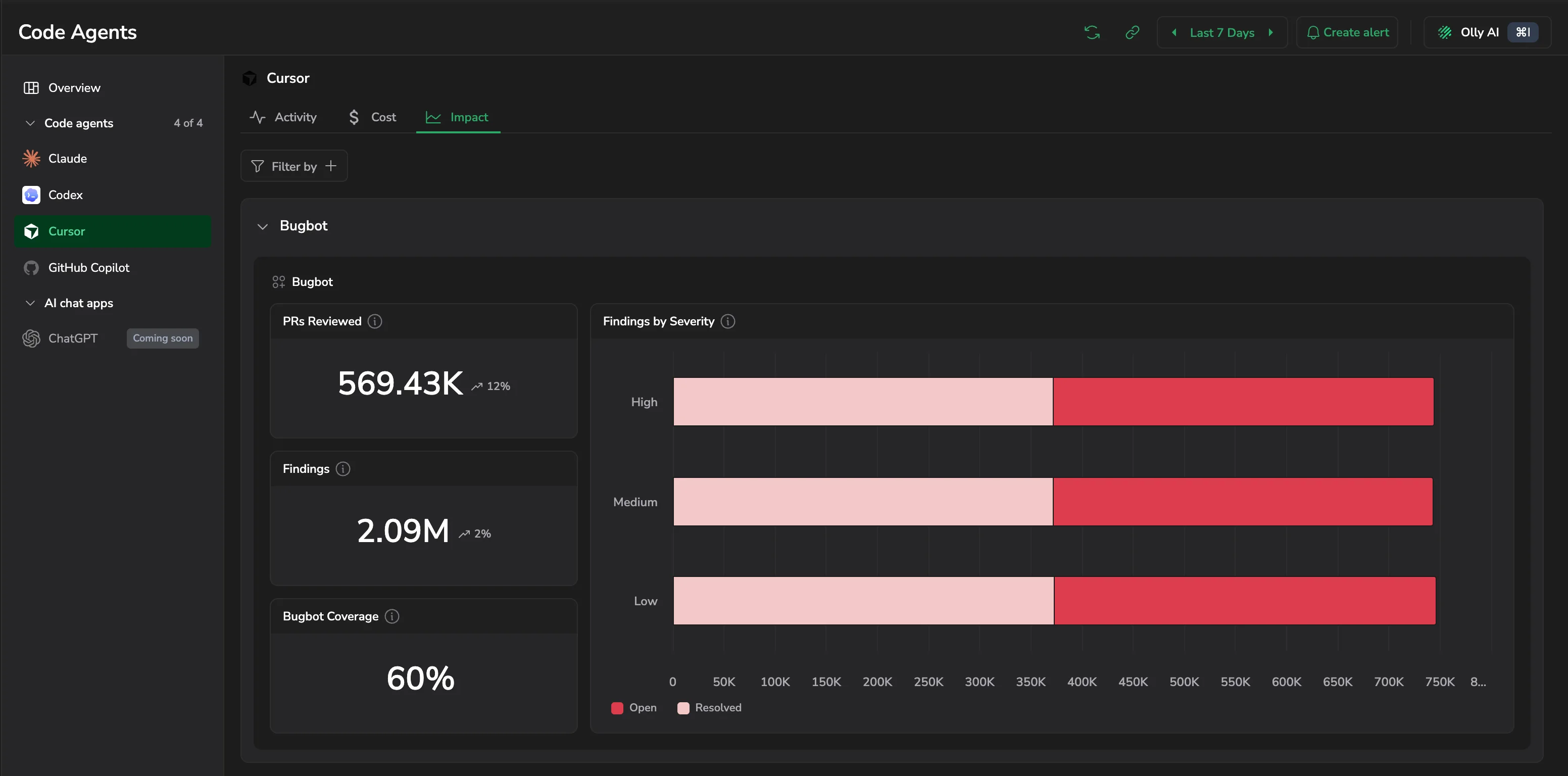
PRs Reviewed, Findings, and Bugbot Coverage, alongside Findings by Severity, which splits High, Medium, and Low findings into open against resolved. Shown when Bugbot is enabled for your organization.
Filter the dashboard
Filter the whole dashboard by application, subsystem, user, or billing group. Not every widget supports every dimension: a widget whose underlying metric does not carry the dimension you picked tells you so instead of showing a misleading number.