Coralogix-managed archive
Start sending data right away. New teams get an archive in Coralogix-managed storage, with no bucket or cloud permissions to set up. Archive-dependent features, such as archive queries, Olly, the MCP server, datasets, and Medium and Low TCO priorities, work from signup.
Overview
New teams start with a Coralogix-managed archive. Teams that already use their own bucket don't change. Coralogix-managed archives aren't available in AWS GovCloud.
A team's archive has two targets, Logs & traces and Metrics. Both are stored in Coralogix's cloud account, in your Coralogix region. You can't access the managed bucket directly.
What you need
- To view or connect the logs and traces archive, you need
LOGS.DATA-SETUP#LOW:UPDATECONFIG. For the metrics archive, you needMETRICS.DATA-SETUP#LOW:UPDATECONFIG. Both are included in the Data Admin and Platform Admin roles. If you have only one of them, you see only that archive.
View your managed archive
Select Data Flow, then Setup Archive. Each managed archive shows:
- A Managed by Coralogix label.
- The cloud provider and region.
- The retention, in days.
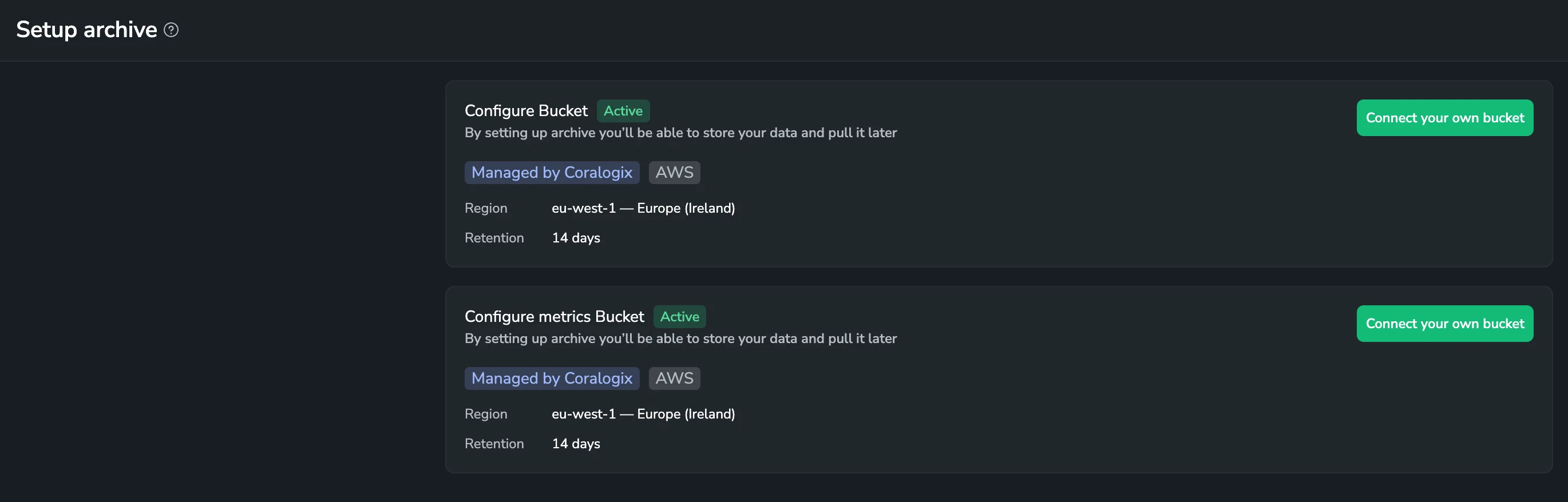
The Managed by Coralogix label also appears in Physical Locations and Dataspace Management.
Retention
Data in the managed archive is kept for 14 days, then deleted automatically. The same retention applies to logs, traces, and metrics.
You can't change the retention period. To keep data longer, switch to your own bucket.
Pricing
Coralogix-managed archive storage is not billed today. When billing starts, it will cover storage and API requests. Coralogix will announce pricing before any charge starts.
Limitations
A managed archive is read-only. You can't:
- Edit the archive or turn it off.
- Use archive retention tags. The retention period sets how long data is kept.
- Keep data longer than 14 days. To keep data longer, switch to your own bucket.
Switch to your own bucket
You can move to your own bucket at any time. In Setup Archive or Physical Locations, select Connect your own bucket and follow Configure an Amazon S3 bucket or Connect a GCS archive bucket. Your bucket must be in the same region as your Coralogix team.
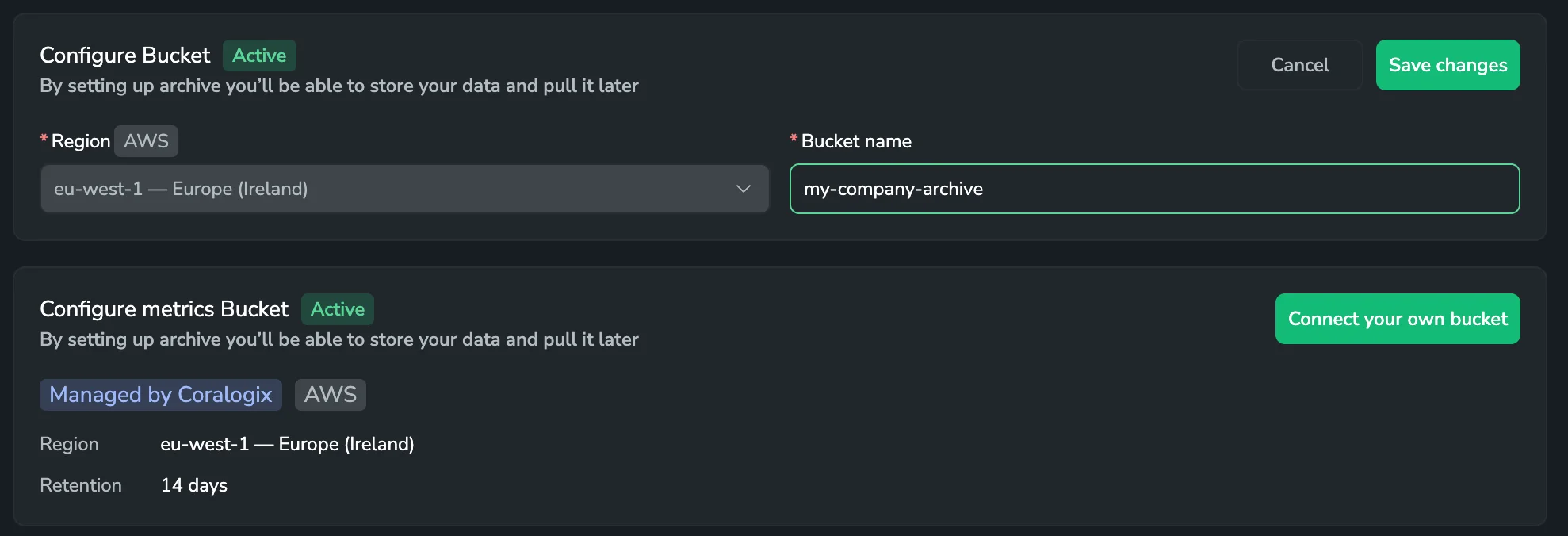
After you switch:
- New data is written to your bucket.
- Data already in the managed archive stays queryable until it expires, and is then deleted. It isn't copied to your bucket.
- Queries that span the switch read from both locations automatically.
- You can't move back to Coralogix-managed storage.
Connecting your own bucket is recorded in your audit log as an archive-setup.update event.