Processing and routing
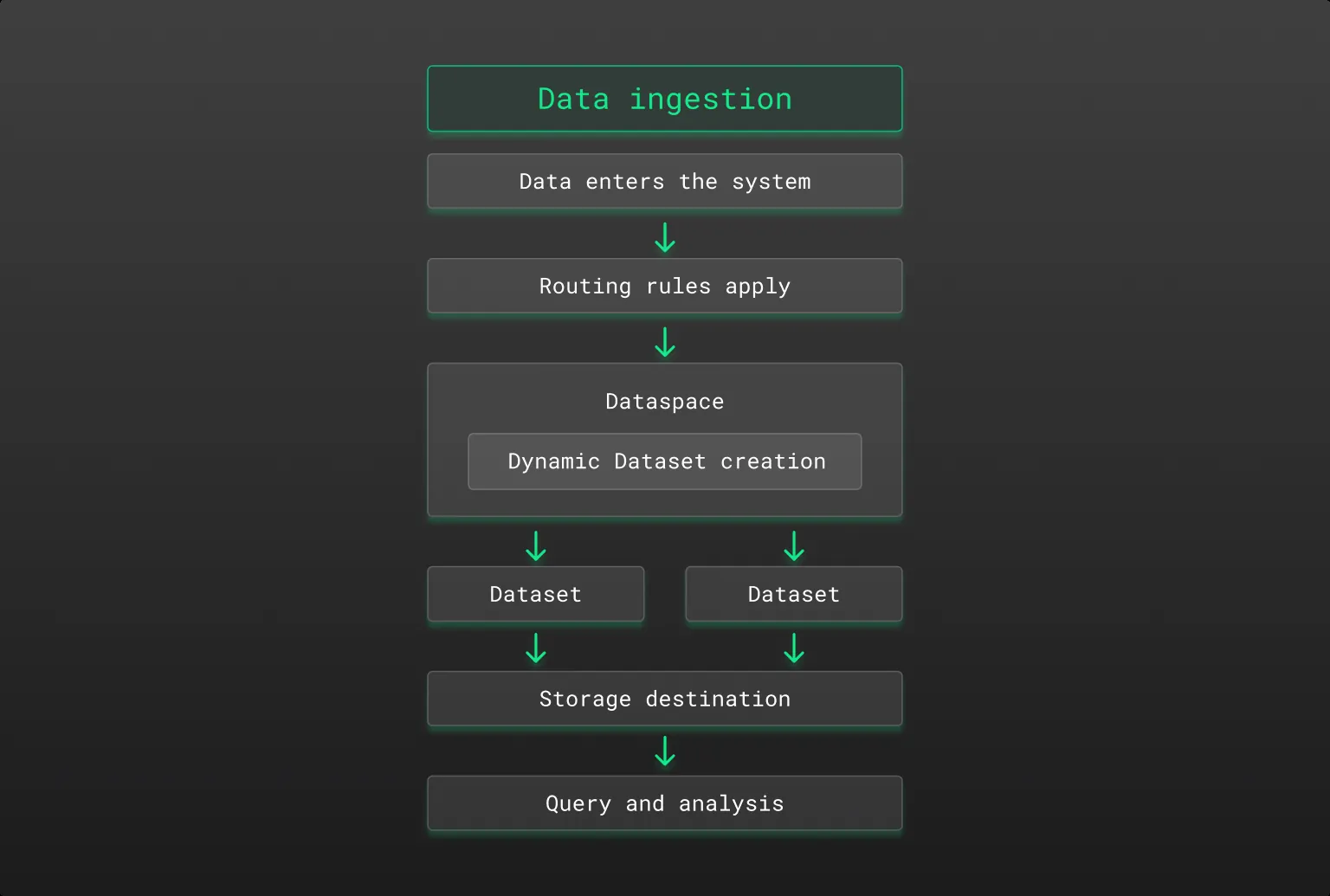
When data enters Coralogix, it goes through a structured lifecycle: received from shippers or agents, transformed with DataPrime rules, routed based on attributes like region or team, and directed into the appropriate dataspace and dataset. If a dataset doesn't already exist, it's created automatically and inherits configuration from the parent dataspace.
High-level flow
-
Ingress
Data enters the platform through a shipper or agent. Customers can pre-define a
targetDatabase(dataspace) andtargetDatasetvia the shipper config. -
Pre-processing
Coralogix applies DataPrime transformation rules:
For example, fields can be removed or recalculated before finalizing the data structure:
remove derived_metric| replace raw_value with normalized_value| create derived_metric from quantity * 232 -
Routing
A set of conditions (e.g., region, team, environment) determine where data goes:
For example, different regions or teams in the data can determine the target dataspace or dataset.
<region == 'us2'> -> [targetDataspace = bu1, targetDataset = logs-us]<team == 'neptune'> -> [targetDataspace = planet, targetDataset = gassy]<team == 'venus'> -> [targetDataspace = planet, targetDataset = rocky]Routing is fully data-driven and can include dynamic elements:
<region> -> [targetDataspace = bu2, targetDataset = logs-{$l.applicationname}] -
Dataset creation
If a dataset does not already exist, it will be created automatically under the target dataspace.
-
Configuration inheritance
The dataset inherits configuration from its dataspace, including:
- Storage prefix (e.g.,
s3://bucket/my-dataspace/logs-regionX) - Retention and archive rules
- Access control policies
- Metadata enrichment
- Storage prefix (e.g.,
-
Final storage & query
Once routed and processed, the data is written to object storage and made available for querying.
Example dataset structure
default/
  └── logs
  └── spans

business-unit1/
  └── logs

business-unit2/
  └── logs-cx510
  └── logs-euprod2
  └── logs-production
  └── ...
  └── <datasets created dynamically as data arrives>

security/
  └── ...
Querying across datasets
You can query multiple datasets at once by listing them as comma-separated sources:
source dataset-1, dataset-2 | ...
The query reads every dataset you list and concatenates the results, which makes summarization, comparison, and rollups across logical groups a single query rather than a chain of unions. Every dataset has to be in the same region, and a query can reference up to 128 sources. See source for the full syntax, including the teamId and version parameters.
Handling quota and duplication
- Duplicating data across datasets (e.g., routing the same event to multiple targets) will count against your quota.
- You can monitor dataset-level usage in Dataset Management.
- Dataset quotas can be enforced per team, space, or workload.
- The data usage page shows detailed breakdowns to help you understand where and how your data is being consumed.