Deploying the OpenTelemetry demo app
Deploy the OpenTelemetry Demo application to simulate realistic traffic and test end-to-end observability in your Coralogix setup.
Step 1: Add the OpenTelemetry Helm repository
helm repo add open-telemetry https://open-telemetry.github.io/opentelemetry-helm-charts
Step 2: Create the demo namespace
kubectl create ns demo
Step 3: Save the following as demo-values.yaml
opentelemetry-collector:
  enabled: false

jaeger:
  enabled: false

prometheus:
  enabled: false

grafana:
  enabled: false

opensearch:
  enabled: false

default:
  env:
    - name: OTEL_SERVICE_NAME
      value: frontend
    - name: OTEL_RESOURCE_ATTRIBUTES
      value: "service.name=frontend,service.namespace=demo,service.version=1.0.0"
    - name: NODE_IP
      value: "127.0.0.1"

  envOverrides:
    - name: OTEL_EXPORTER_OTLP_ENDPOINT
      value: "127.0.0.1:4317"
    - name: OTEL_EXPORTER_OTLP_PROTOCOL
      value: grpc
    - name: OTEL_EXPORTER_OTLP_INSECURE
      value: "true"
Step 4: Deploy the demo application
helm install otel-demo open-telemetry/opentelemetry-demo \
  --namespace demo \
  --create-namespace \
  --values demo-values.yaml
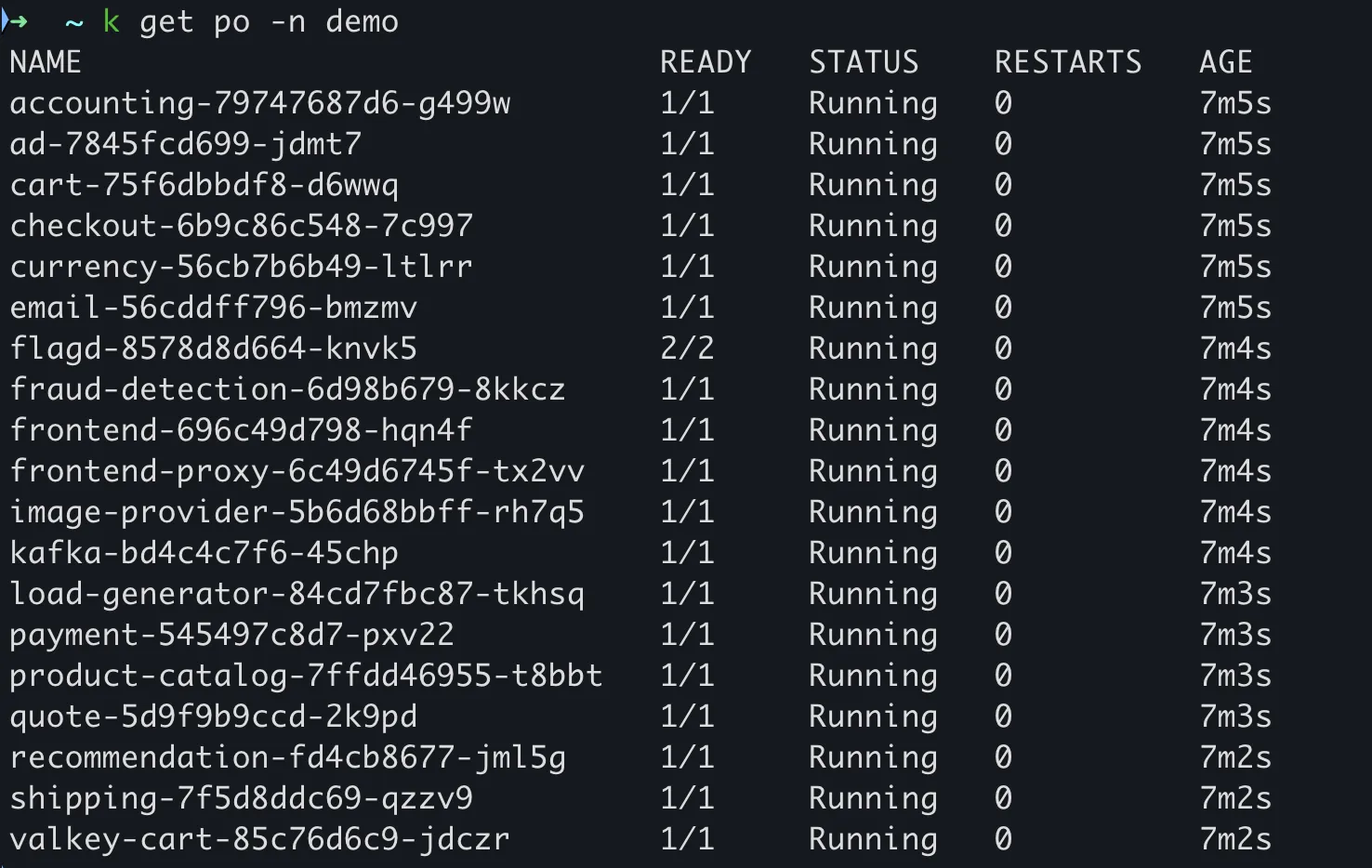
Verify the setup
Once the demo application is running, verify everything is connected:
- Go to the Coralogix UI.
- Navigate to Infrastructure, then Infrastructure Explorer.
- Click Kubernetes in the left sidebar.
- Confirm your cluster appears with nodes and pod data.
- Drill into nodes or pods to view metrics, logs, and traces.
Next steps
Configure the Coralogix Kubernetes integration to collect logs, metrics, traces, and infrastructure metadata by following Getting started with Kubernetes monitoring.
Related resources
Last updated on