Mapping statistics
Having an excessive number of fields in your index can result in mapping issues. By default, Coralogix enforces a maximum limit of 1,000 fields to prevent performance degradation. This threshold is in place to maintain system stability and ensure optimal query performance.
Coralogix provides a Mapping Dashboard to help you monitor both your indexed field count, and any mapping exceptions.
Mapping exceptions occur when the same field is sent with different types. For example, in your account, if a log contains a field received as a string, but another log sends the same field as a number, a mapping exception will be triggered.
When logs contain mapping exceptions, or have exceeded the maximum number of allowed fields in your account, they can only be queried using free-text search. These logs won’t support advanced Coralogix features like field-level visualization or structured querying in the Logs screen.
To view field usage and mapping stats:
- Select Settings at the bottom of the left navigation bar.
- In the left-hand menu, scroll-down and click Mapping Stats.
The number in the right-hand side shows the amount of fields used out of the total fields left in the daily index. The number of fields consumed refers to the number of distinct fields indexed during your retention period.
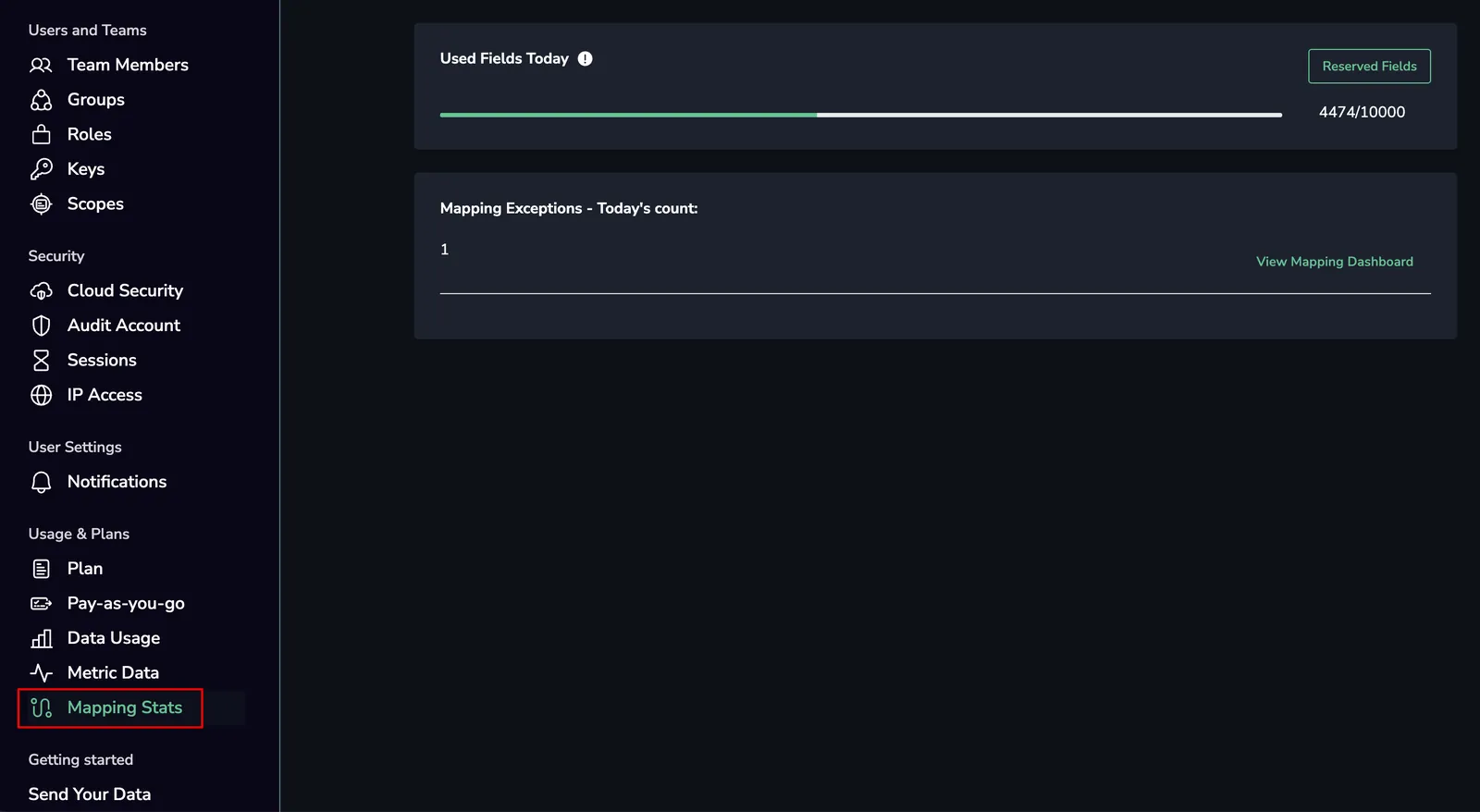
In the screenshot above, you can also see any mapping exceptions. If the number is greater than 0, click View Mapping Dashboard to see the details in Coralogix’s integrated mapping dashboard.
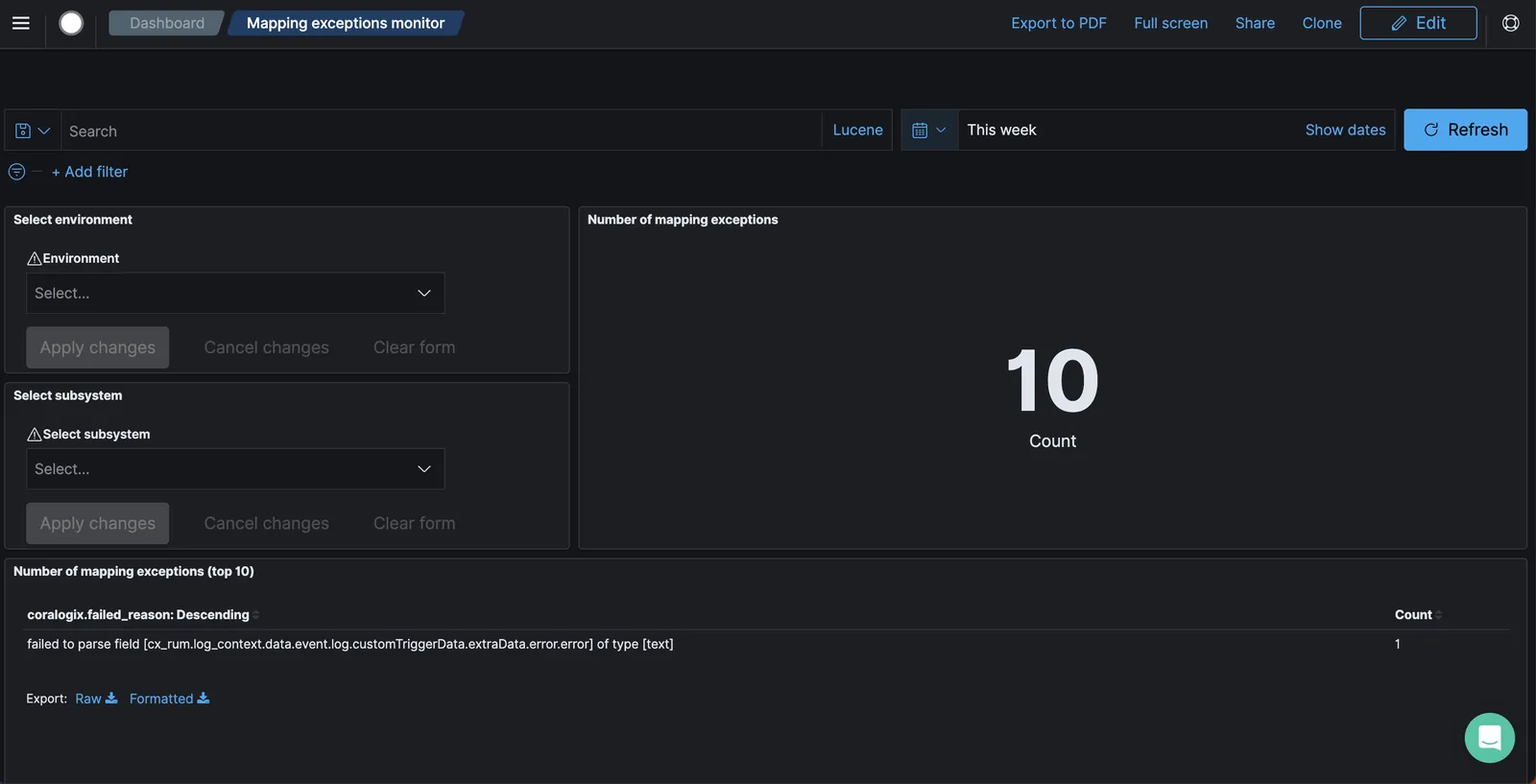
To identify the fields that caused mapping exceptions, scroll to the bottom section of the mapping dashboard labeled Mapping Exceptions Failed Reasons. This section includes a grid displaying the logs that triggered exceptions. Each row represents an individual log and includes key details such as Time and _source. You can expand any row to view the full exception context and understand which field(s) were involved. To see the logs that are effected by the mapping exception you can query _exists_:"coralogix.failed_reason" in the Coralogix Logs screen.
To fix mapping exceptions:
- Determine why the fields types vary and correct it at its source.
- Contact customer support to help you create a parsing rule to handle the variation.