Account management
Scopes documentation clarifies what a scope does not isolate

A scope defined with $d filters isolates query results, but not field autocomplete, example values, or the Explore sidebar filter lists. The Scopes page now lists which surfaces a scope controls and how to isolate data with separate datasets. Learn more
Self-service SAML group sync

SAML group sync no longer requires your account team to turn it on. Under SAML configuration, then Advanced settings, set Sync groups from your identity provider to Use existing groups to match users to Coralogix groups by name, or Create missing groups to also create a group for any identity provider value with no match. Group sync remains in beta. Learn more
Sign in with SSO from your email domain
Set a SAML configuration as the default for one or more of your organization's verified domains. Users who sign in with an email in that domain are now offered that configuration's SSO as soon as they enter their email, with no team-selection step. Learn more
Ask Olly on Usage & Quota
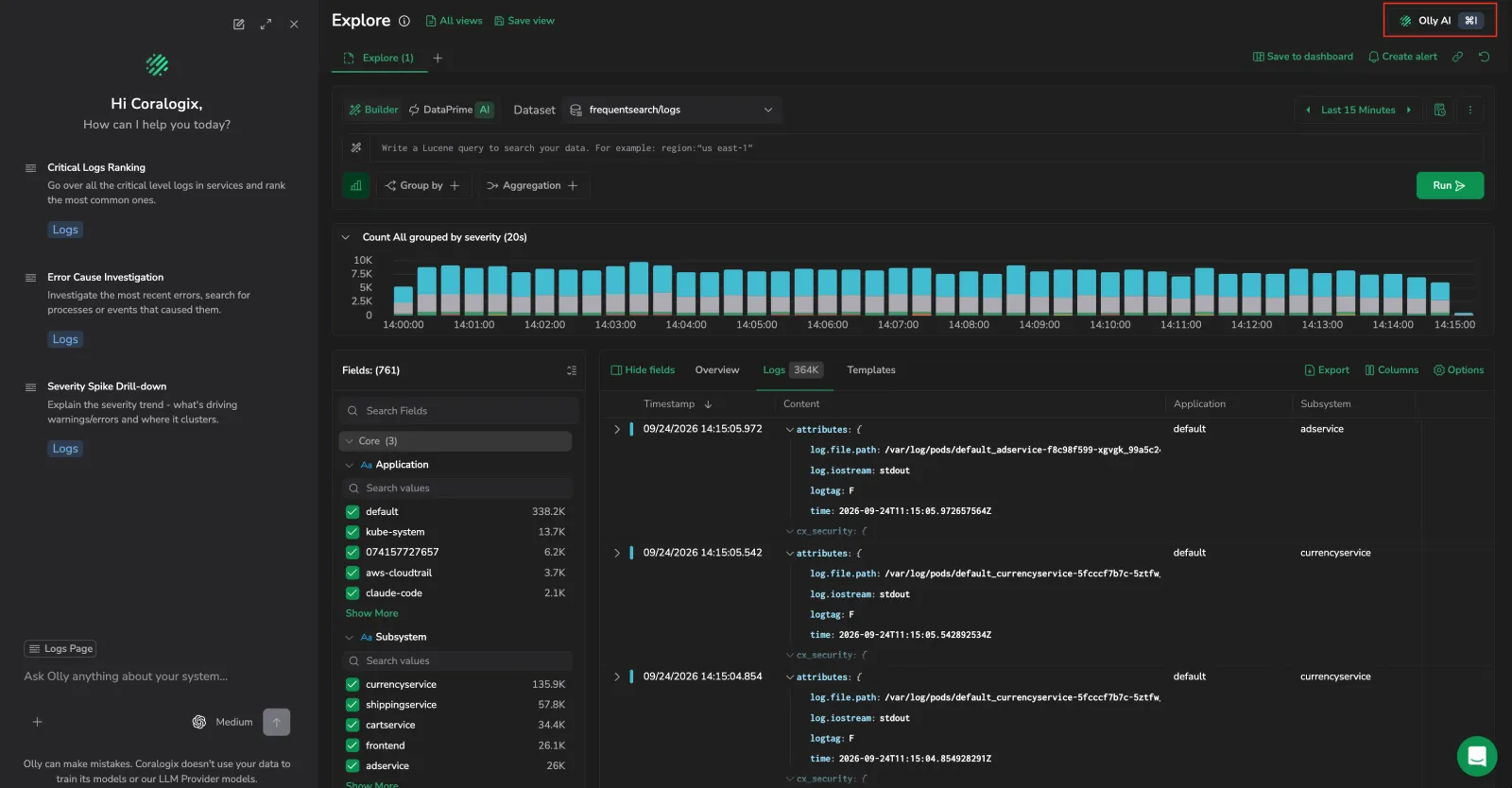
The Olly AI button in the page header now works on Usage & Quota. Opening it scopes Olly to your current view, organization or team, the open tab and scope, time range, aggregation, group-by, and filters, and offers quick-query prompts for quota risk, CX units drivers, AI units consumption, savings, and recent changes. Ask whether you're on track for quota without describing your view first. Learn more
Override a user's allowed login methods, with break-glass for SSO-enforced teams
On the Login policy tab, you can now set an individual user, or several at once, to follow the team's login policy or override it with their own allowed methods. When a team enforces SSO, giving a user a Credentials override makes them a Break-glass account they can still sign in with a password if your identity provider is unavailable. An override stays in place even if you later change the team's Enforce SSO setting. Manage this from Settings > Team members, on a user's Edit user panel, in bulk, or from the new Allowed login column. Learn more
Datasets: updated Access Policy editor
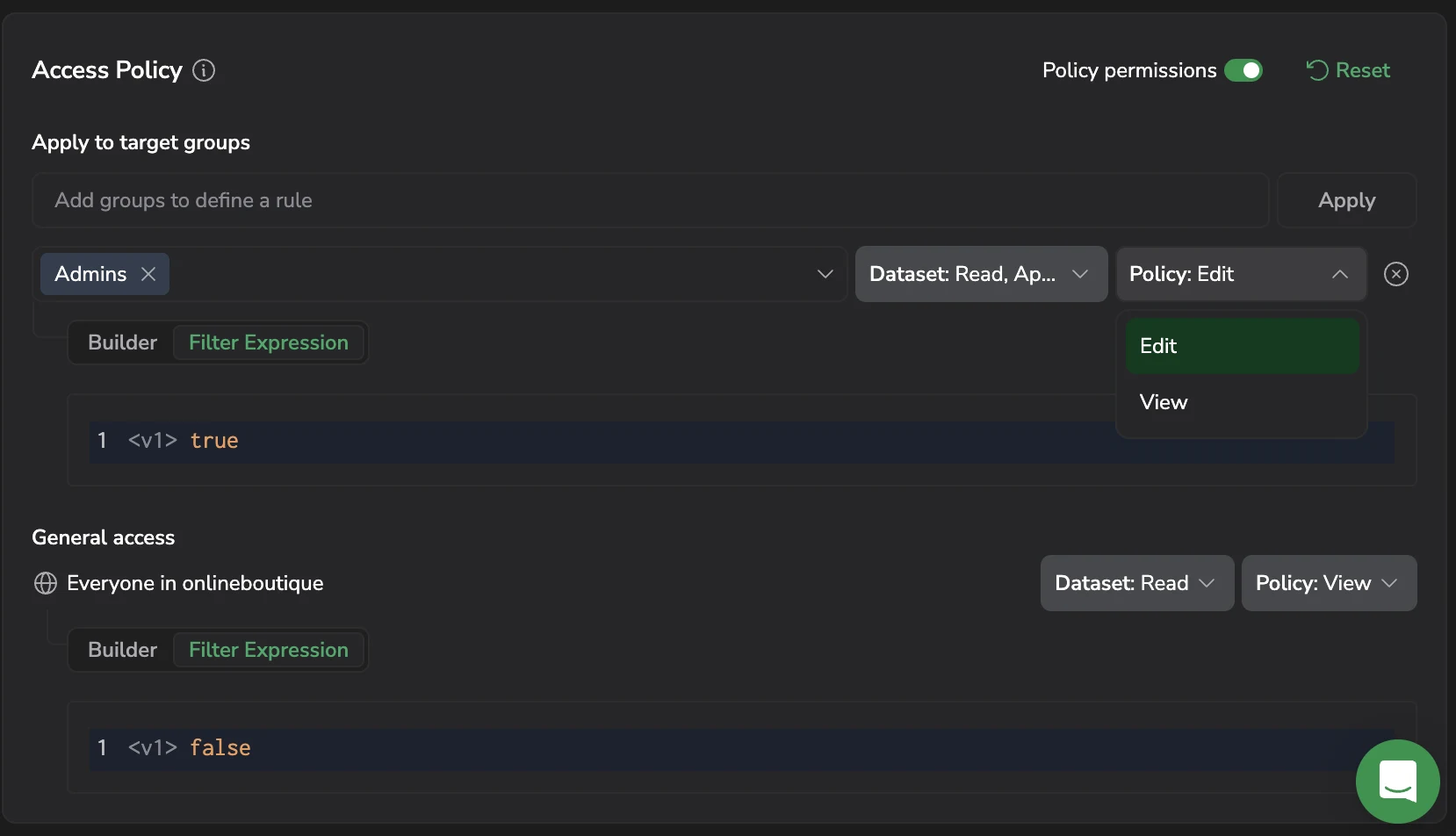
The Access Policy section of the dataset edit drawer now uses the group-centric editor already available for other resources. Add a rule by selecting one or more groups under Apply to target groups, choosing a Dataset access level of Read, Append, or Overwrite, and selecting Apply. General access sets the baseline for everyone else in the team, and each rule can be narrowed to a subset of the data with a DPXL filter expression. Turn on Policy permissions to grant groups Edit or View over the policy itself, and select Reset to return a policy to its defaults. The separate enable-policy toggle is gone: every dataset has a policy, and existing policies were migrated without changing the access they grant. Learn more
Region-aware sign-in
The sign-in page now includes a region selector. Switching regions keeps the email address you typed. Visitors arriving at the wrong region are redirected to their own region when they sign in. Learn more
Move units in a drawer, with reserved units enforced
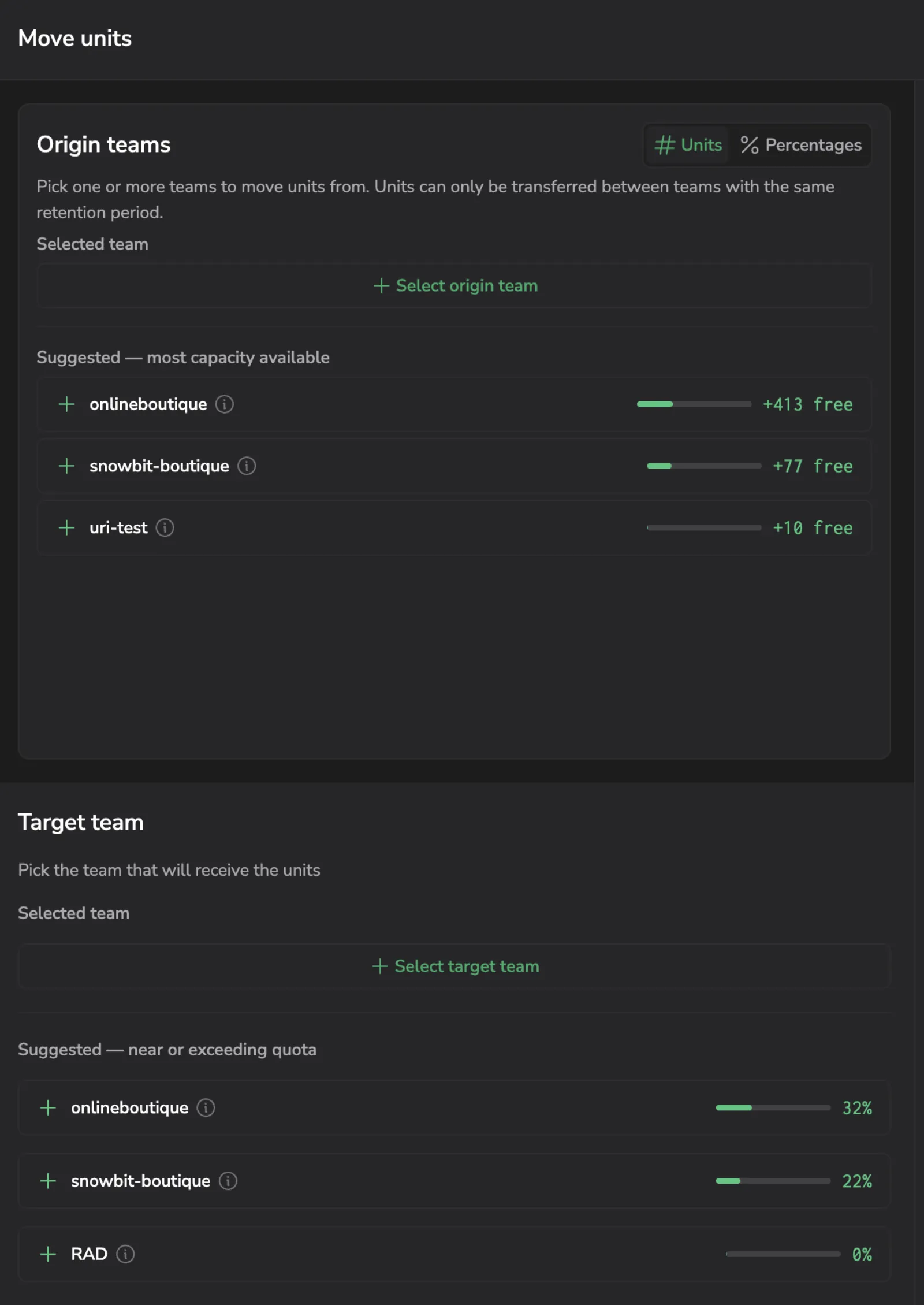
Move units opens a drawer instead of the previous dialog. Either side can be chosen first, and each picker suggests teams: the origin by spare capacity, the target by how close it is to its quota. Every team row shows its quota, utilization, retention period, and Pay-As-You-Go state, so a transfer pair can be assessed without leaving the drawer. The transfer amount is set with a slider or a field, in units or as a percentage of the origin's quota, and Use max safe amount fills in the largest transfer that keeps the origin within quota. A live preview shows both teams' quota before and after. The same-retention rule is now visible: when the chosen origin has no team sharing its retention period, the drawer says so instead of offering an empty picker. Units reserved by quota rules are enforced as well: Coralogix-managed reservations cap the transfer, and dipping into a customer-managed reservation warns first and is confirmed before it is applied. Learn more
OAuth Clients: Scope renamed to Access
Scope column renamed to Access: On the OAuth Clients page, the Scope column and its filter are now labeled Access. This is a naming change only. The permissions each client grants are unchanged. Learn more
Quota Manager teams table: usage bar and blocking columns
The Quota Manager teams table now shows each team's Max usage as a colored bar against its daily quota, plus Block days and Est. blocked units columns so you can spot teams hitting ingestion limits at a glance. Sort by any column to prioritize. Learn more
Organization-level SAML, Embedded OAuth clients, and Policy permissions
Organization-level SAML: Configure a SAML identity provider once and assign it to multiple Coralogix teams from a single organization-level configuration, instead of setting up SAML separately per team. Reduces duplicate configuration and keeps authentication policies consistent across the organization. Builds on Multi-SAML for SSO. Learn more
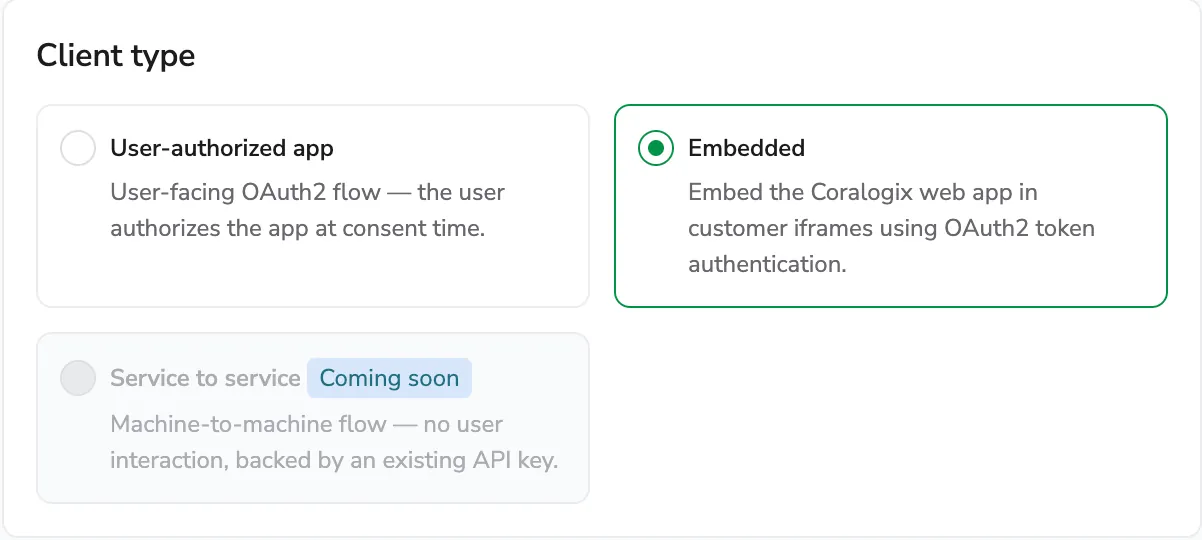
Embedded OAuth clients (Register an Embedded OAuth client to display a fully authenticated Coralogix dashboard inside an iframe in your own application) a customer portal, an internal dashboard, or an unattended display such as a NOC wall, with no interactive login. A trusted server-side process establishes the session, and you control which user it acts as and which website origins can use it. Learn more
Policy permissions: Delegate administration of an access policy to other groups with the Policy permissions toggle, granting each target group Edit, View, or No Access to the policy itself alongside its resource access level. Available for Custom Dashboards and Team / Send-Your-Data API Keys. Learn more
Self-serve OAuth client management
OAuth Clients (Register and manage OAuth clients from a self-serve page under Settings, giving applications and services least-privilege, short-lived, standards-based access to Coralogix APIs on a user's behalf) instead of a long-lived API key or shared credentials. Register a client, review the clients in your account, rotate secrets, and revoke access. Learn more
Simplified access control: single visibility selector for most users, full PBAC for admins
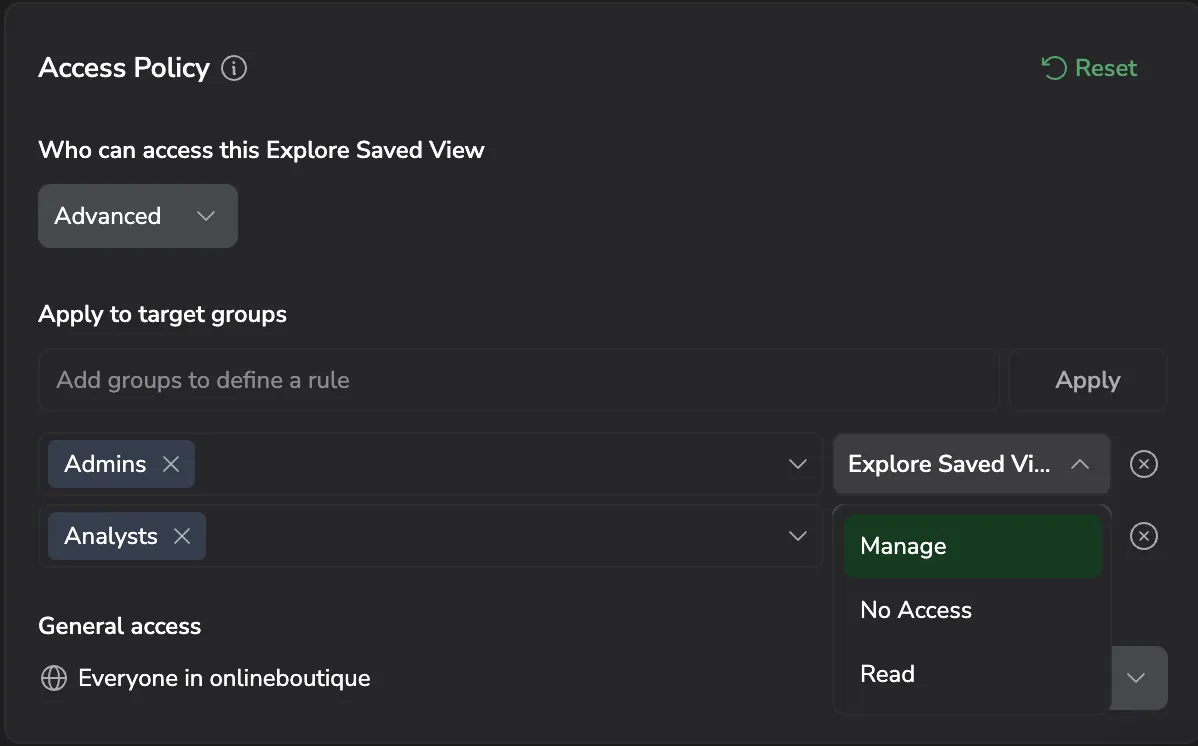
A major redesign of Policy-Based Access Control (PBAC) makes access control easier to use for most team members while preserving full granularity for admins. Most users now see a single Visibility selector. Choose Public or Private to control whether your dashboards and saved views are visible to the team or only to you. Admins and users with the POLICIES:MANAGE permission retain full PBAC controls to set fine-grained group access rules. Existing policies are migrated automatically. Learn more
Login access policy
Control who can log in to your team by listing the IP addresses and email domains allowed to access it. The new Login access policy page has two tabs, IP access for IPv4 addresses and ranges, and Domain access for email domains (currently in limited access). Each list is opt-in: it starts enforcing only after you add the first entry. Learn more
New login experience (early access)

A redesigned sign-in flow is now in early access. The new docs cover how the available methods combine and how the email-and-password flow works end to end.
Login methods overview. Compare local login, SSO with SAML, and two-factor authentication, and see how entry points (team URL vs. generic dashboard URL) shape the sign-in experience. Learn more
Local login. Sign in with email and password, complete two-factor authentication if enrolled, reset your password, and troubleshoot common sign-in errors. Learn more
Data Usage settings panel and dataplan.usage_events dataset
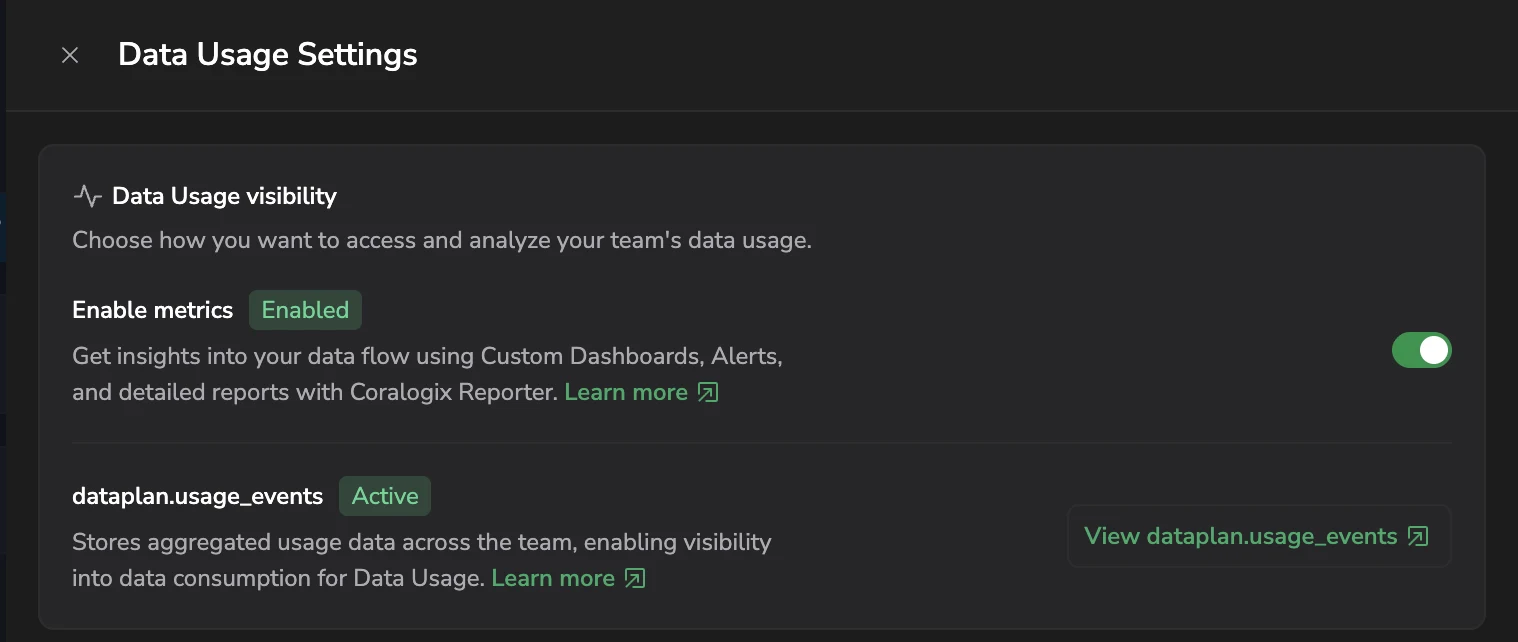
Data Usage settings panel. A new slide-in panel consolidates the controls that govern Data Usage visibility. Open it from the Data Usage page to enable the data usage metrics pipeline and manage the new usage events dataset. Learn more
dataplan.usage_events system dataset: Aggregated team data usage events are now exposed as a queryable system dataset. Enable ingestion from the settings panel and analyze consumption directly in Explore or Custom Dashboards with DataPrime. Learn more
Customizable data usage export reports
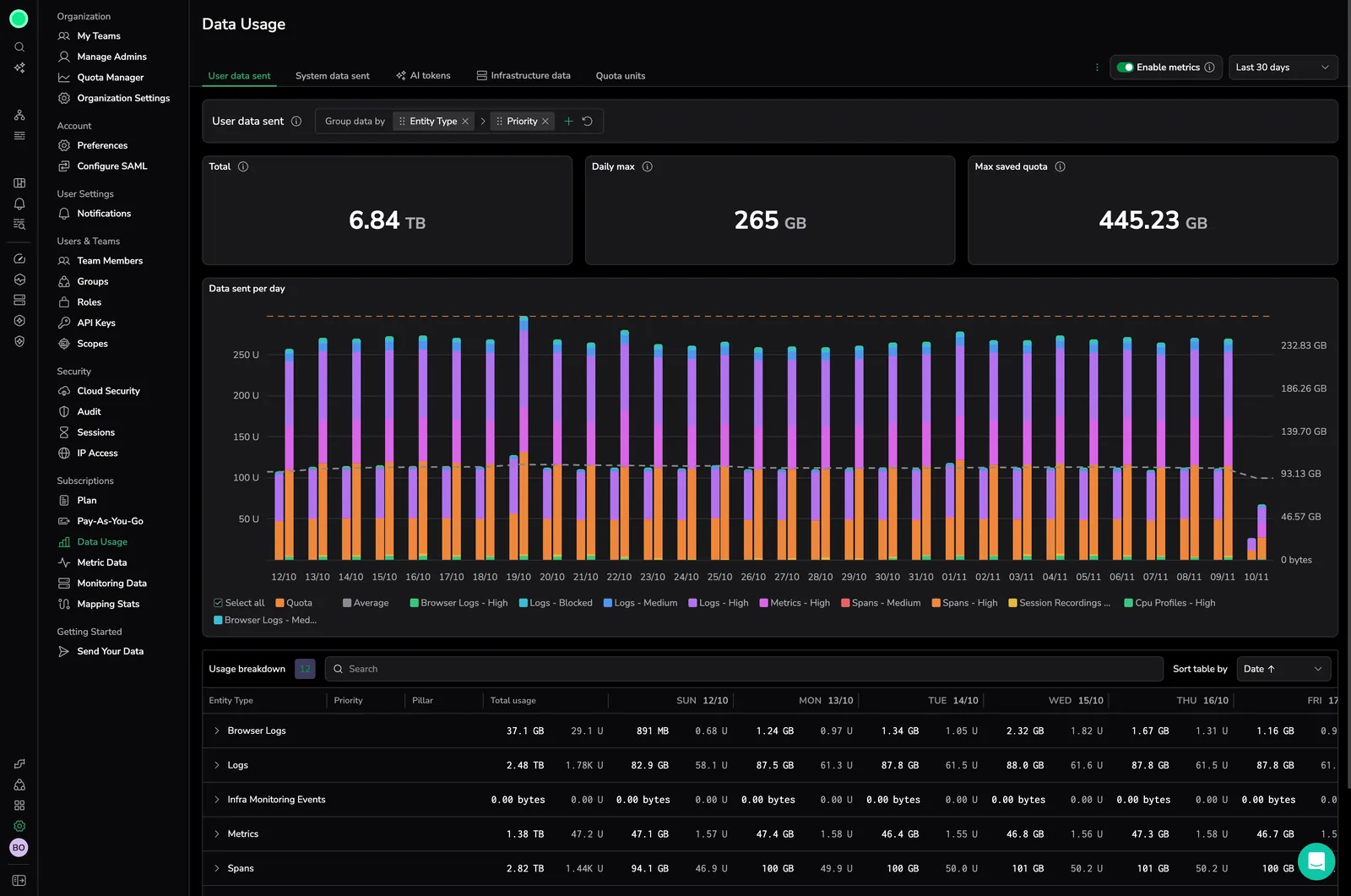
Generate customizable usage reports from the Data Usage page. Configure file name, date range, tabs, format (CSV, TSV, or JSON), and report type (Overview or Detailed). Overview reports can apply the current table filters and grouping when exporting a single tab. Multi-tab exports are bundled into a ZIP archive for CSV/TSV or a hierarchical JSON file. Learn more
Multi-SAML for SSO and AI Guardrails tracking
AI Guardrails in Data Usage. Data Usage now tracks guardrail policy checks alongside AI evaluator usage. The AI Tokens tab shows guardrail and evaluator costs separately, with policy names indicating type (for example, Prompt Injection (Guardrail) vs. Toxicity (Eval)). Pricing follows the same unit formula as evaluators. Learn more
Updated Access Policies UI. Set general access, define target group rules, and manage policy-level permissions directly from the resource settings panel. Team and Send-Your-Data API keys now include the updated access policy experience. Learn more
Multi-SAML for SSO. Configure more than one SAML identity provider for the same Coralogix scope. Each configuration represents one SSO option users can select during sign-in, supporting parallel IdPs, phased migrations, and diverse user groups. Learn more Guardrails in Data Usage. The Data Usage page now includes a Guardrails tile, giving you visibility into guardrail consumption alongside other entity types. Monitor usage from Settings > Data Usage. Learn more
Data usage counter improvements
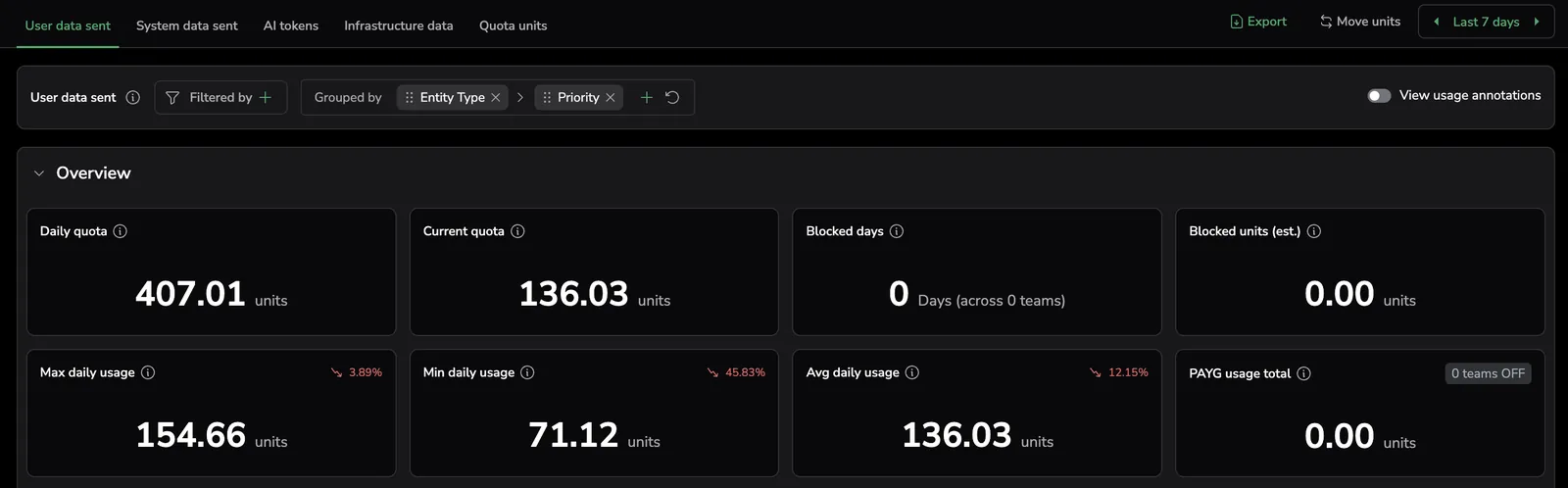
Redesigned counter cards on the Data Usage page give you clearer, scope-aware context for each tab. The Quota units and User data sent tabs show Daily quota, Current usage, Blocked days, Blocked units, Max/Min/Avg daily usage, and PAYG usage total. Other tabs show Total, Max, Min, and Avg daily usage. Max, Min, and Avg cards include a trend badge that compares the second half of the selected period to the first half, so you can spot rising or declining usage at a glance. Learn more
Dynamic time selector for Data Usage
Dynamic time selector for Data Usage, improving the analysis of ingestion trends. Learn more
Two-Factor Authentication and Query Drill-Down
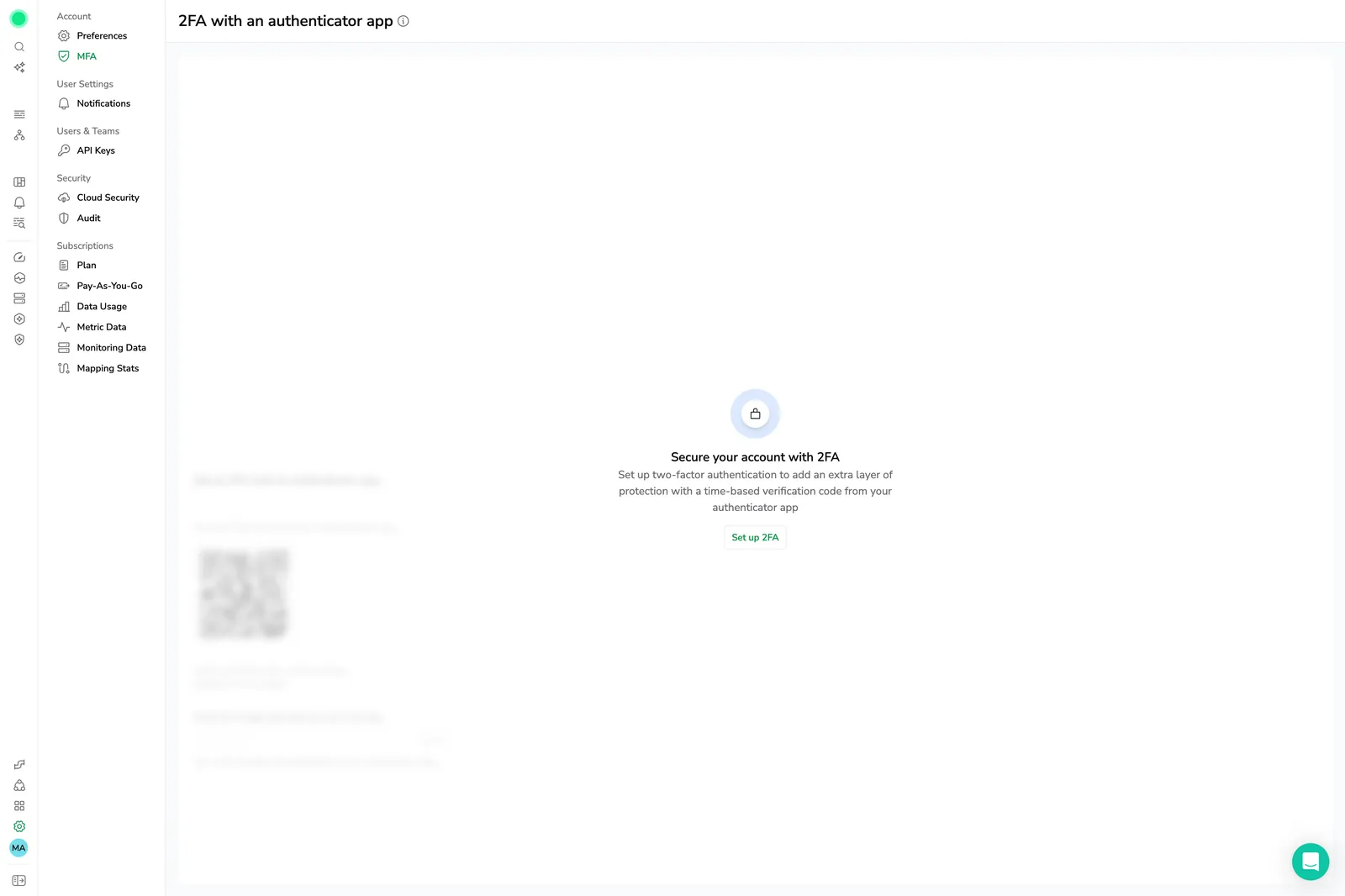
Two-Factor Authentication. Learn more
Query Drill-Down for Metric Data. Learn more
Usage Overview for TCO Optimizer. Learn more
Permissions List and team member management
Permissions List. Learn more
Manage Team Members. Learn more
Metric append checksum for labels in Metrics Fair Usage. Learn more
Labels tab for Metrics Usage Analyzer. Learn more
Metrics Fair Usage and 365-day Data Usage window
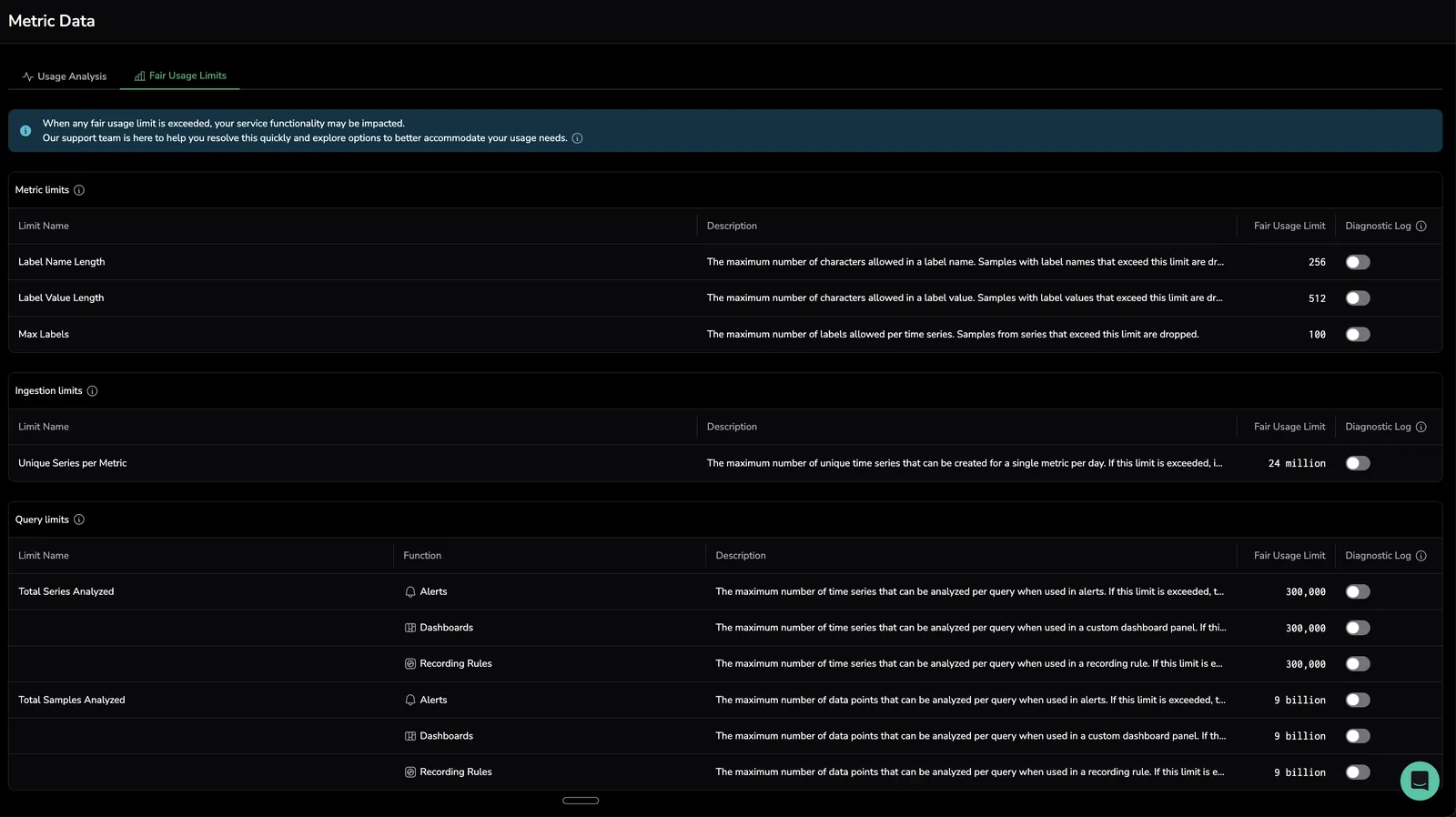
Fair Usage Limits and Query Usage Analyzer for metrics. Learn more
365-day time window and group by functionality added to Data Usage. Learn more
TCO Optimizer log policies and metric Variations
Cleaner Data Usage UX
Cleaner UX for Data Usage. Track your data consumption more easily with updates to the user experience that enforce transparency and help customers make informed decisions about their quota usage. Learn more
Data Usage visualizations and exports
Dozens of new visualizations for data usage (Track exactly how your data is used) including AI evaluators. Filter and sort with ease, and export detailed reports. Learn more
Auditor V2
Enhance Audits & Simplify Account Management. Upgrade to Auditor V2 for real-time tracking, standardized event structures, and improved compliance monitoring. Learn more
Metrics Blocker API
Dynamically drop irrelevant metrics. Drop irrelevant metrics, even after ingestion, to reduce costs and streamline data management. Our Metrics Blocker feature is now accessible via API. Learn more
Scopes for user data access
Control user data access with Scopes. Gain granular control over user access to logs and traces with Scopes. Ensure users only access the logs and traces relevant to them. Learn more
Metrics Optimizer
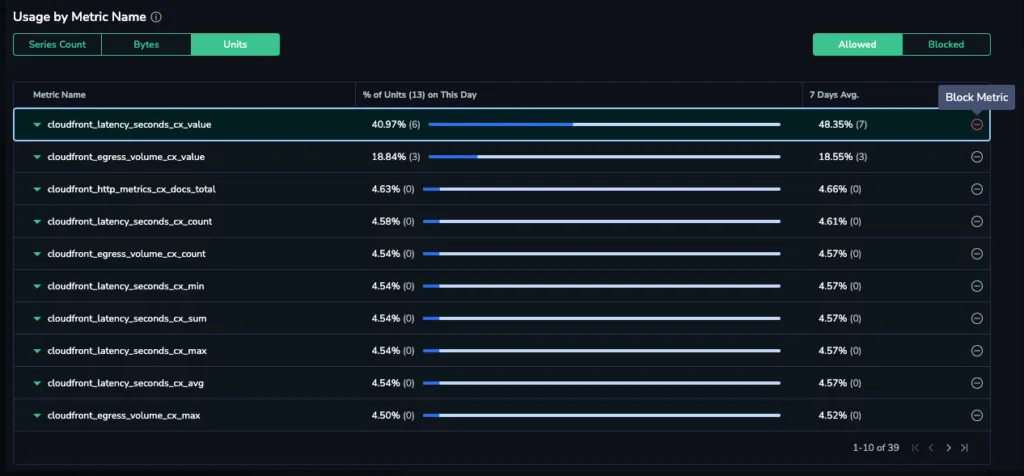
Reduce costs with Metrics Optimizer. Identify which unneeded metrics are burning through your data quota and safely block them without complex configurations. Learn more
Customizable API Keys and Scopes

Manage access with customizable API Keys. Enhance security and assign precise permissions with customizable API Keys. Choose between Personal Keys, Send-Your-Data API Keys, and Team Keys. Learn more
Control user data access with Scopes. Gain granular control over user access to logs and traces with our new Scopes. Ensure users only access the logs and traces relevant to them. Learn more
Metrics Usage insights
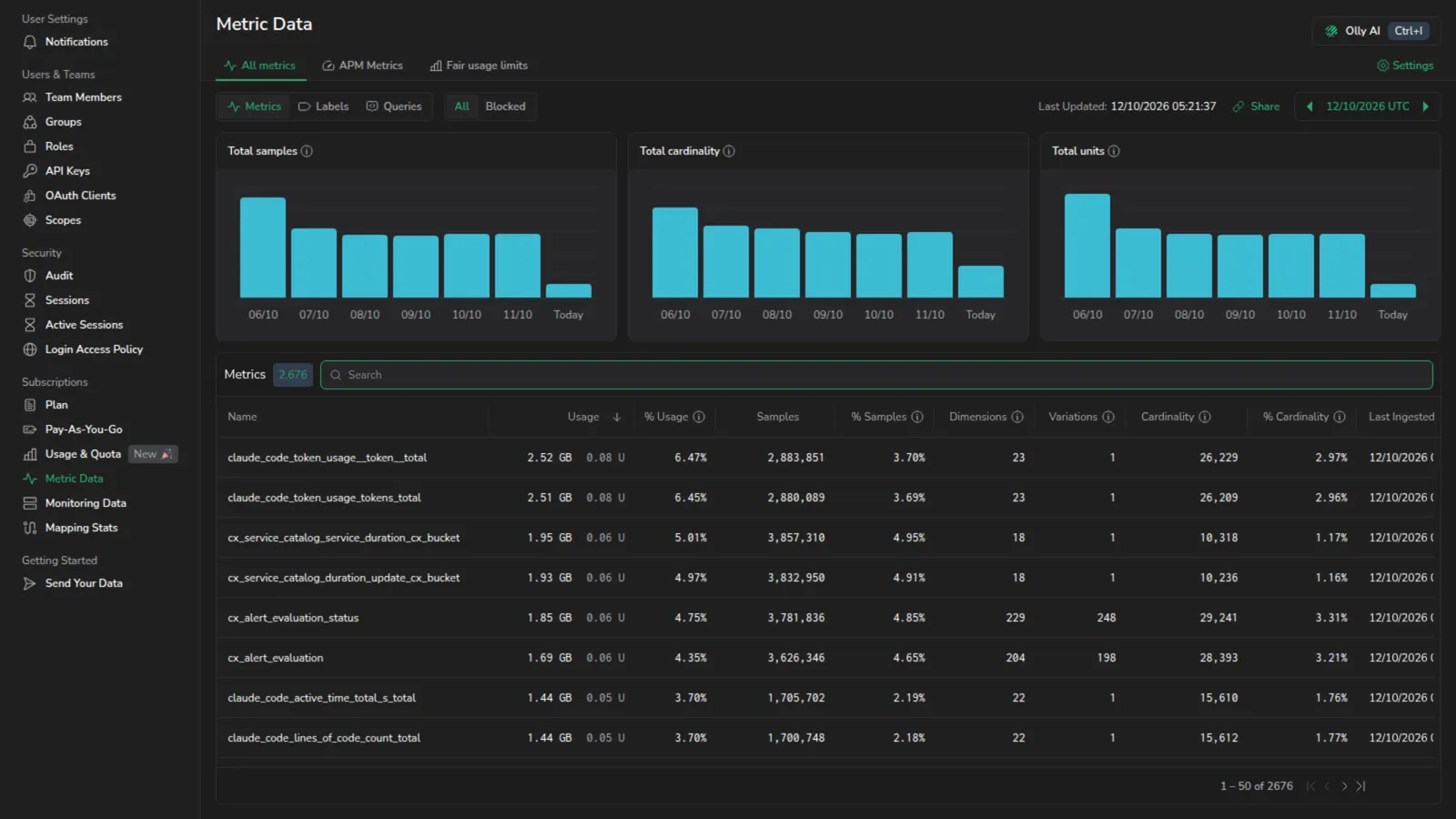
Comprehensive metrics usage insights. Uncover your most resource-intensive metrics with Metrics Usage to visualize your data trends. Learn more
Role Based Access Control
Take Control with Our New Role Based Access, With Coralogix's new RBAC, you can easily control user access. Create a brand new user role by choosing from over 300 different permissions, or select one of seven predefined system roles. Learn more
Quota Manager
New Quota Manager. For extensive org-level data management, the Quota Manager now presents data consumption as both Coralogix Units and GB sent, with group by options. Learn more
Traces TCO Optimizer and Data Usage Metrics
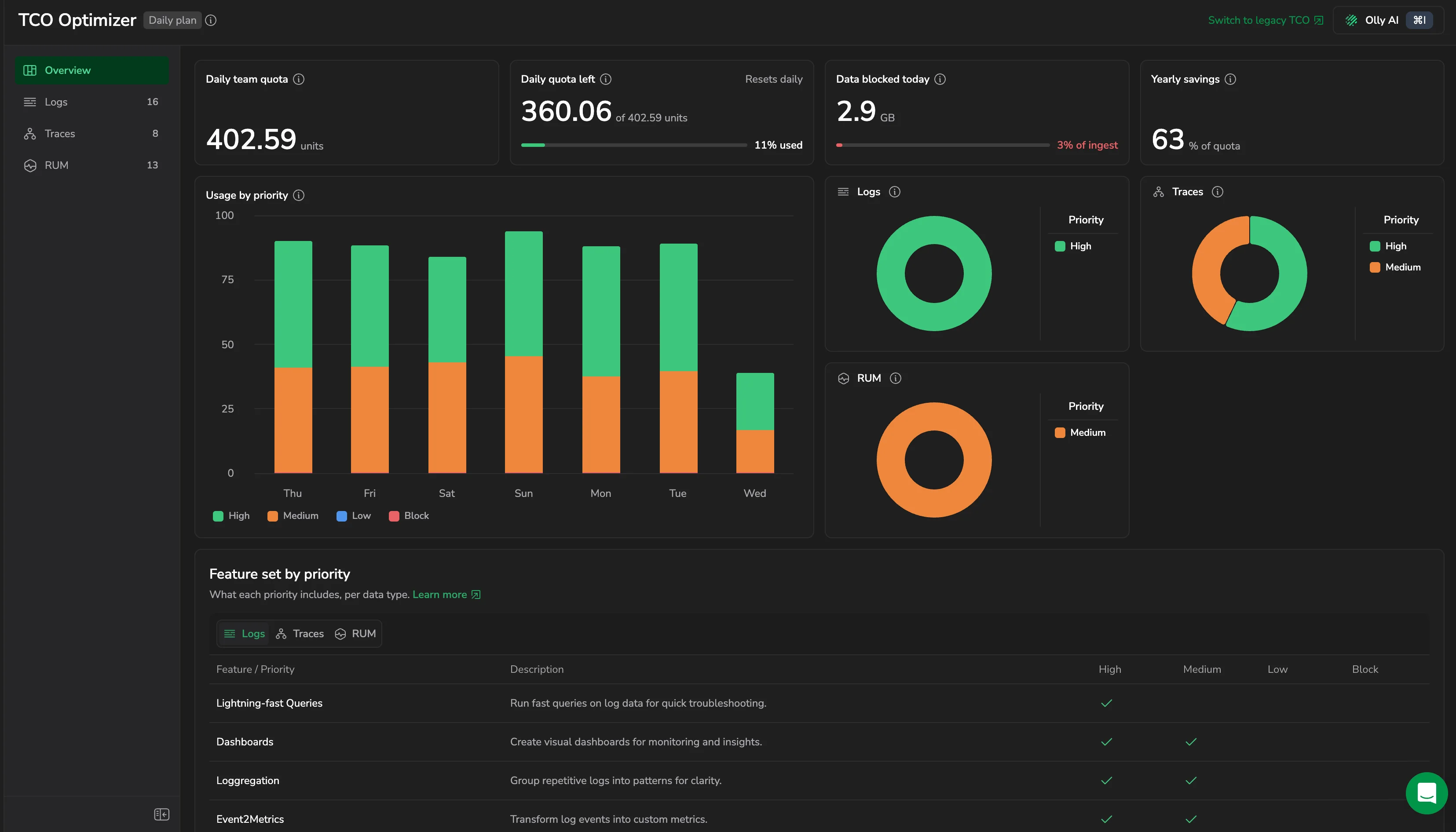
Traces TCO Optimizer. Prioritize important traces and reduce up to two-thirds of your tracing costs. Assign high, medium and low priority levels. Learn more
Data Usage Metrics. Admins can now enable the collection of data usage metrics as native Prometheus metrics for granular details on data consumption. Learn more
Data Usage Report and multiple API keys
Data Usage Report. Under the Data Usage section, you can now download a detailed data usage report exported as a CSV file. Go To Platform >. Learn more
Metric Usage Trend. A new 'Metrics Usage Trend' visualization allowing you to visualise 7 days of history for each metric value. View Documentation >. Learn more
Multiple API Keys. Admins can now configure multiple private API keys to send data to their Coralogix teams. Go To Platform >. Learn more
Create teams in Org Admin
Create New Teams in Org Admin Screen. Organization admins can now create new teams from the 'My Teams' tab in the Settings page.
Organization and Admin Console
Organization and Admin Console. Coralogix supports multi-tenancy, allowing a single organization to contain multiple teams. The Org Admin can manage quota, settings, users, and more at the organization level.
Session Timeout Management
Session Timeout Management. A new option on the Settings page gives users the ability to choose how much idle time will trigger a force logout. Learn More >. Learn more