Alerting
Alert access documentation now matches the card
The Manage alert access instructions described an editor that only appears once you have made a choice the page never mentioned. The Access Policy card opens on a single question, Who can access this Alerts, with three settings: Public, the default, where everyone with role-based access can view and edit; Private, where only you can; and Advanced, which opens the per-group editor the old steps jumped straight into. Two labels had also moved, with Show advanced now reading Policy permissions. The page also now records that whoever creates a policy becomes its owner and keeps access whatever the policy says, so a restrictive policy cannot lock you out of the alert you just secured, and that Reset clears every custom role, override, scope and filter after asking you to confirm. Per-alert access policies are being switched on region by region, so the card can appear before the feature is active for your environment. Learn more
Data gaps handling is now documented
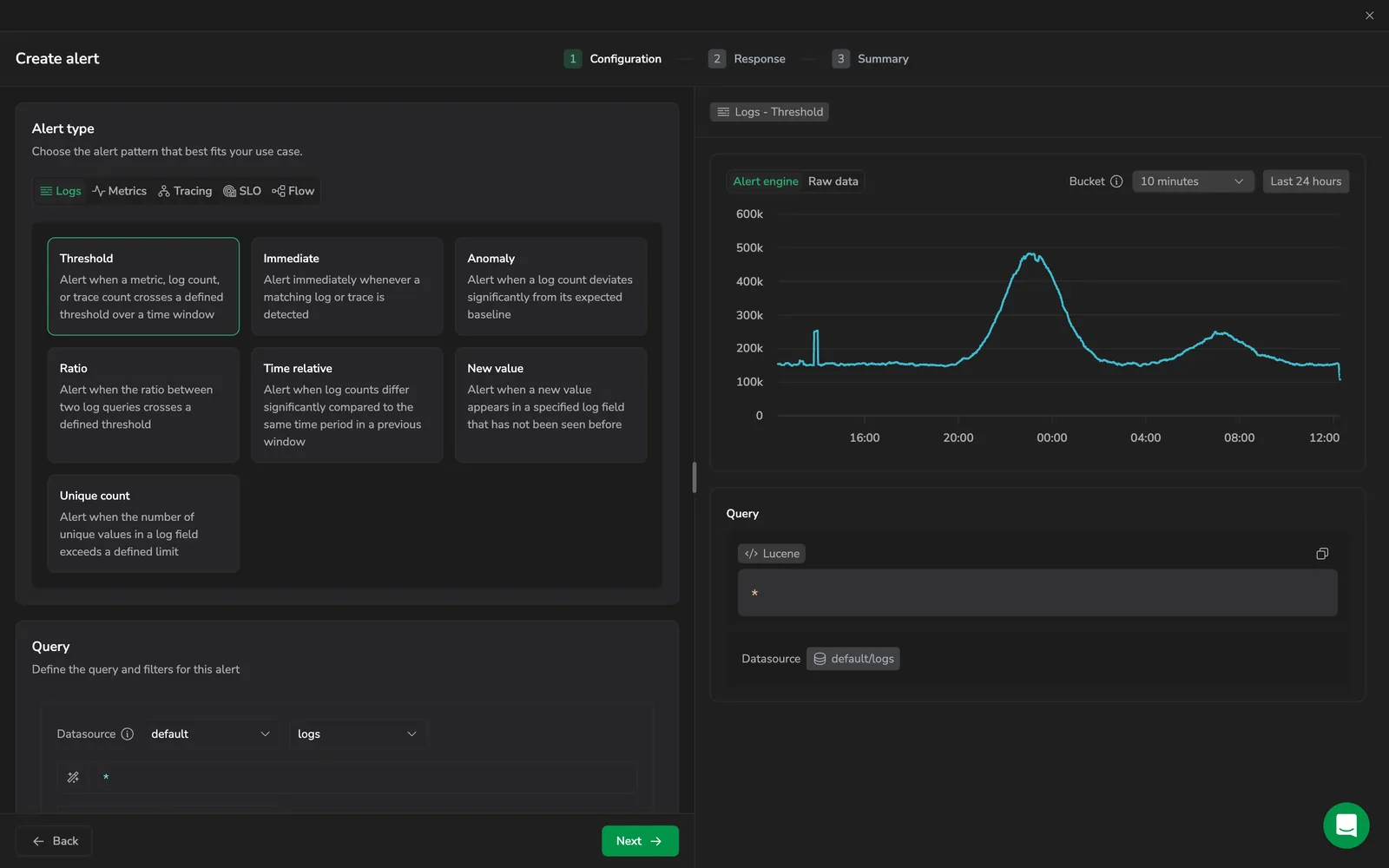
Data gaps handling, under Advanced configurations on metric threshold and metric anomaly alerts, decides what the evaluator does when part of the time frame comes back empty. Either count every empty point as a zero with Replace missing values with 0, or require that at least a given percentage of the window carries data before the alert can fire. The two are mutually exclusive, and the setting is separate from Missing data behavior, which covers the source returning nothing at all. Learn more
Lucene operator limit workaround corrected
The guidance for alert queries that exceed the 50-operator Lucene limit no longer suggests switching to DataPrime, which alert definitions do not support. Simplify the query or move conditions into the application, subsystem, and severity filters instead. Learn more
Combine filter values with AND or OR

The Priority and Labels filters in Alerts Management each carry an AND / OR toggle, so several selected values no longer have to mean the same thing. OR matches an alert carrying any of the values, which suits looking across teams or priorities at once. AND matches only alerts carrying every value, which finds the intersection, such as alerts that are both team:frontend and env:prod. Learn more
See which suppression rules affect an alert
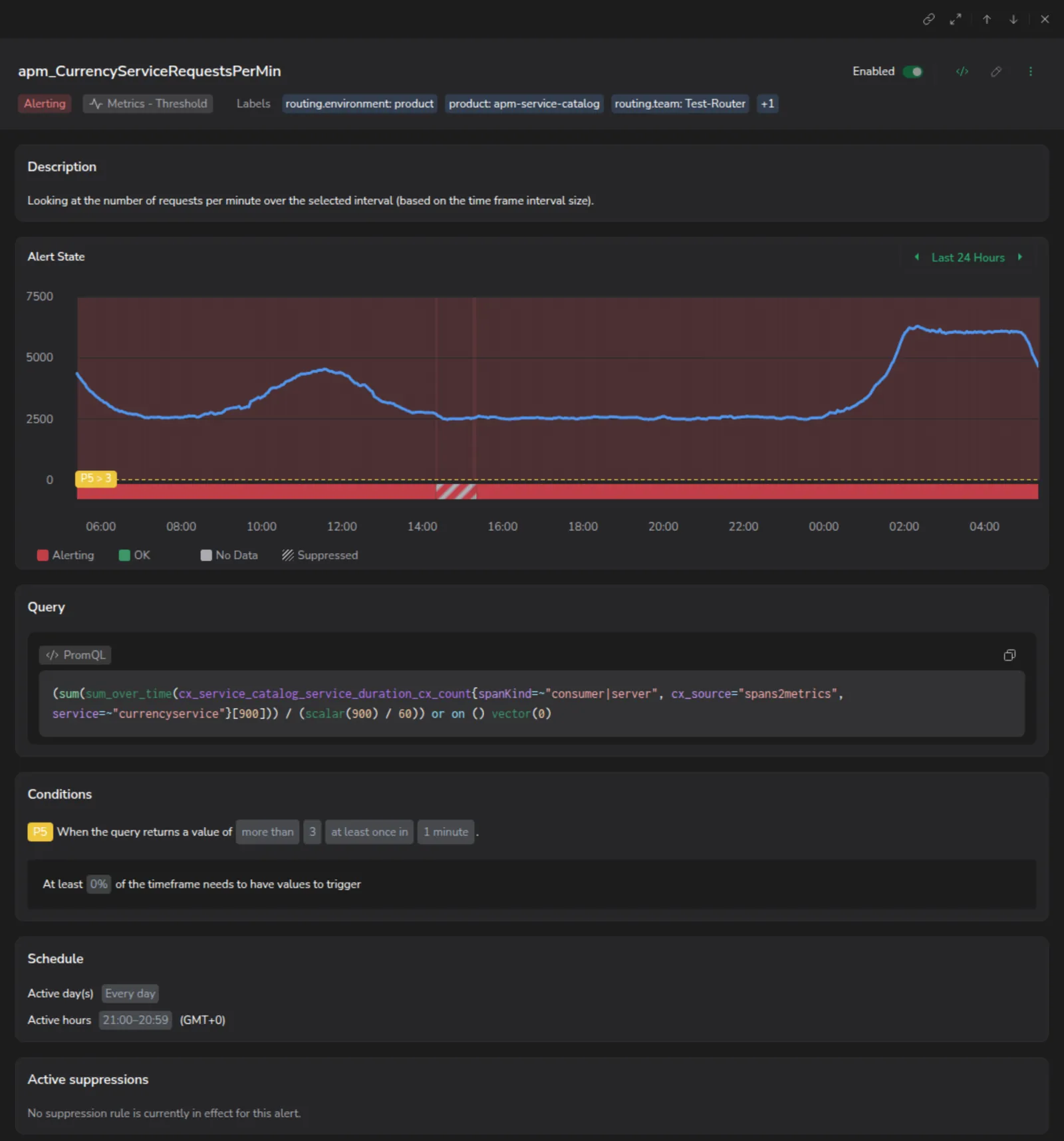
The alert drill-down now lists the suppression rules that apply to the alert you are looking at, so you can tell whether a quiet alert is healthy or silenced before you start investigating. Each rule reports whether it is Suppressing now, In effect, or Not in effect, along with what it targets and what it suppresses, and opens from the panel. Learn more
Open an alert's Case straight from the alerts list
The alert definition list now has a Case column, so you can tell whether an alert is already being worked on without leaving the page. Every alert definition that has a case shows a case icon that opens the case in a new tab, so your place in the list is never lost; selecting the row itself still opens the alert drill-down. An open case (Active or Acknowledged) always takes precedence. If there is no open case and the alert is not currently firing, the column links the most recent case from the last 30 days, dimmed and labeled Most recent case. Learn more
Set access per alert with policy-based access control
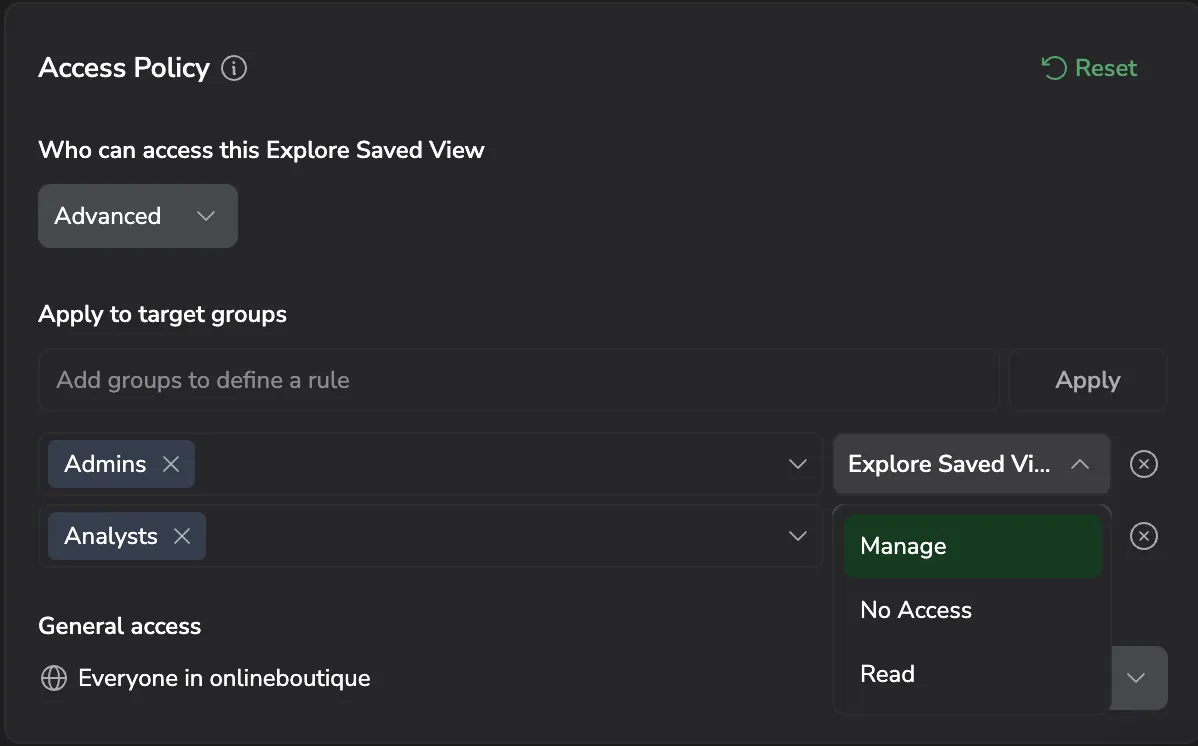
Alerts now support policy-based access control (PBAC). Set an access policy per individual alert from the Access policy card in the Summary step of the alert editor, on top of the existing role permissions. Effective access is the role permission and the alert's policy, so a policy can only narrow access, never widen it. Learn more
Export alert definitions in bulk
Select alert definitions in the list and use the Export bulk action to download them. Any selected alerts that cannot be found or accessed are skipped from the export. Learn more
Dynamic alert name and description render in the Case
The alert Name and Description support Tera dynamic templating, and the rendered result now carries through to the Case the alert opens. The Case title and description are evaluated from these templates using the same schema as Notification Center, so they reflect the specific signal that triggered instead of a static string. Author the templates in the Details step of the alert wizard, with autocomplete for the available fields. Learn more
DataPrime alerts and alerting improvements
DataPrime alerts: alert on the result of a DataPrime query, either immediately or when a numeric result column crosses a threshold. Learn more
Alert reasoning panel: the alert drill-down adds a metric chart and highlights gaps in the data behind an alert. Learn more
Overnight alert schedules: an alert activity schedule can now span midnight. Learn more
Dynamic time windows for metric conditions: metric alert conditions accept custom evaluation windows. Learn more
AI-assisted alert name and description: the alert wizard suggests a name and description as you build an alert. Learn more
Anomaly detection learning period clarifications
Anomaly detection learning period. Documentation clarifies when an anomaly detection alert becomes active and which alert changes trigger a new 7-day learning period. Changing the metric query, filter, or core condition logic retrains the model; changing deviation percentage, notifications, labels, or priority does not. Learn more
Metric-based queries and bulk actions
Log2Metric Alerts and No Data Handling


Phantom Mode
Enhance Alert Management with Phantom Mode. Enhance alert management capabilities and focus on the most relevant incidents with Phantom Mode. Use alerts as building blocks for your Flow alerts without triggering separate notifications. Learn more
Expanded Anomaly Detection limits
Unlock the full potential of Anomaly Detection Alerts. Maximize the potential of our AI-Powered Alerts with 6x more prediction models per day by default and customizable limits per alert type. Learn more
Alert Suppression Rules
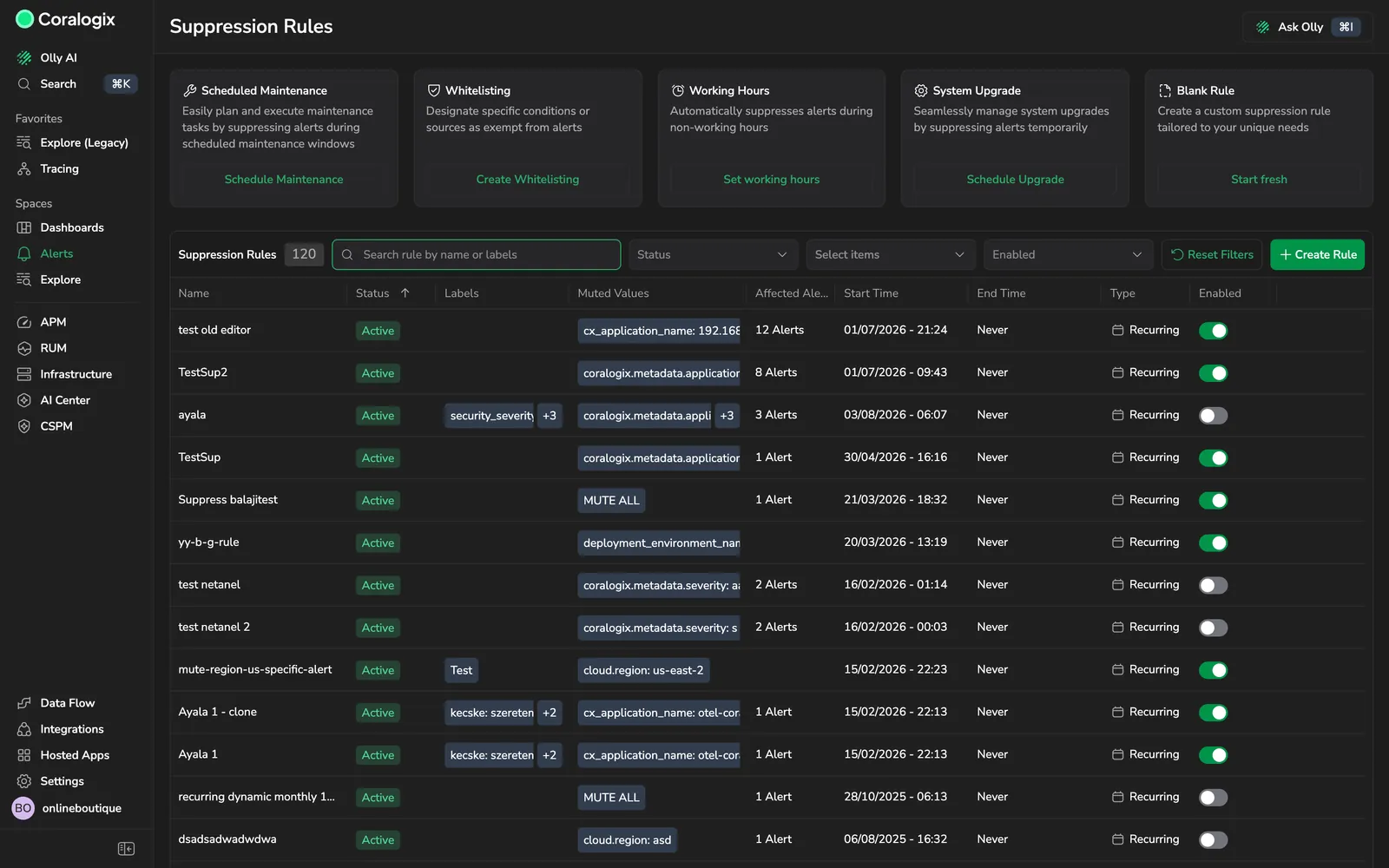
Suppress Your Alerts When Needed. Use our new Alert Suppression Rules to mute alerts you don't need during scheduled maintenance, testing, auto-scaling events or outside working hours. Learn more
Incidents Screen and metric anomaly detection
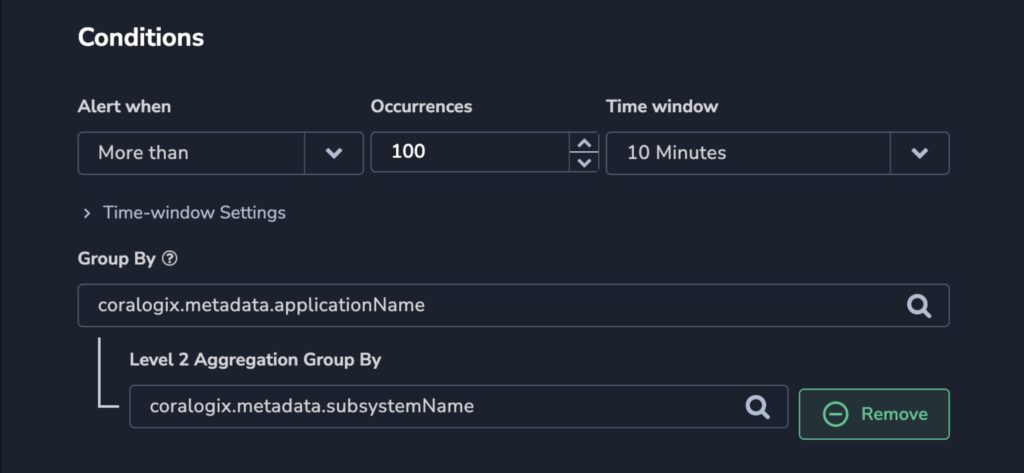
Incidents Screen. Gain more insights into your triggered alerts with our improved Incidents feature. Group by tags by region, environment, and more. Learn more
Metric Alert - Anomaly Detection. Our AI-leveraged alerts give you full visibility of what is happening in your services, setting the most accurate threshold for your data. Learn more
More Than Usual for metric alerts
More Than Usual Alerts. You can now set the 'More Than Usual' condition for metric alerts, to detect anomalies in the values of any metric received (including E2M). Learn more
Rolling Window and Flow Alert group-by
Rolling Window. Under standard user-defined alerts, if the alert conditions are set for 'More than', you can now choose a Rolling Window or Dynamic Duration evaluation window. View Documentation >. Learn more
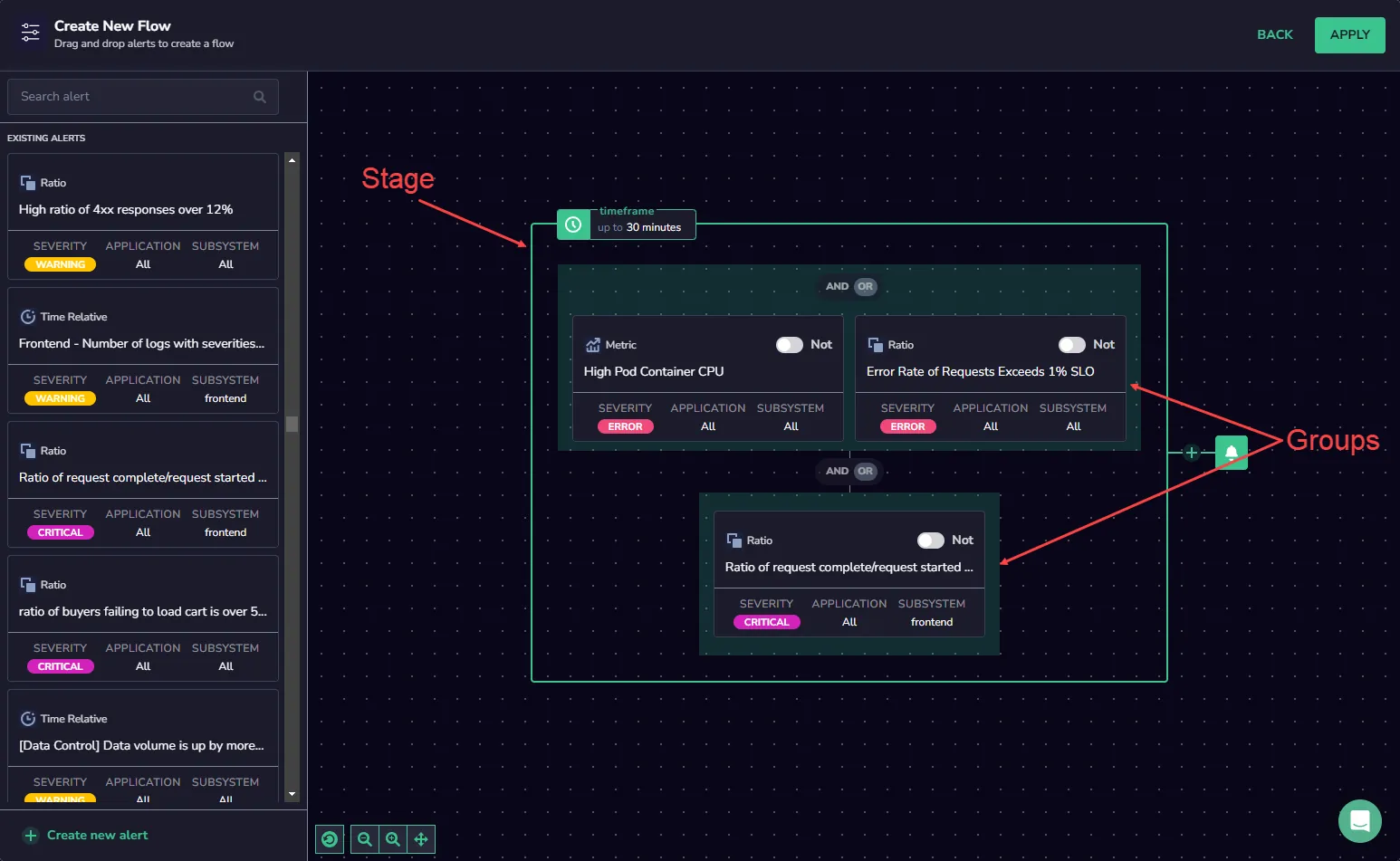
Flow Alert Group-by. The flow of alerts can now be grouped by the common group-by keys used in the defined alerts. View Documentation >. Learn more
Notification Groups
Notification Groups. Alert notifications can now be grouped into multiple 'Notification Groups' for different keys. Add multiple webhooks to split the alert triggers and customize the notification frequency. View Documentation >. Learn more
Incident management and Alerts Map
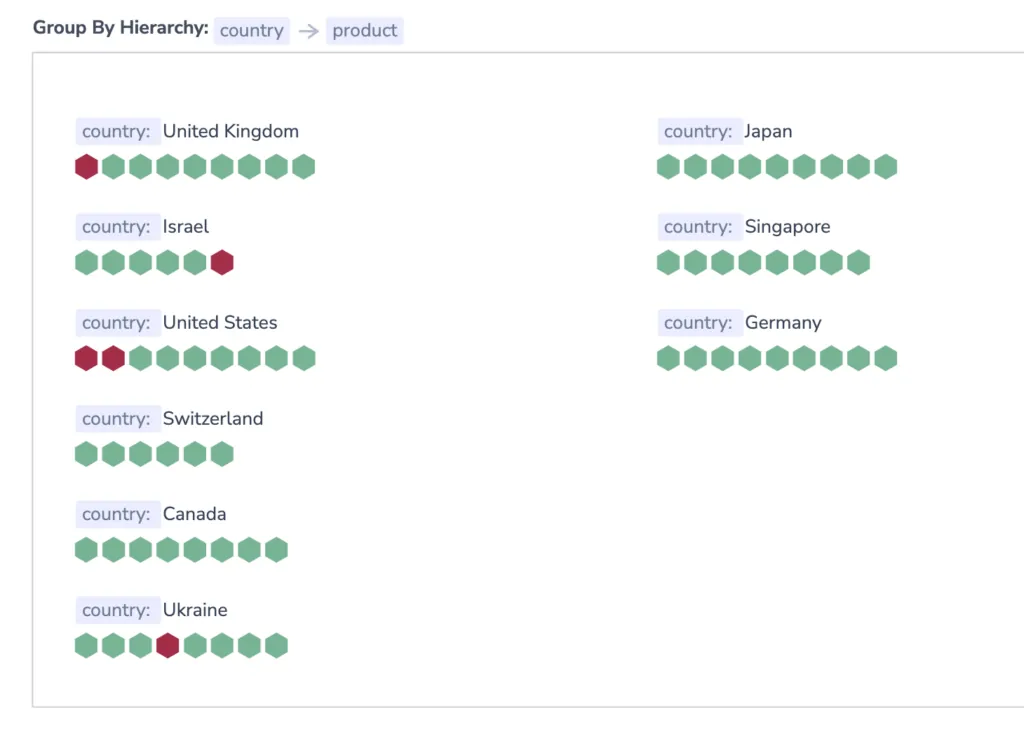
Incident Management in Insights Screen. You can now acknowledge, assign, and resolve alerts directly from the Insights UI.
Alerts Map. Visualize logical groupings of your alerts and their statuses for a powerful 'at a glance' view of what's going on in your systems. View Documentation >. Learn more
Tracing Alert and Less Than group-by
Tracing Alert. Create Tracing alerts for high latency on specified Tags and Services. Tracing alerts can be grouped by different Tags and specified for a specific threshold of Latency and Spans. Learn More >. Learn more
'Group By' for 'Less Than' Alerts. Enhance your 'Less Than' alerts using the 'Group By' option. Values under the 'Group By' fields are aggregated into a histogram. Learn More >. Learn more
Flow Alert
Flow Alert. Define a sequence of alerts in our Drag & Drop Flow Builder UI that combines Logs, Metrics, Tracing, and Security information to create a single alert flow. Learn More >. Learn more
Snooze alerts from Alerts tab
Snooze Alerts in Alerts Tab. The option to snooze an alert is now available from within the main Alerts screen for centralized management of alert statuses. Learn More >. Learn more