APM
N/A health for services with no data
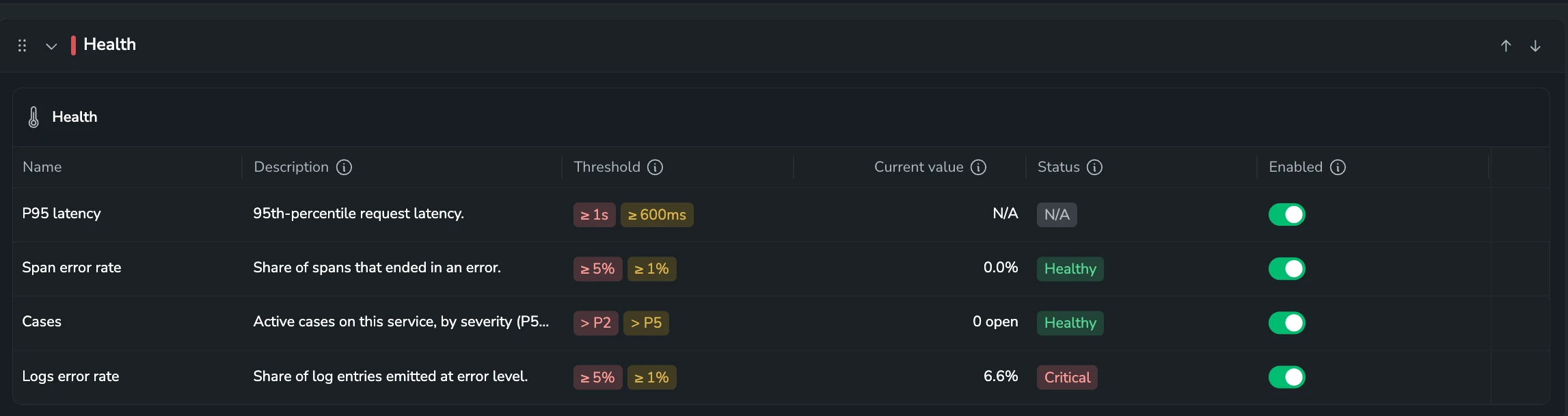
Service health now tells "no data" apart from "not monitored". A service whose policies are enabled but have no data to evaluate, such as an inactive service or an environment it sends nothing from, shows N/A instead of Healthy. A service with no enabled policy shows Unmonitored, which replaces the Unavailable label. N/A appears in the catalog, the health map, the service map, and the drilldown, and the Health filter adds an N/A option. Error rate shows a dash instead of 0.0% for a service with no spans. Learn more
Continue with Olly explains an insight right away
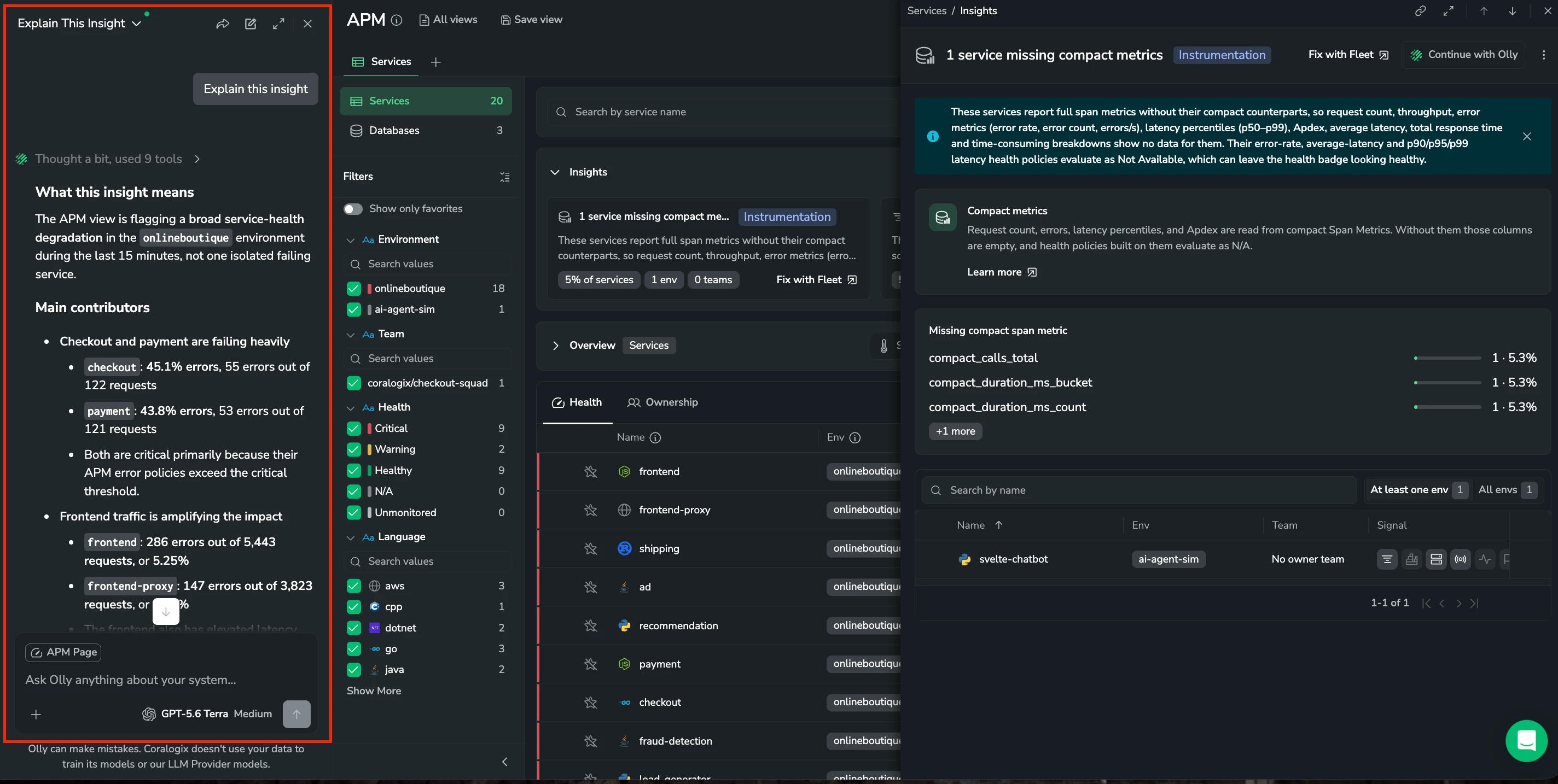
Continue with Olly on an APM insight now opens Olly with the insight attached and sends Explain this insight for you, instead of opening an empty chat. It works from the insight card, its actions menu, and the insight drawer. Learn more
Hide databases, caches, messaging, and external nodes on the service map
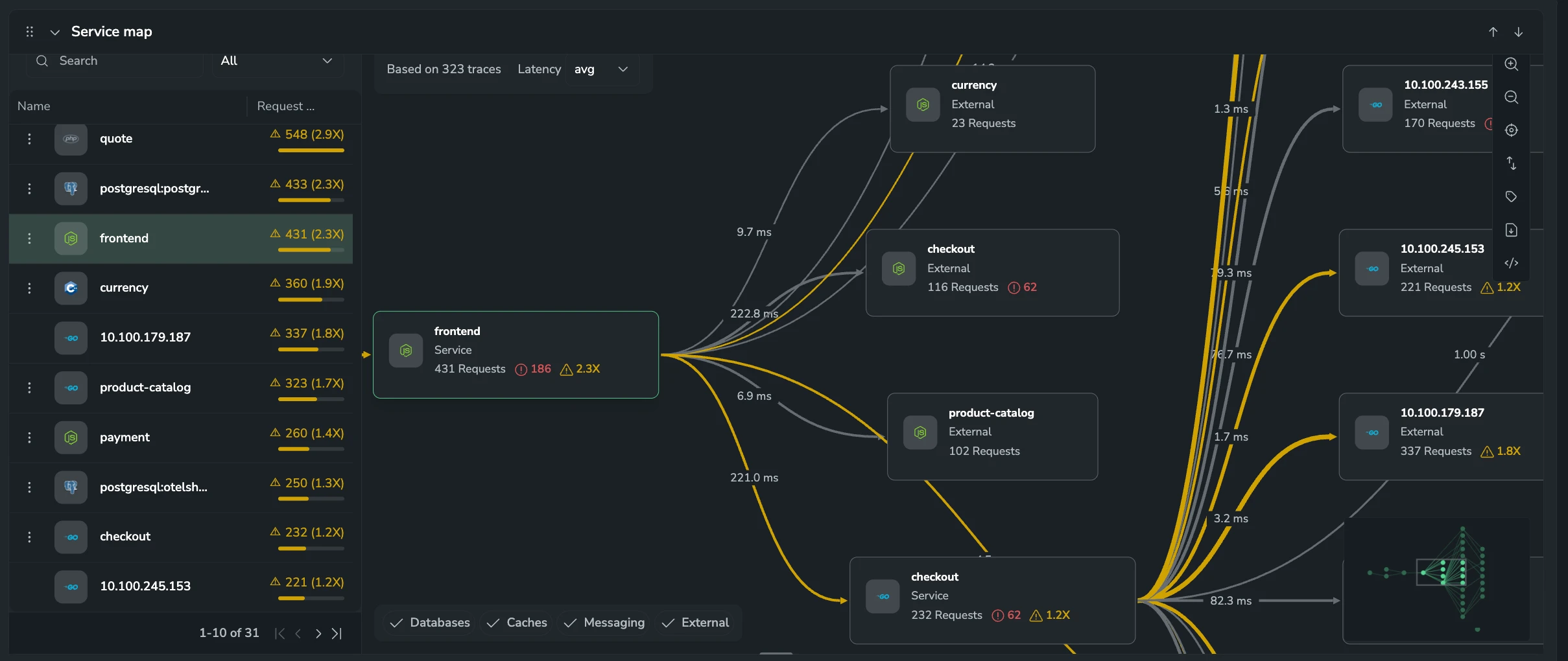
The Service map section in a service or database drilldown adds Node types chips for Databases, Caches, Messaging, and External. Clear a chip to hide those nodes and their edges and focus on service-to-service dependencies. Services and the entity you drilled into always stay on the map, and the filter is kept in the URL and in saved views. Learn more
Open every view in a saved-views folder as tabs
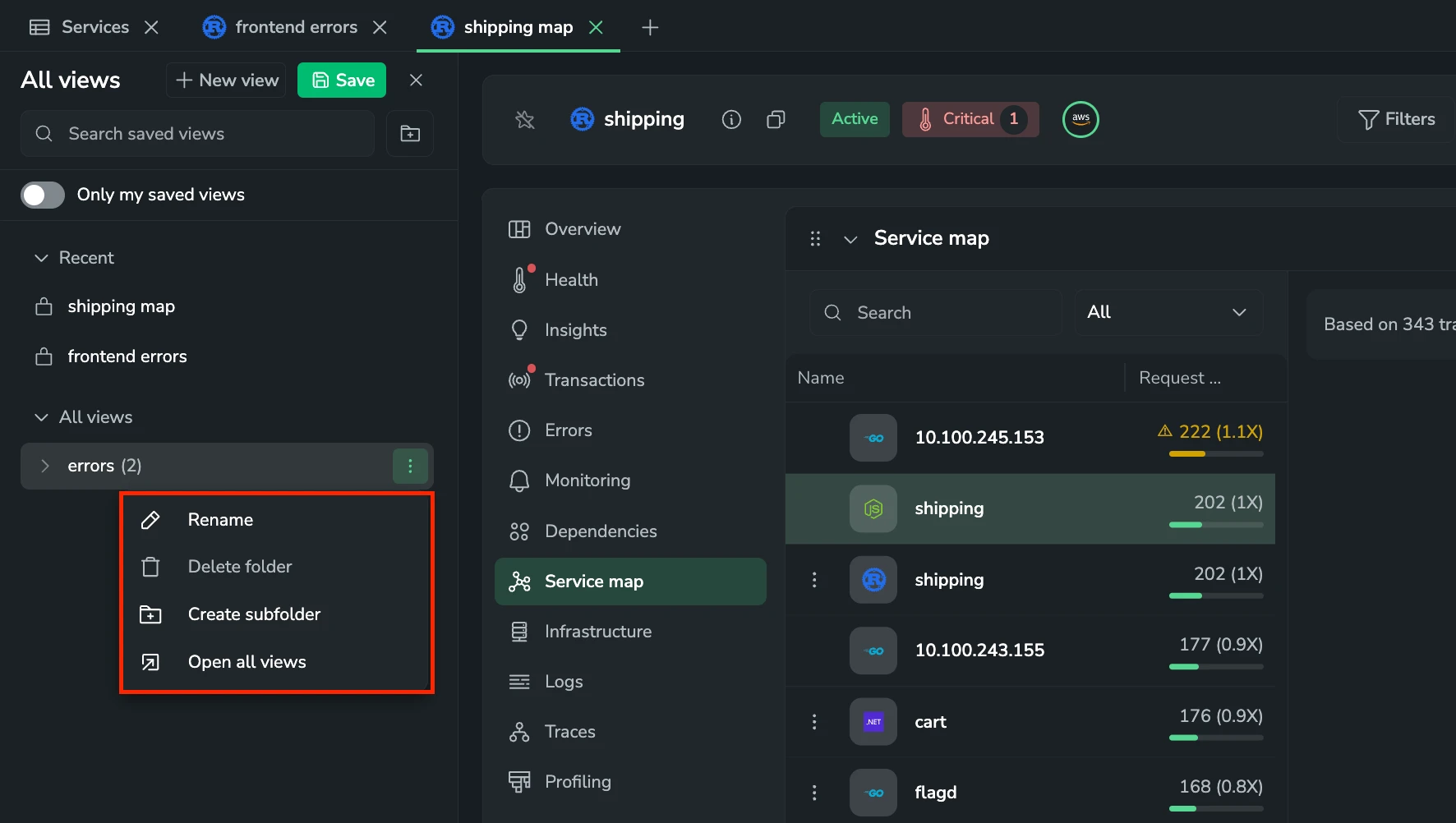
A saved-views folder's actions menu in All views adds Open all views, which opens every view in the folder, including its subfolders, as catalog tabs. Views already open reuse their tabs, and a warning shows if the tab limit stops some views from opening. Learn more
See the status of the providers your services depend on
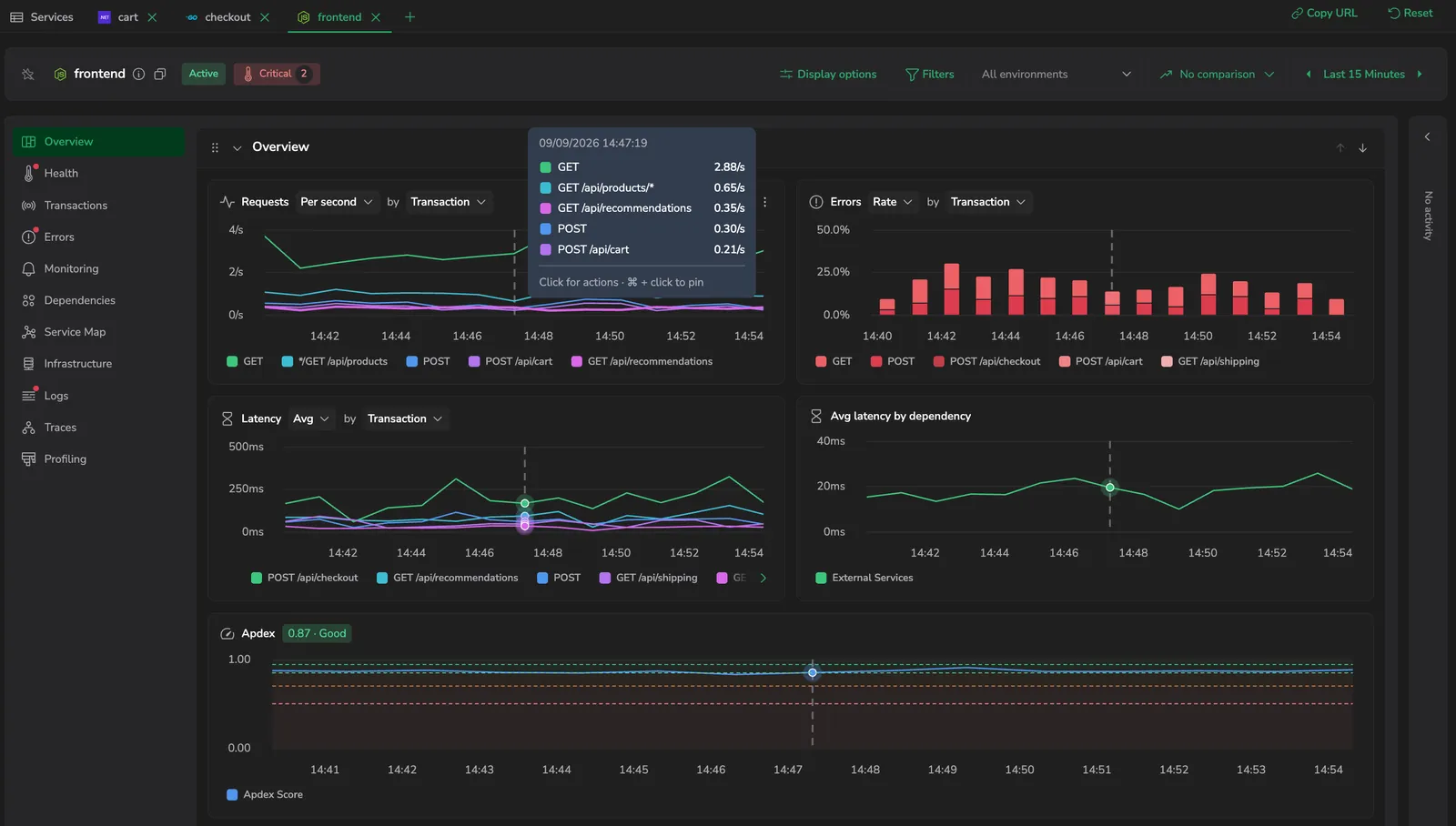
APM shows the status of the third-party providers each service is connected to in Provider Status Monitoring, worst status first, so you can tell a provider incident from a failure in your own code. It appears in the service drilldown header and in the Providers column of the services catalog's Ownership view. Hover either to see how many providers have issues, the open incident for the worst three with when it started and what it affects, and the rest grouped by status. A connection scoped to some components or regions reflects only those. Learn more
Runtime metrics for Go, Python, and Node.js
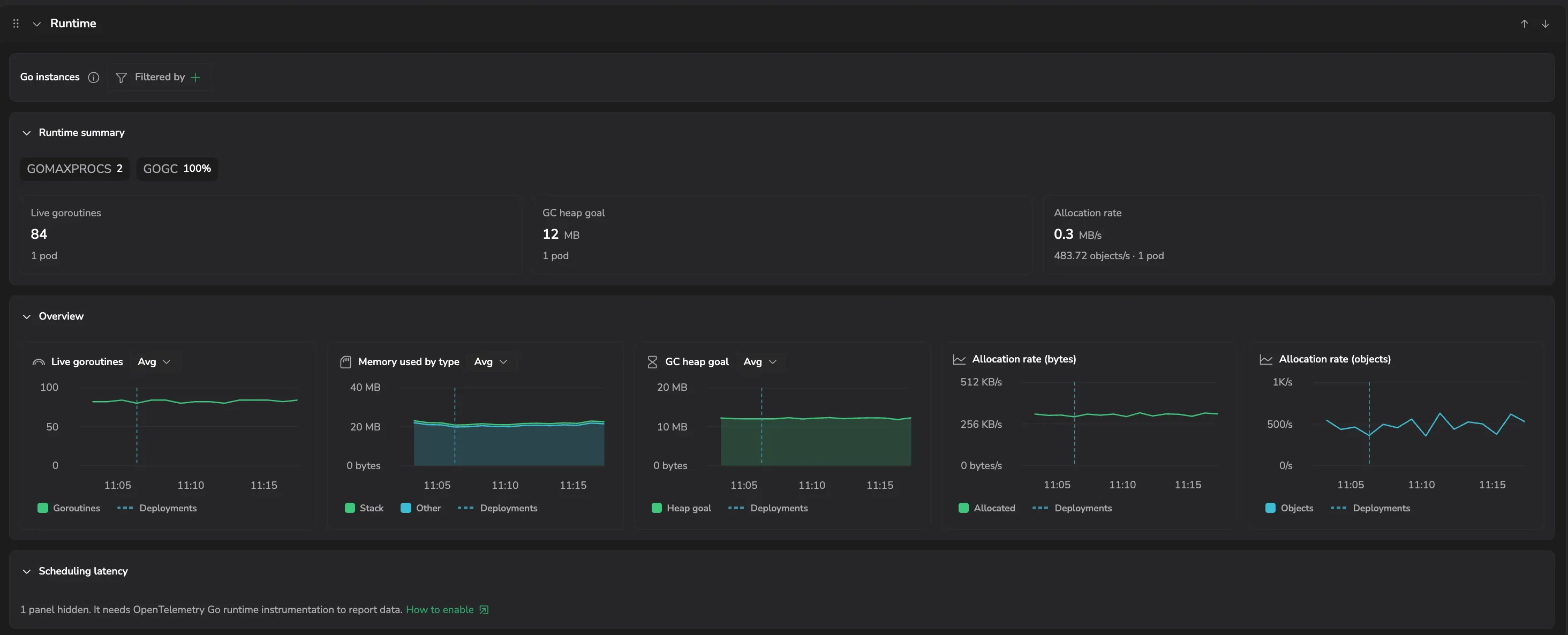
The APM Runtime tab now covers Go, Python, and Node.js services, not just Java. Each language gets a section tuned to its runtime: goroutines, allocation rate, and scheduling latency for Go; event loop, V8 heap, and garbage collection for Node.js; and CPU, memory, threads, and generational GC for Python - so you can diagnose a runtime problem without leaving APM. Each section appears once the service reports that runtime's metrics.
Connect Custom Dashboards to APM
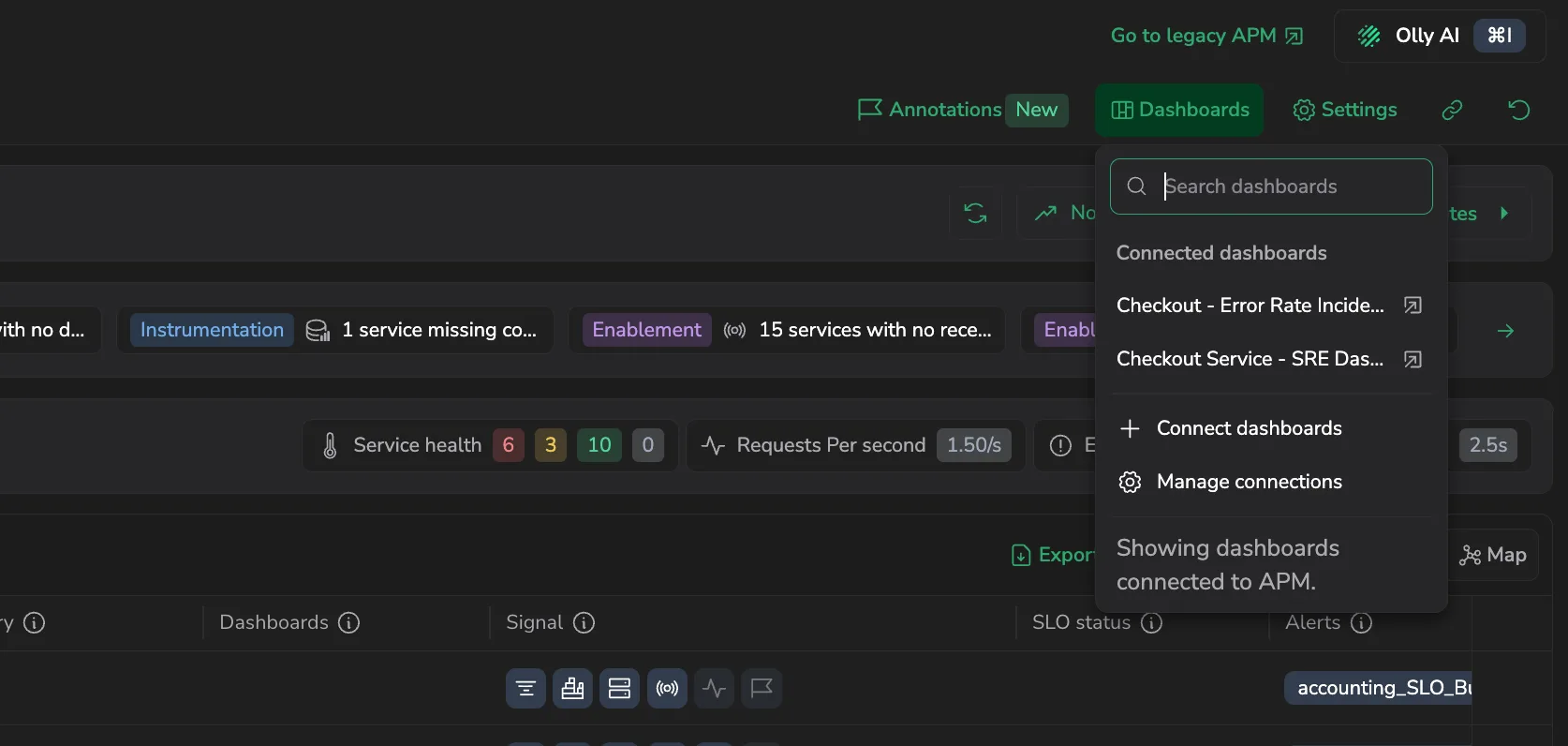
Connect a Custom Dashboard to APM so it opens from APM in a new tab, scoped to the service and environment you opened it from. Choose where each dashboard is available (all of APM, specific teams, or specific services, and specific environments), and optionally pass the service and environment into the dashboard's own variables or filters so it opens already scoped. Open connected dashboards from the Dashboards button on the APM page or from a service, and manage them under Manage connections. Learn more
Filter a transaction's spans to errors
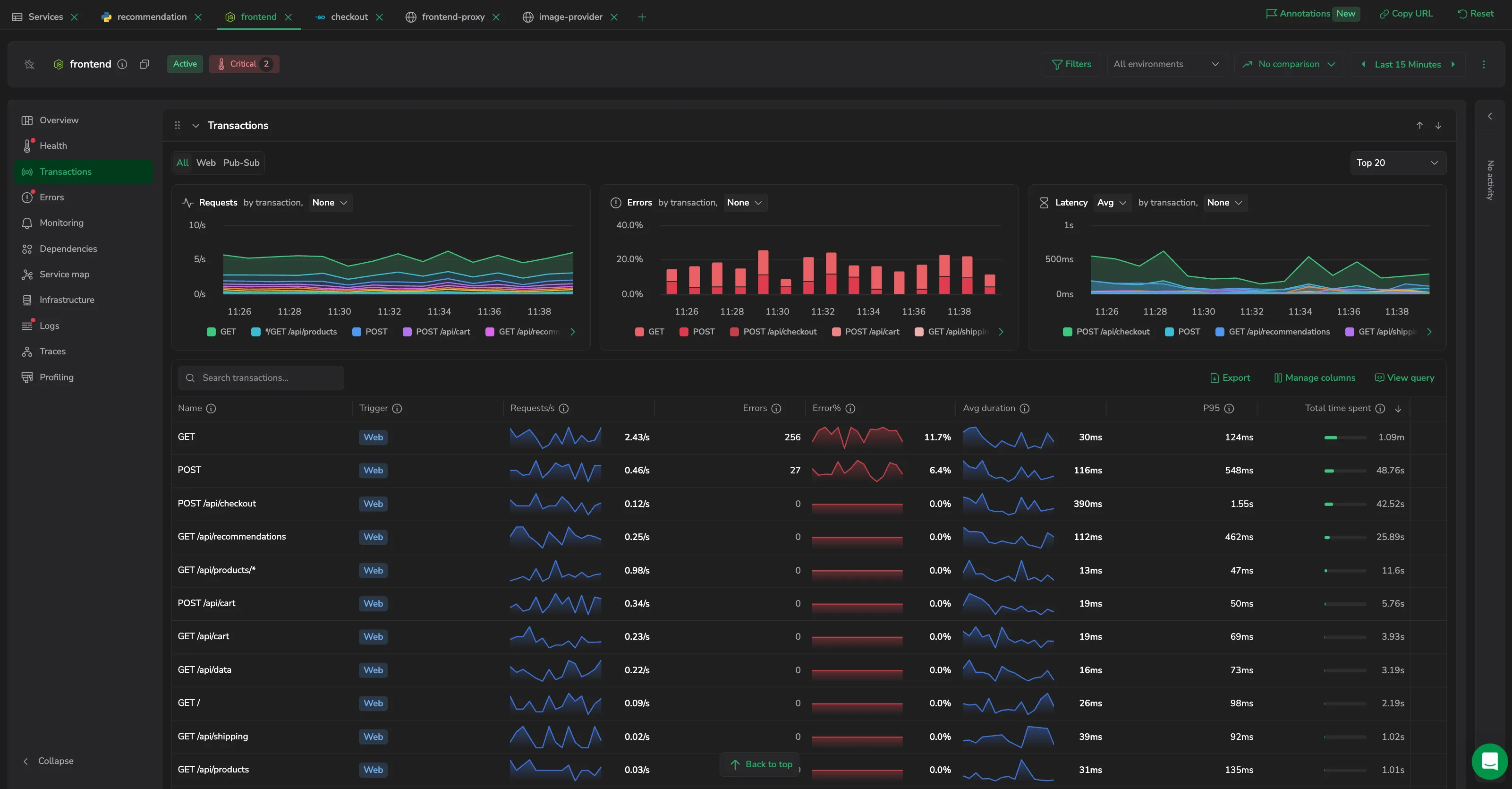
The Spans grid in a transaction drilldown adds an Errors toggle next to the segment filter, so you can focus on the spans that failed. It filters in the query rather than on the loaded rows, so it surfaces error spans beyond the most recent ones shown, and Open in Explore carries the same filter. Learn more
Default saved views
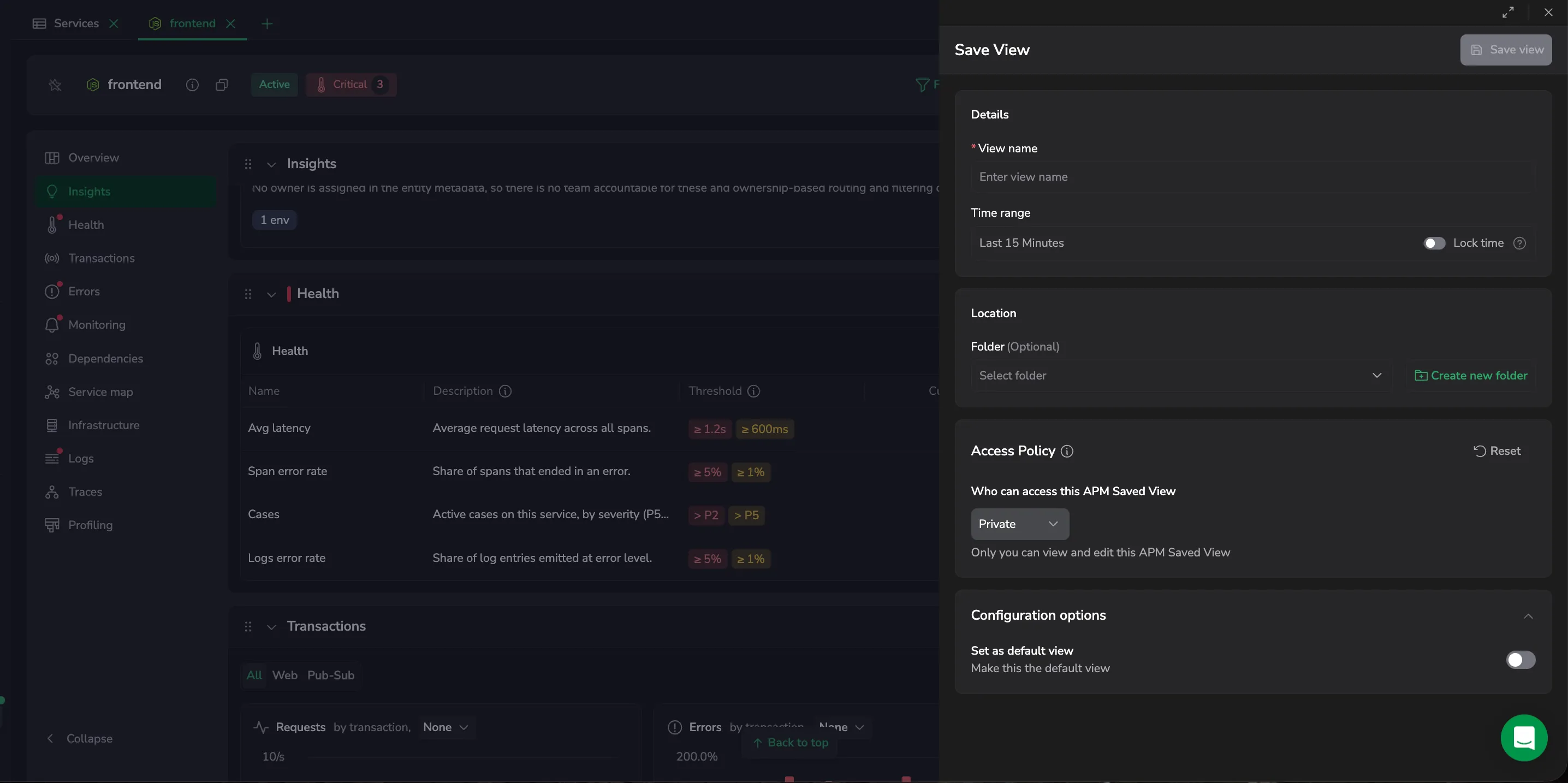
Mark an APM view as your default so the catalog opens straight to it. Set it from a view's actions menu with Set as my default (or Remove my default), or enable Set as default view when you save a view; the default view opens on entry and carries a Default view badge. Platform Admins can also set a team-wide default, and your personal default takes precedence. Learn more
Filter values scoped to your selection
APM filter dropdowns now list only the values that exist under your current selection. In a service drilldown, choosing an environment narrows the other filter dropdowns to the values present in it - and the catalog filters do the same - so you no longer pick a combination that returns no data. Select All then selects only the in-scope values. Learn more
Quiet services read Healthy, not Unavailable
A service health policy with no data to evaluate - including on an inactive service - now counts as Healthy rather than Unavailable, so a quiet service no longer looks like it needs attention. A policy reads Unavailable only when it's disabled. Learn more
Insights

The APM v2 catalog now surfaces Insights - the data-quality and coverage gaps across your services and databases, such as services with no profiling, no owner, or no SLO, and accounts nearing a catalog limit. A section at the top of the catalog summarizes them, and the All insights drawer lists every one, filterable by category and type, so you can close the gaps before they cost you during an incident. Learn more
Refresh and auto-refresh
The APM catalog and entity drilldown add a Refresh button and an Auto-refresh interval - Off, 30s, 1m, 5m, or 15m - next to the time picker, so you can keep a screen live during a deployment or incident without reapplying the time range. Auto-refresh runs on quick ranges of 24 hours or less, slides a relative range forward on each tick, and is saved with the view. Learn more
Filter databases by the service calling them
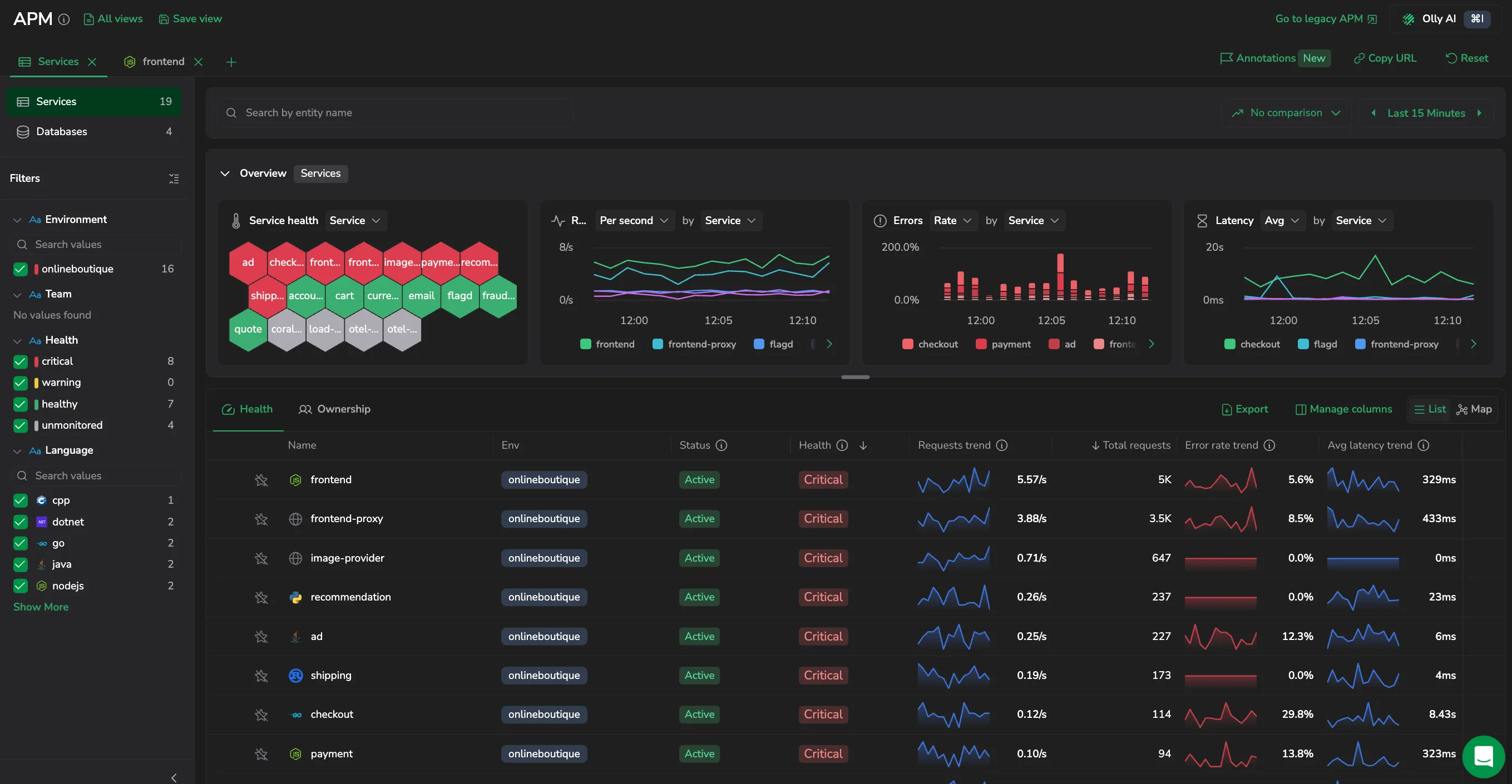
The Databases scope in the APM v2 catalog adds a Calling service filter to the sidebar, so you can start from a service and see only the databases it talks to. Filters that have no values to offer are now left out of the sidebar entirely rather than shown empty. Learn more
Open a single database operation in its own drawer
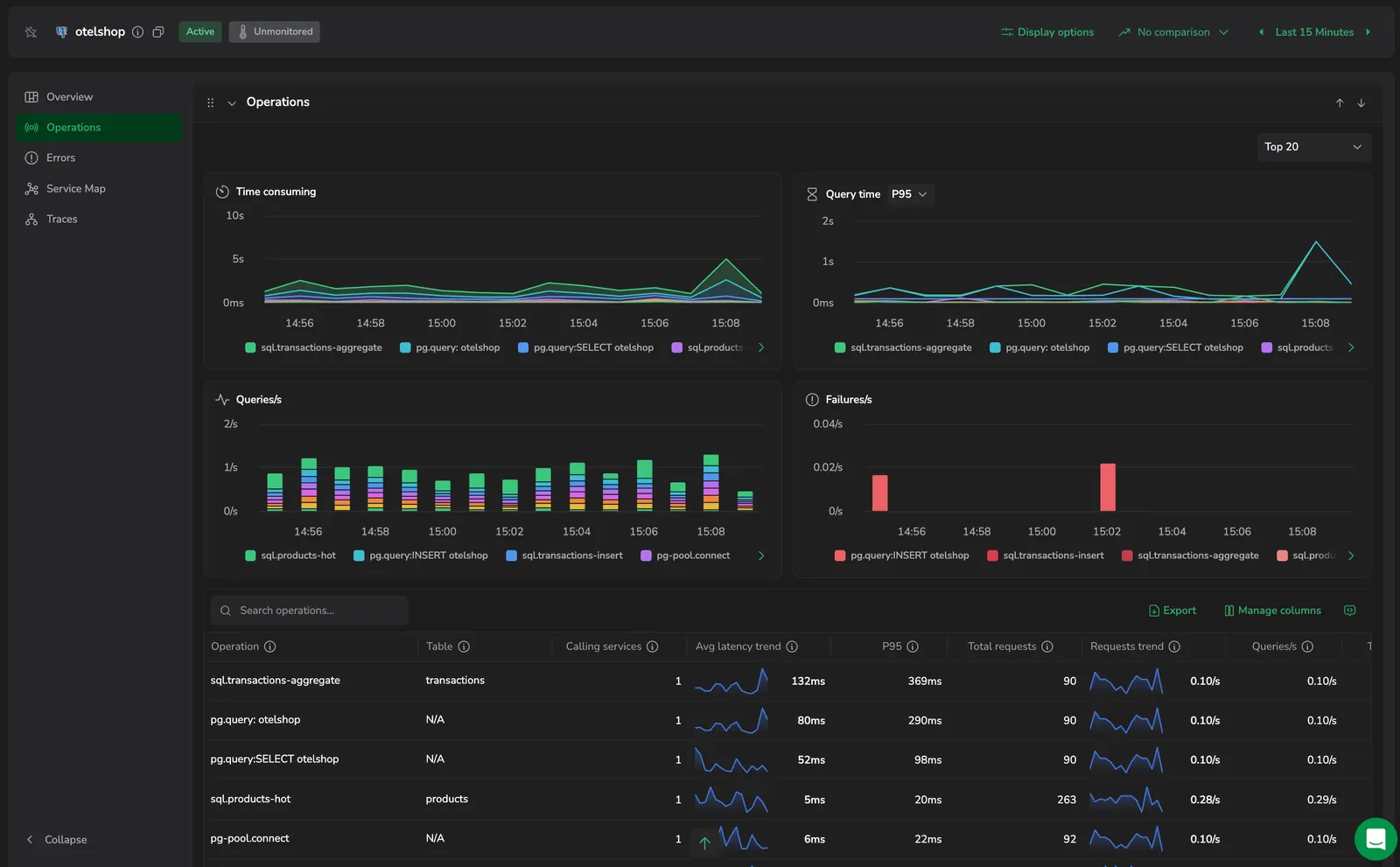
Selecting a row in a database's Operations table now opens a drawer scoped to that one operation. It reports Avg time, P95, Total queries, Total failures, and Failure rate, charts query time at a percentile you pick alongside queries and failures per second, and lists the most recent spans so you can open the trace behind a slow query. Step through operations with Previous and Next without closing it. Learn more
Transactions and runtime metrics in the Signal column
The catalog's Signal column now tracks five signals per entity instead of three, adding Transactions and Runtime metrics to Traces, Profiles, and Infra. A chip is active once that data source starts reporting, and a dimmed chip explains what's missing and links to its setup guide. Runtime metrics are currently available for Java services that send JVM metrics. Learn more
Environment-scoped span queries return results
APM v2 matched spans to a selected environment on a tag that spans don't carry, so every environment-scoped span query came back empty: View traces opened Explore on no results, and span counts, transactions, dependencies, and traces highlights all evaluated against nothing. They now match on the deployment environment name the spans actually carry. If you had learned to ignore an empty hand-off to Explore, it returns real spans now.
Go from a deployment marker to its pipeline run and repository
Deployment annotations on APM v2 charts now link back to the change behind them. Hover a deployment marker that lines up with a spike to select Open pipeline run, Open repository, or Open in the source system, or copy the commit SHA, pipeline name, or branch or tag name. Explore Logs is still there to jump to the logs around the event. The catalog also adds a Repository column to the Ownership view, so you can open the entity's linked source repository straight from the table. Learn more
Cases affecting a service in its Monitoring tab
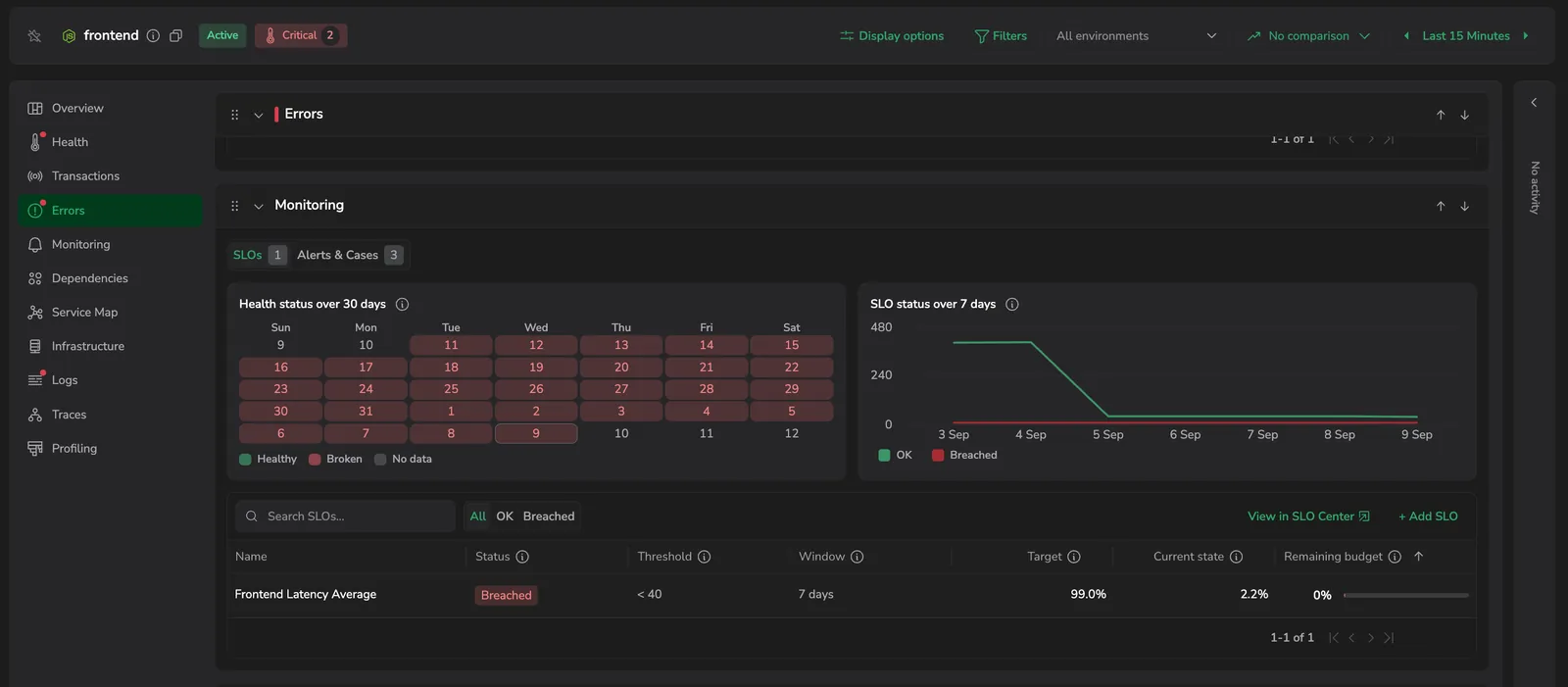
The Alerts & Cases panel of a service drilldown now holds a Cases table under the alerts, listing every case that affected the service in the selected time range, not only those opened inside it. Each row shows the case's status, grouping key, priority, when it was created and last updated, and its assignee. Search by title or ID, narrow to Active, and select a row to work the case in a drawer without leaving APM. Learn more
The new APM opens automatically for eligible accounts
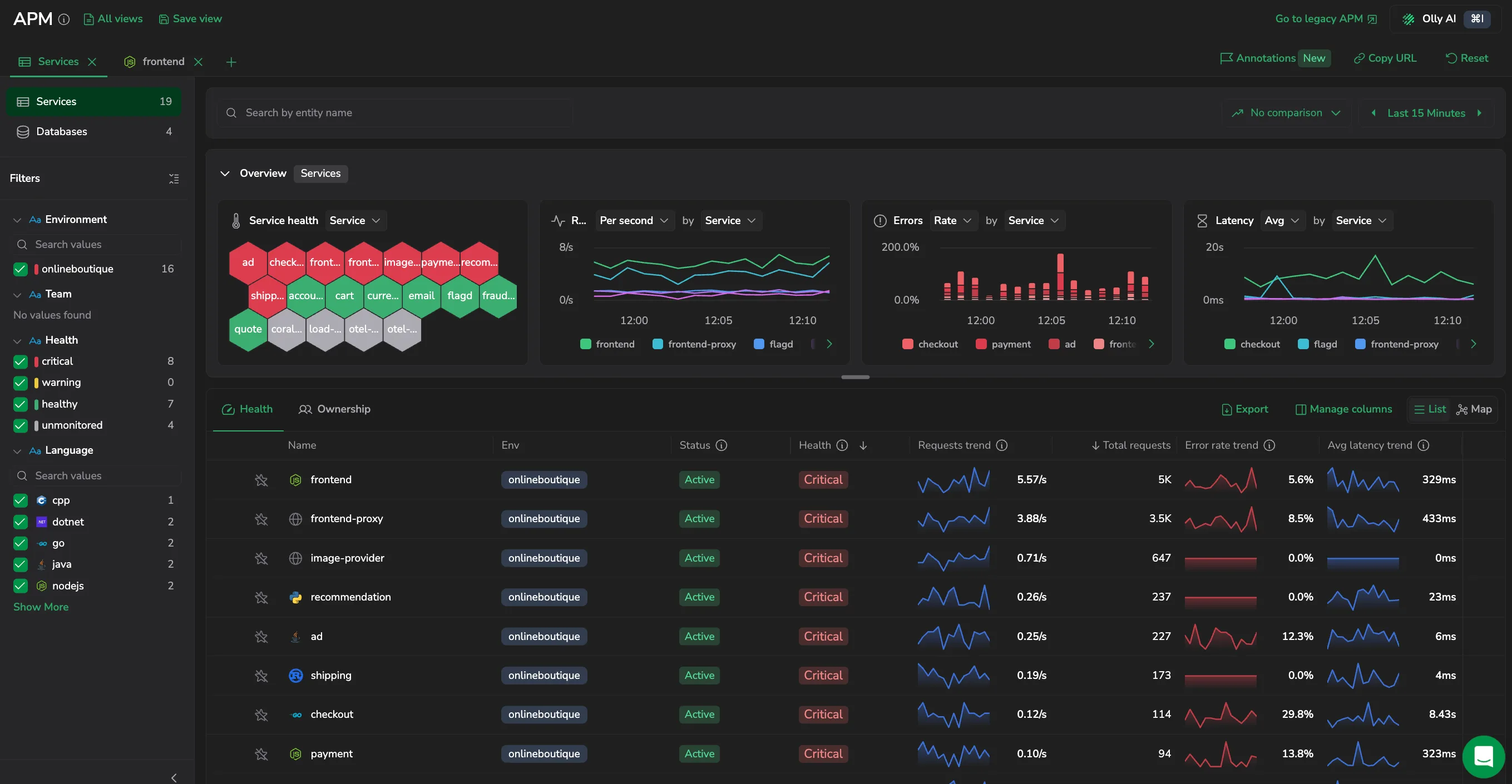
An account that meets the requirements now lands on the new APM when you select APM, with a welcome dialog confirming what's ready - you no longer have to opt in from the legacy banner. Three conditions are checked: both the service and database catalogs reporting through Span Metrics rather than Events2Metrics, and compact Span Metrics available for your services. Compact database metrics are no longer part of that check, so an account without them still gets the new APM for its services, with the Databases scope pointing to legacy APM. Go to legacy APM remains available at any time. Learn more
Service map available on large accounts
The Map view in the APM v2 catalog is now available on every account. Previously, accounts with more than 20,000 entities could only use the List view. On these accounts, the map now draws the 20,000 most active entities and says so above the graph; filter the catalog or switch to List to reach the rest. Learn more
APM v2
APM v2 brings your services and databases together as entities under one health model, so you can tell which users are affected, why, and what to do. A single catalog lists every service and database with RED metrics (Rate, Errors, Duration) and health, and each entity opens a drilldown with the telemetry that matters for its type - transactions, errors, dependencies, traces, logs, profiles, and more. Services and Databases are available now; Serverless and Software Explorer arrive in a later phase. Learn more
Ask Olly on the Service Map and Serverless Catalog
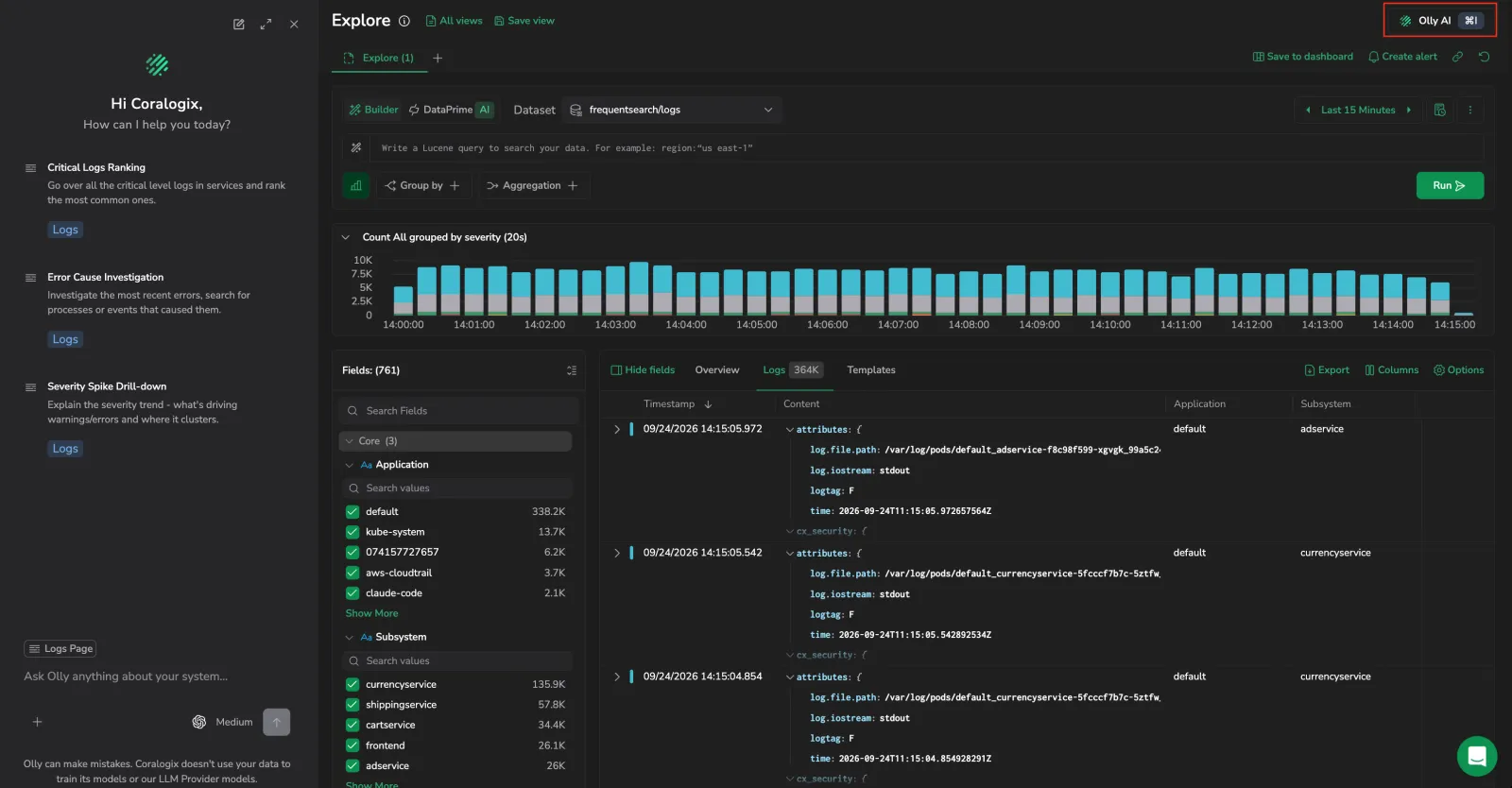
The Olly AI button in the page header now works on the Service Map and Serverless Catalog screens. Opening it scopes Olly to what you're viewing, the services and topology in the map or the functions in the catalog, so you can ask about a dependency, a bottleneck, or a function without describing your view first. Learn more
Ask Olly on the Service Catalog and Databases
The Olly AI button in the page header now works on the Service Catalog and Databases screens. Opening it scopes Olly to the catalog you're viewing (the current environment and filters, the time range, and the services or databases in view) and the context follows the service or database you drill into. Ask what's degrading a service, what changed, or what's slowing a query without describing your view first. Learn more
Over-limit warnings in Service Catalog

Service Catalog now flags services that have gone past their daily APM series limit, so empty charts no longer read as an instrumentation problem. A warning above the service list names how many services are affected, a warning icon marks each one in the Service Name column, and the same warning follows the service into its drilldown. Select View usage to open the APM Metrics tab of the Metrics Usage Analyzer and compare the service's time series count against the limit. Learn more
Custom event markers through the ops-events API
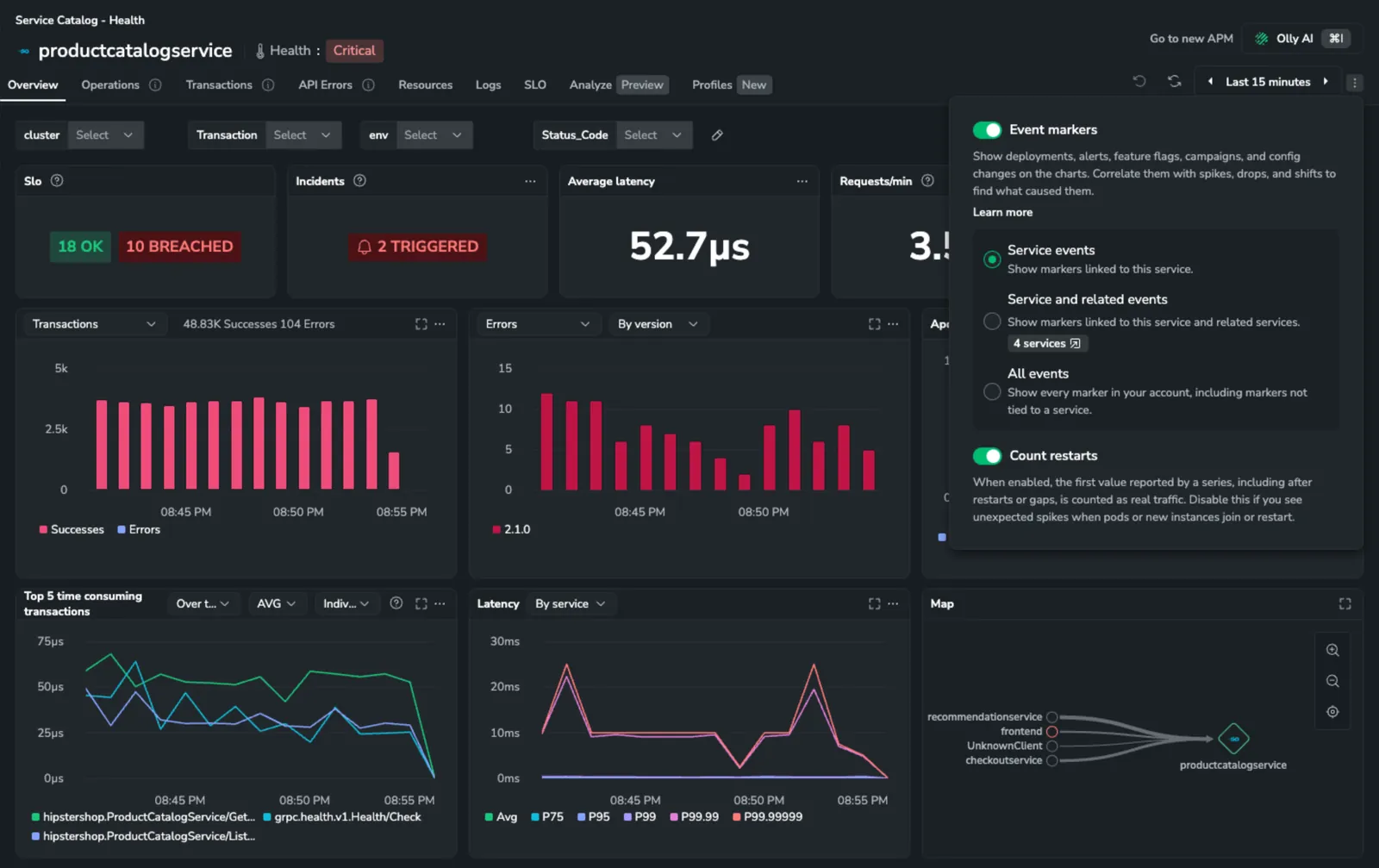
The ops-events ingest API now accepts a customEvent kind alongside cdEvent, so you can send any dated event (incidents, marketing campaigns, feature-flag changes) as an event marker without a CI/CD payload. A custom event needs only a current timestamp and a description; attach any extra data through attributes.additional. Custom events appear on APM service charts and land in the default/ops.events dataset for querying. Learn more
Event markers on APM service charts
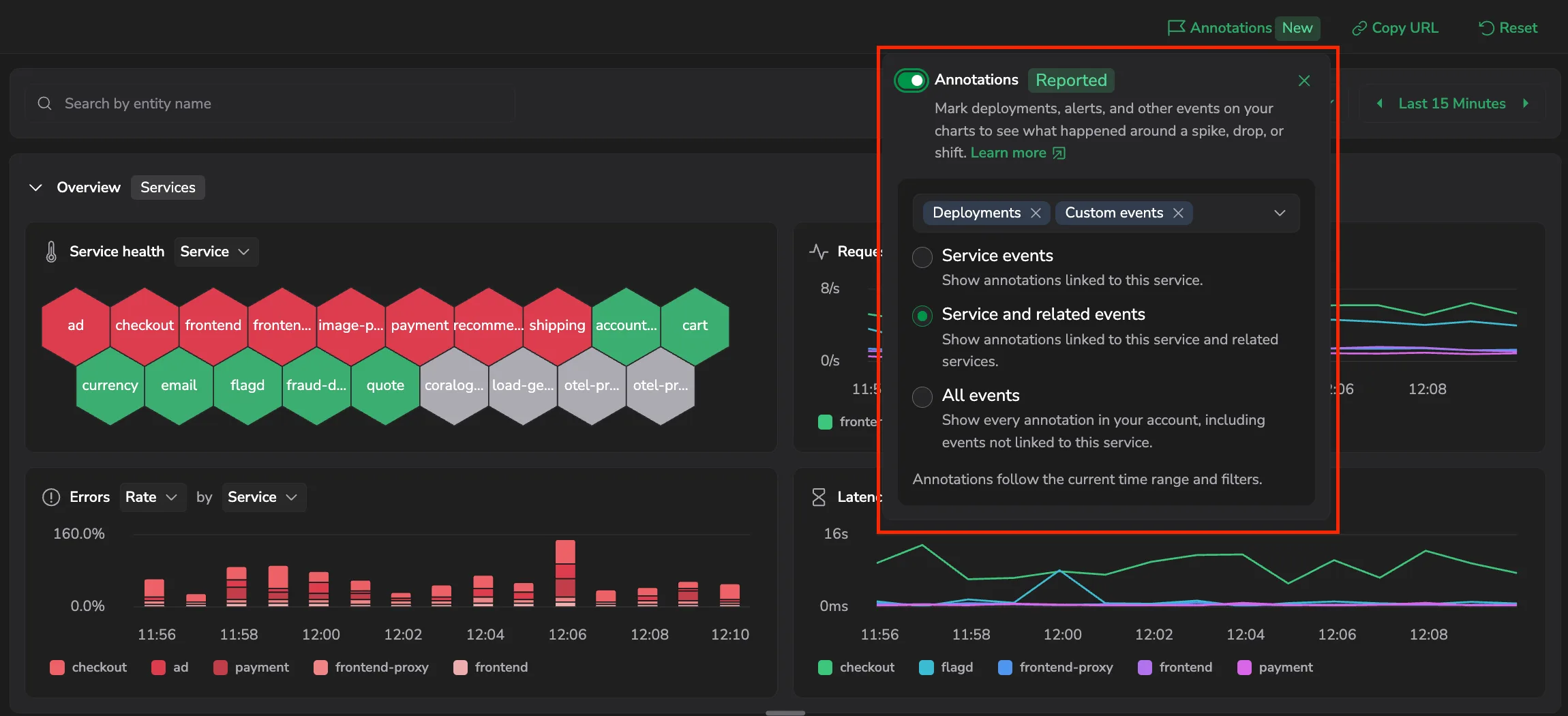
APM service pages can now overlay event markers on their charts, vertical annotations for deployments and other dated events, aligned to your metrics so you can see which change lines up with a latency or error-rate shift. Turn them on from the Chart settings panel next to the time range picker, then choose whether to show events for the service, the service and its related services, or your whole account. Markers are grouped by category (Deployments, and more over time), and you send events through the Coralogix ops-events ingest API. Learn more
Per-second columns across APM Service and Database catalogs
The Service Catalog now offers five opt-in per-second columns (Requests/s, Outgoing calls/s, Internal operations/s, Internal errors/s, and Outgoing errors/s) in addition to the existing Errors/s. The Databases table adds Queries/s and Failures/s, and the service drilldown grids for Operations, Transactions, and Error tracking add matching Requests/s and Errors/s columns. Add any of them from each grid's column picker. Every per-second column header carries a help-icon tooltip that names the underlying metric. Per-second columns are hidden for accounts sourced from Events2Metrics. Learn more
Per-second widget options hidden for Events2Metrics APM sources
The Transactions and Errors widget dropdowns on the Service Catalog drilldown Overview tab, and the Throughput/Number of errors charts on the Transactions tab, no longer offer the per-second option when APM is sourced from Events2Metrics. Those widgets open on the absolute-count option instead. Accounts using Span Metrics see no change. Learn more
Last seen moved off the default Service Catalog view
Last seen is no longer part of the Service Catalog default columns; add it back from the column picker when you need it. For inactive services, the same information is now surfaced by hovering the Inactive status badge. The tooltip shows how long ago the service was last seen (for example, 2 hours ago). Learn more
Per-second rate options for APM Service Catalog widgets
The Transactions and Errors widgets on the Service Catalog drilldown Overview tab now offer per-second variants (Transactions/s and Errors/s) and default to the per-second view so request throughput and error rate can be compared at a glance. The absolute counts and the Errors percentage option remain available from the same dropdown. Learn more
Higher-resolution Service Catalog charts for short time ranges
APM Service Catalog drilldown charts now use a 15-second interval for time ranges up to 10 minutes, and a 1-minute interval for 10 minutes to 1 hour, down from a flat 1-minute minimum. Brief latency spikes and short-lived performance degradations that previously appeared smoothed out are now visible across the Service Overview, Operations, Transactions, and Latency widgets. Learn more
Count restarts toggle for Service Catalog drilldown widgets (early access)
The Service Catalog drilldown header now includes a gear icon that opens a Count restarts popover. When the checkbox is cleared, counter widgets (Requests & Errors, Throughput, Errors, and Number of errors across the Overview, Operations, Transactions, and tracing drilldown tabs) exclude restart and gap resets so unexpected spikes from pods restarting no longer distort the chart. Your choice is remembered per service. Available for early-access customers. Learn more
Ask Olly available from the tracing drilldown
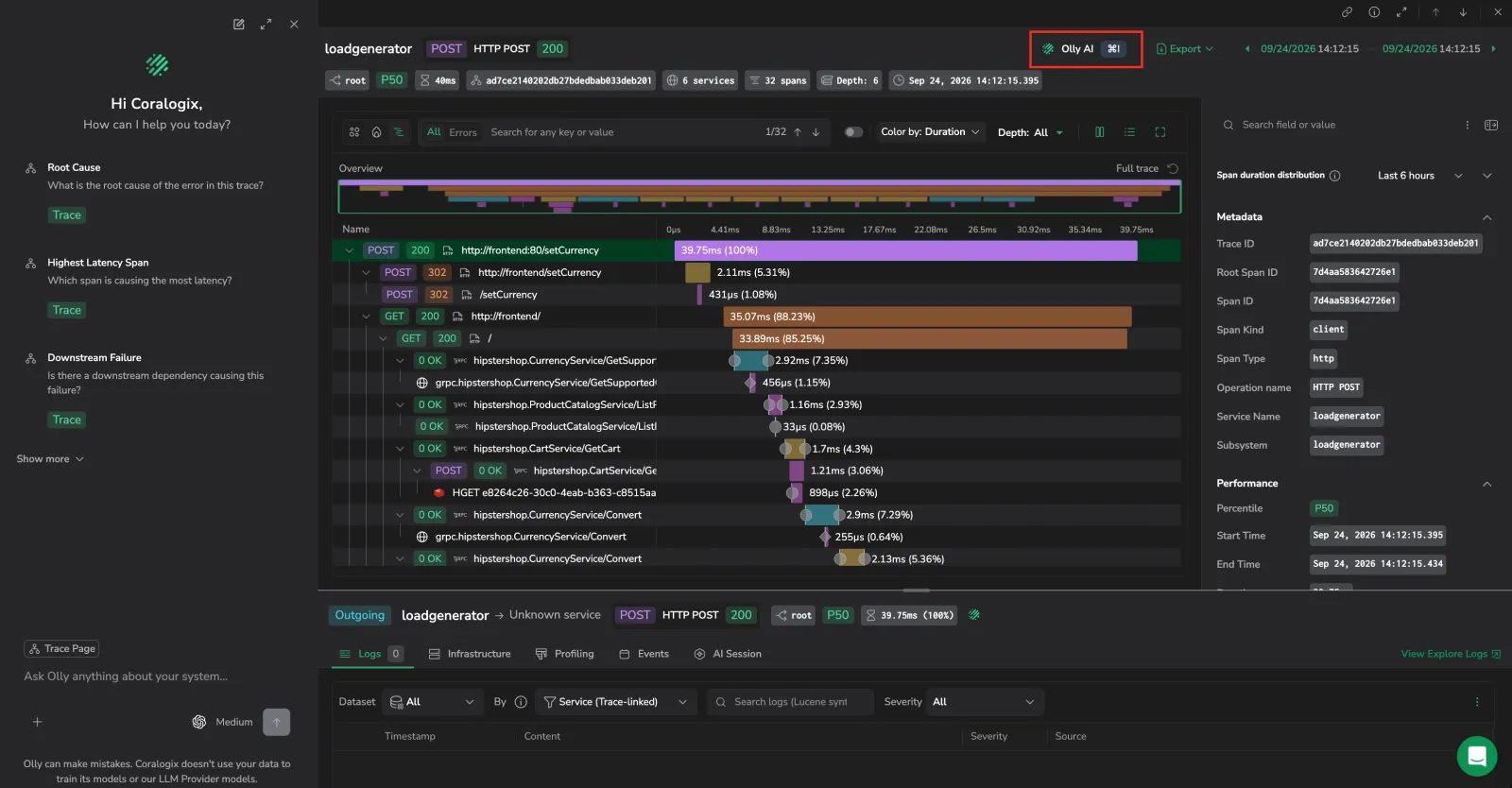
When you open a span from the APM Service Catalog drilldown, the tracing drilldown header now includes an Olly AI button. The drawer opens with the trace ID and selected span already attached as context, and surfaces 5 suggested queries, root cause, highest latency, downstream failure, deployment correlation, and next debug step. Learn more
Individual or stacked visualization for the Top 5 time consuming transactions widget
The Top 5 time consuming transactions widget on the Service Catalog drilldown Overview tab adds a visualization toggle when Over time is selected. Pick Individual (default) for one line per transaction, or Stacked for an area chart showing the five transactions summed at each point. Your selection persists across reloads via the page URL and your browser's local storage. Learn more
Runtime metrics tab for JVM services (preview)
The Service Catalog drilldown now includes a Runtime metrics tab for Java services. The tab brings JVM internals (heap memory, garbage collection pauses, thread states, CPU usage, and class loading) onto the same screen as your traces and span metrics, so you can correlate latency spikes with GC pauses, distinguish memory leaks from allocation pressure, and isolate one bad pod from the cluster. Available for services that emit JVM metrics in the OpenTelemetry semantic-convention format. Learn more · Send JVM metrics
Service Catalog columns refresh and Environment filter behavior
The Service Catalog now shows Last seen, Status, and Environments columns. Sort the list by most recent activity, filter for services that are Active or Inactive within the selected time range, and expand any service with the chevron to see per-environment last-seen times. Services with no metrics within the retention period (30 days by default, configurable) are hidden automatically. The Type column has been removed. The Environment filter inside a service drilldown now shows the service's own environment count and preserves your catalog selection on entry and exit. Learn more
Create APM SLOs from Service Catalog
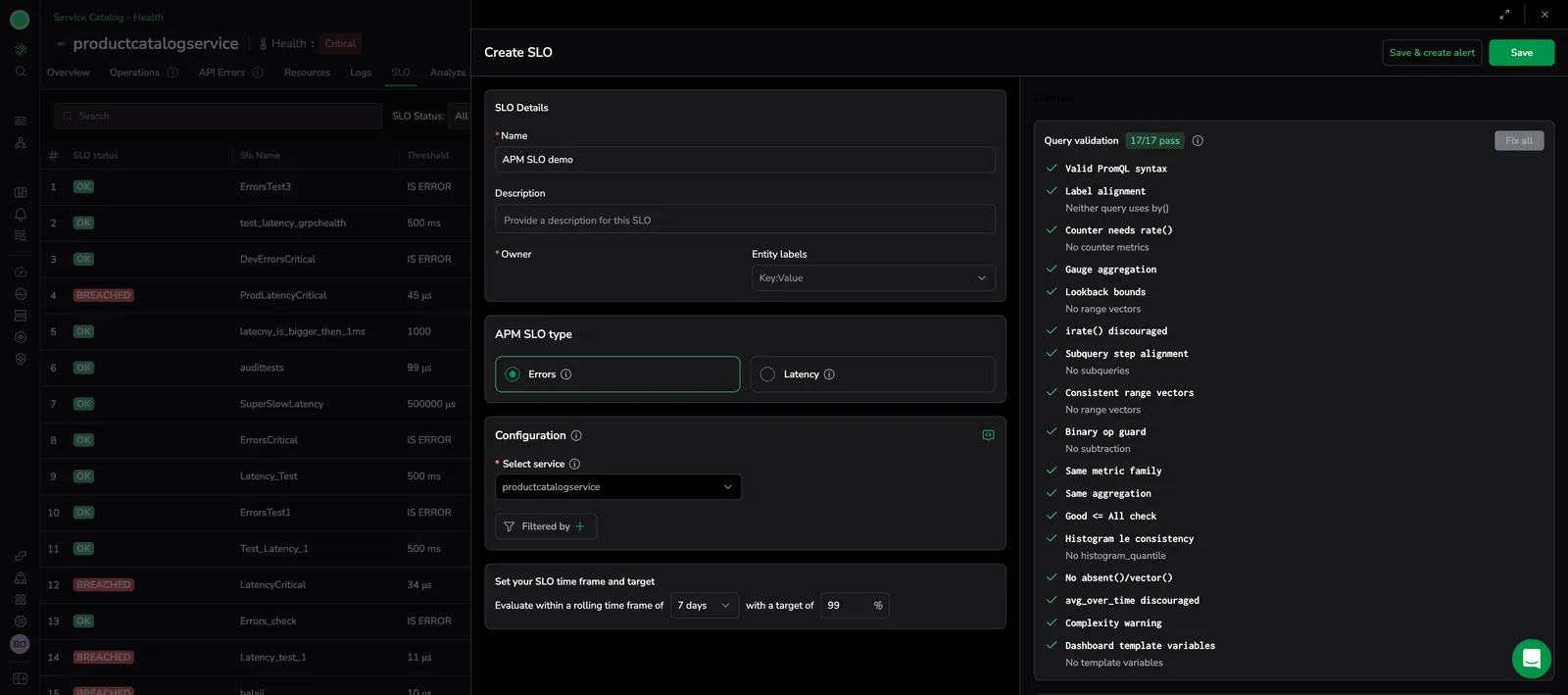
Selecting Add SLO from the SLO tab of a Service Catalog drilldown opens the SLO Center create drawer with the SLO type set to APM and the service pre-filled for the service you are viewing. After you save, the SLO Center opens with the new SLO in the list. Learn more
Latency shown as absolute values with percentile breakdowns
APM latency is now displayed as absolute duration (ms/s) instead of percentages, and broken down into Avg, P50, P75, P90, P95, and P99, making tail-latency outliers easier to spot. Select the aggregation to display in the Service Overview, Transactions, Operations, and Dependencies views. Powered by your existing spans and distributed traces, no setup required. Learn more
Historical latency comparison
The latency widget in the Service Catalog drilldown now supports a Historical mode. Compare a selected percentile (P50, P75, P95, P99, or Avg) across three time offsets (current, 1 day before, and 7 days before) to identify latency trends and regressions. Learn more
Service Catalog resources aligned with Infrastructure Explorer
Service catalog resources. APM resources now mirrors Infrastructure Explorer. Learn more
Compact span metrics
Compact Span Metric for Application Performance Monitoring (APM). Learn more
Service Health traffic-light views

APM Service Health View. Introducing traffic-light views for services: green, yellow, red, based on active alerts. Learn more
Transactions Processor and high-cardinality metric controls
Transactions Processor: Simpler, Smarter, for every Language, Now in the OpenTelemetry Collector Contrib, the Coralogix Transactions Processor provides full transaction breakdowns for every OTEL-instrumented language, pinpointing the operations behind errors and slowdowns. Learn more
Control High-Cardinality Metrics. Cap Span-Metrics per service and redirect overflow to a fallback series to protect performance and control costs. Learn more
eBPF-powered APM with zero instrumentation
eBPF powered APM with zero instrumentation. Get deep application performance insights without touching your code. The eBPF-based APM support enables automatic tracing and analysis at the kernel level, no SDKs, no code changes, just instant visibility. Learn more
Dependencies and default Span Metrics
Spot costly dependencies fast. APM Dependencies reveal how your services interact with databases, APIs, and external systems so you can quickly fix what matters most. Learn more
Start with Span Metrics for faster, cheaper APM. Now the default for new APM users, Span Metrics reduces data volume and ingest costs while delivering complete APM coverage. Learn more
eBPF beta and version benchmarking

Seamless APM with eBPF now in beta. EBPF drives simple, unintrusive, low risk instrumentation for services to provide an effortless overview of application health and performance. Learn more
APM version benchmarking. Service Metrics by Version offers precise insights into your service performance across different versions, over time. Learn more
Service Catalog Comparison Mode and Incidents column

Unlock deeper insights in your Service Catalog. Compare real-time data with historical metrics using Comparison Mode to quickly identify trends and streamline troubleshooting. Plus, check out the new Incidents Column and get an at-a-glance view of system-wide issues and their status. Learn more
APM Service Alerts

Simplify monitoring & alerting with APM Service Alerts. Optimize your service alerts management with APM Service Alerts. Create alerts directly from your APM service overview widgets and easily view incidents directly connected to your services. Learn more
Span Metrics Connector
Effortlessly generate accurate metrics with Span Metrics, Automatically transform and aggregate trace data into metrics using the OpenTelemetry Span Metrics Connector. Learn more
Database Monitoring
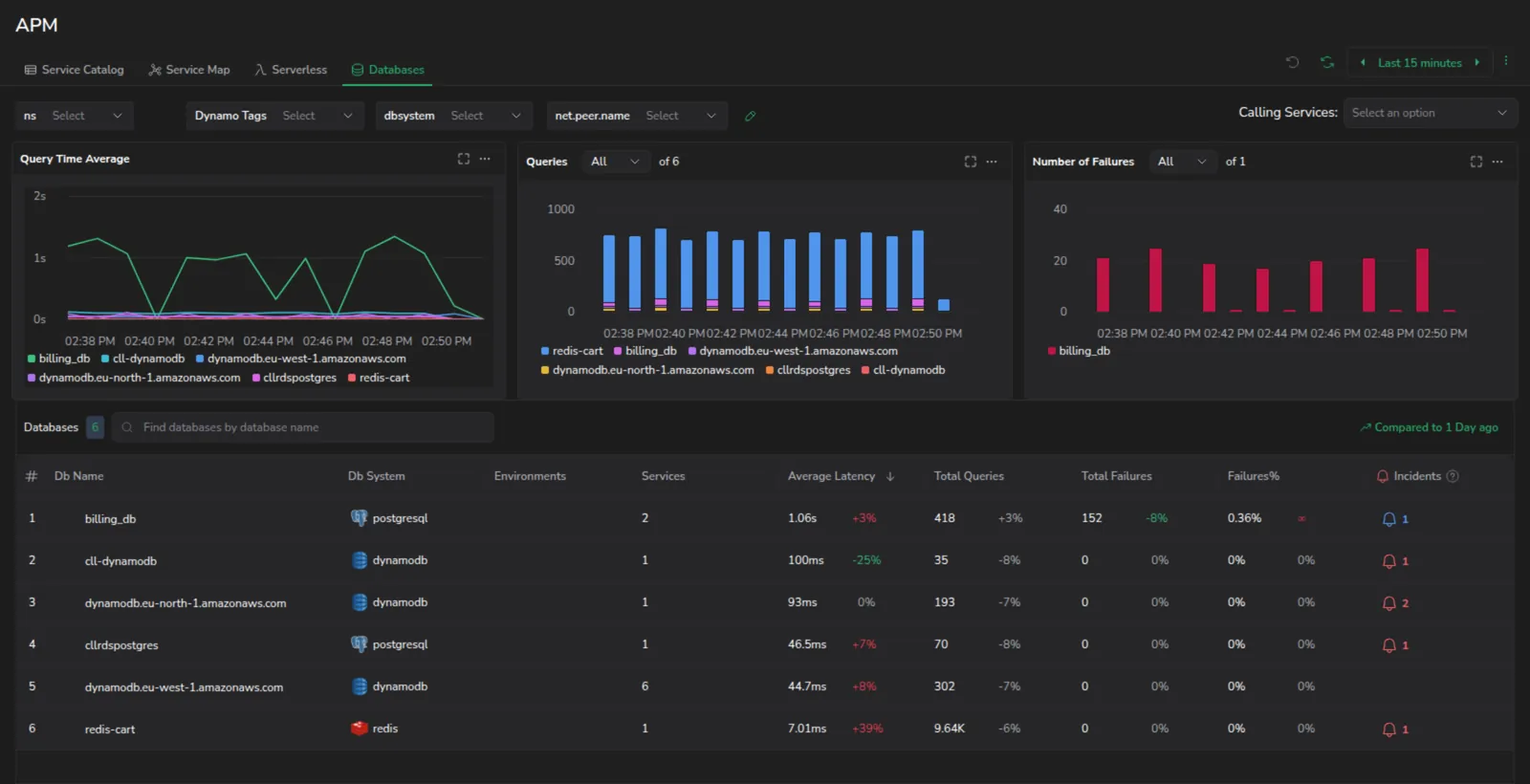
Streamlined database troubleshooting. Rapidly identify and resolve database-related issues with Database Monitoring. Get detailed insights into your databases and the services they interact with. Learn more
Service Flows
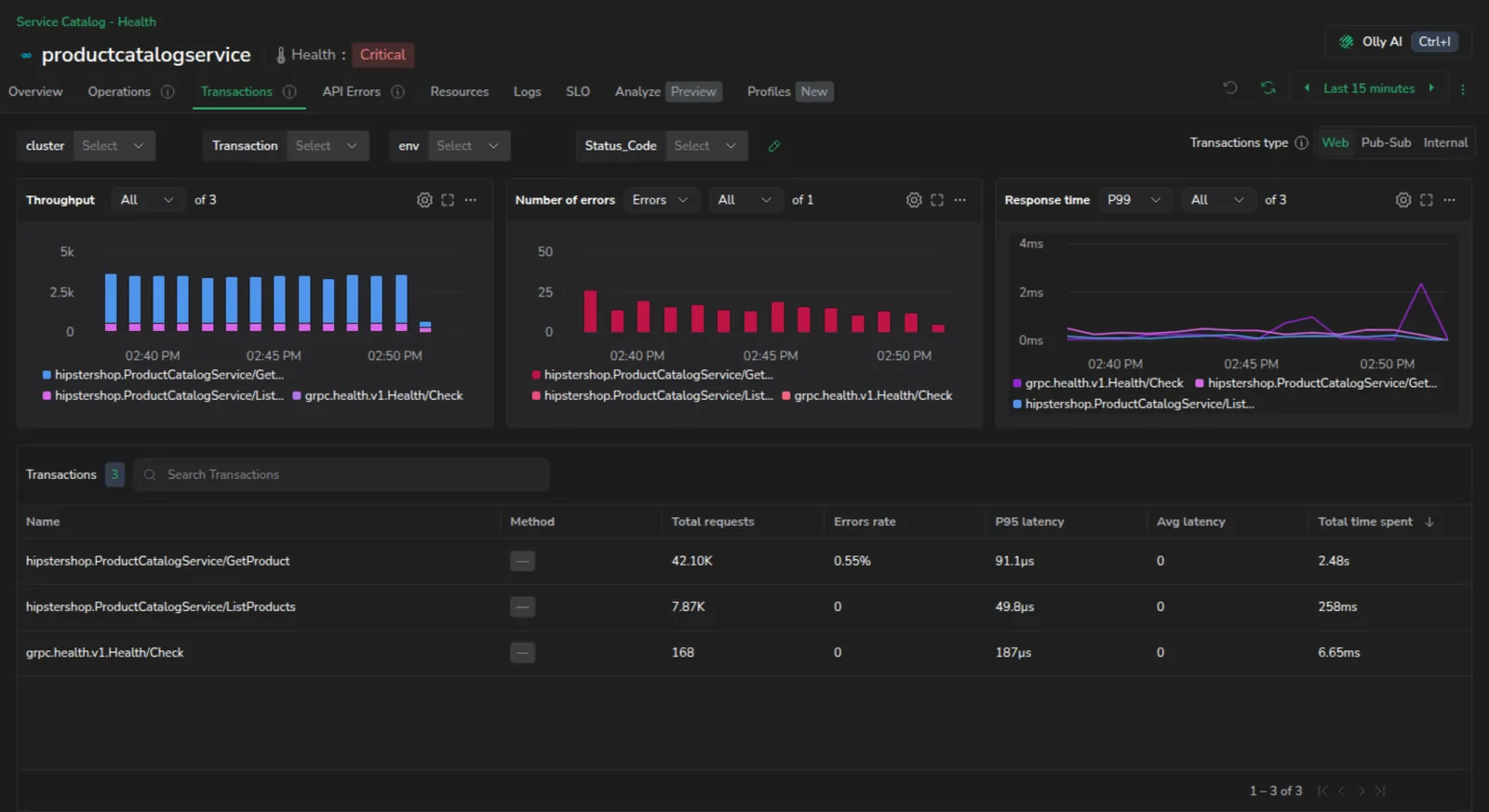
APM Service Flows: Rapid and Accurate Troubleshooting. Identify real performance issues with our new Service Flows' aggregated view of service requests over time. Drill down into their underlying operations and calls to view critical bottlenecks. Learn more
Apdex Score widget

Apdex Score. Check out our latest widget added to our Service Catalog, the Apdex Score, or Application Performance Index. Learn more
GCP traces support
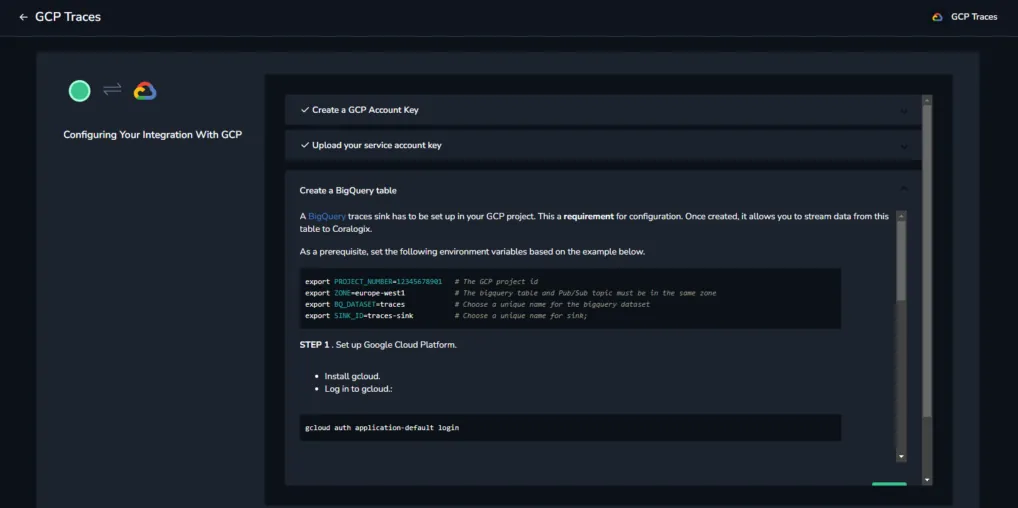
GCP Traces. Expand your APM coverage by sending your Google Cloud traces seamlessly to Coralogix, being able to search, analyze and visualize your applications' performance and health. Learn more
Service Catalog
Service Catalog. A new feature added under Coralogix's APM offering. It includes a list of all the services in your system with details such as service type, number of requests, error rate, and P95 latency. View Documentation >. Learn more
APM for Amazon EC2
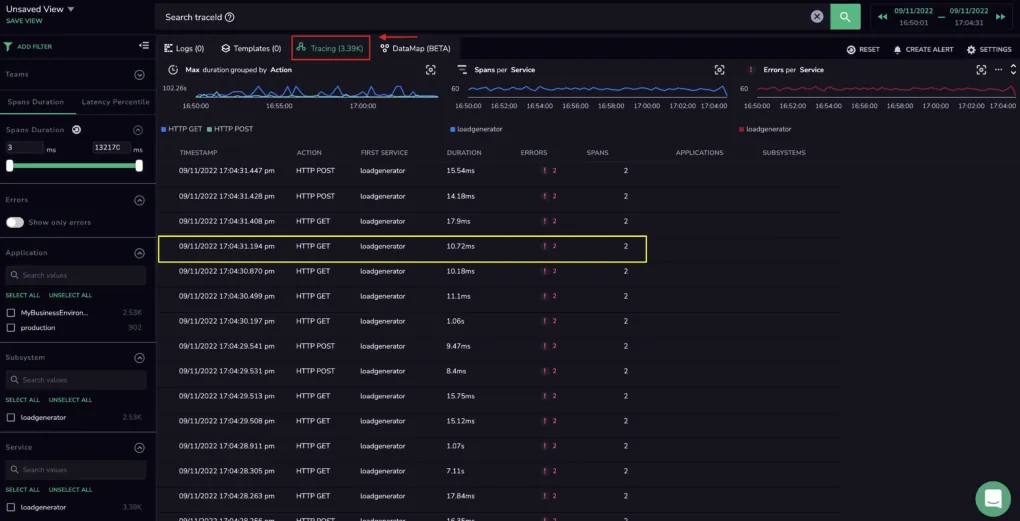
APM for Amazon EC2. Using Amazon Kinesis Data Firehose, you can now send Amazon EC2 metrics to Coralogix and view them on your Coralogix dashboard correlated with relevant traces and spans. View Documentation >. Learn more
APM general availability
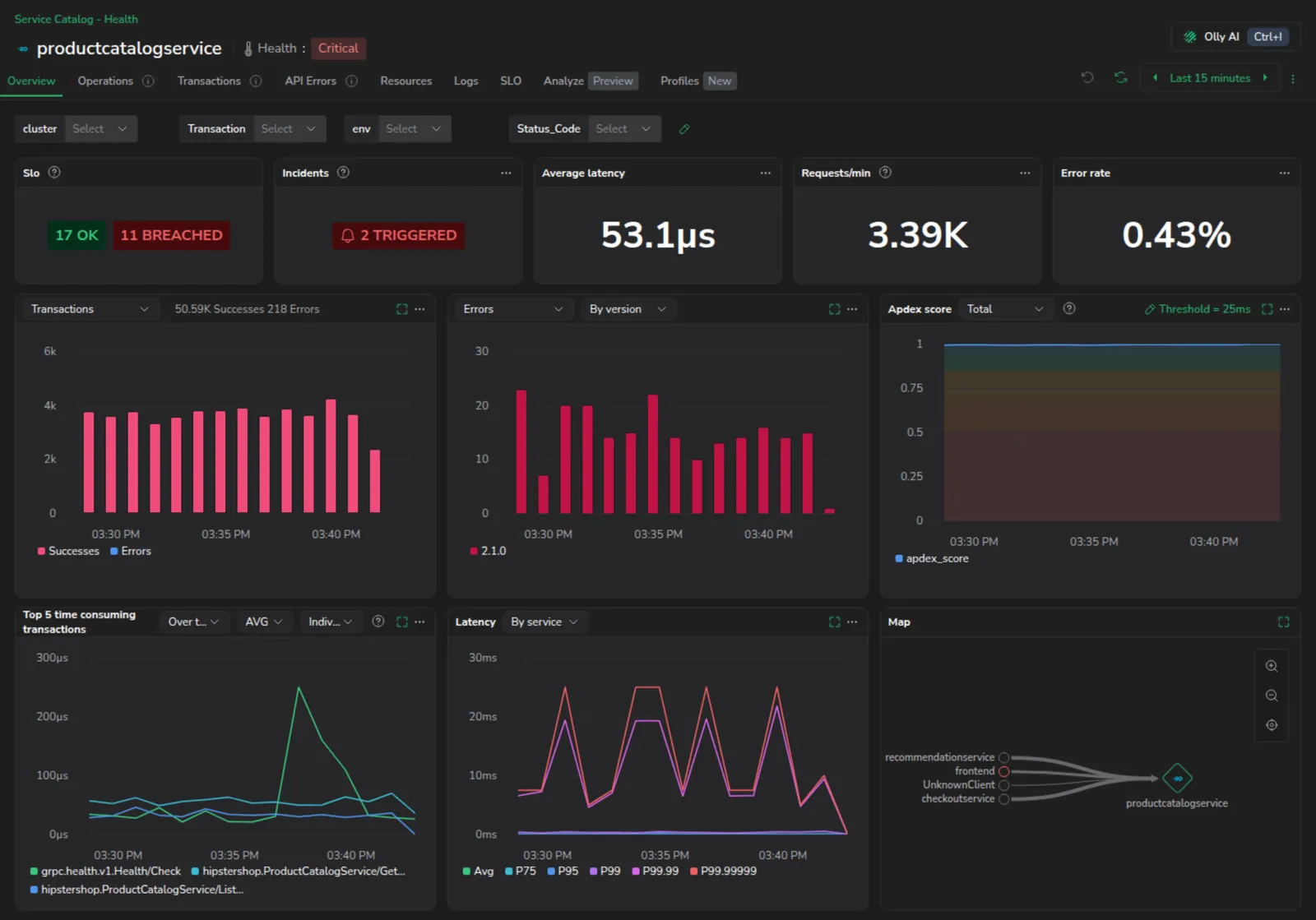
Application Performance Monitoring (APM). Coralogix now offers key features of Application Performance Monitoring for modern, cloud-native environments. Get Started >. Learn more