Infra Monitoring
Kubernetes events reach their resources under any application or subsystem name
Infrastructure Explorer matches Kubernetes events to resources by their OpenTelemetry resource attributes, such as resource.attributes.k8s.namespace.name, rather than by the application or subsystem the events arrive under. Sending events to the kube-events subsystem is now a convenience for finding them in Explore, not a requirement, so you can remap application and subsystem names to control cardinality without losing events from the resource view. Keep the OpenTelemetry generated k8s.* resource attributes intact, since Infrastructure Explorer uses them both to link an event to its resource and to open the related logs. Learn more
Keep the resource catalog current automatically
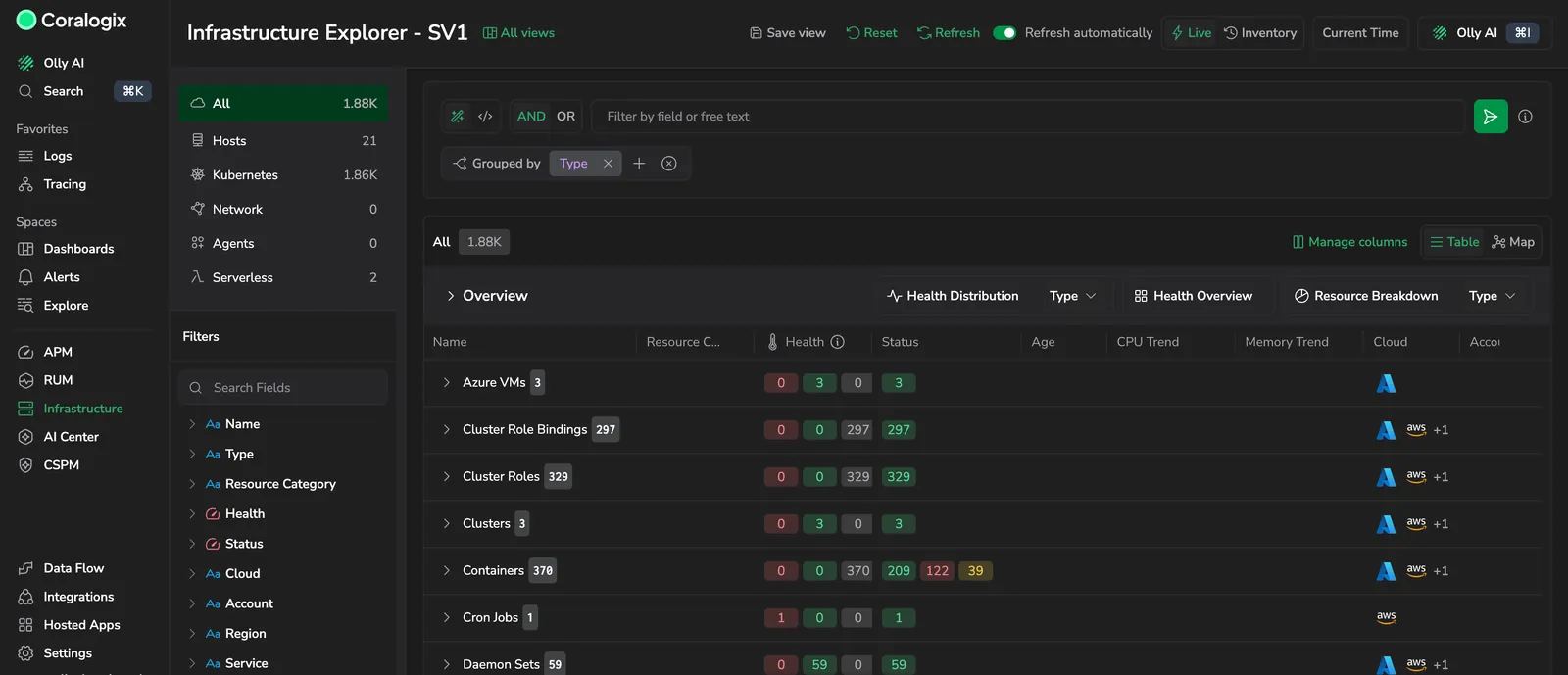
Turn on Refresh automatically in the Infrastructure Explorer header and the resource catalog reloads on its own every five minutes, so a long investigation stays current without you selecting Refresh. It covers the table and the topology map, in both Live and Inventory views. The toggle is offered for quick time ranges, since a relative or custom range is a fixed window that would reload to the same data, and it starts off each time you open the page. Anything that reloads the catalog restarts the wait, and a reload falling due while the browser tab is in the background waits until you come back to it. Learn more
Your grouping now follows you between resource types
Group Hosts by Region, switch to Pods, and Pods stays grouped by Region rather than snapping back to its own default. Clearing the grouping counts as a choice and carries over too. A grouping you never picked still does not travel: a page that opened at its own default leaves the next resource type at its own default. Where the new type cannot use a grouping, it is dropped if it is that type's identifier column and the rest are kept, and otherwise the grouping resets to the type's default. Clearing the search or resetting filters still restores the default. The Grouped by control is now a chip picker: add up to three groupings, drag to reorder them, and see a Default badge against the fields the current type groups by out of the box. Learn more
Filters in Infrastructure Explorer now narrow each other
The Filters sidebar no longer treats each filter as independent. Select a value in one filter and the other expanded filters reload to offer only the values still present in the results, so picking a Region leaves Cluster listing just that region's clusters. The filter you are working in keeps its full set of values, so multi-select still works, and a collapsed filter loads its narrowed values when you expand it. Typing in the search bar narrows every expanded filter the same way. Two smaller changes come with it: collapsing a long value list now keeps the values you selected in view rather than cutting off at a fixed point, and each filter carries an icon for the kind of data it holds, with Status shown as colored chips. Learn more
Choose which datasets a resource queries
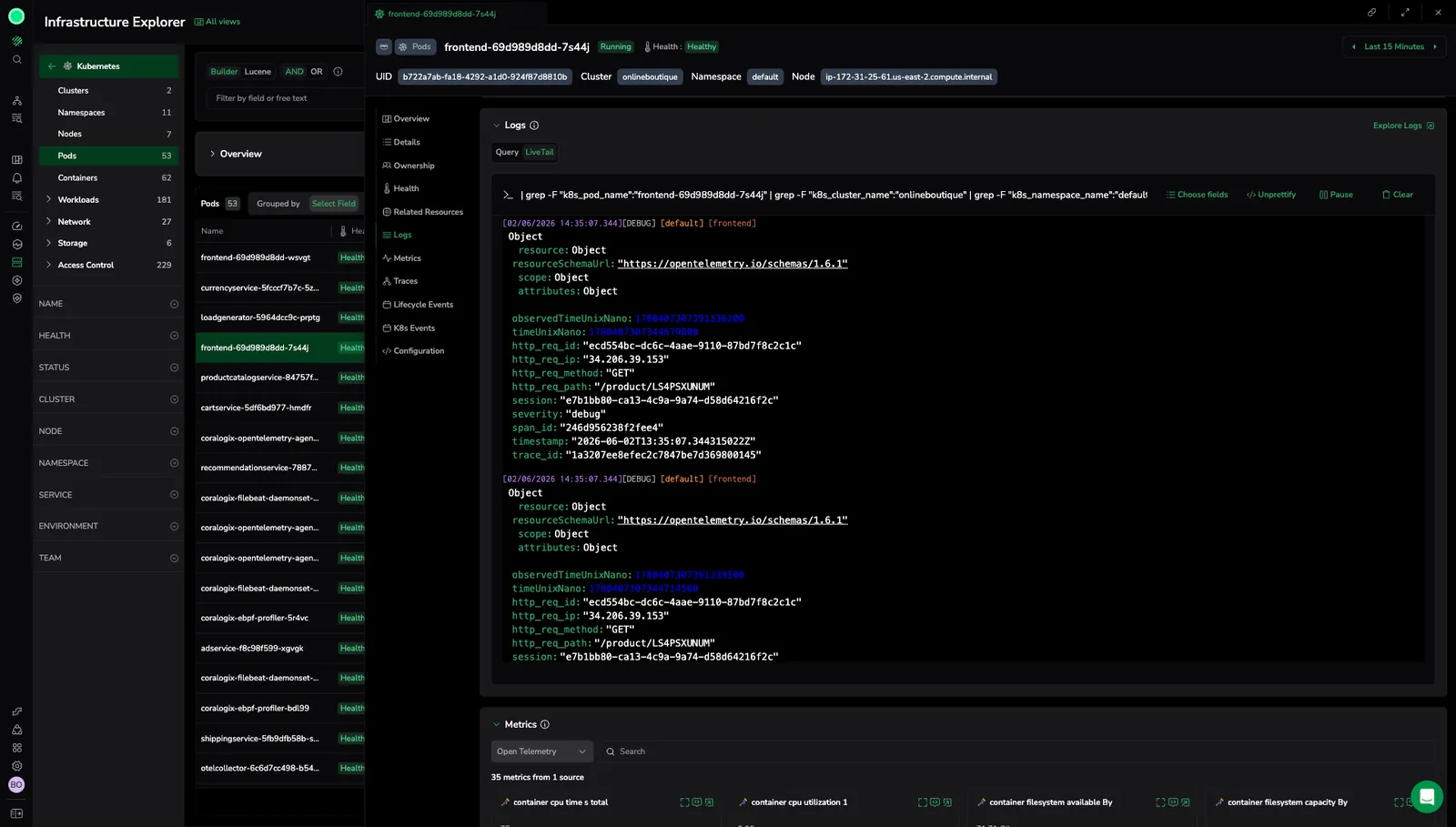
The Logs tab on a resource now carries a Dataset selector, so the panel queries the datasets that actually hold that resource logs instead of a fixed default. Select several datasets at once, or use the dataspace checkboxes to take everything in a dataspace together. The same selector is available on the K8s Events tab. Learn more
Audit logs for Infrastructure Explorer saved views
Creating, updating, and deleting a saved view is now captured in your audit trail, so a view that is not the way you left it no longer needs guesswork. Events are emitted under the Views feature as view.create, view.update, and view.delete, with the update payload carrying the view before and after the change, and folder changes recorded the same way. They land in the audit team configured for your team, queryable in Explore alongside the rest of your audit events. Learn more
Team default view in Infrastructure Explorer
Admins can now set a team-level default saved view, so everyone on the team lands on the same Infrastructure Explorer configuration. Set it under Settings > Team default view; individuals can still override it by marking any saved view as their own default. The team default applies to the main Infrastructure Explorer screen, not to individual resource type pages. Learn more
Ask Olly from Infrastructure Explorer
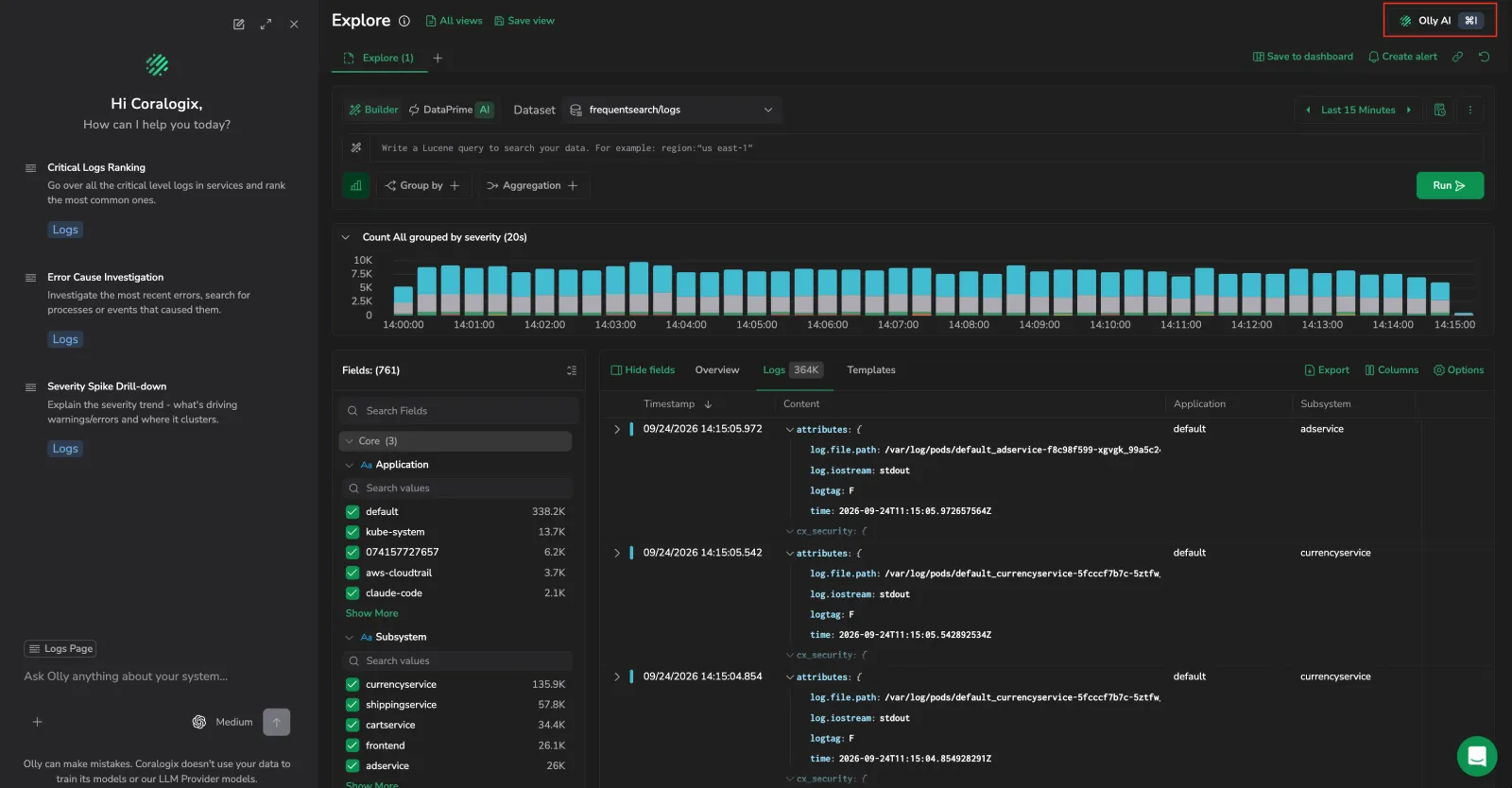
Olly now understands the Infrastructure Explorer catalog. Open the Olly chat and it picks up your current catalog view (resource category and type, filters, time range, and search) as page context, and you can pin a specific resource with Add to Olly context to ask about it directly. Learn more
Topology map in Infrastructure Explorer
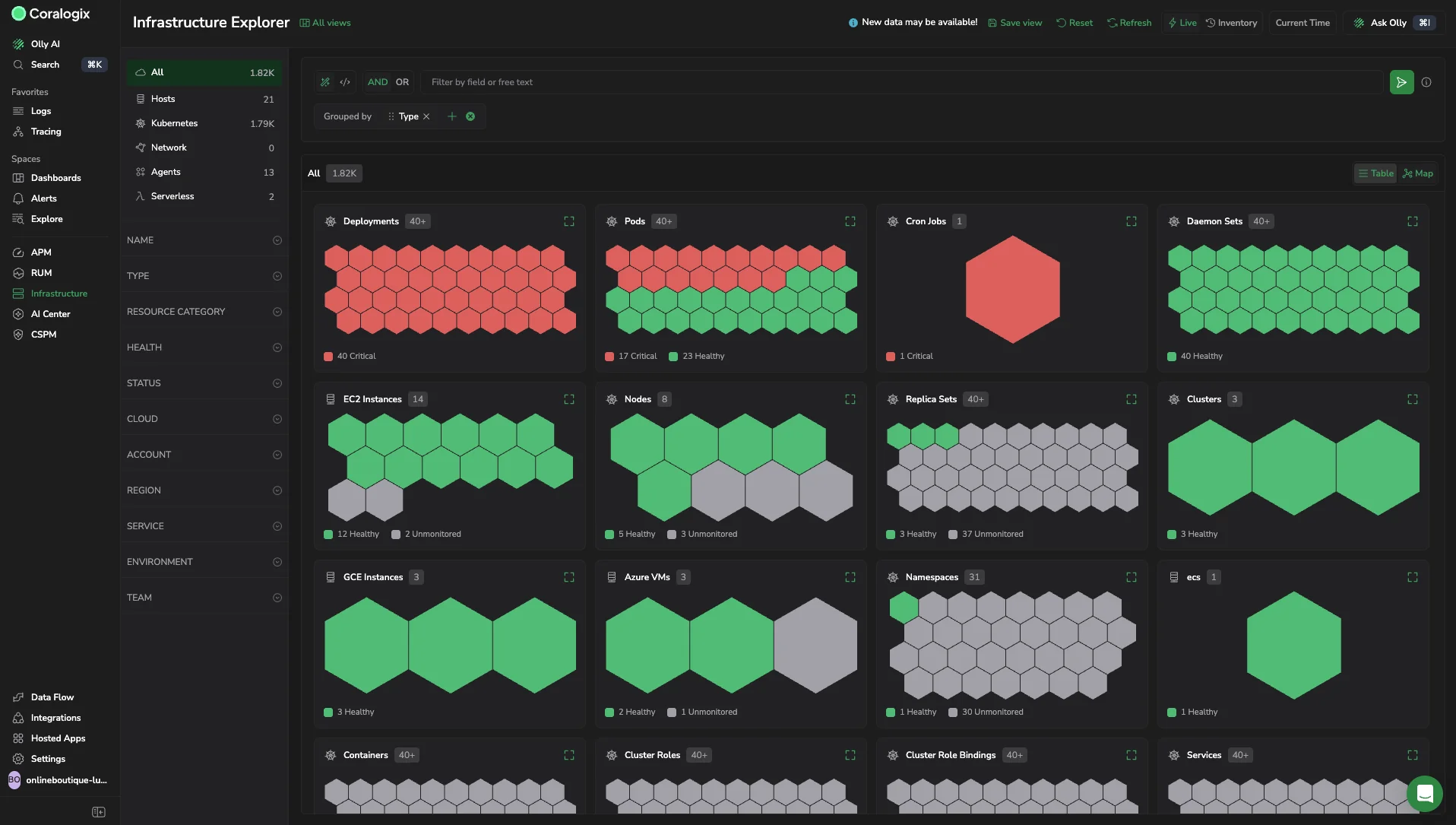
See the health and shape of your infrastructure at a glance. The new Map view renders each resource as a hexagon colored by health and groups them by type, service, environment, or team, with unhealthy resources sorted first so problems stand out. Switch between Table and Map on any resource type page in Live view. Learn more
Google Compute Engine in Infrastructure Explorer
The new GCP Infrastructure Explorer integration brings Google Compute Engine instances into Infrastructure Explorer, alongside AWS EC2 and Azure Virtual Machines. Connect a GCP project to collect resource metadata for Compute Engine, GKE, and Cloud Storage, then view, filter, and investigate your GCE hosts with full cloud context. Learn more
Custom thresholds per Health Rule
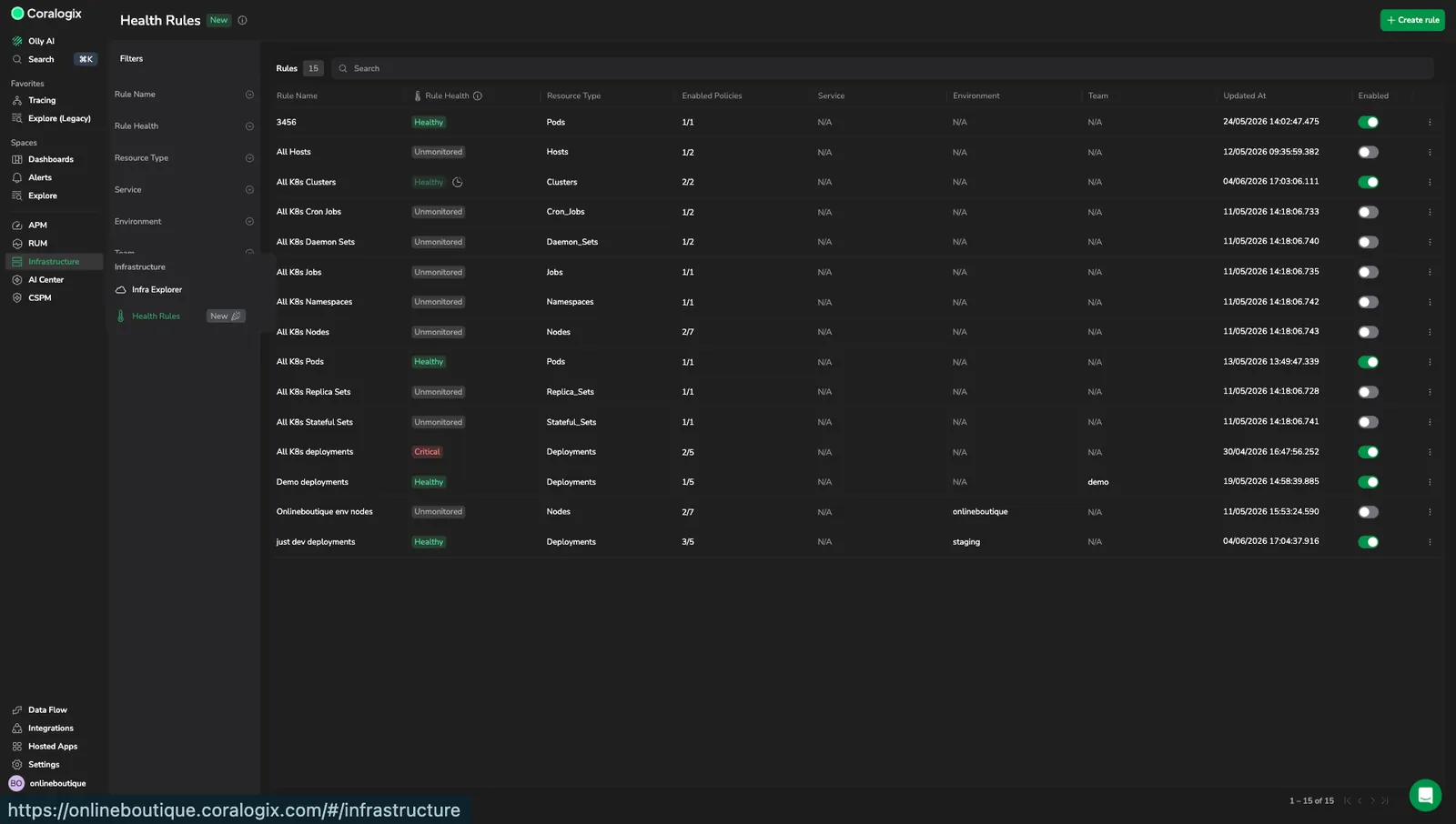
Health Rules now support per-rule custom threshold values, giving more granular control than a single system-wide default. For example, set a strict 70% CPU threshold for production resources under one rule and a relaxed 90% threshold for dev resources under another. Custom thresholds are configured inside a Health Rule alongside the policy and resource filter. Learn more
Permissions for Infrastructure Monitoring
Access to Infrastructure Monitoring is now gated by four new permissions: INFRASTRUCTURE-EXPLORER:READ (read access to the resource catalog), INFRASTRUCTURE-HEALTH-RULES:READ (view configured Health Rules), INFRASTRUCTURE-HEALTH-RULES:MANAGE (create, edit, enable, disable, duplicate, and delete Health Rules), and INFRASTRUCTURE-MONITORING-DATA:MANAGE (enable and disable diagnostic logs). The legacy K8S-INFRA-MONITORING permissions from the deprecated K8s dashboard are now deprecated. Learn more
Stream resource logs in real time with LiveTail
Stream live logs in Infrastructure Explorer. The Logs tab in a resource's drill-down now includes a LiveTail mode that streams incoming log lines in real time, automatically scoped to the selected resource. Switch between Query and LiveTail modes, refine the stream, and choose which fields to display, without leaving the resource you are investigating. Learn more
Save Infrastructure Explorer views
Saved views in Infrastructure Explorer. Save the current query, filters, table settings, widget state, and time range as a reusable view, then reload it from All views. Lock the time range, set a default view, and share a view by copying its URL. Learn more
Azure Virtual Machines in Infrastructure Explorer
Infrastructure Explorer now supports Azure Virtual Machines as a first-class resource type for host monitoring. Azure-native fields (Resource Group, Subscription, Region, and VM Size) are mapped directly in Infrastructure Explorer so you can filter, group, and navigate your Azure VMs using the same concepts you use in Azure. Learn more
Manage infrastructure health rules
Manage infrastructure health rules. Define a rule once and Coralogix continuously applies the selected health policies to every current and future resource that matches your scope. Filter by Service, Environment, and Team ownership tags, exclude individual resources, and review which rules apply to a resource directly from its details drawer. Learn more
View resource lifecycle events
View lifecycle events for a resource. Track resource creation, updates, keep-alive signals, and removal directly from the Infrastructure Explorer drill-down. Filter by source or event type to investigate configuration changes, confirm resource availability, and trace issues using a clear activity timeline. Learn more
Lucene Builder and diagnostic logs enablement
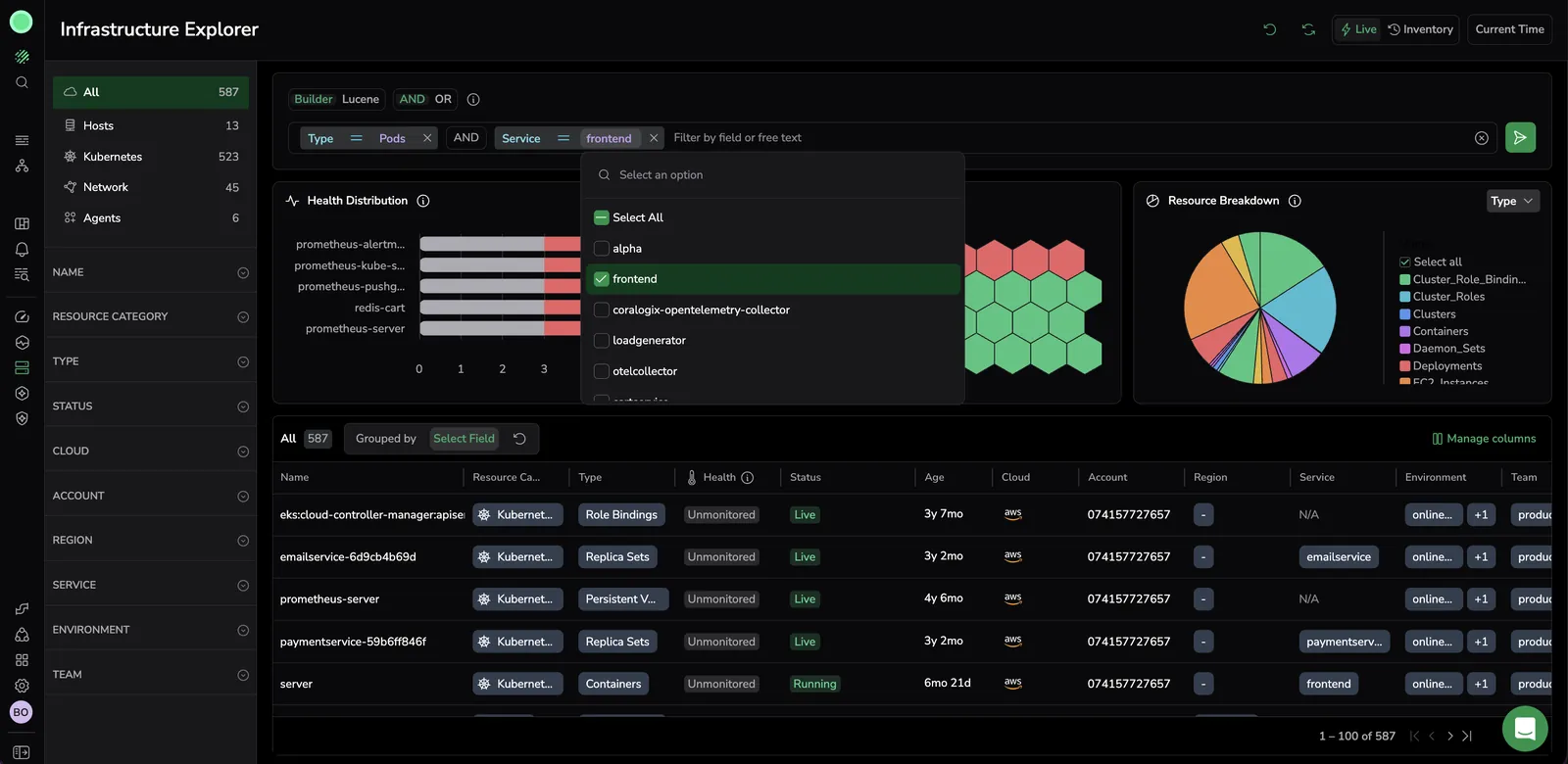
Search and filter resources with Lucene Builder. Filter infrastructure resources using Builder mode for structured, chip-based filtering or Lucene mode for raw query syntax. Supports string and numerical operators, free text search, AND/OR logic, keyboard shortcuts, and shareable filtered URLs. Learn more
Enable diagnostic logs for fair usage limits. Step-by-step guide to enable the labs.limitViolations dataset and troubleshoot data discrepancies in Infrastructure Explorer, including when to enable diagnostic logs, expected propagation times, and cost considerations. Learn more
Compare configuration changes and manage columns
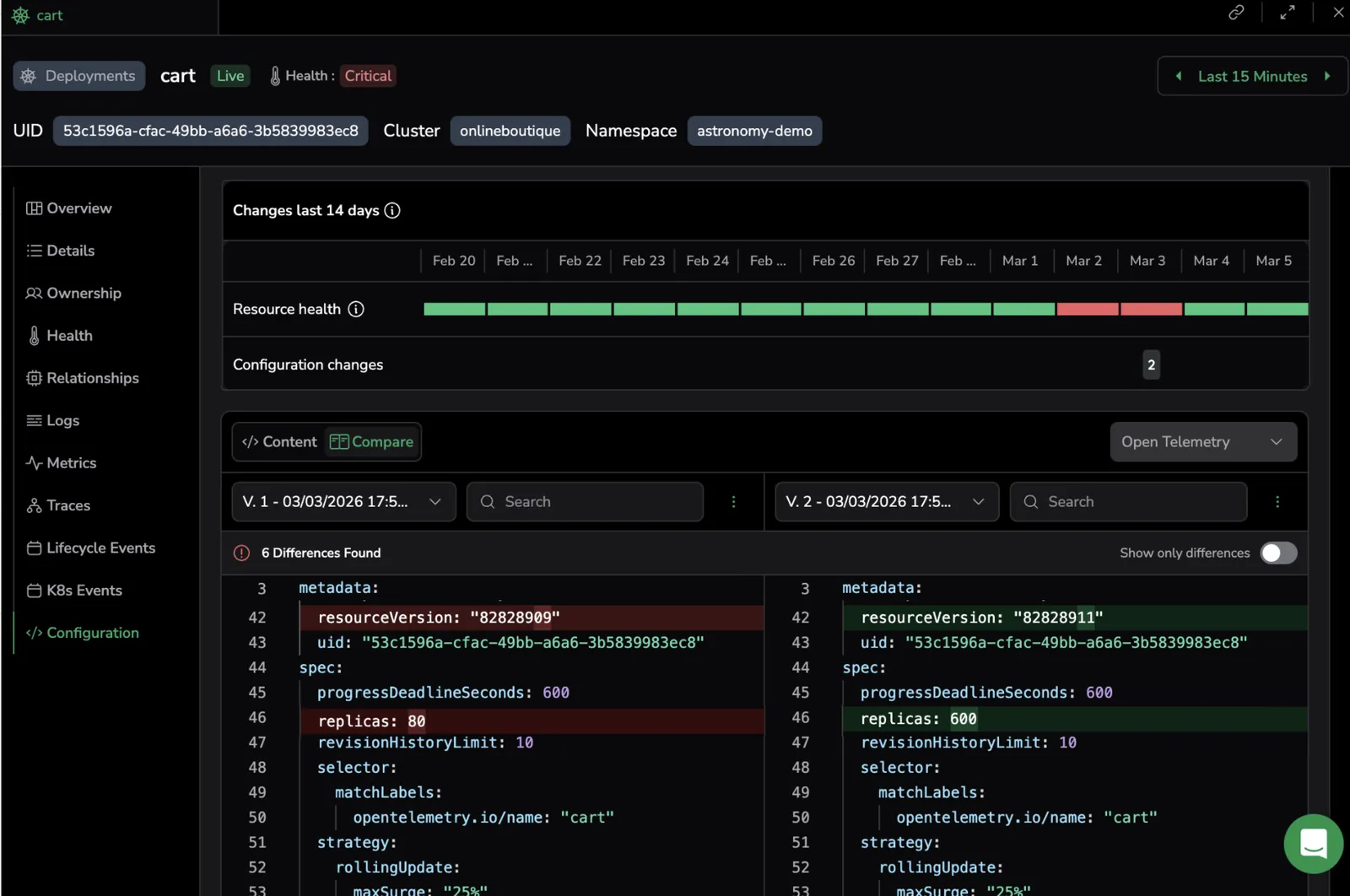
Compare infrastructure configuration changes. Track and compare configuration changes across your infrastructure resources over time. View YAML and JSON diffs to understand how deployments, pods, and other resources have evolved. Learn more
Manage columns. Customize which columns appear in the Infrastructure Explorer table. Toggle column visibility, drag and drop to reorder, and select up to 20 columns at a time. Learn more
Environment ownership tag support
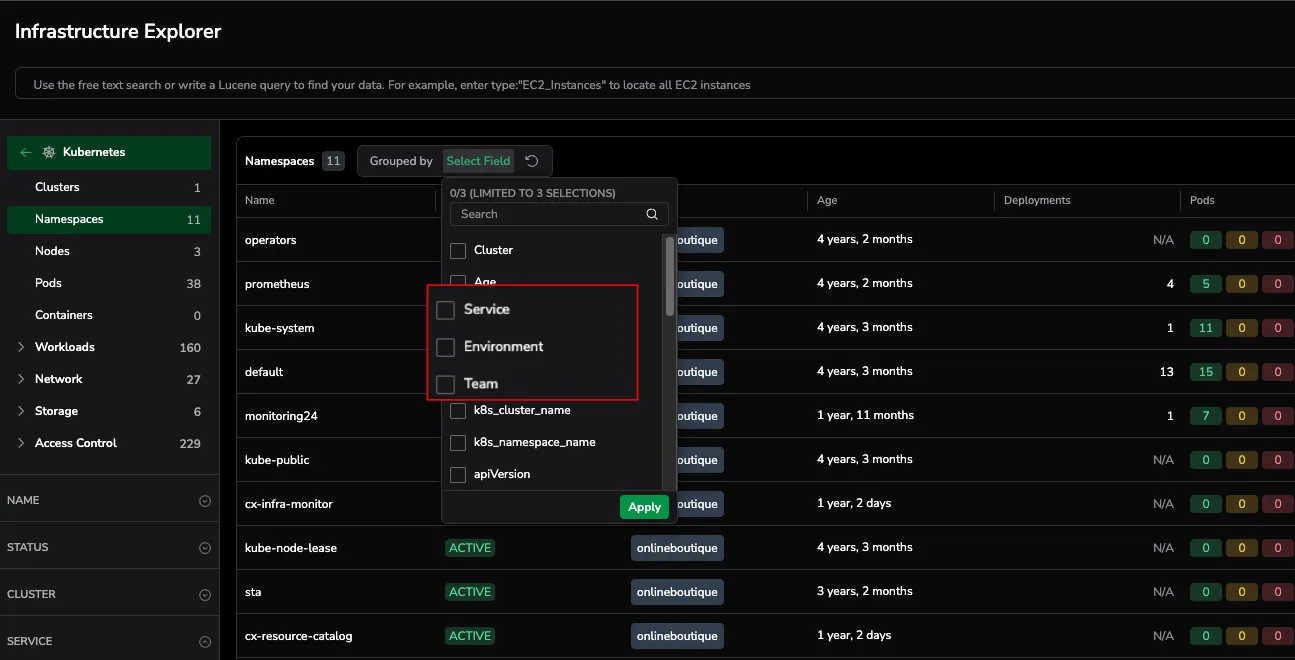
Ownership: support for deployment.environment.name as the Environment ownership tag. Learn more
Ownership, Health Policies, and Group by
Infrastructure Explorer Ownership. Learn more
Monitor Resource Stability with Health Policies. Learn more
Group by functionality for Explore Infrastructure Resources. Learn more
Live view of AWS and Kubernetes entities
Infrastructure Explorer: Live view of your cloud + K8s. See all your AWS and Kubernetes entities in one place. Learn more
Connect logs to underlying infrastructure
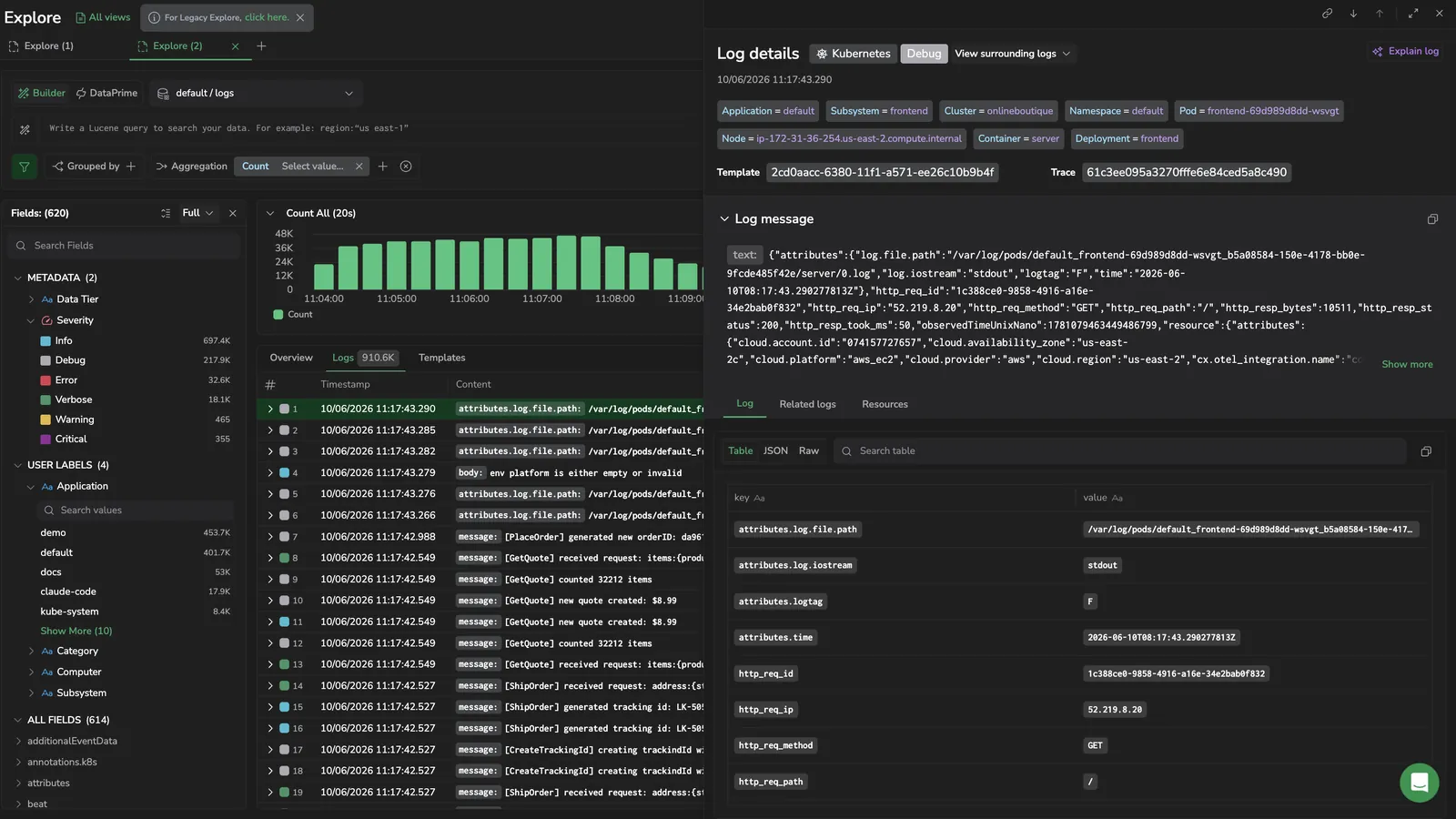
Pinpoint infrastructure issues instantly. Quickly connect log data with underlying infrastructure behavior to find root causes faster. Now available for the OTEL K8s Shipper, with broader support coming soon. Learn more