Olly AI agent
Microsoft Teams destinations for scheduled tasks
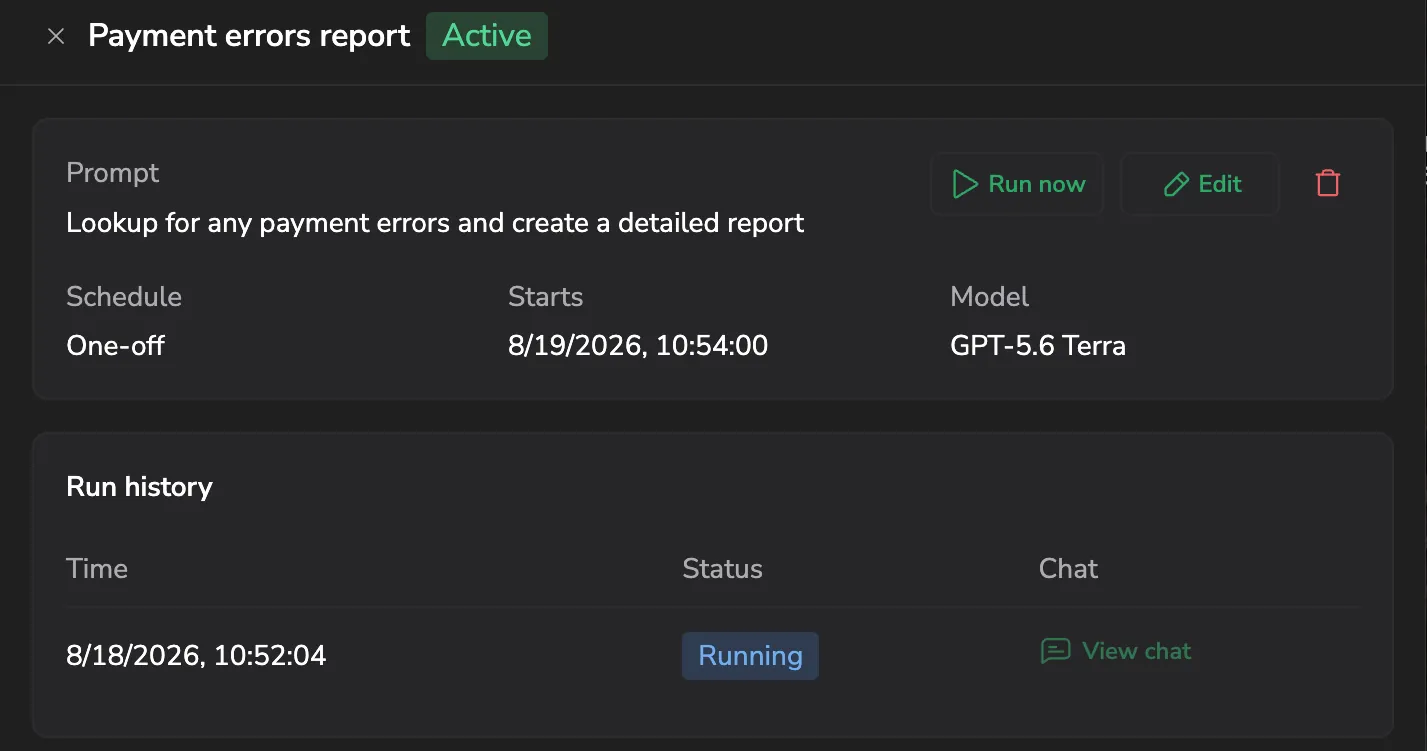
Scheduled tasks now deliver their results to Microsoft Teams. Add a Teams connector as a destination in the task form and each run posts a card to your channel with the run's status and start time, a preview of the output, and a button that opens the full chat. Teams joins email and Slack, and the five-destinations-per-task limit is unchanged. Learn more
Scheduled task notifications
Olly scheduled tasks are now integrated with the Notification Center. Get notified in Slack or by email whenever a task runs — attach a connector to your scheduled task by asking Olly in chat, or configure it yourself in the UI. Learn more
Create and edit alerts with Olly
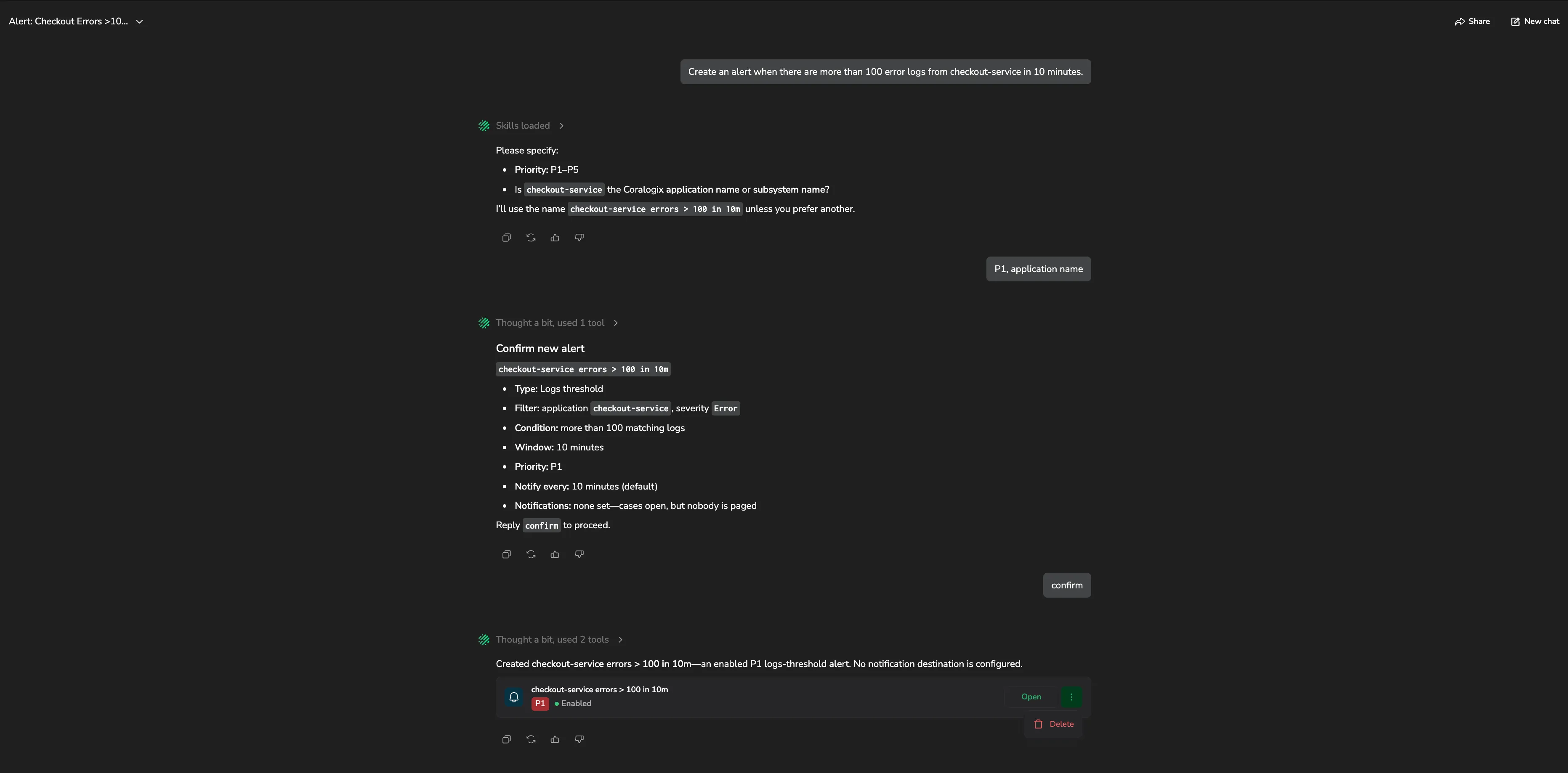
Ask Olly to set up monitoring in plain language and it builds the alert for you. Describe what to watch for — "alert me when checkout errors spike" — and Olly drafts the alert, shows you the exact configuration, and creates it only after you approve. Olly can also edit, enable, and disable existing alerts, with the same confirmation step on every change. Learn more
Ask Olly on data pipeline screens
Ask Olly is now available on the Data Usage, Org Quota Manager, and Quota Rules screens. Each screen passes its current context to Olly automatically — open it from the dedicated button on any screen to start a conversation scoped to your current view, or use the curated quick-query prompts to investigate usage, quota, and cost patterns. AI unit consumption is shown per session. Learn more
Automatic case analysis
Olly can now investigate your Cases automatically. Turn it on in Settings, then Olly AI, then Automatic Case Analysis, and scope it by case priority and ownership labels. When a matching Case opens, Olly correlates your logs, metrics, and traces, then posts a root-cause finding on the Case. The same finding is routed to any destination you already use for Case notifications. Learn more
Limit Olly AI Units per API key
Cap how many AI Units each of your team's Olly-enabled API keys — including the keys that automations such as automatic case analysis run as — can consume on Olly, from the Automations & Agents tab in Usage Management. Each key appears as a card with its usage; select Edit limit to set its cap, or Set default monthly limit to cap every key at once. Learn more
Add metrics and dashboard widgets to Olly chat as context
You can now pin more than logs and spans to an Olly chat. Select Add to Olly context on a time-series chart in Explore or on a widget in a custom dashboard, and Olly opens with that object attached — so you can ask what's driving a spike, summarize what a widget shows, or compare a trend across periods. Pinned objects are now grouped by type in the prompt (a Logs chip, a Metrics chip, and so on) and clear automatically when you send, so each message starts from a clean set. Learn more
GPT-5.6 models in Olly

Olly's OpenAI models are now the GPT-5.6 family — GPT-5.6 Terra (recommended) for multi-step, reasoning-intensive investigations, GPT-5.6 Sol for complex analysis, and GPT-5.6 Luna for quick, straightforward questions. Select one from the model dropdown in the Olly chat input bar. Learn more
Create skills from a chat with Olly

Ask Olly to turn a useful conversation into a reusable skill — say something like "save this as a skill", and Olly drafts the name, description, and instructions, asks whether to save it as a personal or team skill, and saves it only after you confirm. From chat you can also list, edit, rename, and enable or disable your skills. Learn more
Limit Olly AI Units by user group
Cap AI Units for everyone in a user group with a single monthly limit, instead of setting each member individually, from the Groups tab in Usage Management. When a user has no per-user limit, their group's limit applies; if they belong to several groups, the highest limit wins. Learn more
Share Olly chats with specific teammates
When you share an Olly conversation, you can now choose exactly who has access. Keep a chat Private, share it with your whole team, or pick specific teammates from the member picker — then select Save and copy link to apply your choice and copy the share link in one step. Learn more
Open Olly artifacts in Explore
Logs, spans, and metrics artifacts in the Olly chat now have an Open in Explore button, on both the inline preview and the expanded drawer. Select it to open the artifact's query in the matching Explore view — logs, spans, or metrics — with the query and dataset carried over, so you can pivot from an AI-generated result straight into a full manual investigation. Learn more
Control reasoning effort in Olly
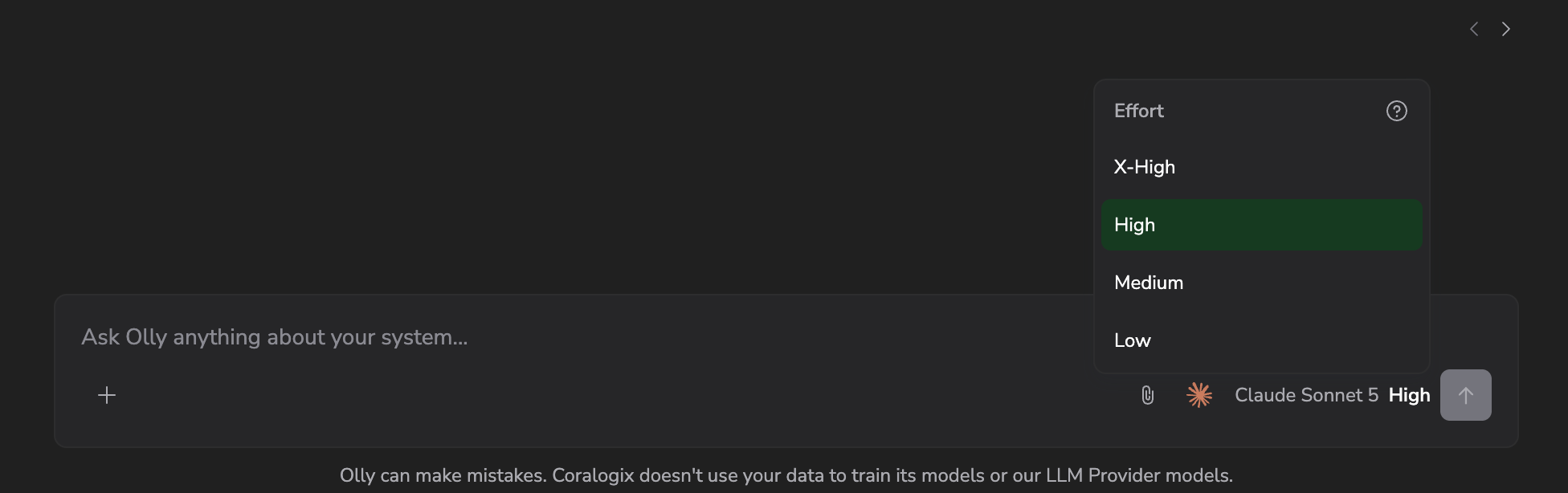
Set how long the model reasons before it answers with the Effort control next to the model dropdown in the Olly chat input bar. Higher effort produces deeper analysis; lower effort responds faster. The available levels — from Instant to X-High — depend on the model you select, and your choice is saved per model. Learn more
Manage scheduled tasks from Olly chat
Create and manage scheduled tasks straight from the Olly chat — no need to open the Scheduled tasks page. Ask Olly in plain language to run something on a schedule, or type /scheduled-tasks to invoke the built-in scheduling skill. From chat, Olly can create, list, edit, pause or resume, and run tasks on demand. Learn more
Claude Sonnet 5 and Opus 4.8 in Olly
Olly's Claude lineup now includes Claude Sonnet 5 — the recommended Claude model for day-to-day investigations and general analysis — and Claude Opus 4.8 for deeper reasoning on complex investigations. Select either one from the model dropdown in the Olly chat input bar. Learn more
Olly Units are now AI Units
Olly usage now displays in AI Units — the unified currency for all AI features in Coralogix, including Olly conversations, AI Center policies, and query assistant. This is a rename only: per-model rates and the 10-units-per-user monthly free allowance are unchanged. The Data Usage screen now has a single AI Units tab with Total, Olly, and AI Center sub-sections. Learn more
Free-tier team cap of 100 AI Units per month
Free-tier accounts have a new team-level cap of 100 AI Units per month, on top of the existing 10 AI Units per user per month. The team cap keeps the free tier fair and accessible for everyone. Paying customers are not affected. Learn more
Scheduled tasks for Olly
Set Olly to run a saved prompt automatically — once or on a recurring interval — and review each run from a single page. Use scheduled tasks for recurring observability work like a daily error summary or a weekly capacity check, without having to remember to open Olly and type the prompt yourself. Each run produces its own chat and lands in the task's run history. Learn more
Olly API: list, update, and delete your GitHub data sources
The Olly API now exposes the GitHub data sources users connect for code-aware investigations. Use GET /api/v2/olly/data-sources/ to list a user's connected GitHub orgs, PUT and DELETE to manage them, and GET /api/v2/olly/data-sources/github/{id}/repositories to enumerate or search the repos the Olly app can reach. Pass a data_source_id and one repository name in data_sources on a create-interaction call to scope a chat to that repo. Personal API key only — connecting GitHub still happens through the in-product OAuth flow. Learn more
Memories for Olly
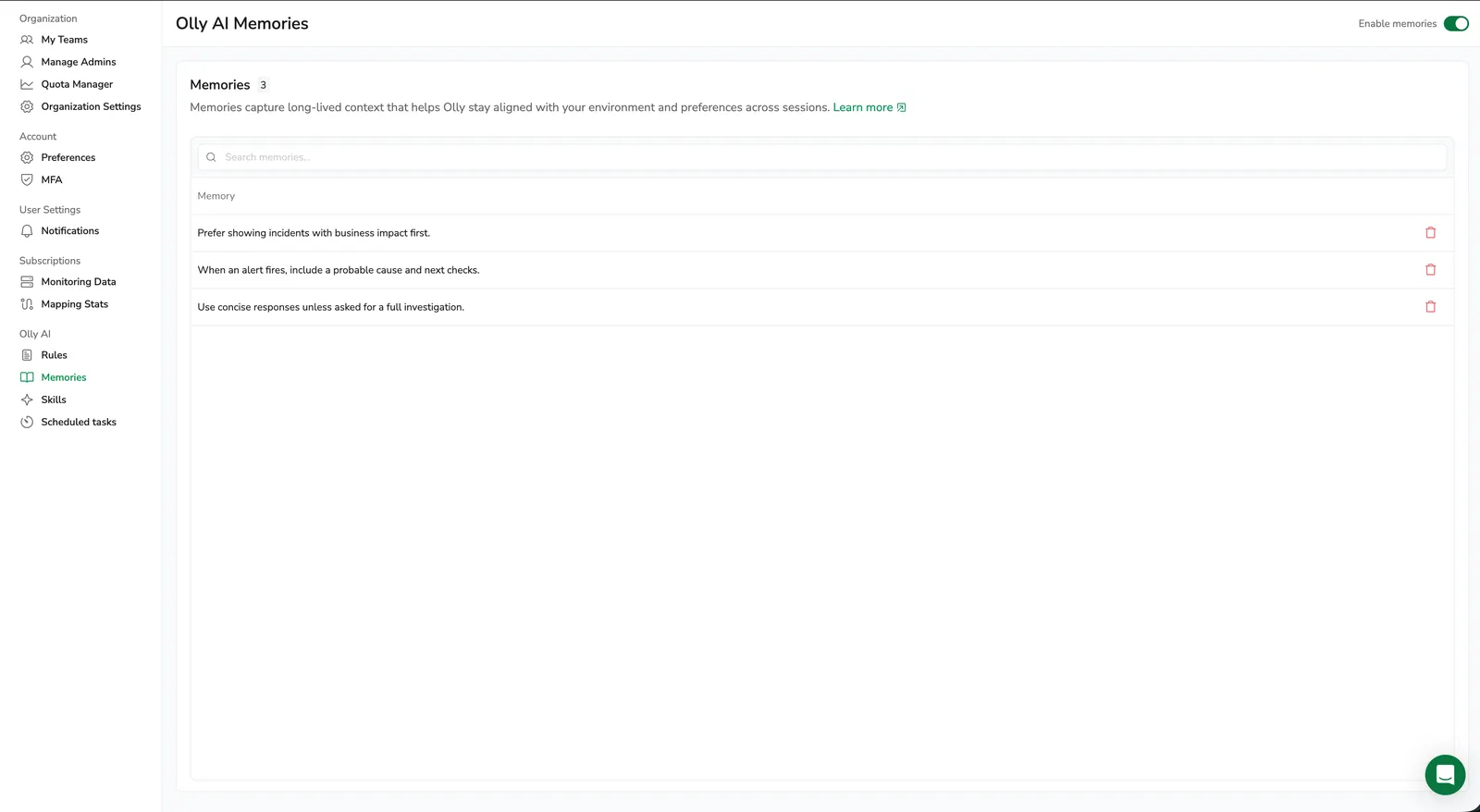
Olly can now remember helpful facts and preferences from your chats — services you investigate often, field-to-meaning mappings, or how you typically work — and apply them as context in future conversations. Memories are personal to each user and never shared. Manage them from Settings, then Olly AI, then Memories. Learn more
Add logs and spans to Olly chat as context
Send specific logs and spans from Explore straight into your Olly chat as data context — so the records you care about are exactly the ones Olly reasons about. Select Add to Olly context on a log or span row, in the log details panel, or in the tracing drilldown span summary; Olly opens with the record attached as a removable chip in the prompt. Stack multiple records to ask Olly what three logs have in common, or attach a single span and ask why it's the bottleneck in its trace. Learn more
Olly API: manage rules, skills, and feedback with an API key
The Olly API now accepts API key authentication on the user rules, team rules, personal and team skills, and feedback endpoints — not just chats and artifacts. Use a personal key (cxup_) to manage your own rules and skills; use either key type on team rules and team skills, provided the caller has the matching OLLY-TEAM-RULES or OLLY-TEAM-SKILLS permission. Learn more
Usage Management now open to all team members
Any user can now open Usage Management to see how their team is spending AI Units on Olly and how usage is distributed across users. Setting and resetting limits still requires the OLLY-USAGE:MANAGE permission. Learn more
Ask Olly now available from APM and RUM tracing drilldowns
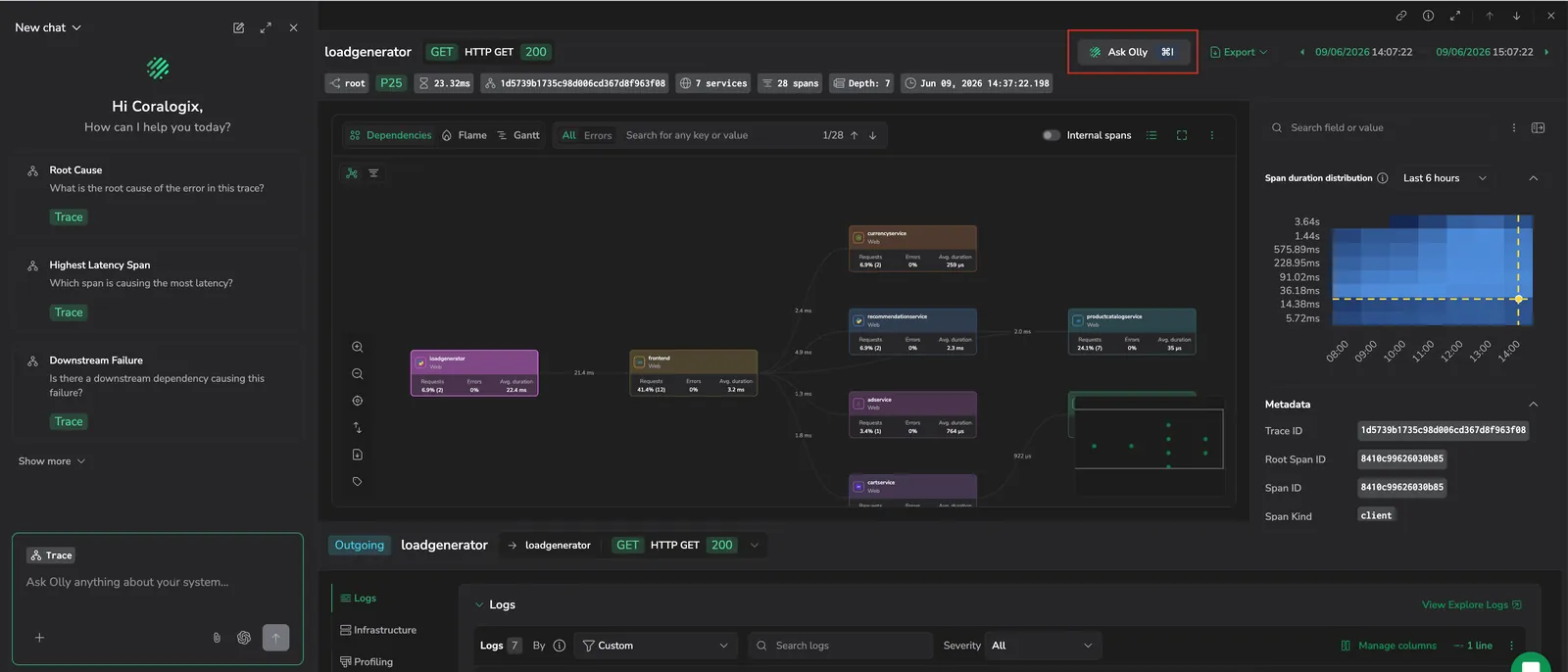
The Ask Olly button from the tracing drilldown header is now available wherever you open a span — from the APM Service Catalog drilldown and from a RUM session, page view, or error. Same trace context, same 5 suggested queries, same Cmd+I / Ctrl+I shortcut. Learn more
Usage Management for Olly
Admins can now monitor team-wide Olly AI consumption in the current billing cycle and cap individual users with a monthly limit — preventing any single user from depleting the team's shared quota. Open it from Settings, then Olly AI, then Usage Management. Learn more
Ask Olly from the tracing drilldown
A new Ask Olly button in the tracing drilldown header opens the Olly side drawer with the current trace already in context — trace ID, selected span, service, operation, duration, and timing. Five trace-scoped suggested queries help you go straight to root cause, latency, downstream failure, deployment correlation, or a next debug step in a single click. Learn more
Redesigned thinking experience
Olly's investigation is now visible live in the chat as an Execution plan, with each step labeled, timed independently, and expandable to reveal Olly's reasoning, tool details, and any charts or tables it produced along the way. When Olly finishes, the header switches to Execution summary and the steps stay open for review. Learn more
Resizable artifact drawer
The artifact drawer in Olly chat is now resizable. Drag its top edge to expand or shrink it, giving you more screen space for large log tables or less for a quick metric glance — without closing the chat. Learn more
Single chat mode (Fast and Focus retired from the UI)
Olly now runs a single chat mode in the Coralogix UI — no more picker for Pro, Focus, or Fast. The single mode is built on the same skill-based architecture, defaults to GPT-5.4, and handles both quick lookups and deeper investigations. GitHub repository context is available across all chats.
The Olly API keeps focus and fast as accepted interaction_mode values for backwards compatibility — both route to skill. Migrate existing integrations when convenient. Learn more
Olly API for programmatic chats
Drive Olly from your own backend with the public Olly API. Trigger investigations, send prompts, and retrieve the query results Olly generates — all using the same models, skills, and permissions as the in-product chat. Personal and team API keys are both supported. Learn more
Team skills for Olly
Admins can now define team-wide skills that Olly applies for everyone in the team — runbooks, response templates, or any reusable instructions you'd otherwise re-create as a personal skill. Manage them from the new Team tab on the Skills settings page, alongside your personal skills. Up to 10 team skills per team. Learn more
Slack experience improvements for Olly
Olly in Slack now shows real-time thinking steps as the investigation unfolds — so you can follow along while Olly works rather than waiting for the final answer. Responses are interactive, with buttons to follow up, drill deeper, or pivot to a related question directly inside the Slack thread. Learn more
Markdown file attachments

File attachments for Olly chat now accept .md files alongside the existing text-based formats (.pdf, .txt, .json, .csv). Learn more
Custom skills for Olly
Create your own custom skills — short Markdown files that teach Olly your team's workflows, terminology, or response style. Olly applies them when relevant, and you can also pick a skill directly in chat. Write skills from scratch in the settings UI or upload existing .md files. Up to 10 custom skills per user. Learn more
Team rules for Olly

Admins can now define team-wide rules that Olly applies across every user in the team — for example, prioritizing production data or flagging security issues first. Team rules sit alongside personal user rules and take precedence when guidance conflicts. Learn more
Gemini models in Olly Pro mode
Olly Pro mode now supports Gemini 3.1 Pro and Gemini 3 Flash. Select Gemini from the model dropdown in the Olly chat input bar while in Pro mode. See Model selection and pricing for per-model rates.
Pro mode for Olly
Pro mode is a new chat mode built on a skill-based architecture that applies specialized skills to each request — the same pattern modern AI agents use for complex tasks. It delivers faster and higher-quality answers than Focus mode for most observability work. Pro mode currently shares Focus mode's model list, with additional model support rolling out. Learn more

File attachments for chat context
Attach files to a chat message to give Olly additional context for your prompt — for example, a screenshot of an error, a configuration file, or a CSV of metrics. Up to 5 files per message, 5 MB per file. Supports images (.jpg, .png, .svg, .web) and text-based files (.pdf, .txt, .json, .csv). Learn more
GitHub integration for Olly
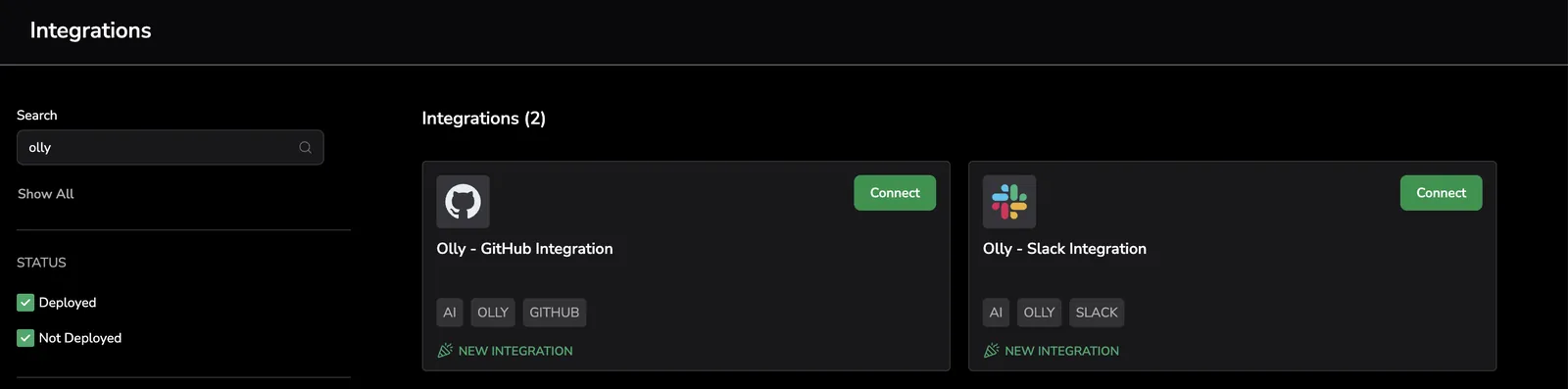
Connect a GitHub repository to Olly for code-aware investigations and root cause analysis. In Focus mode, Olly can trace logs, errors, and alerts to specific files and lines, explain what changed, and suggest targeted fixes. Learn more
New models support
New models supported: GPT-5.4 mini and Claude Sonnet 4.6. See pricing for per-model rates.
Per-model selection in Focus and Fast modes
You can now pick a specific model in each mode instead of choosing a provider. Focus mode offers four higher-tier models and Fast mode offers two lower-tier models, with a recommended default in each. Your selection persists across chats and sessions. Learn more
New models supported: GPT-5.4 and GPT-5.2 in Focus mode. See pricing for per-model rates.
Olly documentation migrated to Coralogix docs

Olly documentation is now part of the Coralogix documentation portal. All Olly docs have been updated to reflect Olly as a built-in Coralogix feature, including new sections for Olly chat, model selection, and integrations with GitHub and Slack. Learn more
Quota Rules and Data Usage support for Olly
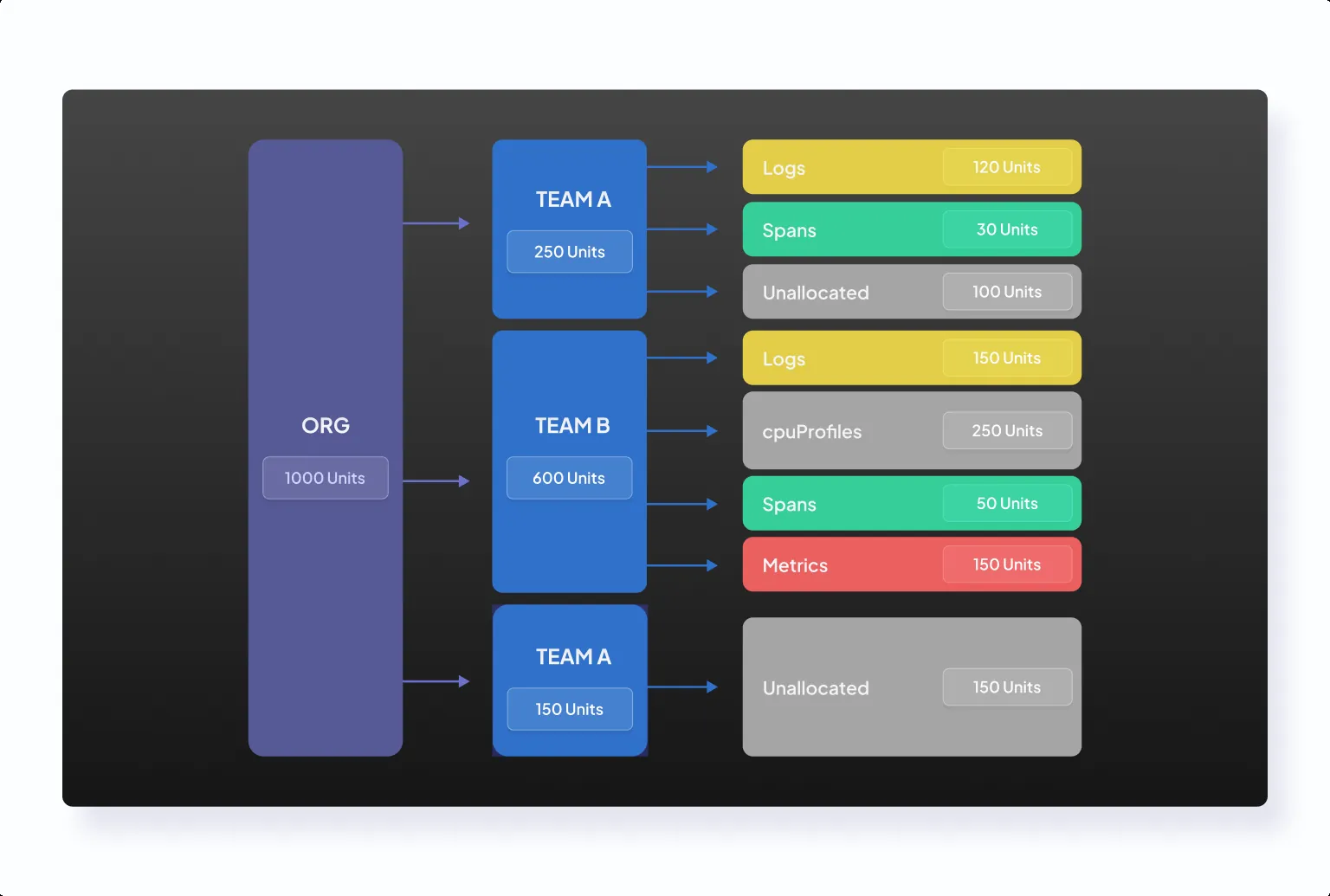
Olly is now a supported entity type in Quota Rules. Allocate units to Olly independently, set overflow behavior, and monitor enforcement from Data Flow, then Quota Rules. Learn more
Olly usage is now visible in the Data Usage page under a dedicated Olly tab. Monitor daily CU consumption, view per-user breakdowns, and track usage trends over time from Settings, then Data Usage. Learn more
Admin tools and GitHub integration docs
New admin tools for managing your Olly organization: Usage Management, Organization Management, and Members Management. Learn more
New FAQ pages covering general questions, data sources, features, and admin tools. Learn more
New GitHub docs: GitHub Integration and GitHub Data Sources. Learn more
Updated Data Sources doc — explains how Olly selects data sources. Learn more
User Rules, Fast and Focus modes, and OAuth
User Rules, Fast and Focus Modes, and OAuth Support for Olly. Learn more
Autonomous AI Agent release
Olly Autonomous AI Agent October 2025 release notes. Learn more