Pipeline Analyzer
Step through rules in Sample Log mode
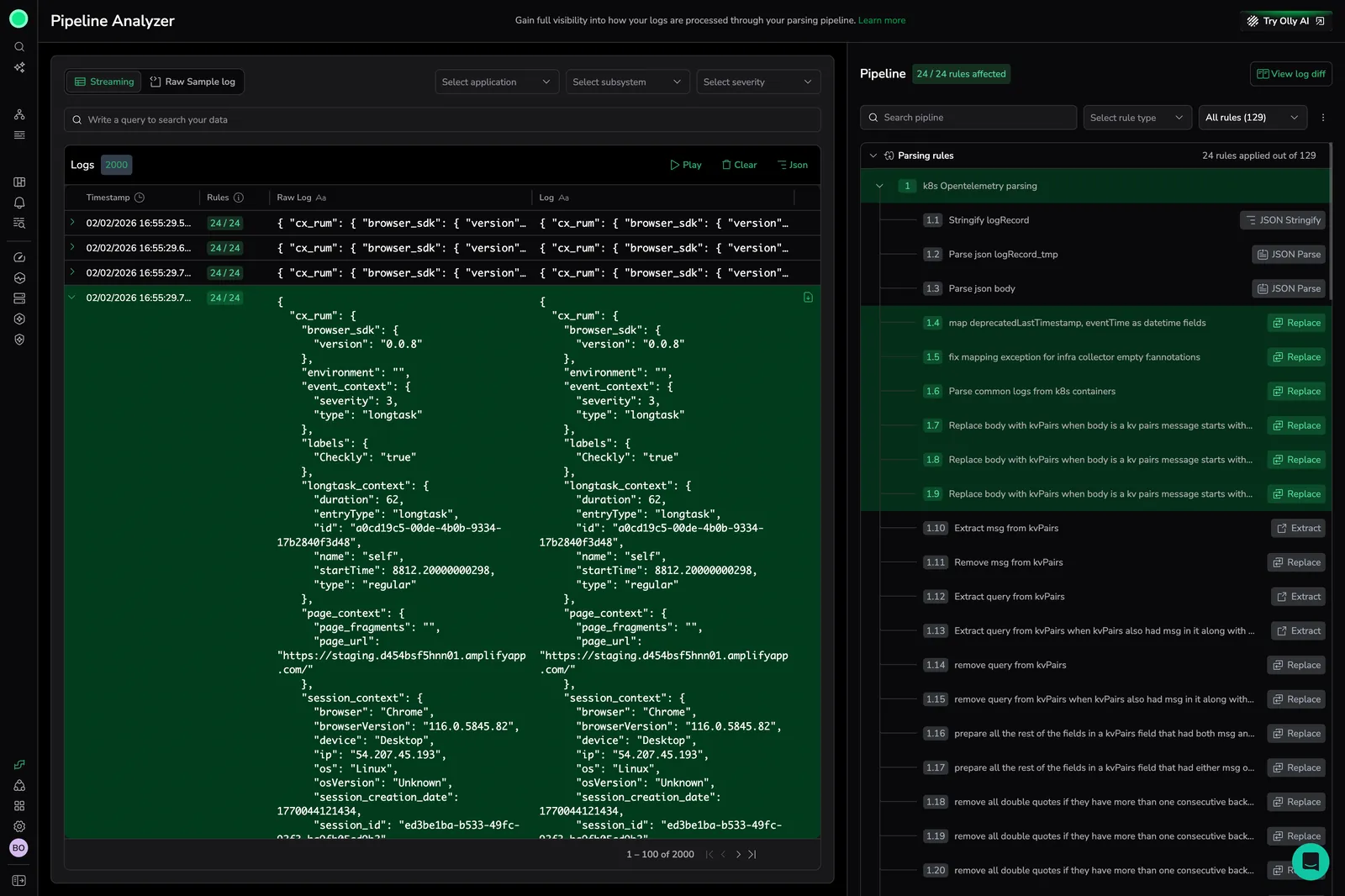
Sample Log mode now uses the same side-by-side diff component as the main Analyzer view. Paste a raw log, select Analyze pipeline, and step through each rule in the Applied rules list to see pre- and post-rule states with diff highlighting. Toggle Show only differences to filter out unchanged lines. Learn more
Streaming enhancements and rule filtering
Streaming enhancements and rule-filtering in the Pipeline Analyzer for clearer pipeline visibility. Learn more
Compare mode for raw and parsed logs
Compare mode, compare raw and parsed logs side by side directly inside Pipeline Analyzer. Learn more
Real-time visibility into log pipelines
See inside your data with Pipeline Analyzer, get real-time visibility into your log pipeline. Instantly inspect logs as they are ingested, view parsing rules in execution order, and capture live log streams. Learn more