AI session summary
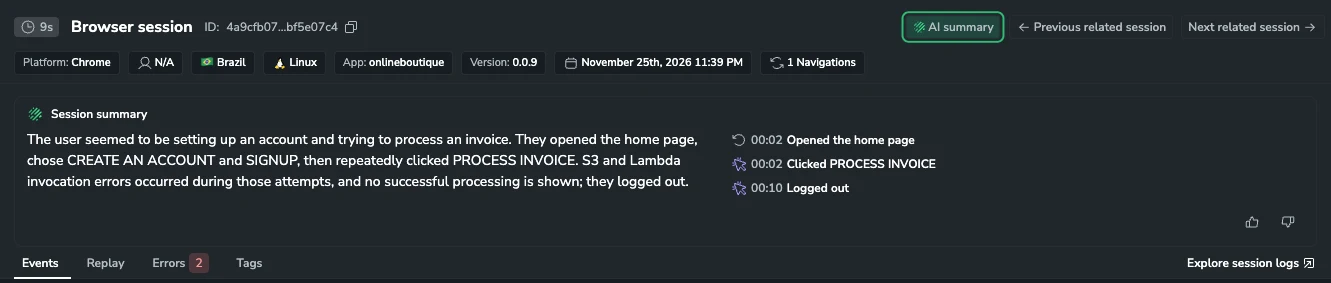
AI session summary uses Olly to read the events sent by your SDK during the session and briefly summarize what the user seemed to be trying to do, whether they managed it, and what got in the way. It mentions the problems that affected the user, and marks two to four key moments you can select to open Session Replay at that point.
Sessions summaries run on Olly and consume AI units like other Olly usage.
Open a session from RUM, then Sessions, to reach the session drilldown. Select AI summary at the top of the session pane. The summary opens above the tabs, with its key moments listed to the right. Select a key moment to open the recording at that point.
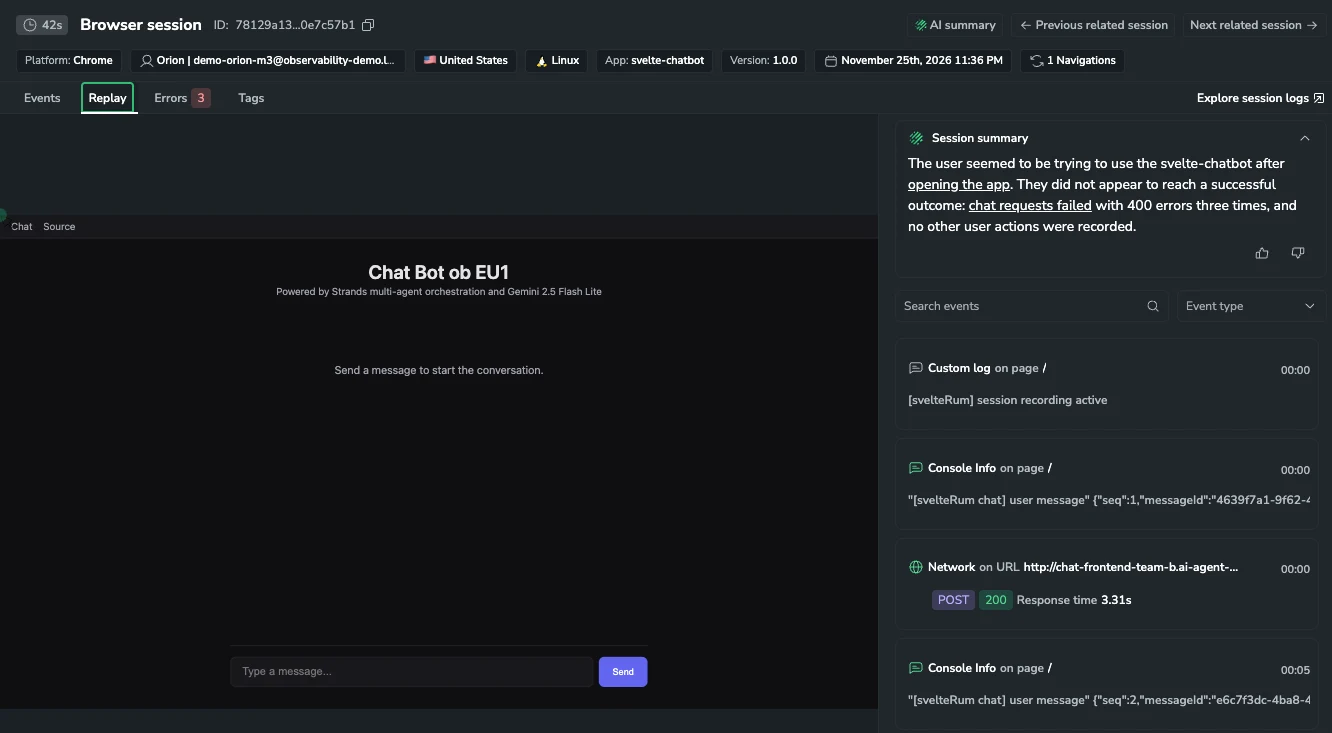
A session that has a recording also displays the summary on its Replay tab. Key moments are underlined in the summary itself.
Olly infers the user's intent from the pages they opened and the items they selected, so confirm the detail in the recording and the event list before you act on it.
What you need
- AI features must be turned on for your team. See Enable Olly.
- You need the
OLLY:SENDMESSAGEpermission. - When a session has a recording, you need
SESSION-RECORDING:READCONFIGto open a key moment in Session Replay.
Limitations
A summary is generated on demand and is not stored on the session. You cannot export it, it is not searchable or filterable, and sessions cannot be grouped by it. Reopening a session you already summarized in the same browser shows that summary again, and opening it in another browser generates a new one.
A long session is summarized from its most recent events, so the summary can start partway through.