Deprecation Notice: The Coralogix Bunyan logger package (coralogix-logger-bunyan) is deprecated in favor of the OpenTelemetry SDK and will no longer be supported after June 30, 2026. See the Node.js OpenTelemetry instrumentation guide for setup options and the end-of-life notice for migration details.
Node.js Bunyan Deprecated
This guide shows how to send Bunyan logs from a Node.js application to Coralogix using the OpenTelemetry Node.js SDK with the Bunyan instrumentation, exporting logs over OTLP/gRPC.
Package dependencies setup
Add the following packages to your project (versions are examples; prefer the latest compatible releases from the JavaScript package registry):
@opentelemetry/api@opentelemetry/sdk-node@opentelemetry/sdk-logs@opentelemetry/exporter-logs-otlp-grpc@opentelemetry/instrumentation-bunyan@opentelemetry/resources@opentelemetry/semantic-conventionsbunyan
Install them with the Node package manager:
npm install @opentelemetry/api @opentelemetry/sdk-node @opentelemetry/sdk-logs \
  @opentelemetry/exporter-logs-otlp-grpc @opentelemetry/instrumentation-bunyan \
  @opentelemetry/resources @opentelemetry/semantic-conventions bunyan
Here is a minimal package.json you can use as a starting point:
{
  "name": "nodejs-bunyan-otel-app",
  "version": "1.0.0",
  "main": "index.js",
  "type": "commonjs",
  "scripts": {
    "start": "node index.js"
  },
  "dependencies": {
    "@opentelemetry/api": "^1.9.1",
    "@opentelemetry/exporter-logs-otlp-grpc": "^0.214.0",
    "@opentelemetry/instrumentation-bunyan": "^0.59.0",
    "@opentelemetry/resources": "^2.6.1",
    "@opentelemetry/sdk-logs": "^0.214.0",
    "@opentelemetry/sdk-node": "^0.214.0",
    "@opentelemetry/semantic-conventions": "^1.40.0",
    "bunyan": "^1.8.15"
  }
}
Select the https://ingress. endpoint that corresponds to your Coralogix domain using the domain selector at the top of the page.
Pin or update packages to the latest versions when you use this example for testing.
Application implementation
Start the OpenTelemetry NodeSDK with a log record processor and BunyanInstrumentation before you require("bunyan"), so the instrumentation can patch Bunyan. Map Coralogix application and subsystem names on the resource using cx.application.name and cx.subsystem.name.
The following example sends logs to a local OpenTelemetry Collector on OTLP gRPC port 4317 by default. Override the endpoint with OTEL_EXPORTER_OTLP_LOGS_ENDPOINT or OTEL_EXPORTER_OTLP_ENDPOINT.
"use strict";

const { trace } = require("@opentelemetry/api");
const { NodeSDK } = require("@opentelemetry/sdk-node");
const { BatchLogRecordProcessor } = require("@opentelemetry/sdk-logs");
const { OTLPLogExporter } = require("@opentelemetry/exporter-logs-otlp-grpc");
const { BunyanInstrumentation } = require("@opentelemetry/instrumentation-bunyan");
const { resourceFromAttributes } = require("@opentelemetry/resources");
const { ATTR_SERVICE_NAME } = require("@opentelemetry/semantic-conventions");

const sleep = (ms) => new Promise((resolve) => setTimeout(resolve, ms));

const endpoint =
  process.env.OTEL_EXPORTER_OTLP_LOGS_ENDPOINT ||
  process.env.OTEL_EXPORTER_OTLP_ENDPOINT ||
  "http://localhost:4317";

async function main() {
  const sdk = new NodeSDK({
    resource: resourceFromAttributes({
      [ATTR_SERVICE_NAME]: process.env.OTEL_SERVICE_NAME || "bunyan-otel-sample",
      "cx.application.name": process.env.CORALOGIX_APPLICATION || "bunyan-otel-app",
      "cx.subsystem.name": process.env.CORALOGIX_SUBSYSTEM || "worker",
    }),
    logRecordProcessors: [new BatchLogRecordProcessor(new OTLPLogExporter({ url: endpoint }))],
    instrumentations: [new BunyanInstrumentation()],
  });

  await sdk.start();

  // Keep bunyan require after SDK start, so instrumentation patches it.
  const bunyan = require("bunyan");
  const logger = bunyan.createLogger({ name: "bunyan-otel-example" });

  logger.info({ category: "root" }, "hello bunyan with OpenTelemetry");

  const tracer = trace.getTracer("bunyan-otel-example");
  tracer.startActiveSpan("manual-span", (span) => {
    logger.info({ category: "in-span" }, "bunyan log with trace correlation");
    span.end();
  });

  // Give batch processor a moment before shutdown flush.
  await sleep(1500);
  try {
    await sdk.shutdown();
  } catch (err) {
    console.error("Shutdown completed with exporter error:", err.message || err);
  }
  console.log("Done: flush + shutdown completed");
}

main().catch(async (err) => {
  console.error("Application failed:", err);
  process.exit(1);
});
Notes
- Bunyan and the log exporter batch asynchronously. On process exit, call
sdk.shutdown()(or equivalent flush) so pending log records are exported. - If you enable tracing, logs emitted inside an active span are correlated with the current trace context.
Logging output
With the OpenTelemetry SDK, you can send logs either to a local OpenTelemetry Collector or directly to Coralogix using an OTLP endpoint.
OpenTelemetry Collector
Point OTEL_EXPORTER_OTLP_ENDPOINT (or OTEL_EXPORTER_OTLP_LOGS_ENDPOINT) at your collector’s OTLP/gRPC address (often port 4317). You should see application logs arrive at the collector and can forward them to Coralogix from there.
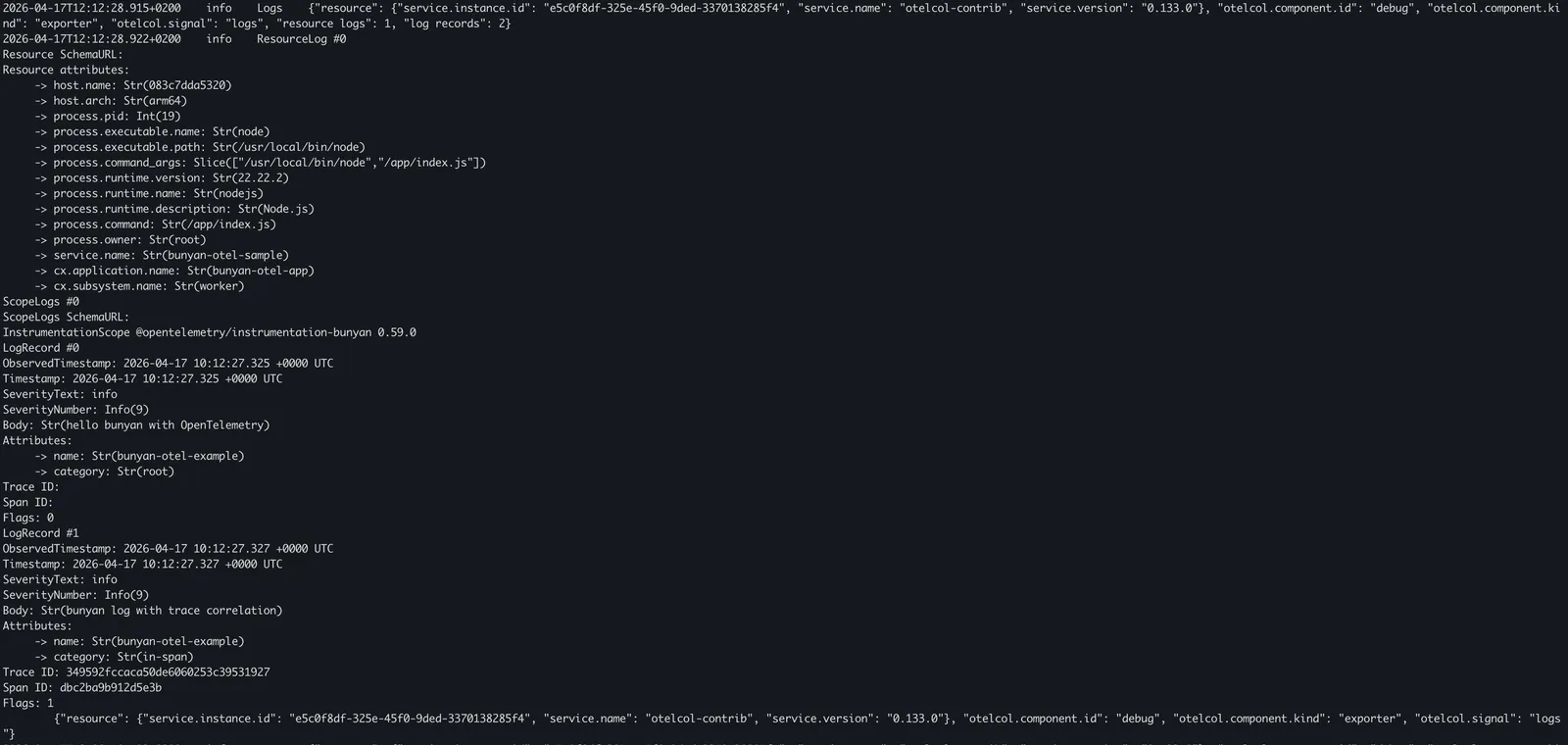
Coralogix OpenTelemetry endpoint
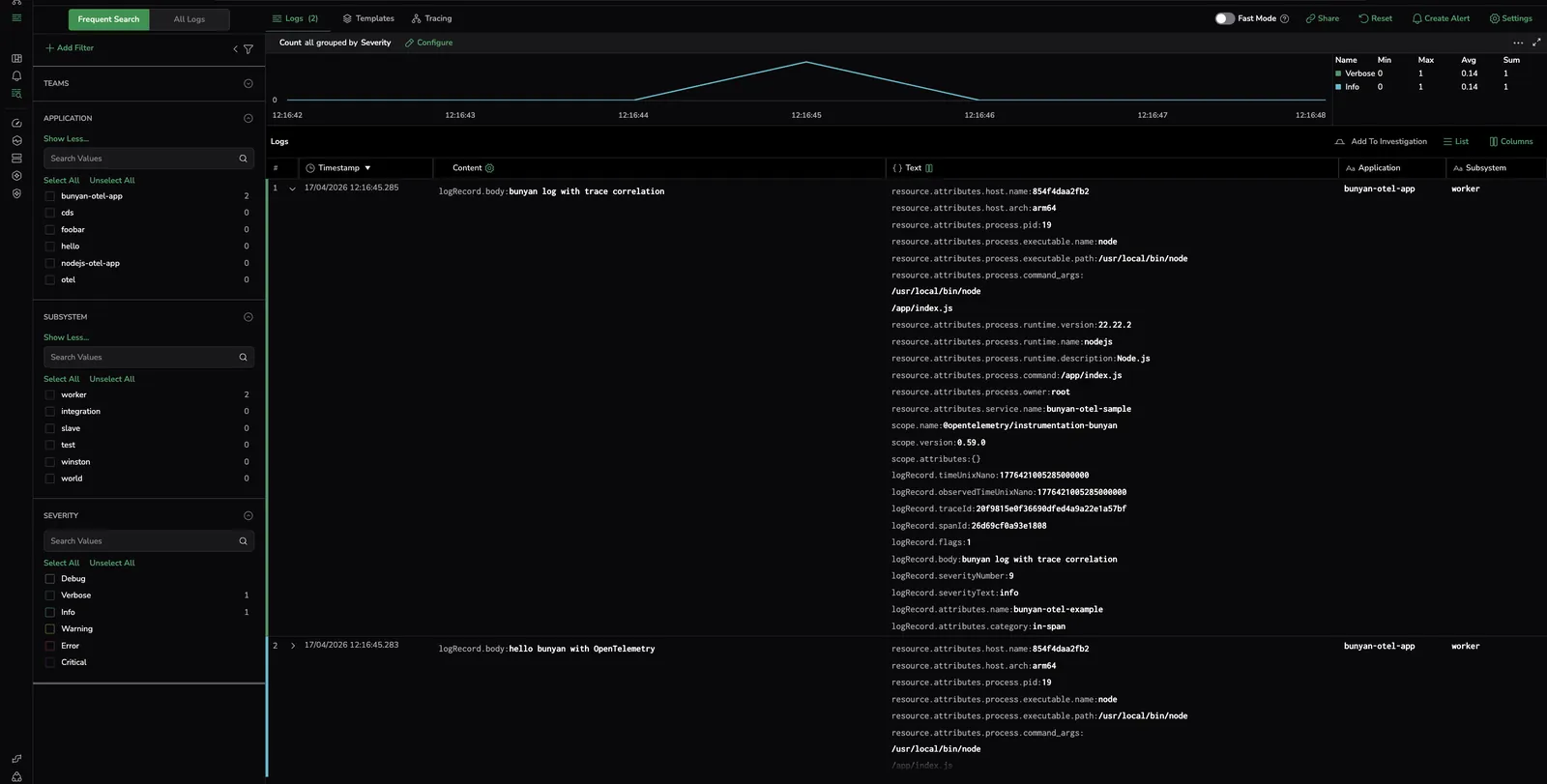
Configure the exporter to send to your Coralogix OTLP endpoint and authenticate with your Send-Your-Data API key. Set resource attributes for application and subsystem names.
OTEL_EXPORTER_OTLP_ENDPOINT=https://ingress.eu2.coralogix.com:443
OTEL_EXPORTER_OTLP_HEADERS="Authorization=Bearer send_your_data_key"
OTEL_RESOURCE_ATTRIBUTES="service.name=bunyan-otel-sample,cx.application.name=AppName,cx.subsystem.name=SubName"
Additional resources
| OpenTelemetry JavaScript | OpenTelemetry JS docs |
| Coralogix Endpoints | Coralogix Endpoints |