TCO Optimizer
The Total Cost of Ownership (TCO) Optimizer routes logs, traces, and RUM events to the right priority based on their business value. You define policies that match incoming data and route it to an outcome that determines how the data is stored, how it can be queried, and what it costs.
Policies are evaluated in order. The first matching policy applies, and no other policies are evaluated.
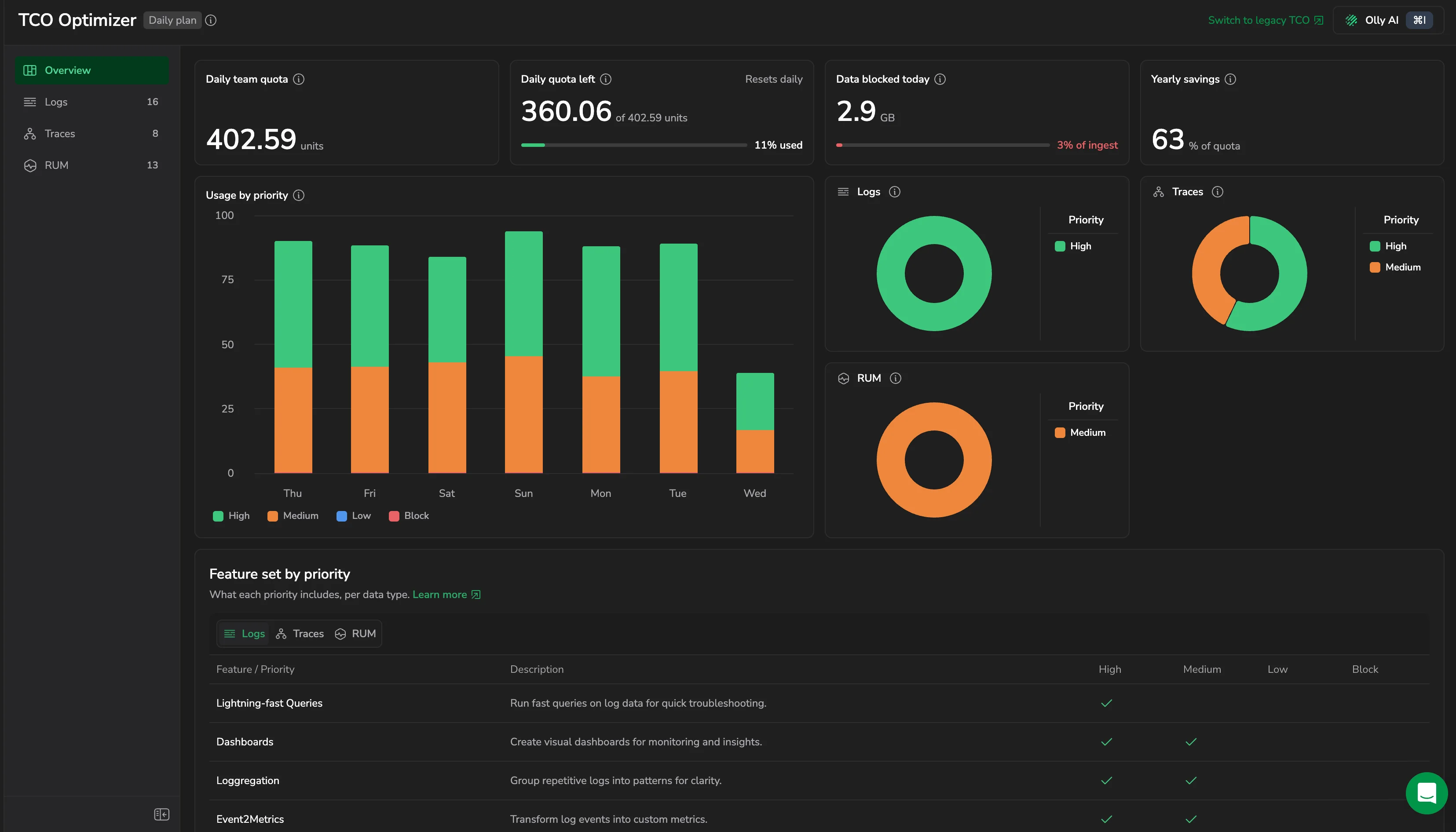
Policies are managed per data type, each on its own tab: Logs, Traces, and RUM. Each tab has a Policies view, whose header shows the number of enabled policies out of the total, for example 10 / 13, and a Statistics view.
How TCO routing works
When a log, trace, or RUM event is ingested, Coralogix evaluates your enabled policies for that data type from top to bottom:
- Evaluate the first policy.
- If the event matches, route it to the policy's configured priority and stop.
- If it does not match, evaluate the next policy.
- If no policy matches, route the event to High (Frequent Search).
Data that does not match any policy is routed to High (Frequent Search) by default. To change the default, add a catch-all policy at the bottom of your policy list.
Order matters. Place narrow exception policies above broader catch-all policies.
TCO priority levels explained
Each policy routes matching data to one of four priorities. The priority determines where the data is stored, how it can be queried, and which platform features are available.
A priority bundles two independent decisions. Keep them separate when planning policies:
- Storage routing and query performance: High (Frequent Search) keeps data in Coralogix hot storage (OpenSearch), which delivers the fastest queries. Medium (Monitoring) and Low (Compliance) keep raw data in customer-owned storage (your S3 archive); it stays instantly queryable via DataPrime, but queries generally run slower than against Frequent Search.
- Feature access: High and Medium grant the broadest feature set, while Low (Compliance) is limited to a smaller set aimed at long-term retention and compliance. See Features by priority level for the exact matrix.
High (Frequent Search)
Data is retained in Coralogix hot storage (OpenSearch). This priority is designed for business-critical data that requires fast queries, real-time alerting, and immediate investigation. High (Frequent Search) is the default priority for data that does not match any policy.
Medium (Monitoring)
Raw data is retained in customer-owned storage and remains instantly queryable via DataPrime, with added support for alerting and dashboarding. Use this priority for monitoring and ongoing analysis at scale.
Low (Compliance)
Raw data is retained in customer-owned storage and remains instantly queryable via DataPrime. Use this priority for compliance requirements and long-term retention where frequent querying is not required.
Blocked
Blocked data incurs ingestion processing cost only, with no storage or retention charges. The behavior differs by data type:
- Logs: Data is dropped at ingestion and not stored.
- Spans (traces): Blocked spans are partially ingested. Block strips attributes, events, and payloads, but span names, timings, and hierarchy stay intact and searchable. Stored at Low (Compliance) priority. Stripped content cannot be recovered.
Use Blocked to eliminate storage costs for unwanted data. In the policy editor, blocking is set on the Action card rather than chosen as a priority. Block is still available as the fallback priority of a quota-based destination.
Before you route data to Blocked, understand three behaviors that are easy to miss:
- Blocked data still incurs a reduced processing cost. Blocking eliminates storage and retention charges, but not the ingestion cost. Blocked logs are billed at 0.08 units per GB. See Data usage for the full unit rate table.
- Blocked logs and RUM events are permanently discarded and not queryable. Once a log or RUM event is blocked, it is dropped at ingestion and cannot be retrieved or searched later, and it is not written to your S3 archive. Blocked spans are different: they are partially ingested, so span names, timings, and hierarchy stay intact and searchable, but the stripped attributes, events, and payloads cannot be recovered. If you might need the full data later, route it to a lower priority instead of blocking it.
- Policies are not retroactive. A TCO policy applies only to data ingested after the policy is created (or after a change is saved). It does not reclassify, recover, or re-bill data that was already ingested under a different policy or the default priority.
Features by priority level
Each priority level provides different capabilities across the platform:
| Feature | High (Frequent Search) | Medium (Monitoring) | Low (Compliance) |
|---|---|---|---|
| AI Center Application Catalog | ✅ | ||
| AI Evaluators | ✅ | ✅ | |
| Alerts | ✅ | ✅ | |
| APM with Events2Metrics | ✅ | ✅ | |
| APM with Span Metrics | ✅ | ✅ | ✅ |
| Archive | ✅ | ✅ | ✅ |
| Background Queries | ✅ | ✅ | ✅ |
| Custom Dashboards | ✅ | ✅ | |
| Data Enrichment | ✅ | ✅ | |
| Events2Metrics | ✅ | ✅ | |
| Explore | ✅ | ✅ | ✅ |
| Lightning Queries | ✅ | ||
| LiveTail | ✅ | ✅ | ✅ |
| Log Parsing | ✅ | ✅ | ✅ |
| Loggregation | ✅ | ✅ | |
| Product Analytics | ✅ | ✅ | |
| Real User Monitoring | ✅ | ✅ | |
| Session Replay | ✅ | ✅ |
Service Map and Service Catalog for APM are available regardless of priority.
AI Center's views (Application Catalog, Monitoring, and drilldowns) read AI-application spans from your S3 archive, so the priority you route an application's spans to determines what AI Center shows:
- Medium (Monitoring): Fully supported. The application appears in AI Center with cost data, and its spans are evaluated.
- High (Frequent Search): Supported only when the spans also reach your S3 archive. The application then appears with cost data and evaluations. Spans kept solely in Frequent Search aren't read by AI Center.
- Low (Compliance): Limited. An application that already appears in AI Center from higher-priority spans stays listed, but its Low spans show no cost data and aren't evaluated. An application whose spans have only ever been Low doesn't appear in AI Center, which prompts you to set it up.
Route an AI application's spans to Medium (Monitoring) for full AI Center support.
Where to go next
- Usage overview and statistics: see how your daily quota is consumed and which data to turn into policies.
- Create and manage policies: create, edit, and order policies, use the Preview panel, set up RUM policies, and view your policies as code.
Log overrides: end-of-life and migration
The Overrides table for logs is being retired. During the hybrid phase you can migrate overrides to log policies in bulk, using Convert to policy or Delete from the Overrides table, and after the cutoff any remaining overrides become top-ordered policies automatically, preserving current behavior.
For the full timeline, step-by-step migration, API impact, and FAQs, see Deprecation of TCO overrides.
Permissions
To view and manage TCO policies, your role needs the following permissions. Assign them individually, or use the TCOPolicies permission preset, which bundles them and stays up to date as permissions change.
| Resource | Description | System roles | API presets |
|---|---|---|---|
LOGS.TCO:READPOLICIES | View existing log TCO policies. | Data Admin, Observability Lead, Platform Admin, Security User | TCOPolicies |
LOGS.TCO:UPDATEPOLICIES | View and modify existing log TCO policies and create new ones. | Data Admin, Platform Admin | TCOPolicies |
METRICS.TCO:READPOLICIES | View metrics TCO policies. | Data Admin, Observability Lead, Platform Admin, Read-Only User, Security User, Standard User | TCOPolicies |
METRICS.TCO:UPDATEPOLICIES | Manage metrics TCO policies. | Data Admin, Observability Lead, Platform Admin | TCOPolicies |
RUM.TCO:READPOLICIES | View existing RUM TCO policies. | Data Admin, Observability Lead, Platform Admin | TCOPolicies |
RUM.TCO:UPDATEPOLICIES | View and modify existing RUM TCO policies, and create new ones. | Data Admin, Observability Lead, Platform Admin | TCOPolicies |
SPANS.TCO:READPOLICIES | View existing tracing TCO policies. | Data Admin, Observability Lead, Platform Admin | TCOPolicies |
SPANS.TCO:UPDATEPOLICIES | View and modify existing tracing TCO policies and create new ones. | Data Admin, Platform Admin | TCOPolicies |
RUM policies have their own permissions. A role that grants only the log or trace TCO permissions no longer reaches the RUM tab, and a role with RUM.TCO:READPOLICIES alone opens the TCO Optimizer directly on that tab.
For details on roles, permissions, and presets, see Create roles and permissions.