Meet the new Explore: every question, one place

From the first alert to the root cause, without leaving the page.
TL;DR: Investigating an incident is a series of quick questions, each one leading to the next. Until now, Explore made you stop between questions to translate them into syntax, switch modes or rebuild a chart. The new Explore lets you go straight from one question to the next: one workspace, any dataset, any team, any way you like to ask. Here’s what that looks like on a real night on call.
2:14 a.m.
Your phone lights up. Checkout latency is climbing, and the error rate is starting to follow.
You know how this usually goes: one tool for logs, another for traces, a dashboard someone built two years ago, and a query in your notes that almost works. Most of the first twenty minutes goes to getting set up, not to the problem.
Tonight you open Explore.
Start with a question, not a query
You pick the logs dataset from the data source selector. Every investigation in Explore starts this way, with logs, spans, RUM events or any custom dataset you’ve built. Explore no longer checks your filters against signals that could never match, so queries come back faster and results stay clean. Every tab after that, from Logs and Templates to Traces, Highlights and Overview, already knows what it’s showing.
You don’t remember which field the checkout service uses for status codes, and you don’t have to. You type what you’re looking for in plain language, “5xx errors from checkout in the last hour,” and Olly writes the DataPrime query for you.

It runs. You’re looking at real data within seconds of opening the page. And it stays fast: scrolling through thousands of rows feels smooth, with no stutter while you think.
Follow the thread with clicks
The results are noisy. Checkout depends on several services, and you suspect payments, so you start narrowing.
The Fields panel shows every field in the dataset with live counts. Under subsystem, you select payments-api and the counts update instantly. One region suddenly stands out from the rest.
Here’s what’s different: you’re in DataPrime, and every click you make is written straight into your query. There’s no hidden filter state and nothing that can drift out of sync. When you tick a value, a clause appears in the editor. When you untick it, only that clause goes away. You get the power of DataPrime with the speed of point-and-click, without having to choose between them.
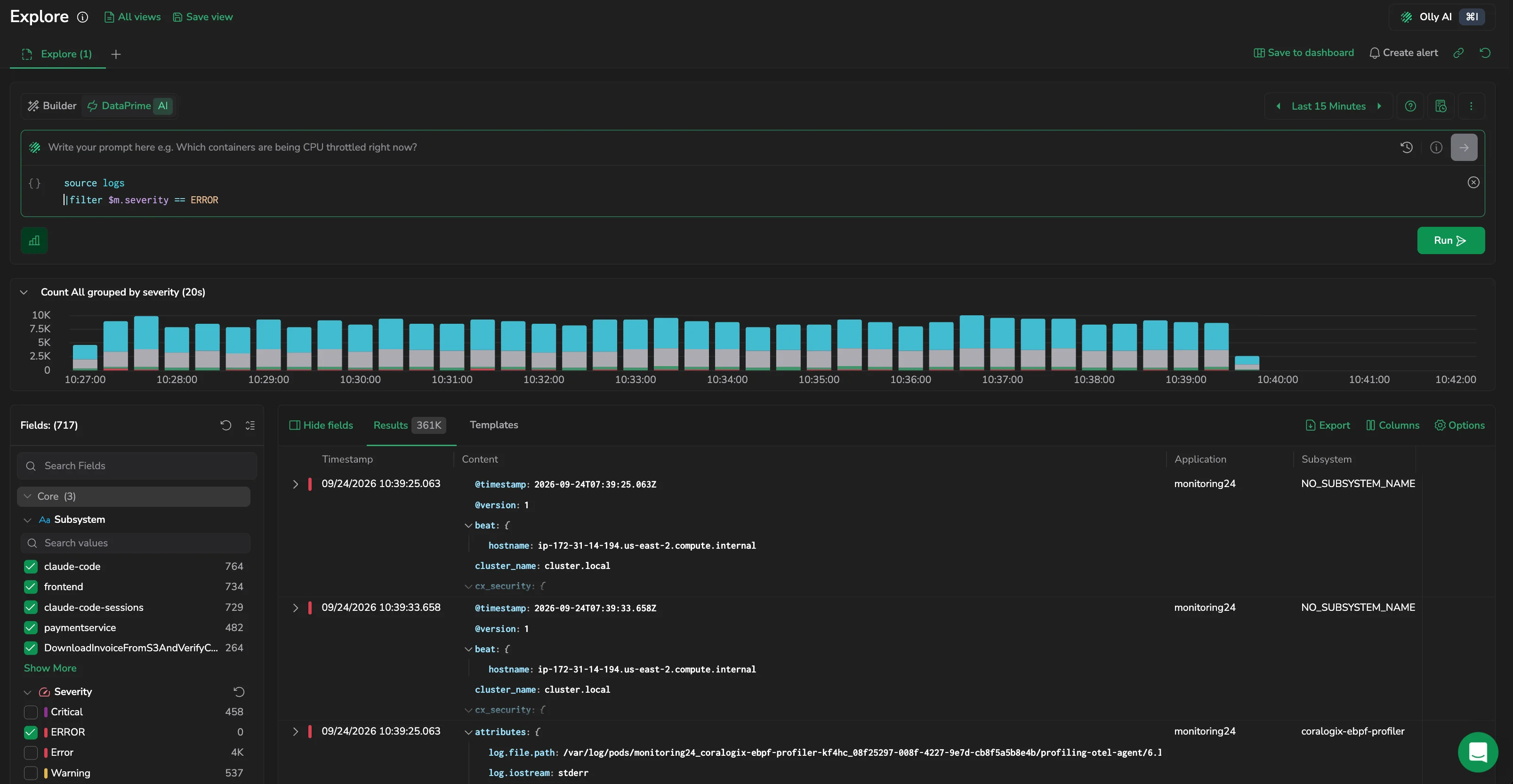
You switch to Templates. Thousands of log lines collapse into a handful of patterns, and one of them is new. It wasn’t there yesterday. You open its raw logs and expand one to read the full message. A phrase keeps coming up: upstream timeout, highlighted wherever it matches. You highlight just those two words and choose Add to filter. Explore matches them anywhere in the field, so you never have to write wildcard syntax.
A teammate joins the call. They don’t write DataPrime, and they don’t need to. In Builder they put together their own filters by picking fields and values, or with the Lucene syntax they already know, and they’re contributing within minutes.
See the pattern, not just the rows
Now you need to know whether the problem is spreading or contained.
You open Show distribution on region and watch it over time. The spike begins at 1:58 a.m. in one region only, so you apply that region to your main query and keep going.
A marker sits on the time axis just before the spike: yesterday’s release, tagged by Version Benchmark. Now the timeline has a suspect.
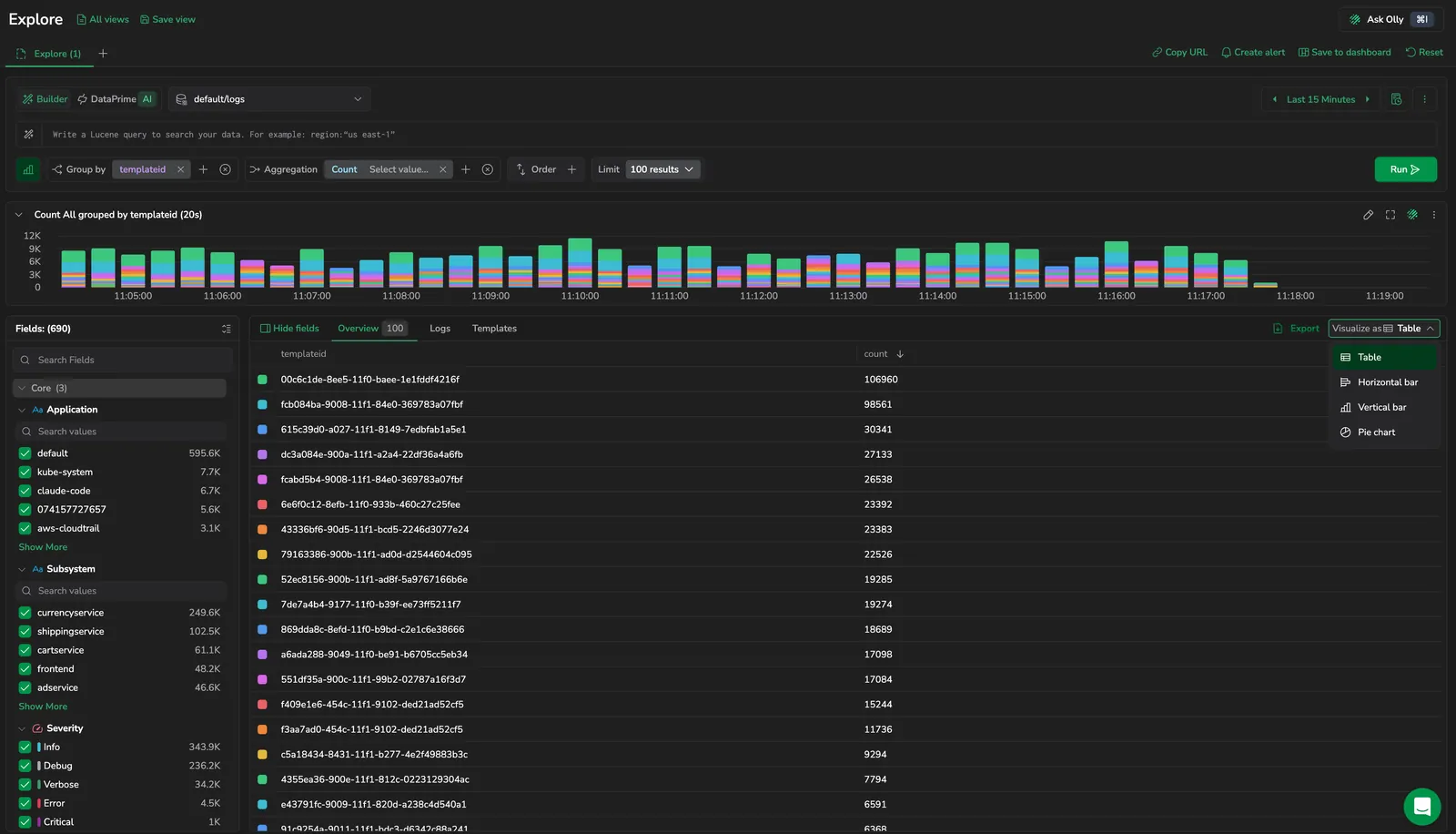
You switch to the Overview tab. Your same query is now a sortable, aggregated view showing the top contributors and how the load is distributed. Nothing had to be rebuilt. One endpoint, /checkout/confirm, accounts for most of the errors. On the chart over time, the trend is plain: it started small right after the release and grew steadily.
Follow it into the traces
Logs tell you that something is timing out. Traces tell you where.
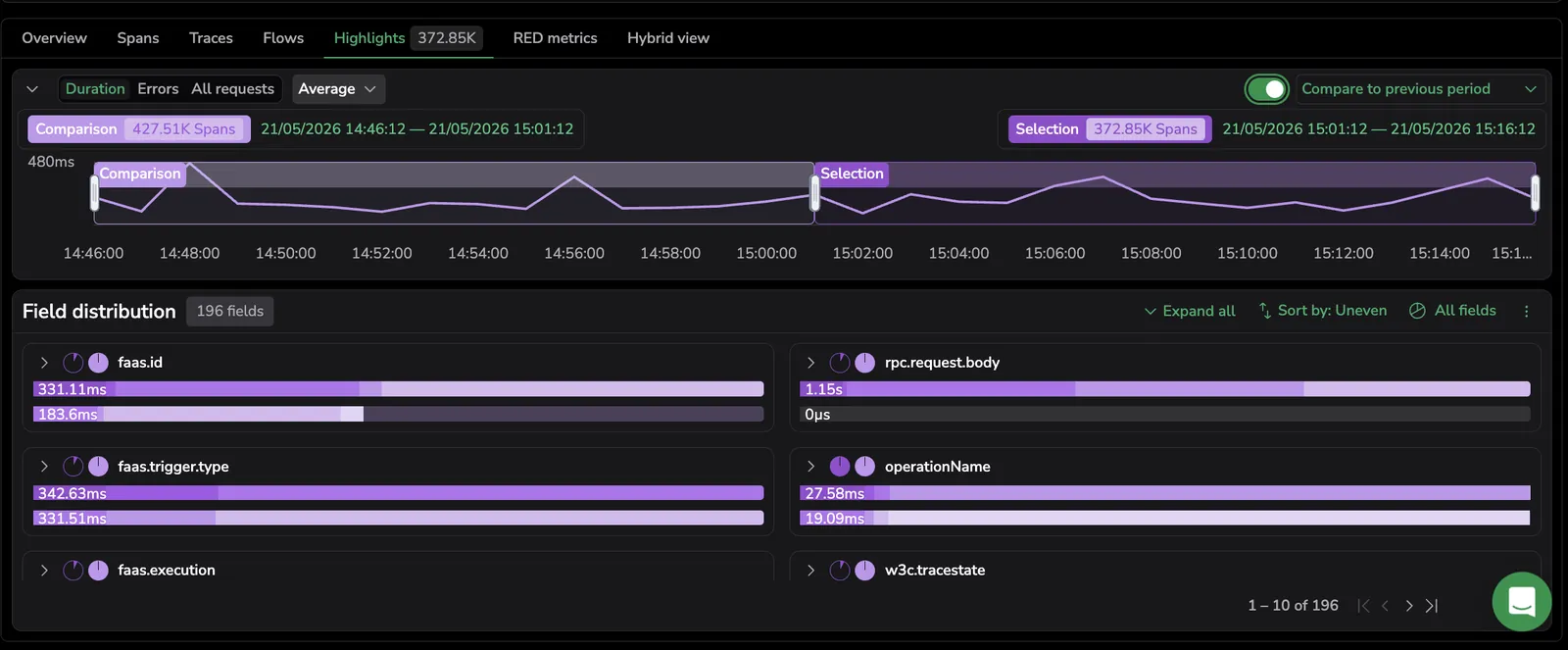
You switch the dataset to spans and keep the same workspace and time range. You filter to entry-service spans for payments-api and open Highlights with Compare to previous period. Explore ranks every field by how much it changed between the two windows. One downstream call is right at the top, and its latency has risen sharply since the release.
Widen the lens
Is this new? Did staging see it after yesterday’s deploy? Is it only your team’s service, or is the platform team seeing it too?
Before, each of those questions meant a separate investigation. Now you open a new tab, and your current one stays exactly as you left it. In the new tab you query the production and staging datasets together, across your team and the platform team, in a single query. Staging is clean, and so is the platform. The problem belongs to one service in one region.
Your tabs have become your workspace for the incident: the original error spike, the region breakdown and the cross-team comparison. Each tab keeps its own query, filters and layout, and you can move between them without losing your place.
Ask why
You have the evidence. Now you want a second opinion.
You select the five logs that tell the story best and add them to Olly’s context. Olly works from the exact logs you picked, and it points you to a connection-pool setting that changed in the last release.
Make sure it never surprises you again
It’s 2:41 a.m. Root cause found, rollback under way.
Before you sign off, you turn the query that found the problem into an alert, straight from your search, so next time you’ll know before your customers do. You save the view, with query, filters, columns and layout, for tomorrow’s post-mortem. Anyone who opens it sees exactly what you saw. You also save the query itself, because this is a check you’ll want to run again.
Twenty-seven minutes, one tool, and nothing rebuilt along the way.
That’s the point
No single button made those 27 minutes possible. What mattered was what happened between them. Every view fed the next, every click carried forward, and every answer was ready to share, save or alert on. Whether you write DataPrime, prefer Lucene, build visually or just describe what you need, you can start the way you like and stay in one place until you’re done.
There’s nothing to enable. Open Explore and start with a question.
Moving from Legacy Explore
Legacy Explore retires on December 15, 2026. For day-to-day work there’s nothing to do, because you’re moved over automatically. Select Try it now in Legacy Explore and your query and fields come with you. Saved legacy links open in the new Explore. Bookmarks, runbooks and scripts that build legacy links should be updated before the cutoff.