
Application Performance Monitoring (APM)
APM you can use without opening it. Ask Olly, run the Coralogix CLI, or connect your coding agent over MCP. Every service is watched, with no alert to write. No code change to your services.
14 days, all features, no credit card required.
What you get

If you write the code
Ask your coding agent whether the service you’re changing is healthy in production, before and after you ship. It can run the Coralogix CLI or ask Olly through MCP.

If you’re on call
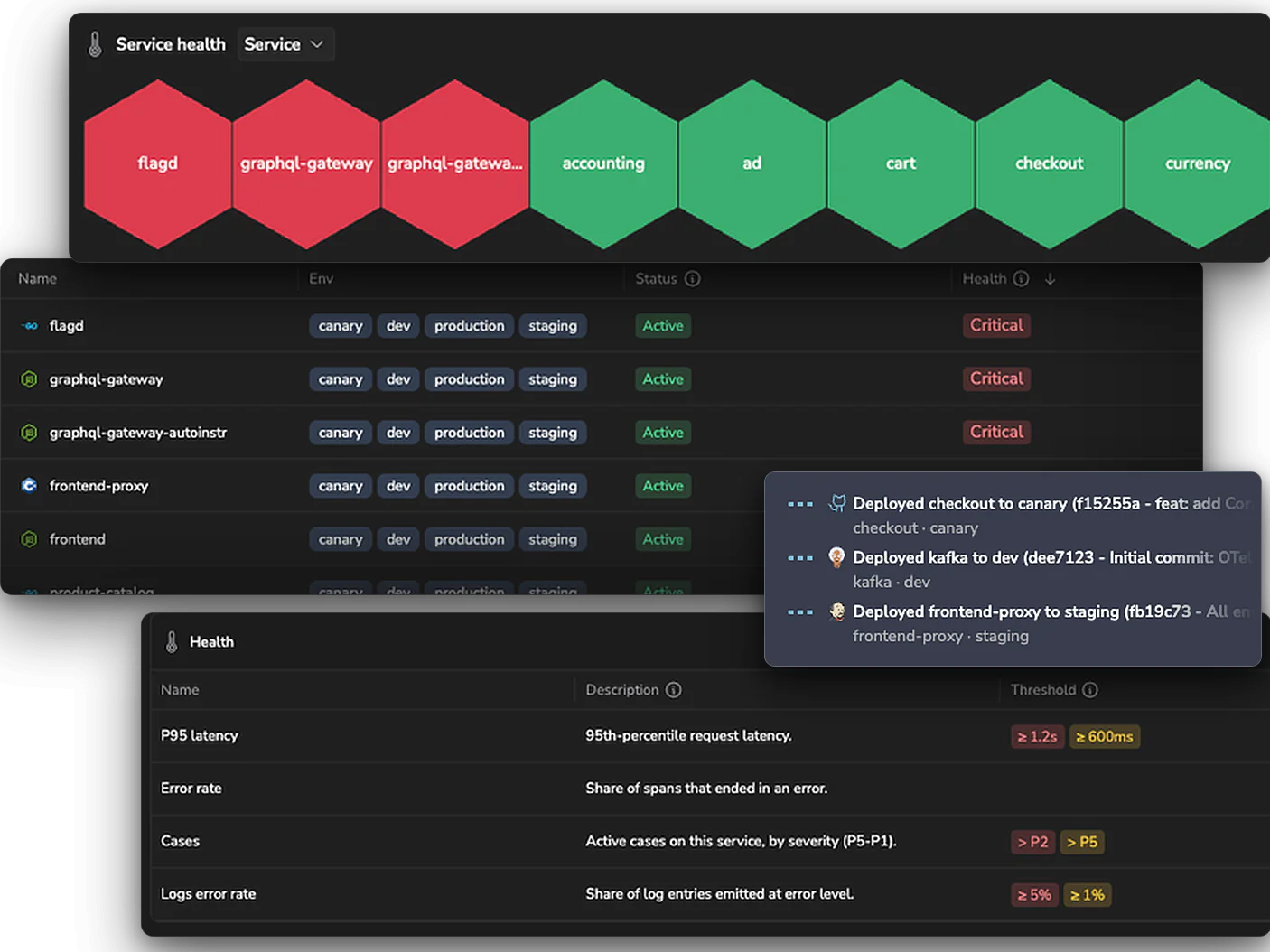
Every service reports its health. Open a critical one and select the Critical chip. It lists each breached policy with its threshold and current value, and a jump to that section.

If you run the team
See what your team owns, what has no owner, and which services are sending no traces or profiles.
 Services and databases, one catalog
Every service, one state.
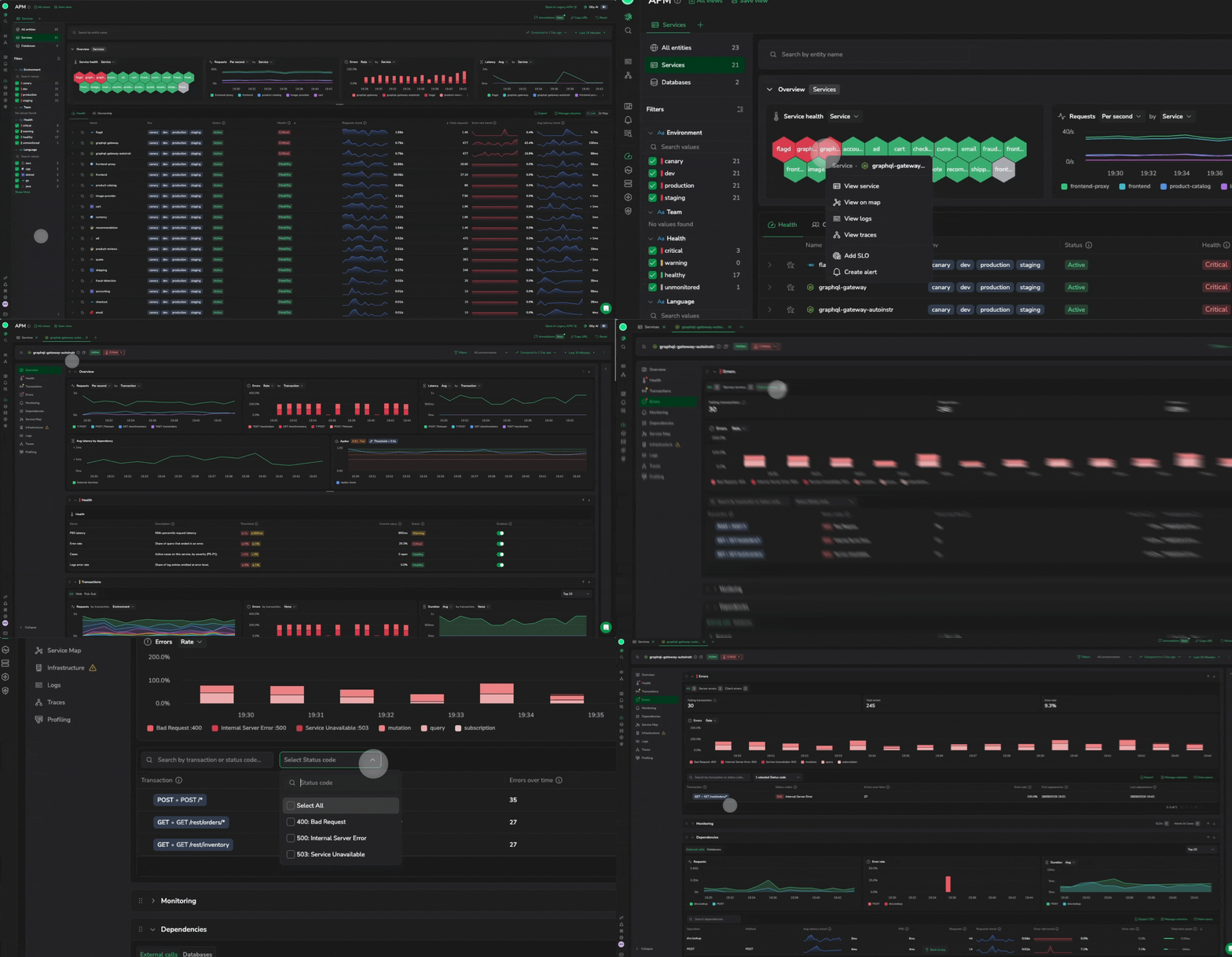
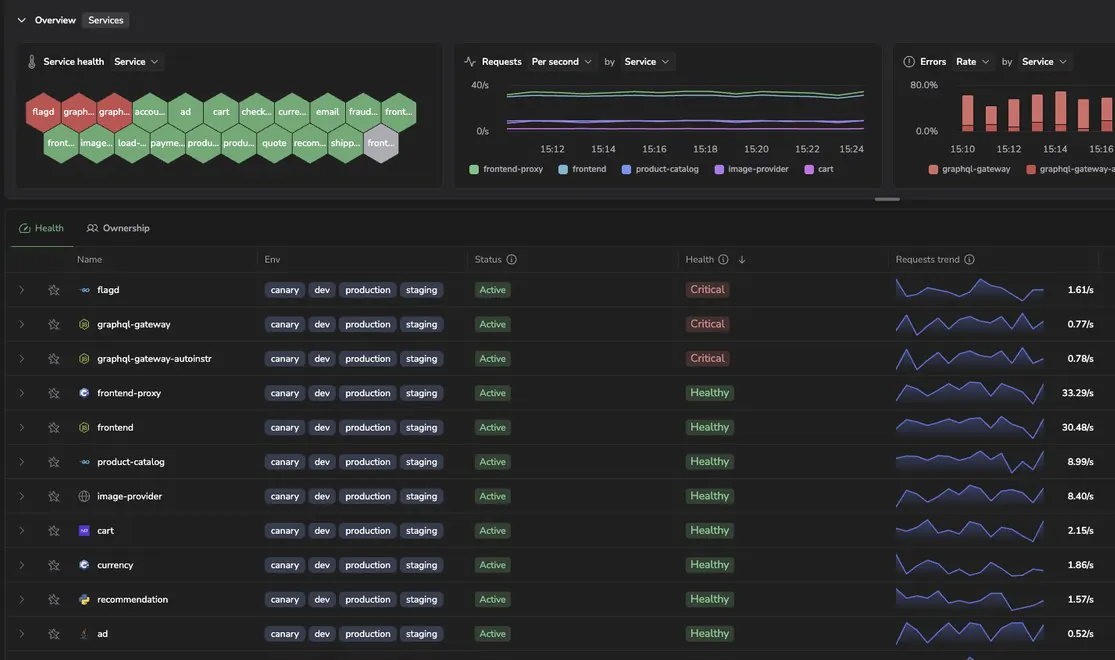
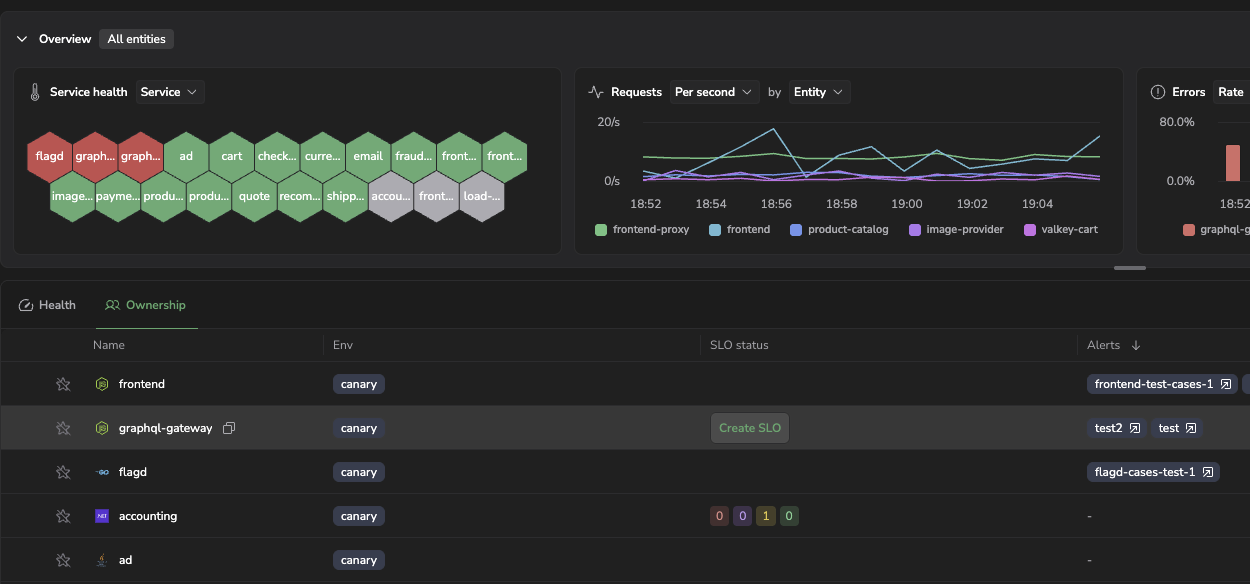
The catalog lists your services with their health, beside the databases they call. Open a service and the Health table names each breached policy, its threshold and the value that crossed it.
Trusted by the platform engineering team at Bank Jago

“Coralogix’s APM visualization is superior as it offers an easy drill down from the service catalog into problematic services and traces. Our developers love the built-in correlation to relevant logs as it gives them the details they need to troubleshoot.”
Read case studyof data ingested daily
of logs and traces kept in cloud storage
From a health state to the cause
Service catalog
The catalog, reimagined
Everything you could want under one hood, multiple identities. Services and databases sit in one catalog, and the hive above the table draws a hexagon for each service in view, colored by its health.
Olly, CLI and MCP
Built for your AI agent, too
Press Cmd+I on any APM page and Olly opens with that page as its context: the service, the tab, the time range. In a terminal, cx service-catalog lists your services with their health, RED metrics and dependencies. A coding agent connected to the Coralogix MCP server can pull the service dependency graph and ask Olly about any service.

Service health
Health you can tune
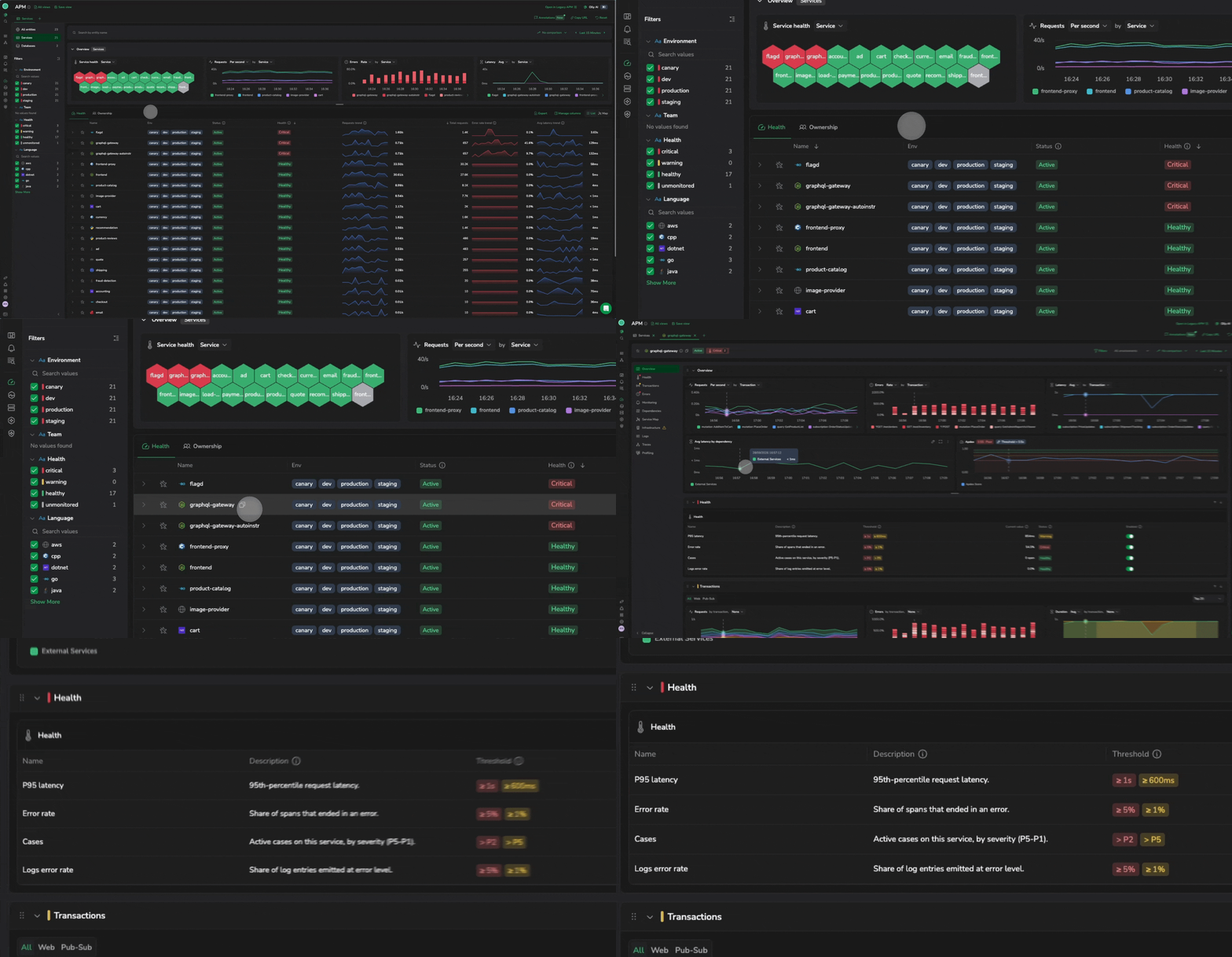
Coralogix predefines four health policies for every service: latency, error rate, cases and log errors. Nobody has to write an alert for a service to be watched. Tune any policy on the service’s Health tab. Each has a warning and a critical threshold, and one Critical breach makes the whole service Critical.
Deployment markers
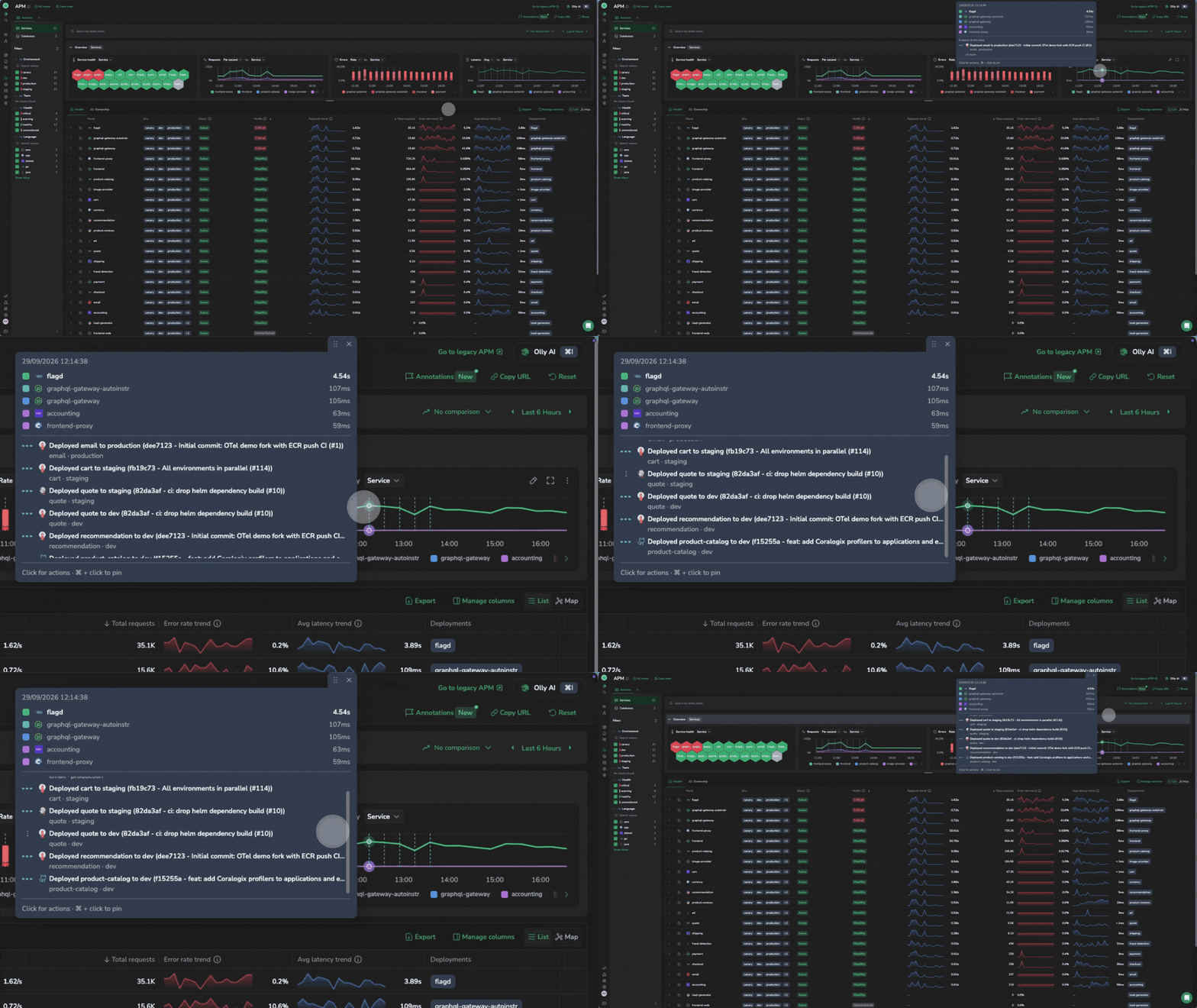
Was it the deploy?
Send deployment events from your CD pipeline and each one appears as a marker on the service’s charts, so you can see whether a spike in errors or latency starts at a release. Custom events, such as a feature-flag change or a marketing campaign launch, appear on the same timeline.
Transactions
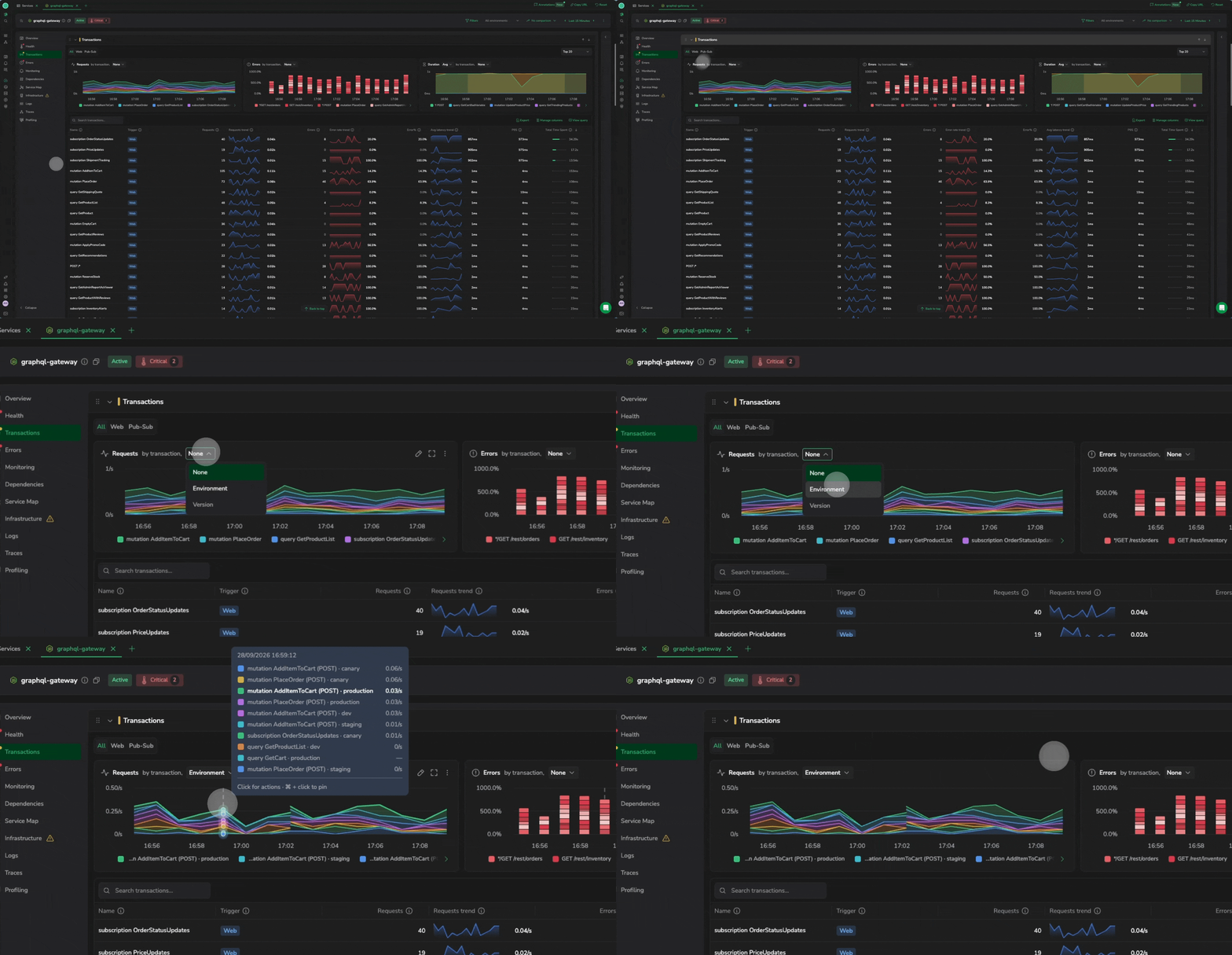
Grouped by version or environment
The Transactions tab splits requests, errors and duration by transaction. Add version or environment as a second dimension and turn on Compare to, so yesterday sits beside today. A spike confined to one version points at a release. A spike across every version points at a shared cause, such as a dependency or a capacity limit.
Dependencies
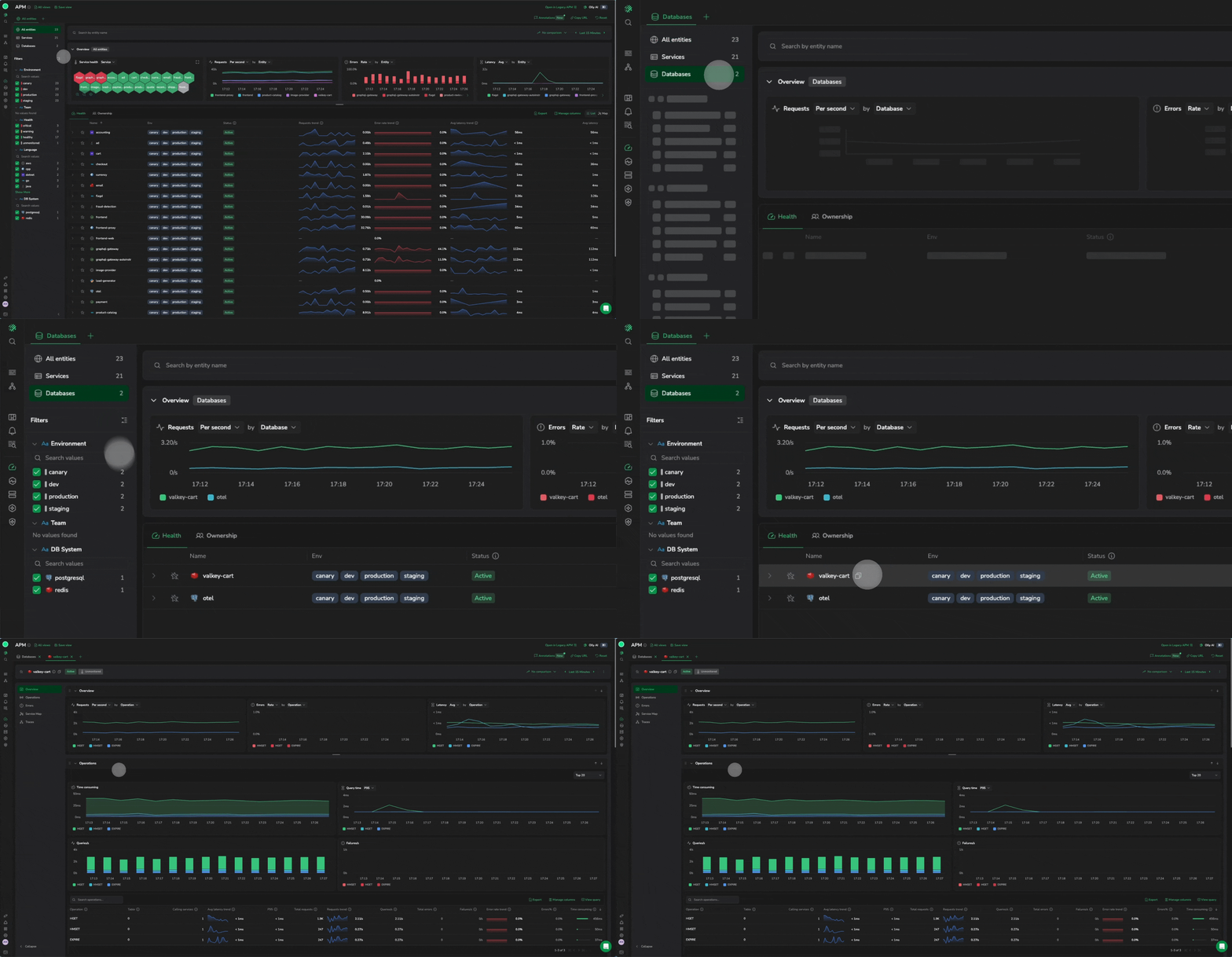
Databases in the same catalog
Dependencies carries the investigation past the service’s own code to the external calls and databases it talks to, each with its own latency. Select a database and it opens as its own page, with its operations, errors and traces. There is no database agent to install.
Saved views
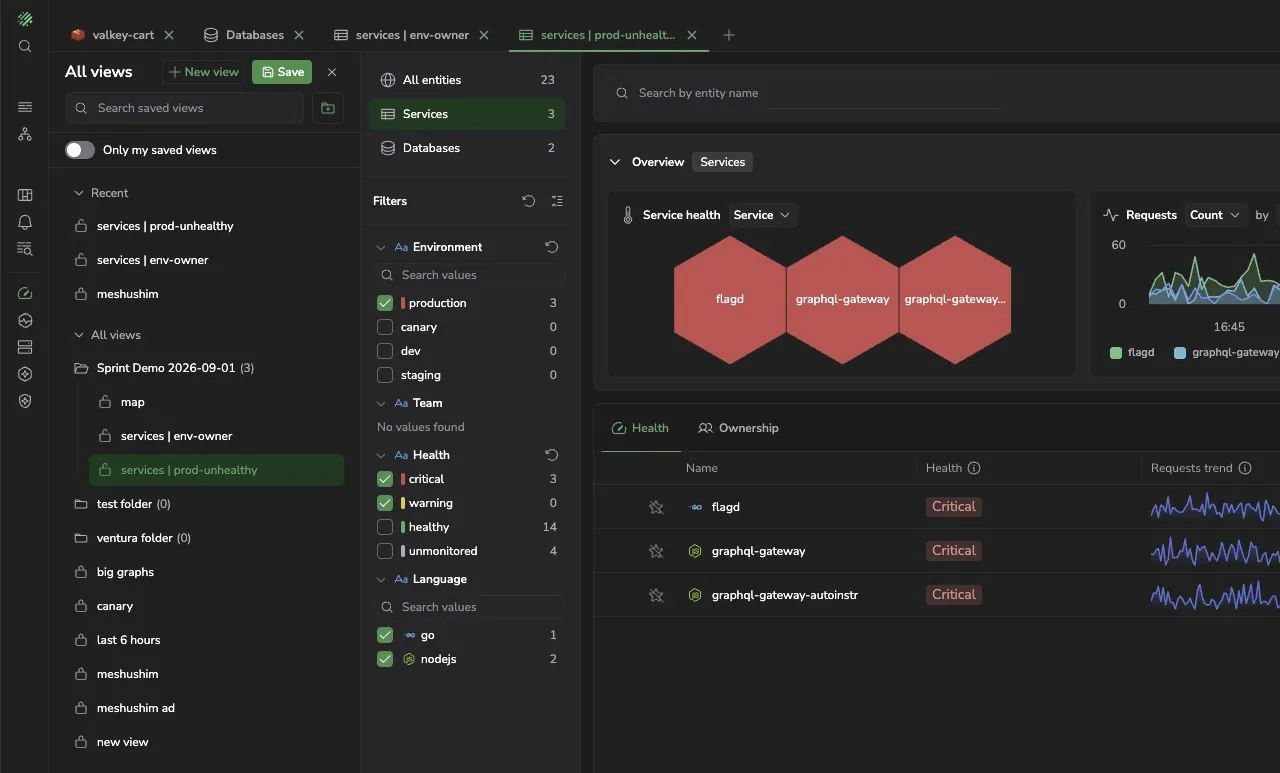
The investigation you set up once
A saved view keeps the scope, filters, columns and comparison exactly as you left them. Save it, organize it in a folder, and share it by URL. The next person paged opens the investigation instead of rebuilding it.
Ownership
See what nobody owns
The Ownership view shows which services have an open alert or case, which have an SLO worth checking, and what your team owns versus what has no owner at all. Signal chips show whether traces, profiling and infrastructure are reporting for each service.
Map view
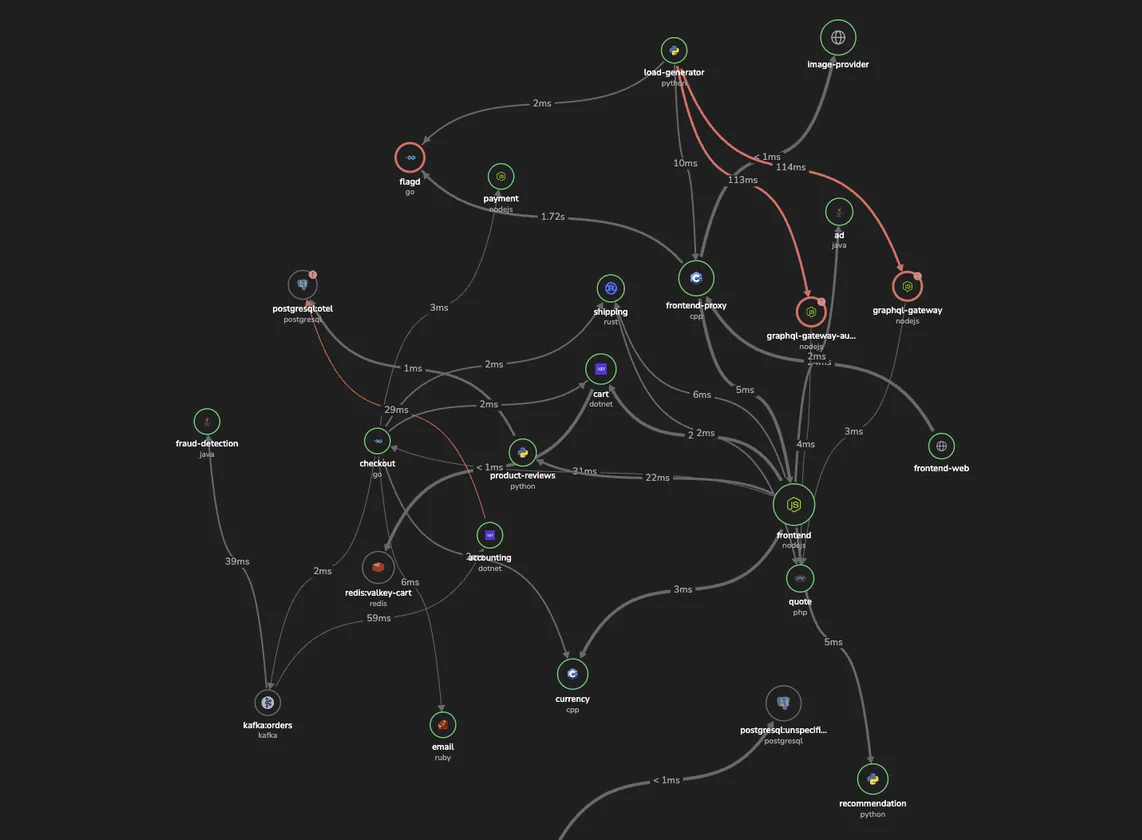
The whole system as a map
The Map view draws every service and database and the calls between them, with health on each service. Export it as PNG or JSON.
Turn it on
If you use Span Metrics with the Coralogix OpenTelemetry integration v0.0.230 or later, compact span metrics are already on, sent alongside your span metrics. On an earlier version, upgrade the integration. Read the guide
The same integration sends compact span metrics for the databases your services query, from the OpenTelemetry database attributes on their spans. Read the guide
The current APM screens stay available from a link in the header. An account sending compact span metrics from only one side, services or databases, keeps those screens until both do. See the service catalog
Also in Coralogix APM
CPU profiles beside the traces and logs of the same service, in the Profiling tab of its drilldown. Learn more
Objectives on the same services, with their status beside each one in the Ownership view. Learn more
Operations, errors and traces per database, with the services that call it. Learn more
Functions, triggers and executions, correlated with the services that call them. Learn more
Coralogix APM
See what is behind
a slow service
The new APM experience reads compact span metrics from your services and databases. Start with the setup guide.
Critical, Warning, Healthy, Unmonitored
Olly, the Coralogix CLI and MCP
No new SDK and no database agent
