

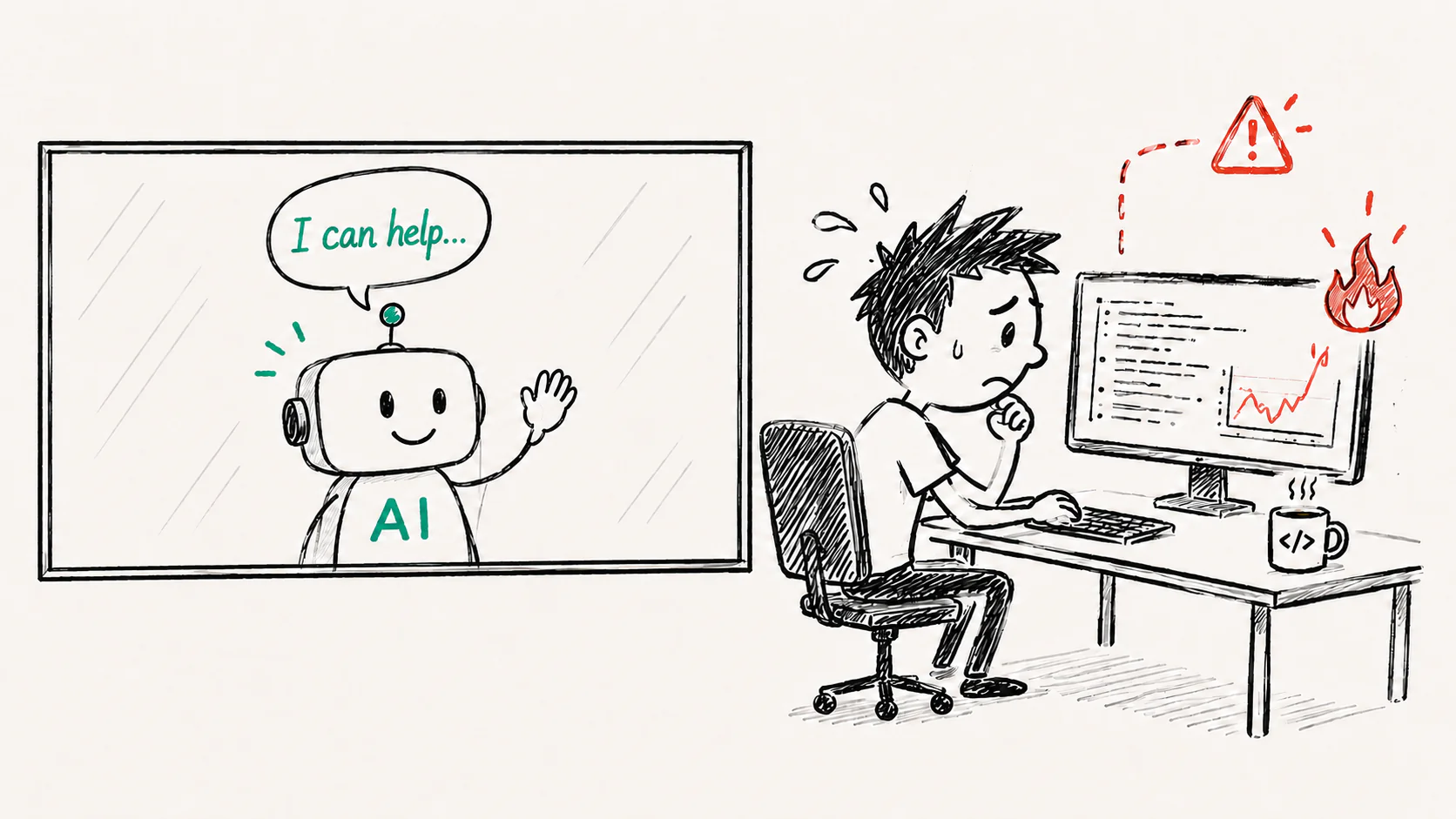
Debug Production at the Speed of AI

Your coding agent can debug production issues now.

Yes…

Not just “help you debug.”

Actually run the investigation… FOR YOU!

In this new era of agentic development, speed matters.

And in the old days (you know… last week or so) we used to investigate production bugs ourselves.

Manually.

Like humans.

But for a lot of incidents, we don’t need to do all of that anymore.

Now you can just ask Claude (or any other coding agent) to investigate directly in Coralogix: logs, metrics, distributed traces, RUM and infrastructure data.

It follows the evidence and comes back with a likely root cause… fast.

The Future Is Here… Like, Now

Here’s how you do it…

1. Install

just tell your agent :

>install coralogix.com/docs/cli

And that’s basically it.

Your agent handles the installation and guides you through the sign-in.


2. Test drive it quickly

>What needs my attention in coralogix?

…and see what it says.

it will show you a summary of the most urgent things that require your attention in Coralogix.


3. When something actually breaks

You don’t dig — you ask:

>Investigate why POST /api/checkout is returning 503 errors.

And off it goes. 

It then comes back with a full analysis.

If the issue is in your repository, it shows you the code that likely needs to change.

And with the right repository access, it can even draft the fix and open a PR for you to review.

Coralogix provides the coding agent the missing production context it needs.

Put them together, and the debugging loop is finally connected.

That’s the short version.

But if you’re curious about what the agent is actually doing, let’s go…

Behind The Scenes

To see why this matters, let’s replay how we used to handle that same production alert.

Slack interrupts.

!
#alerts now
#alerts
checkout failures 12% (threshold: 2%)

Cool.

Cool cool cool.

You stop what you’re doing.

Open Coralogix, and start browsing around.

First you check RUM (Real User Monitoring). 

It shows that the failures are coming from the checkout page – and that POST/api/checkout is returning 500.
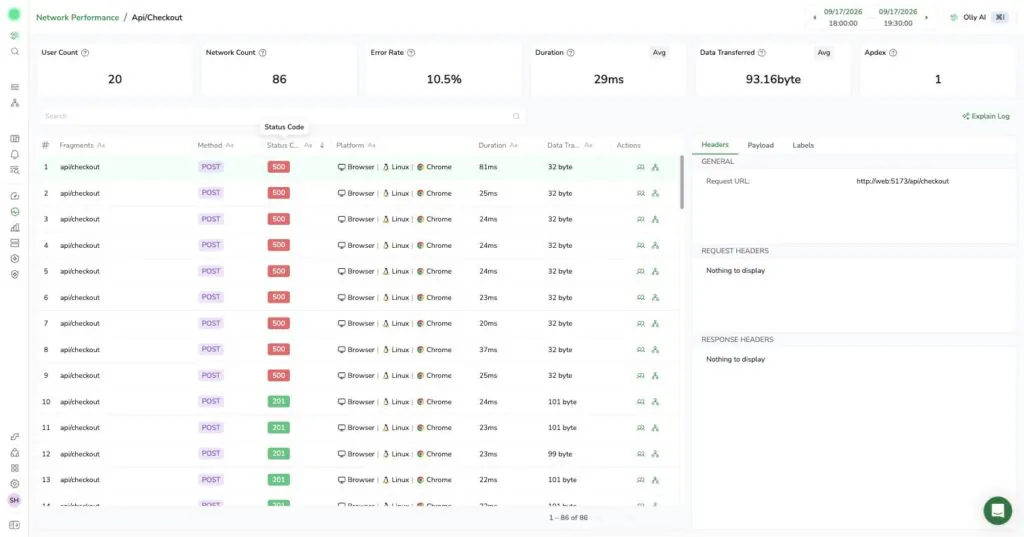
But what exactly is causing that?

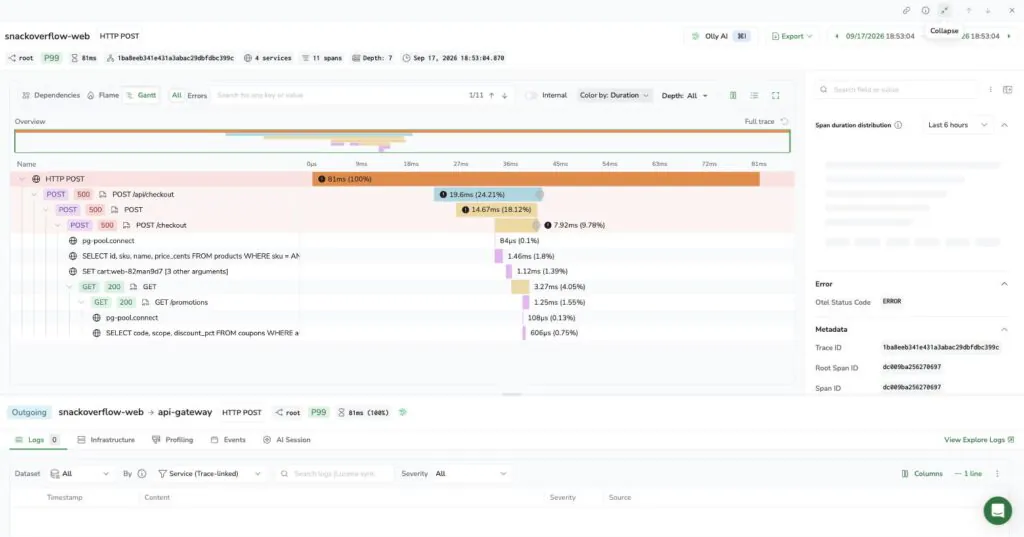
You move to traces.

You follow the breadcrumbs, Hansel and Gretel style, to see where the error originated.

Oops…. checkout-service is lit up red.

You filter for failed spans in the last 30 minutes.

🔍 service.name:checkout-service AND status:error

A handful come back..

Every one of them shows the same shape: checkout-service is red, but the call it makes to promotions-service comes back a clean green 200.
One more stop before logs: APM.

Service Catalog → checkout-service. Health: Critical. Error rate and P95 latency both spiking, right in step with the alert.
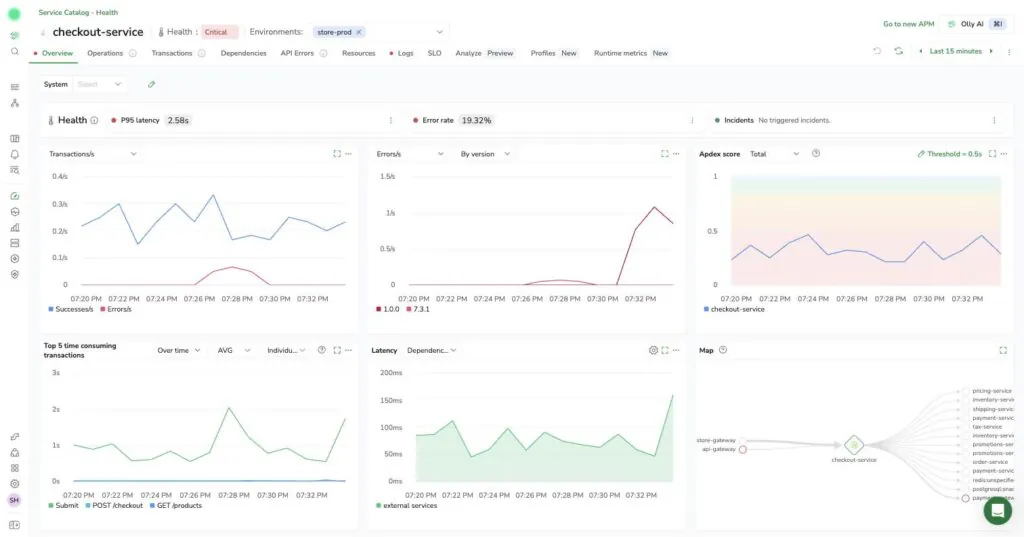
Right there on the service page: a Logs tab. One click from APM straight into this service’s logs.

Now you need logs to confirm it.

Switch tab.

New query.

🔍 kubernetes.pod_name:checkout-service* AND severity:ERROR

Too noisy.

You narrow it to the trace ID from the span you just found.

There it is.
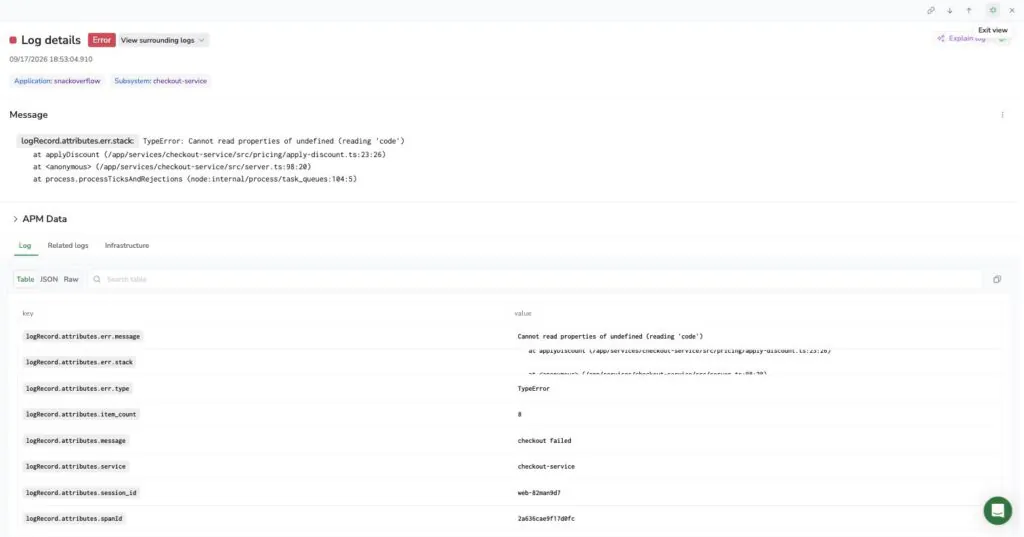
ERROR TypeError: Cannot read properties of undefined (reading ‘code’)

Good. But is this new, or has this been happening quietly for a while?

Switch to metrics.

Chart the error rate over the last 6 hours.

There’s a clear step change.

And it begins the moment a promo coupon quietly expired.
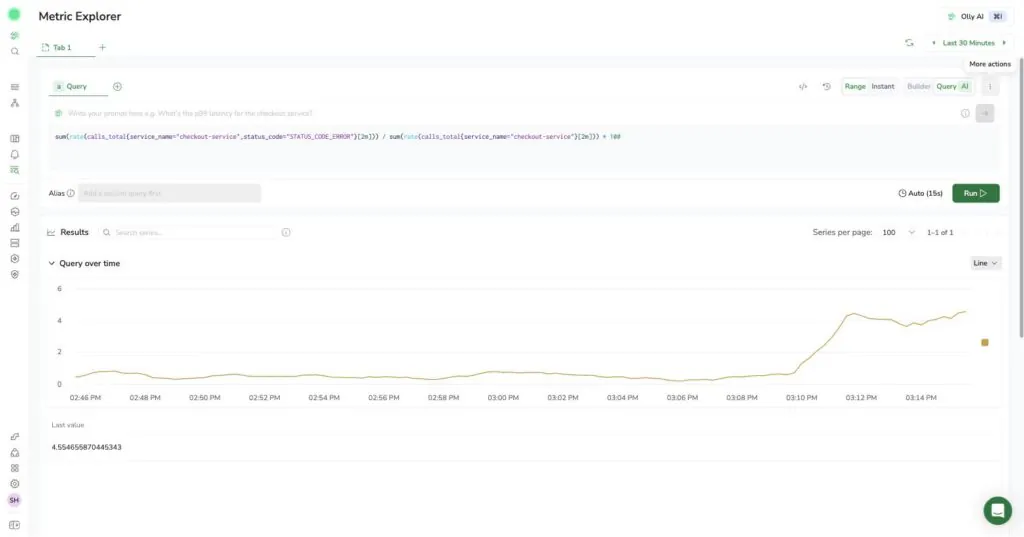
One more tab.

Infra, just to rule out a noisy-neighbor node problem.

Nope. It’s clean.
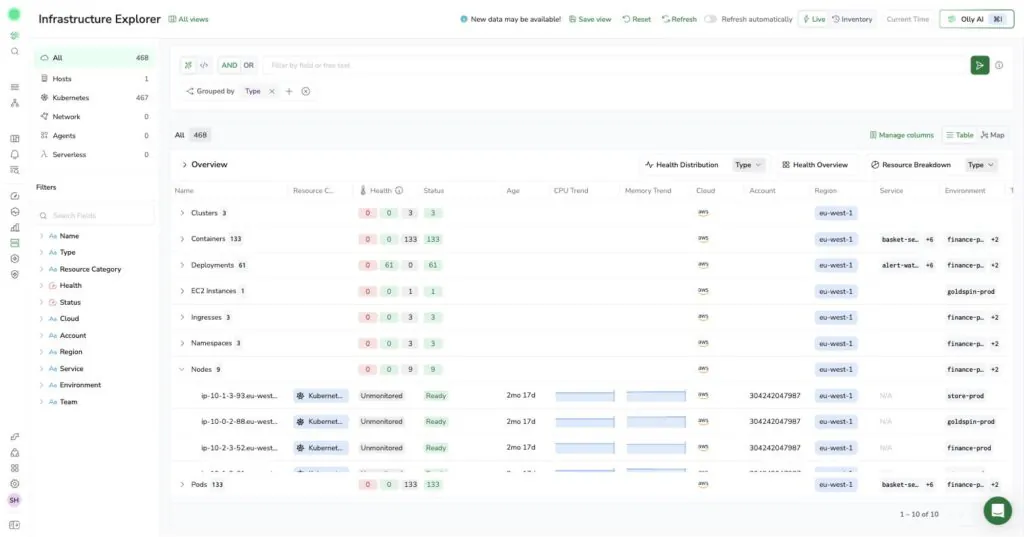
So: a downstream call that actually succeeded, clean infrastructure, and a spike that begins exactly when a coupon expires.

Maybe it is your code after all.

Six views.

Six separate mental models to hold at once.

Now copy the trace ID.

Copy the log line.

Copy the chart, or at least describe it well enough to be believed.

Switch back to the coding agent.

Paste.

Explain again the entire context

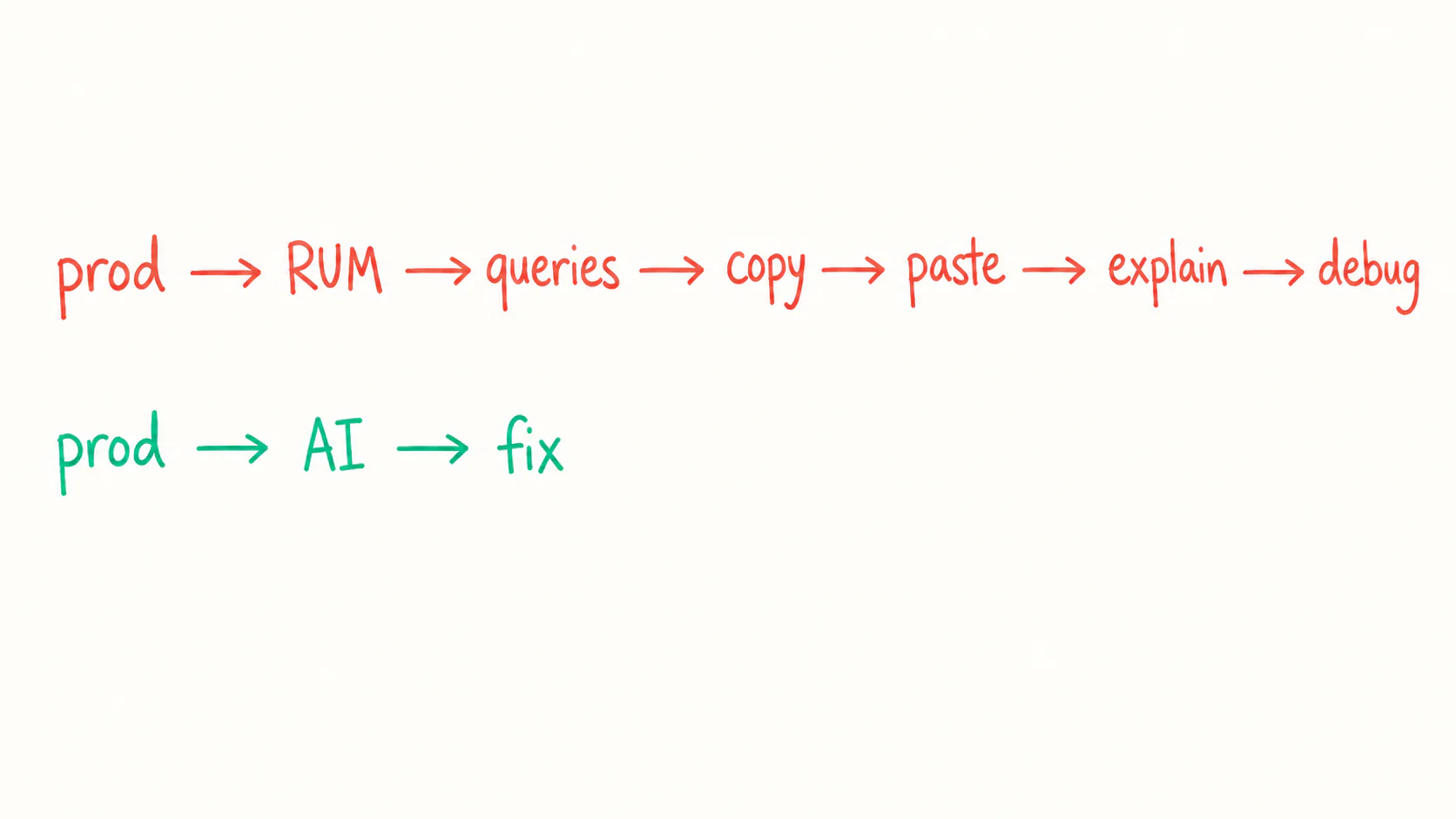
Basically, everything you just spent 15, 30-sometimes 60-minutes finding…

Then, finally, Claude helps you inspect the code.

And there it is: apply-discount.ts assumed promotions would always return a matching campaign — once SUMMER24 expired, that assumption broke for every basket over $50.

Congratulations!

You did almost the entire investigation yourself… like it’s 2025 all over again 🙂

This Is What The Agent Does Now

Now replay the same incident with the Coralogix CLI connected.

You paste the alert:

>Investigate why checkout failures jumped to 12%.

The agent checks RUM, follows the trace, narrows the logs using the trace ID, checks whether the spike lines up with a deploy, a config change, or a campaign expiring, and rules out infrastructure.

Then it comes back with:

●Root cause: An expired promo coupon left apply-discount.ts reading an empty discounts array as a guaranteed match — the unguarded lookup threw for every basket over $50. Want me to add the missing guard and draft a PR?

Much easier right?


And if it really had been payment-gateway?

Same investigation, different ending: a ready-to-send Slack message with the trace ID, impact, and evidence for the Payments team.

And because the CLI can query archived telemetry, the agent can also check whether today’s “new” failure has happened before.
AI
agent now
Payment-service: elevated error rate
Trace a3f9e2d1 · 8% of checkouts failing since 14:12 UTC. Timeout confirmed on the card network sandbox — sent to @payments-team.

Hard To Go Back

The funny thing is, after you do this a couple of times, it’s hard to go back to the old workflow.

Not because the Coralogix UI is unnecessary. Sometimes you do want to explore the data yourself.

But now that the agent can look for itself, why spend all that time collecting evidence before it can start helping?

Humans aren’t leaving production debugging.

We’re just finally getting a better role in it.

Less searching, copying, and re-explaining.

More reviewing the proposed fix, making the call, and moving on.

That makes us waaaaay more efficient.

And when an entire engineering team works that way?

Things get fixed faster, customers are happier and the company does better.

Now It’s Your Turn

You don’t need to wait for production to catch fire.

Start small.

Tell your coding agent:

>Install coralogix.com/docs/cli

Once it’s connected, ask one simple question:

>What were the most common errors in production during the last hour?

Watch what it queries. Check the answer. Ask a follow-up.

That’s it.

Get used to the idea that your agent can look at production for itself.

Then, when the next 503 arrives, you won’t start with five different views.

You’ll instead start…  with a prompt.

The Untapped Power of Key Marketing Metrics

Marketing and Site Reliability teams rarely meet in most organizations. It’s especially rare outside the context of product marketing sessions or content creation. With observability now pivotal to success, we should be looking to bring the two together for technical and commercial gains.

In this piece, we’re going to explore the meaning of observability and its relevance to marketing metrics. We’ll cover which metrics you might want to observe, and how you might look to drive revenue through technical measurements and key marketing metrics.

Observability and Key Marketing Metrics

Without covering the topic of observability in its totality, we can say that observability is deep insight and overall visibility of distributed systems and applications. Monitoring is essentially data collection, and observability is the ability to use that to produce contextual insights and analysis.

What Does This Have To Do With Marketing?

There are a whole host of key marketing metrics that are collected by organizations in data aggregation tools like Tableau. These measurements include things like click rate, monthly traffic numbers, conversion rate, and time spent on page. 

With the principles of observability in mind, these different data points can be monitored and aggregated to provide insights. With key marketing metrics stored within your observability platform, you can understand what is and isn’t working for users based on otherwise siloed metrics.

What Do Technical Measurements Bring to Marketing?

Correlating technical measurements with marketing metrics can reveal problems on your site or platform. In this section, we’ll discuss a few scenarios which show the benefit of viewing technical or business measurements with added context from your key marketing metrics. 

Scenario 1: Poor Conversion

Picture this: you are the WebOps lead for a growing eCommerce business with high and growing numbers of web traffic week-on-week. While your traffic numbers are high and click-through rates remain strong, your conversion rates are much lower than projected. Conversion rates remain one of the key marketing metrics in eCommerce. 

Business teams often focus on traditional causes for low conversion (shipping fees, load times, etc.). By comparing conversion rates with technical measurements you can uncover the true root cause. 

With data pulled from Tableau (aggregating all of your marketing metrics) alongside your platform latency times and error logs for your payment solutions provider, you can see that the low conversion is easily attributable to slow checkout load times and failure to authorize a secure connection to your payments platform. 

Scenario 2: Low Engagement 

Engagement with your website or platform may be indicated in different ways. Clicking on content, downloading resources, or opening an application can all show that users or potential customers are engaging with your platform or product.

Bounce Rate is a key marketing metric that is a good indicator of engagement, showing the number of single-page sessions. The higher the bounce rate, the less users are exploring your site or platform. 

If you’re confident in your content, looking at technical measurements together with marketing metrics can help indicate what’s going wrong. For example, if you have a high bounce rate on a page that links to other parts of your platform. Comparing which pages have a high bounce rate with benchmark reports could alert you to errors or UI problems caused by recent changes. 

In this way, marketing metrics can act as a diagnostic tool for deeper technical problems, which otherwise may have been caught much later.

Mixing Technical Measurements and Marketing Metrics for Revenue Growth

In addition to using marketing and technical metrics for issue diagnosis, the same principles can be applied to grow revenue.

Data relating to page depth shows how much traffic to your site is distributed amongst different pages. While closely tied to bounce rate, page depth focuses more on time spent moving between different pages.

This marketing metric is great for understanding which of your pages are the most attractive to site visitors, and which are successful in pushing them to another part of the site. Serverside errors are some of the biggest technical blockers in achieving higher page depth.

By analyzing the correlation between purchases, bounce rate, and page depth, you can optimize your site for increased revenue. For example, if you have a landing page that generates high page depth, consider linking this to a product page or payment gateway. 

Summary

One of the best things about observability is that it provides an open foundation for further exploration.

By combining marketing metrics and technical measurements in one observability platform, you turn your site users into diagnostic tools. In a world where numerous releases per day are common for the modern enterprise, this is invaluable. 

On top of that, the cross-pollination of marketing and technical data may allow you to boost your revenue. From a ‘single pane of glass view’, you can see what pages work for you, why they work the best (serverside performance), and what that translates to in terms of revenue.

Coralogix is now working to enable this kind of cross-organization observability. It will provide the ability for collaboration between technical and marketing teams in a way that hasn’t been seen before. As always with observability, with the right platform helping you understand your data, anything is possible.
