

SLOs revamped: build them without PromQL, watch them over a single day, and ask Olly how they're doing
The SLO Center now builds SLO queries from a metric picker, evaluates over a rolling 1-day window, and answers questions through Olly.
Coralogix Team5 min read

An SLO turns reliability into a number your whole organization can act on: a target, an error budget, and a clear signal when a service is spending that budget too fast. This release makes every part of that loop easier. You define the SLI by picking a metric, watch it over the last 24 hours or the last 28 days, tune the target as you learn the service, and ask Olly which SLOs need attention.
What you can do now
| Capability | What it does | Try it |
|---|---|---|
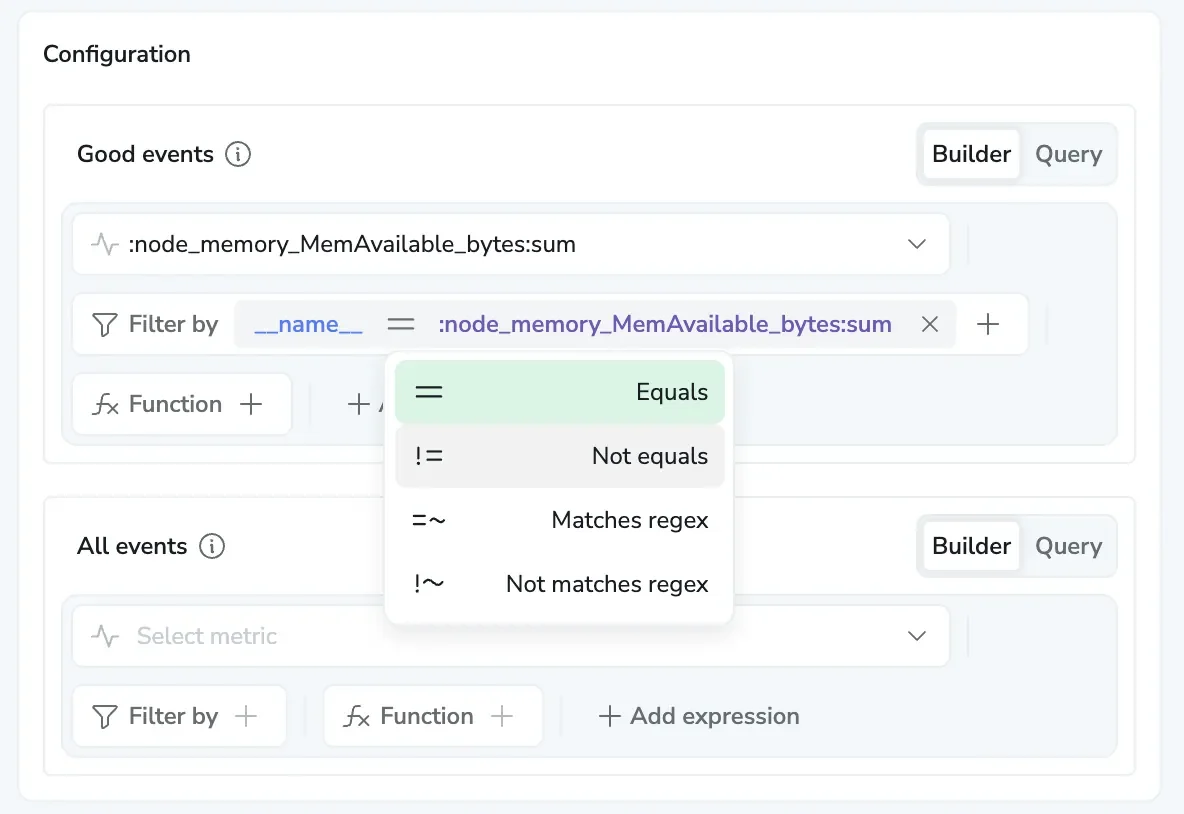
| Metric Explorer builder | Builds the queries of any custom SLO from a metric, filters, and functions: good events and all events for an event-based SLO, or the single query of a time window-based one. Switch to Query to see or edit the PromQL. | Pick http_requests_total, filter status_code to 2.., and sum by service_name |
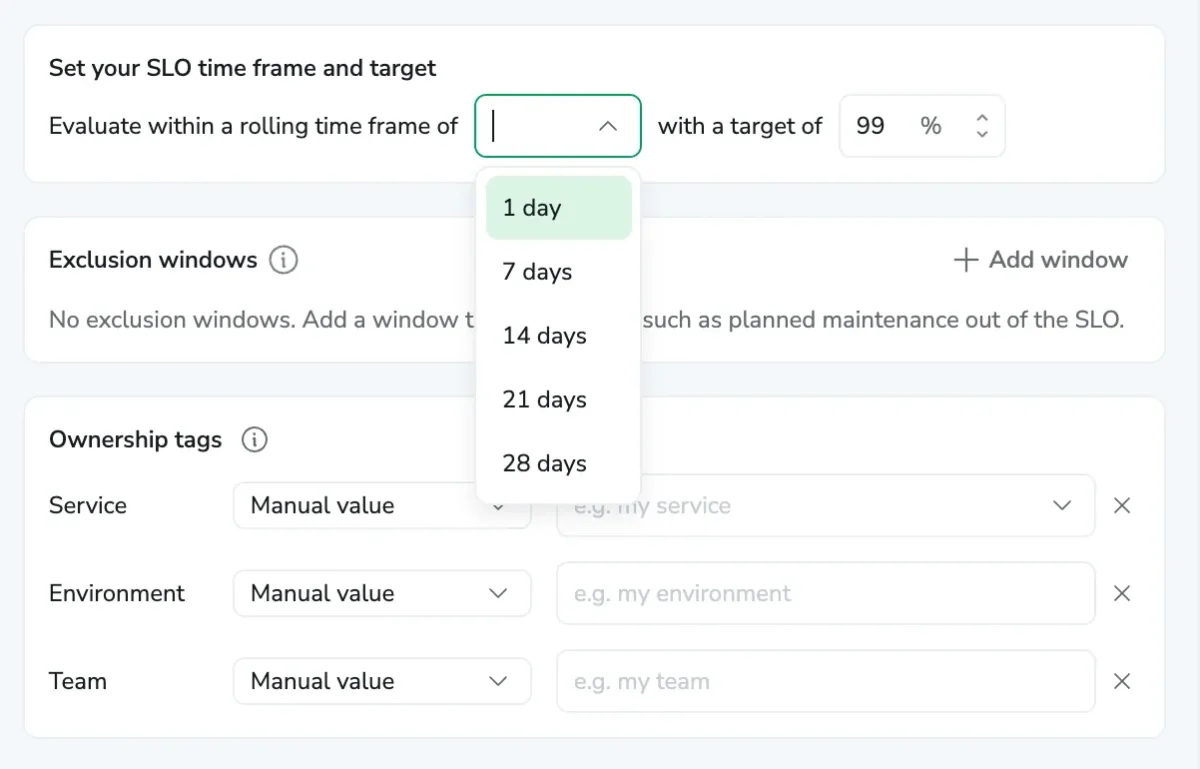
| 1-day time frame | Evaluates compliance, error budget, and status over the trailing 24 hours, next to the 7, 14, 21, and 28-day options | Set a checkout SLO to 1 day for the week of a major release |
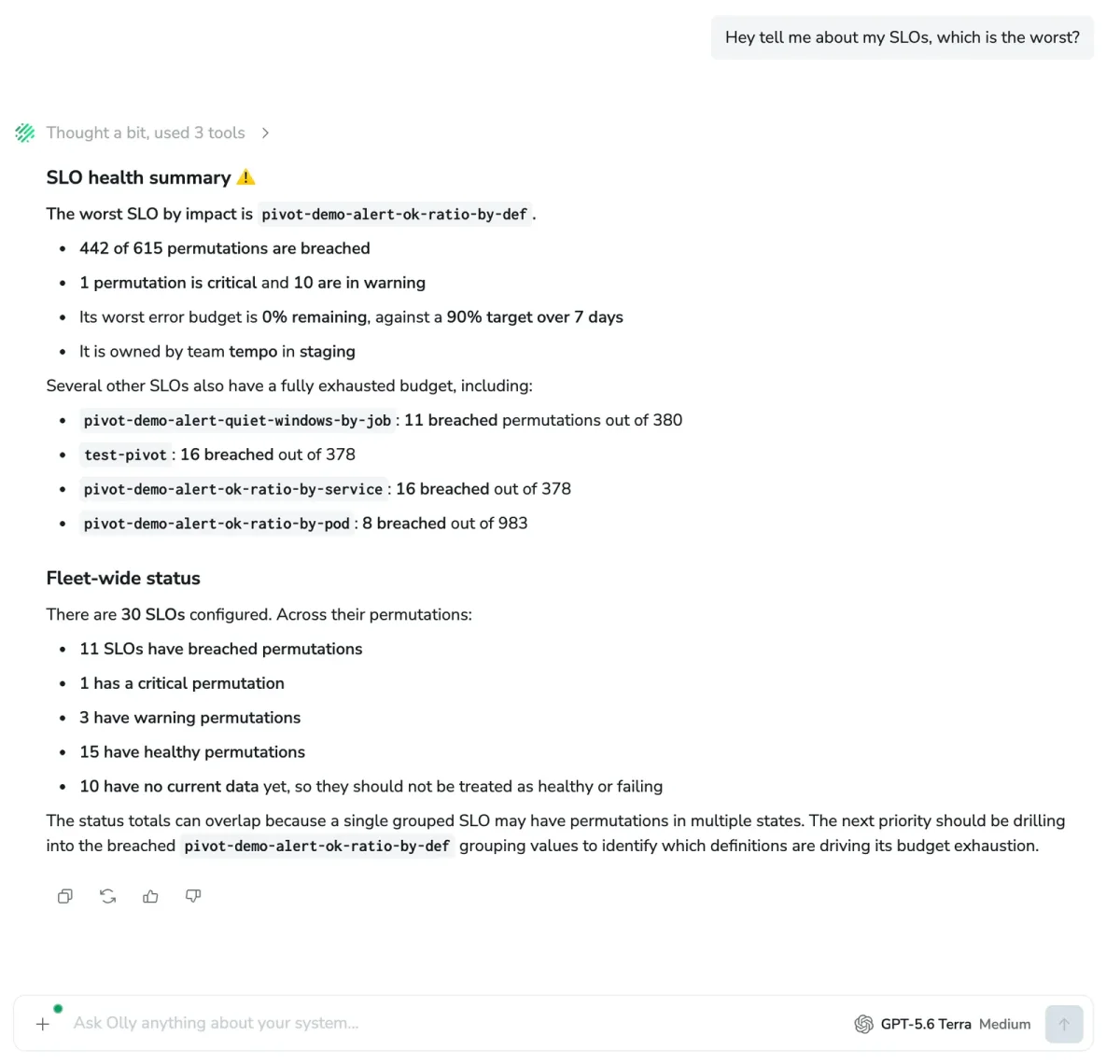
| Ask Olly about your SLOs | Answers SLO questions in chat, across SLOs, permutations, and windows of up to 28 days. Read-only. | Ask which SLOs are out of compliance and which have the least budget left |
Building and watching SLOs
The builder, for an SLO in minutes
An event-based SLO is a ratio: good events over all events. A time window-based SLO checks one query against a threshold. Every one of those queries now has a Builder / Query toggle. In Builder, you pick a metric, narrow it with Filter by (equals, not equals, or a regex match), and add a function such as a sum by service_name. Coralogix generates the PromQL, and Query shows it whenever you want to check or refine it.
Teams that live in PromQL keep full control, and everyone else can define an SLI without learning it first. Existing SLOs keep their queries as they are.
A 1-day time frame, for the view right after a release
Different questions need different lenses. A 28-day window is the right one for a quarterly reliability report. The new 1 day option is the right one for the morning after a deploy: it evaluates compliance, error budget, and status over the trailing 24 hours, with the same rolling logic as the longer windows.
Pick it where a short regression matters. For low-traffic services, a time window-based SLO gives a steadier read over short windows.
Asking instead of looking
Olly's SLO skill, for the people who want the answer, not the dashboard
Olly can now read your SLOs. It loads its slos skill whenever a question is about SLOs, error budgets, or burn rates, or you can call it with /slos. It works across SLOs and their permutations, over each SLO's own time frame or any window up to 28 days.
| Question | What Olly does |
|---|---|
| Which SLOs are out of compliance, and which have the least budget left? | Counts SLOs by status, then lists the worst first, with their owners |
| How has the checkout SLO performed over the last hour? | Reads a short recent window to show how the service is doing right now |
| The checkout SLO's burn-rate alert fired. Why is it burning budget? | Finds the worst permutations, then follows the SLI into metrics, traces, and logs |
How much budget does the checkout SLO have left for customer acme-corp? | Reads that one grouping value instead of the worst permutation |
| Would the checkout SLO meet a 99.9% target over the last 28 days? | Scores the SLO against the other target without changing it |
The skill is read-only: Olly reports on SLOs and their alerts, and you keep defining and changing them in the SLO Center or your infrastructure as code.
One SLO for every customer, reviewed once a month
In a recent SLO training, a platform team that runs a separate environment for each customer described what they need from SLOs: a reliability number for every customer, kept in one definition, and a monthly view that tells leadership where engineering time should go.
With this release, that setup looks like this:
- One SLO, one permutation per customer. They build the good events and all events queries in the builder and group by the customer environment label. Each customer gets its own compliance, error budget, and status, from one definition. Grouping works best on bounded labels, such as a customer or region.
- A target they can meet first. Some tenants are quiet for weeks while their users set up, so they start at 99%, leave notifications off for the first full time frame, and use a time window-based SLO for the quietest flows.
- Raise the target as trust grows. Once the numbers settle, they raise the target. The change starts a new revision, so every customer is measured against the new target from the moment it's set. Then they attach burn-rate alerts.
- The monthly review is a question. Before the operational review, the engineering lead asks Olly which customers are breached or closest to it, and how much budget each has left over the SLO's 28-day time frame. The answer is the agenda: the teams behind the lowest-scoring customers prioritize fixes.
- Triage on demand. When a burn-rate alert fires at night, on-call asks Olly why that SLO is burning budget for that customer, and starts from the permutation and the telemetry behind it.
The biggest change is who can read reliability. The account manager can ask how one customer is doing without opening the SLO Center, and the SRE team stays the owner of the definition.
A behavior change: target edits start a new revision
Changing an SLO's target now starts a new revision, as changing the SLI already did. Before, a stricter target was applied to data recorded under the old one, so the error budget could drop at once and an alert could fire for past behavior. Now compliance, error budget, and status are measured against the new target from the moment you save. Data from earlier revisions stays in the underlying SLO metrics, labeled by revision.
Get started
Pick the service whose reliability matters most to your customers, and give it an SLO today. Build the queries in the builder, start with a target you can meet, and raise it as the data earns it. When someone asks how it's doing, point them to Olly.
There is nothing to turn on. The builder and the 1-day time frame are in the SLO Center now, and Olly answers SLO questions for anyone with permission to view SLOs.
Where to read more
- Create SLOs: the three SLO types, the builder, and time frames
- What happens when you edit an SLO: which changes start a new revision
- Ask Olly about your SLOs: use cases and example questions
- SLO alerts: error budget and burn-rate alerts
- SLO release notes
Keep reading


