From Alerts to Answers: Introducing Coralogix Cases

Modern incident response doesn’t fail due to a lack of alerts firing. It fails because teams are overwhelmed by the sheer volume and the lack of context around them.
Today, most observability and monitoring platforms generate a flood of alerts. Each one is triggered independently, even when they are symptoms of the same issue. Engineers are left trying to reconstruct the full picture while jumping between dashboards, Slack messages, and tickets. The result is confusion, wasted time, and longer outages.
This is not a tooling issue. It is a workflow issue. Teams need more than alerts. They need a system that brings clarity and control to incident triage.
That is why we built Cases.
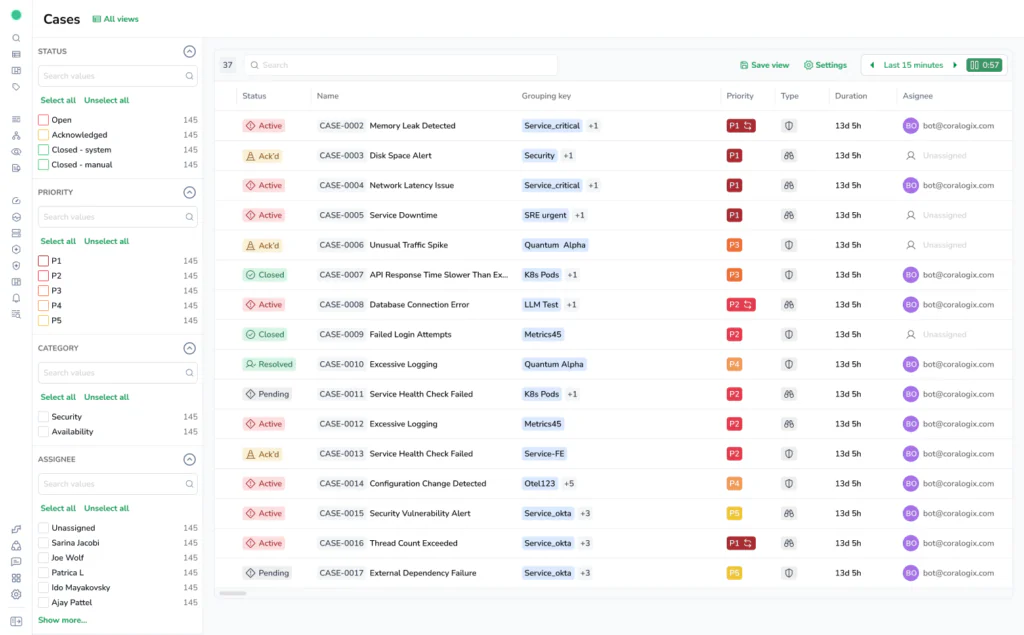
A Case is generated from alert activity and represents an ongoing issue in your system. Alerts fire as signals cross thresholds. Cases take those alerts once they have been filtered and grouped by rules, and bring them together into a single place where teams can visualise and collaborate on their understanding of what is happening.
The reality of alert fatigue
High-performing systems generate a lot of signals. One outage might trigger alerts for latency, error rate, CPU, database health, and user-facing metrics. These alerts often get routed to different teams, even though they all describe the same root problem.
The result is noise. Instead of helping teams respond faster, alerts slow them down. Engineers are forced to ask the same questions over and over: What is really going on? Which alerts matter most? Who is working on this? Has this been acknowledged? Where is the relevant data? What is the timeline?
We believe that alerts should be the beginning of the response process, not the end of it. Teams need structure, context, and visibility to make fast yet clear decisions when it matters most.
Why Cases change everything
Cases introduces a new way to handle incidents in Coralogix. Instead of showing alerts in isolation, we group related alerts into a single Case and immediately surface the logs, metrics, traces, and service metadata behind them.
A Case is more than a container. It is a live, collaborative workspace for triage and resolution. It tells the full story of what happened, where, when, and why, and who is responsible for fixing it.
Not all alerts become Cases. Case filtering rules decide which alerts matter and how they should be grouped. But every Case is always built from one or more alerts, giving teams a clear view of one problem instead of many disconnected notifications.
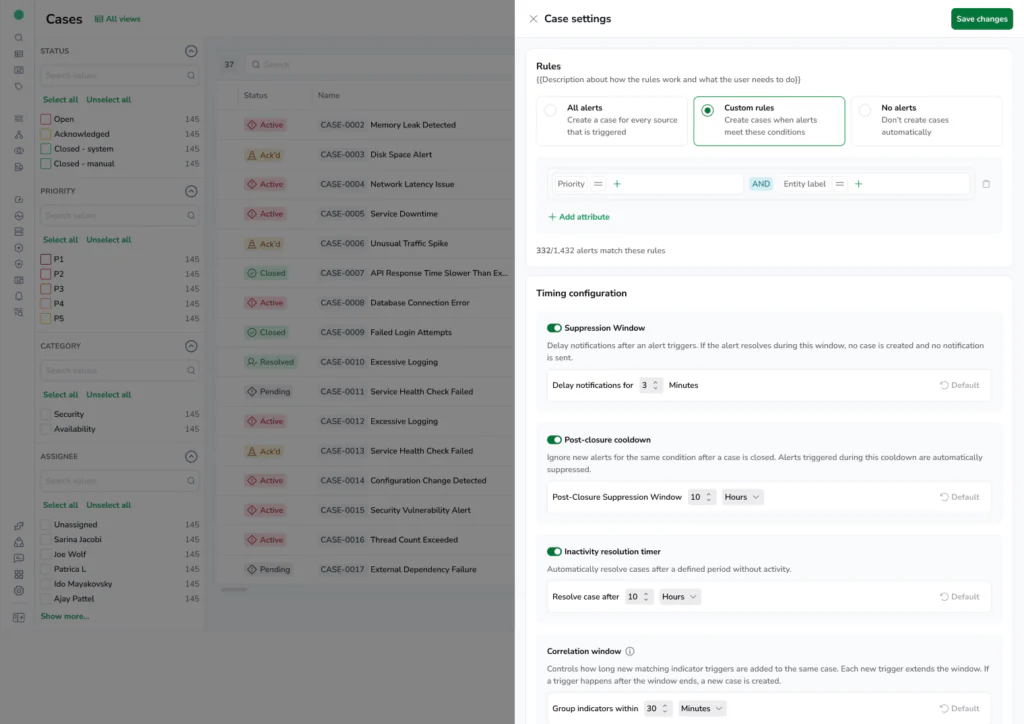
With Cases, you get:
Alert aggregation
– Related alerts are grouped automatically using rules based on service, tags, topology, and time.
Triage context
– Each Case comes with a curated view of the relevant telemetry. No more switching between tabs to find the right chart or query.
Ownership and routing
– Cases are delivered directly to the right team using metadata like service, environment, or team labels.
Workflow integration
– Cases sync with ServiceNow and Jira so updates are reflected in both systems.
Built-in collaboration
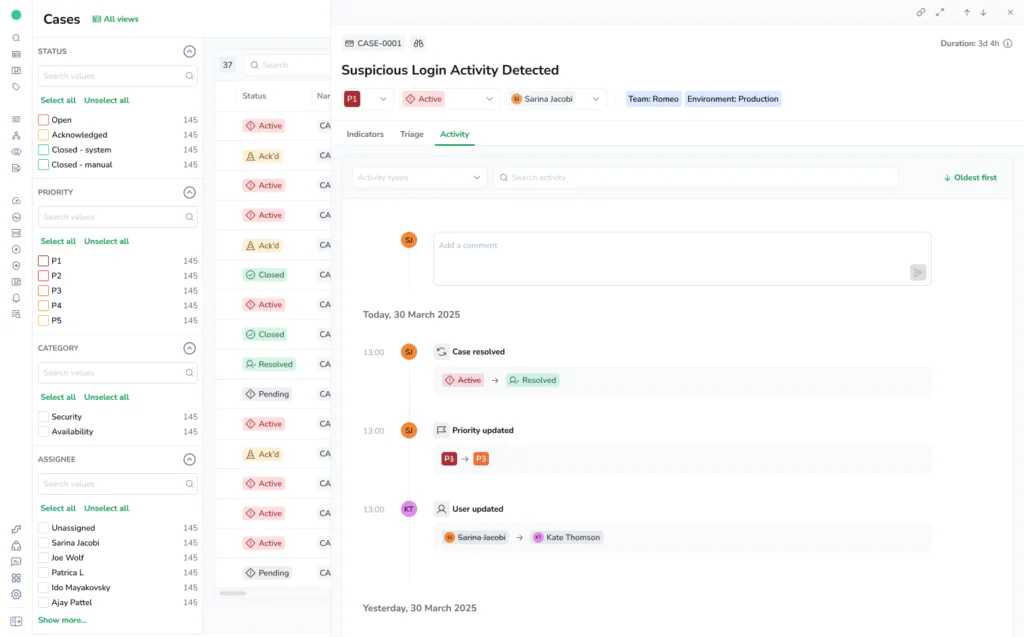
– Add comments, assign ownership, track status, and let Cases automatically build the incident timeline from telemetry and team actions, no manual reconstruction required.
Designed for modern teams
Cases is a post-alert workflow designed around how teams actually investigate problems.It works with your existing alerts and Notification Center rules. You don’t need to rebuild everything. You can start by grouping a few critical alerts and evolve over time.
For teams that already struggle with alert overload, Cases offers immediate relief. You’ll see fewer notifications, better routing, and faster resolution. For platform and SRE teams, it offers clear ownership and observability into how incidents are handled. For engineering leads, it reduces duplication and improves visibility into MTTR and operational health.
One Case, not twenty alerts
Imagine a spike in latency that triggers multiple alerts: API errors, database timeouts, resource pressure. In most systems, these alerts would create noise in Slack, open duplicate tickets, and slow everything down.
Now imagine those alerts are grouped by country. A latency alert fires for Austria, then Brazil, then Canada. Behind the scenes, thousands of events may be occurring, but what you care about is clear: certain regions are impacted.
With Cases, they are grouped into a single Case by the grouping rules you define.
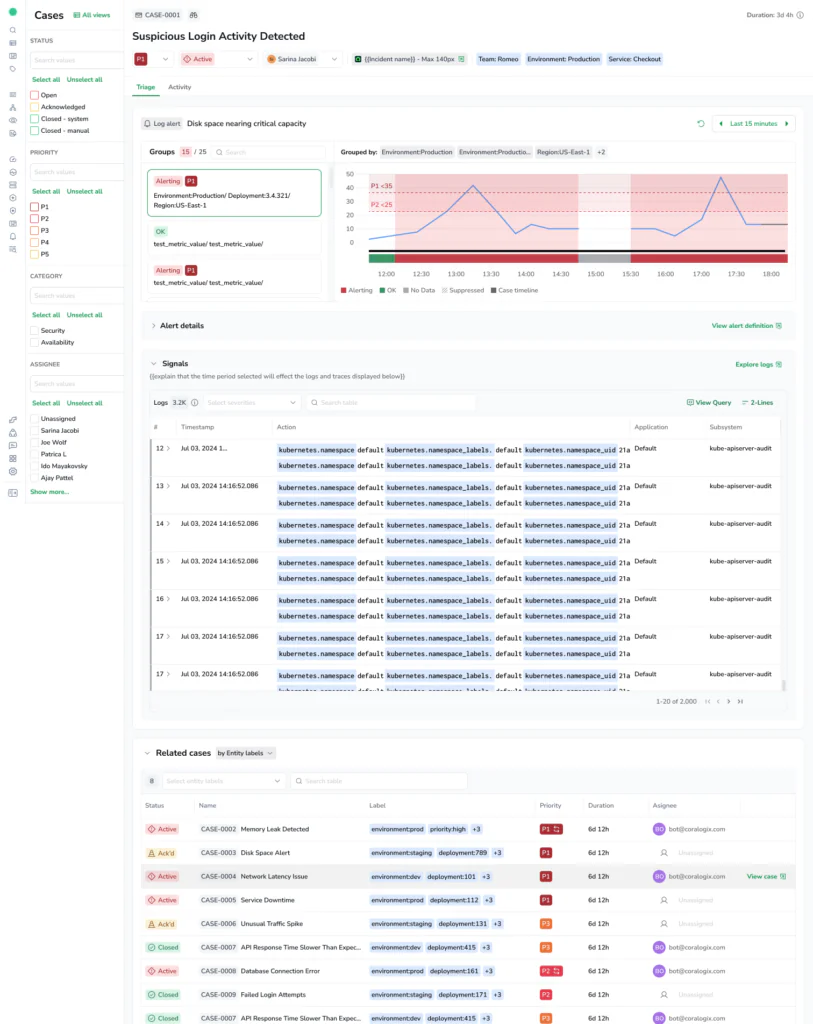
That Case immediately shows which countries are affected, which are not, when and where the issue started. Instead of guessing at scope, teams can see impact at a glance.
That Case includes the alerts, logs from the affected service, recent deploys, and trace data.
Inside the Case, teams can see the telemetry data that triggered the alert surfaced as signals. These signals provide a sample of the relevant logs and traces around the alert timeframe. With one click, engineers can jump into Explore logs or Explore traces with the correct filters already applied.
From there, the team can collaborate in real time, add comments, assign responsibility, and track the full history of the issue.
What initially looked like a widespread regional problem might turn out to be isolated to a specific service, pod, or even a single user session. Cases helps teams understand both the scope and the cause before they escalate.
So, what used to be a noisy, fragmented incident is now a single, clear, manageable workflow.
What’s next
Cases is available now for all Coralogix users. You can start using it today without changing your existing alerting rules. Just open the Notification Center and define how you want alerts to group into Cases.
This is the beginning of a broader evolution in how teams respond to problems. We are already working on deeper AI insights, smarter routing, and more powerful integrations to make Cases even more useful.
The future of observability is not just knowing that something went wrong. It is knowing what happened, why, how to fix it and how to prevent it from happening again.
Get started by enabling Cases in your Coralogix account, or book a demo to see how Cases fits into your incident workflow.
Cases is a step in that direction, and we are just getting started.
Learn more about Cases here.