With GitOps, you can roll back your cluster with git revert and explain each approved change through a commit log. Routing normal changes through Git and running an in-cluster agent that detects drift from the repository gives infrastructure changes the same review and rollback discipline as application code, and Git preserves their history.
This guide covers the four GitOps principles, the pull-based reconciliation workflow, and the tools and practices you need to get started.
What Is GitOps?
The term GitOps blends “Git” and “operations,” and it names an operational model where a Git repository holds the declarative desired state of your infrastructure and applications while an agent running inside the target environment continuously pulls that state and applies it.
Git acts as the single source of truth, which means any change missing from the repository stays outside the approved cluster state.
Teams often describe their setup with the phrase “we keep our config in Git,” which usually points to a continuous integration and continuous delivery (CI/CD) pipeline that reads from a repository without the agent that handles the reconciliation work.
Weaveworks coined the term in a 2017 post that described GitOps as using developer tooling to drive operations. Storing manifests in Git leaves a gap between the desired state in source control and the current state in the live system, and closing that gap is what the agent exists to do. After Weaveworks closed in 2024, stewardship of the definition passed to the Cloud Native Computing Foundation (CNCF) OpenGitOps working group.
The Four GitOps Principles
The OpenGitOps working group operates under the CNCF App Delivery Special Interest Group and published the principles as OpenGitOps v1.0.0. The group produced them with 34 co-authors and input from more than 60 companies, with founding members including Amazon, Azure, GitHub, Red Hat, and Weaveworks.
The four principles fall into two halves. The first half covers how you describe and store the desired state, which the Declarative and Versioned and Immutable principles address through your repository and its commit history. The second half covers how that state reaches the cluster and stays there, which the Pulled Automatically and Continuously Reconciled principles address through the in-cluster agent.
Storing configuration in a repository satisfies the first two principles, and running an agent that watches and applies that state satisfies the other two.
Declarative
To manage a system with GitOps, you must express its desired state declaratively. You describe what should exist, a Deployment with three replicas, and the tooling works out how to get there.
An imperative kubectl scale deployment checkout --replicas=5 changes the cluster but leaves no artifact a controller can compare against later; a manifest with replicas: 5 does. Kubernetes manifests, Helm charts, Kustomize overlays, Terraform files, and other declarative formats all qualify.
Versioned and Immutable
Principle two requires a state store that enforces immutability and versioning and retains a complete version history. In Git, each desired-state commit records its author and timestamp. The diff captures the change, while your pull request policy can add a reviewer and approval record.
git revert handles rollback: you revert the commit, and the agent applies the previous known-good state at its next reconciliation. The v1.0.0 glossary calls the repository a “state store” and notes that Git is the canonical example, but teams can use any other system that meets these criteria.
Pulled Automatically
Principle three requires software agents to pull the desired state declarations from the source automatically. Argo CD and Flux are the two CNCF graduated reconciliation engines that implement this pattern for Kubernetes, and both run inside the cluster and fetch from the repository, which lets your CI system avoid credentials that can apply cluster changes.
A push-based approach creates a god-mode scenario in which the CI/CD pipeline holds credentials for deployments. With a read-only outbound connection to Git, the agent lets you keep the cluster’s control plane off the public network.
Continuously Reconciled
The fourth principle requires software agents to observe actual system state continuously and attempt to apply the desired state. Reconciliation means ensuring the actual state of a system matches its desired state, and unlike trigger-driven CI/CD, any divergence triggers reconciliation in GitOps.
The agent treats two sources of divergence identically: a new commit changed the desired state, or someone changed the live state. The second case is configuration drift, and the agent reverts a hotfix you apply with kubectl edit at the next cycle unless you also commit the change to Git.
How GitOps Works: The Pull-Based Reconciliation Loop
A GitOps workflow runs on a loop where Git holds the desired state and an in-cluster agent works to make the live cluster match it. Every change follows the same path from a pull request to a merge commit to a reconciliation cycle, which is what turns a repository into the deployment interface for the cluster.
Say you open a pull request that bumps the checkout service’s image tag from v2.0 to v2.1 in a Kustomize overlay. A reviewer approves it, the pull request merges, and the repository now describes a state the cluster doesn’t yet have. The in-cluster operator notices the gap on its next poll, applies the diff, and reports the application as synced.
The same loop covers two situations that look different on the surface but resolve the same way. A new merge commit changes the desired state, and the agent brings the cluster forward to match. Someone runs kubectl edit against the live cluster, and the agent treats that as drift from the repository and reverts it at the next interval. Flux, one of the two reconciliation engines introduced earlier, applies this behavior to any kubectl edit/patch/delete change unless you suspend reconciliation or push the change to Git.
Pull-Based vs. Push-Based Deployment
Push-based deployment is the pre-GitOps default. A CI job authenticates to the cluster and runs kubectl apply or helm upgrade when the pipeline fires.
By itself, that model does not continuously detect deviations between the cluster and the repository between runs. It also requires the CI system to hold cluster credentials, which is the exposure the pull model removes from CI.
Multi-environment promotion works in either model, though you can model environments as directories rather than branches so that promotion becomes a file copy from envs/staging to envs/prod.
Both engines support this pattern, and Flux serves as the example here because its dependency and health-check primitives make gated promotion the most direct to configure. With Flux, you can merge an infrastructure change to staging first and promote it to production only after the cluster reconciles and passes conformance tests. Argo CD reaches the same outcome through sync waves, hooks, or its ApplicationSet controller, which coordinate the promotion across environments rather than gating it inline.
GitOps vs. DevOps: Key Differences
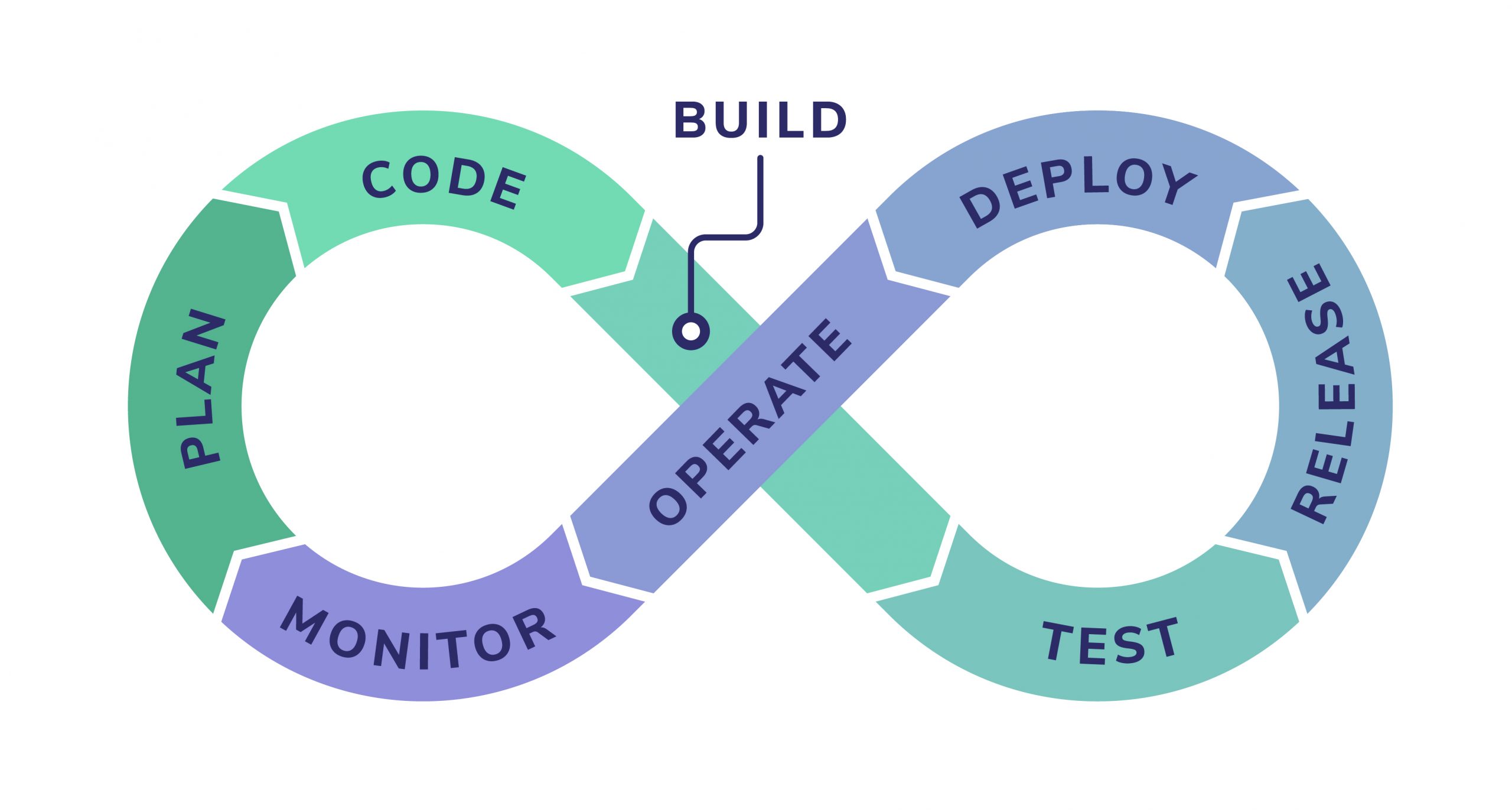
DevOps and GitOps sit at different levels of the delivery stack, which is why teams often adopt them together rather than choosing between them. DevOps describes the cultural and organizational shift that gets development and operations teams working from shared goals, while GitOps is a specific continuous delivery technique that runs inside that culture.
Adopting GitOps changes how the deployment step actually executes by making Git the control plane and handing continuous deployment to an in-cluster agent. It fits as one implementation choice within a broader DevOps practice.
GitOps and infrastructure as code (IaC) overlap on the declarative front but differ in scope. IaC defines desired state in files, and a workflow that stops at terraform apply still requires you or your automation to run another plan whenever you need to check for drift. Argo CD works as a two-way reconciliation engine that stays aware of changes at the destination and closes that gap by watching the live state on an interval, whereas one-way IaC automation only fires when the source changes.
Key Benefits of GitOps
The benefits follow from the four principles rather than from any particular tool. Your pull request creates a review path for infrastructure changes, while continuous reconciliation keeps checking whether the live state matches the approved state:
- Shorter deployment cycles and recovery times: Your pull request becomes the deployment unit, so shipping a change follows the same review path as a code change. Continuous reconciliation can also shorten mean time to repair (MTTR) by making rollback a version-controlled action.
- Rollbacks without a runbook:
git revertrestores the last known-good state and the agent applies it. - Stronger security: With a pull-based setup, no cluster credentials need to sit in CI, and the operator’s
kubectl applypermissions limit what a compromised Git repository can change. - Audit and compliance: The Git log records the approved desired-state history for the environment, though it does not capture every transient live-state mutation. Your auditor can trace an approved ingress timeout change to a commit hash rather than a Slack thread.
- Reduced configuration drift: Continuous reconciliation reverts one-off
kubectlfixes, which forces every lasting fix into Git or out of the cluster. Teams that skip continuous reconciliation and automatic rollback also skip this benefit. - Self-documenting operations: The repository is the current answer to “what is running in production.”
These benefits turn your repository into a versioned record of every approved change and give the cluster a continuously enforced desired state. Git holds what your team agreed to run, and the agent keeps checking the live environment against that record so approvals and reality stay in step.
GitOps Tools
The tooling splits into three layers, and only the first is GitOps-specific. Argo CD and Flux provide the reconciliation layer. Both engines are CNCF graduated projects:
- Argo CD: Argo CD watches one or more repositories, compares rendered manifests with live cluster state, marks applications OutOfSync when they differ, and syncs automatically or on approval.
- Flux: Flux uses a set of controllers, the
fluxcommand-line interface (CLI), and Git; it reconcilesGitRepository, Kustomization, andHelmReleaseresources and manages its own installation from Git. - Configuration tools: Helm templates charts and Kustomize patches base manifests with per-environment overlays, and their rendered output is what the engine applies. A
kustomize edit set imagecommand in a CI step is the typical way a new build enters the repository. - Git hosting: GitHub, GitLab, or any standard Git host works, since the engines need repository access, any required credentials, and optionally a webhook endpoint for faster notifications.
These layers separate reconciliation from manifest rendering and repository hosting. The two engines differ on defaults more than on model.
The table below compares their default reconciliation intervals, drift correction behavior, interfaces, and self-management approaches. Which interface and reconciliation settings you prefer will usually drive the choice.
| Argo CD | Flux | |
| Default reconcile interval | timeout.reconciliation controls polling, with jitter affecting the timing | Kustomization runs every five minutes, and .spec.interval sets the interval |
| Drift correction default | You opt in with selfHeal: true, prune: true | Flux reverts drift without extra configuration |
| Interface | Web interface | flux CLI and Git |
| Self-management | You install it from a pinned manifest | Flux manages its own installation via flux bootstrap |
How to Get Started with GitOps
Getting a GitOps pipeline into a working state on Kubernetes takes a handful of concrete steps, and each one maps to a decision the engines expect you to have made before they can reconcile anything.
The sequence below moves from the underlying platform to a single running application, and then to the growth patterns that keep the pipeline manageable as more teams and clusters come online:
- Provision a Kubernetes cluster and a Git repository for manifests. You may keep the manifest repository separate from application source so that config changes flow through their own review path.
- Install one of the two reconciliation engines in the cluster. Argo CD installs into its own namespace from the published manifest, and you should consider pinning a version for production. The Flux bootstrap installation commits Flux’s own manifests to your repository so every later change, including Flux upgrades, goes through a Git push.
- Point the engine at a directory holding one application and turn on automated sync. This gives you a full end-to-end loop against a small surface area before you widen the scope.
- Move to a directory-per-environment layout once the single-application setup is stable. Promotion between environments then becomes a file copy from
envs/stagingtoenvs/produnder the same review process. - Adopt Argo CD’s ApplicationSet controller or Flux’s multi-tenancy configuration when several teams or clusters share the pipeline. Both patterns let you template application definitions across environments and tenants without duplicating manifests.
Readiness for any of this comes back to Principle one. If you still apply anything by hand or by script, you have to convert it to declarative state before the engine has something to reconcile against.
GitOps pipelines manage what you deploy, and Coralogix covers how it behaves and watches post-deploy telemetry data for drift-related regressions across logs, metrics, and traces. That lets you manage desired state and runtime behavior through complementary workflows.
GitOps Tracks What Deployed; Telemetry Shows How It Ran
A healthy status in Argo CD means the resources exist and report readiness, which is a narrower claim than most teams read into it. Successful responses from the checkout path require separate runtime verification, and a bad change can auto-sync to production while every health check passes. Closing that gap means correlating deploy commits with telemetry data, and the OpenTelemetry (OTel) CI/CD conventions include a commit revision attribute for tagging telemetry with the commit that shipped it.
Once telemetry carries the commit that shipped it, an observability layer can turn a live regression back into a specific change in Git.
Olly, Coralogix’s autonomous observability agent, cross-references live system behavior with the code changes in Git and runs root cause analysis down to the line that caused the regression. Pairing a GitOps pipeline with Kubernetes monitoring lets you tell a bad deploy from a bad reconciliation, then line up latency spikes with nearby pipeline events and Git activity such as commits or pushes. Deployment markers add context when your pipeline sends those events to Coralogix.
Start a free 14-day Coralogix trial and point it at a GitOps-managed cluster to see the same commit hash that Argo CD or Flux synced show up alongside the logs, metrics, and traces from the workloads it deployed.
Frequently Asked Questions About GitOps
What is the difference between GitOps and Jenkins?
Jenkins is a continuous integration tool that builds, tests, and publishes artifacts; in a push-based pipeline it also runs the deploy step against the cluster. GitOps moves that step inside. Jenkins commits the new image tag to the config repository, and Argo CD or Flux syncs it.
What are the four principles of GitOps?
The four principles are Declarative, Versioned and Immutable, Pulled Automatically, and Continuously Reconciled. A pipeline that stores manifests in Git and never watches the cluster meets half the definition.
Does GitOps only work with Kubernetes?
GitOps also works outside Kubernetes. Its principles apply to any infrastructure that you can observe and describe declaratively. Non-Kubernetes targets can rely on the Tofu Controller for Terraform or Crossplane for cloud resources, both of which still run inside a Kubernetes cluster.
What is Argo CD and how does it relate to GitOps?
Argo CD is a CNCF graduated continuous delivery tool that implements pull-based GitOps for Kubernetes: it watches a repository, diffs the desired manifests against live cluster state, and applies the difference. Flux provides the main alternative with the same reconciliation model.
How does GitOps handle secrets?
You should never commit plaintext secrets to Git. Common patterns include encrypting secrets in the repository with Sealed Secrets or another encryption tool, or storing them in an external manager such as HashiCorp Vault and syncing them in with the External Secrets Operator. You should prefer destination-cluster secrets rather than injecting them during manifest generation, since generated manifests sit in plaintext in Argo CD’s Redis cache.