In this post we will cover some of the main use cases FluentD supports and provides example FluentD configurations for the different cases.
What is Fluentd
Fluentd is an open source data collector, which allows you to unify your data collection and consumption. Fluentd was conceived by Sadayuki “Sada” Furuhashi in 2011. Sada is a co-founder of Treasure Data, Inc., the primary sponsor of the Fluentd and the source of stable Fluentd releases.
Installation
Fluentd installation instructions can be found on the fluentd website.
Here are Coralogix’s Fluentd plugin installation instructions
Coralogix also has a Fluentd plug-in image for k8s. This doc describes Coralogix integration with Kubernetes.
Configuration
Flunetd configuration file consists of the following directives (only source and match are mandatory ones):
- source directives determine the input sources.
- match directives determine the output destinations.
- filter directives determine the event processing pipelines. (optional)
- system directives set system wide configuration. (optional)
- label directives group the output and filter for internal
routing (optional) - @include directives include other files. (optional)
Fluentd configuration is organized by hierarchy. Each of the directives has different plug-ins and each of the plug-ins has its own parameters. There are numerous plug-ins and parameters associated with each of them. In this post I will go over on a few of the commonly used ones and focus on giving examples that worked for us here at Coralogix. I also tried to plug pointers to existing documentation to help you locate directive and plug-ins that are not mentioned here.
Without further ado let’s dive in.
These directives will be present in any Fluentd configuration file:
Source
This is an example of a typical source section in a Fluentd configuration file:
<span style="font-weight: 400;"><source></span>
<span style="font-weight: 400;">  @type tail</span>
<span style="font-weight: 400;">  path /var/log/msystem.log</span>
<span style="font-weight: 400;">  pos_file /var/log/msystem.log.pos</span>
<span style="font-weight: 400;">  tag mytag</span>
<span style="font-weight: 400;">  <parse></span>
<span style="font-weight: 400;">    @type none</span>
<span style="font-weight: 400;">  </parse></span>
<span style="font-weight: 400;"></source</span>>
Let’s examine the different components:
@type tail – This is one of the most common Fluentd input plug-ins. There are built-in input plug-ins and many others that are customized. The ‘tail’ plug-in allows Fluentd to read events from the tail of text files. Its behavior is similar to the tail -F command. The file that is read is indicated by ‘path’. Fluentd starts from the last log in the file on restart or from the last position stored in ‘pos_file’, You can also read the file from the beginning by using the ‘read_from_head true’ option in the source directive. When the log file is rotated Fluentd will start from the beginning. Each input plug-in comes with parameters that control its behavior. These are the tail parameters.
Tags allow Fluentd to route logs from specific sources to different outputs based on conditions. E.g – send logs containing the value “compliance” to a long term storage and logs containing the value “stage” to a short term storage.
The parser directive, <parse>, located within the source directive, , opens a format section. This is mandatory. It can use type none (like in our example) if no parsing is needed. This list includes the built-in parsers. There is an option to add a custom parser.
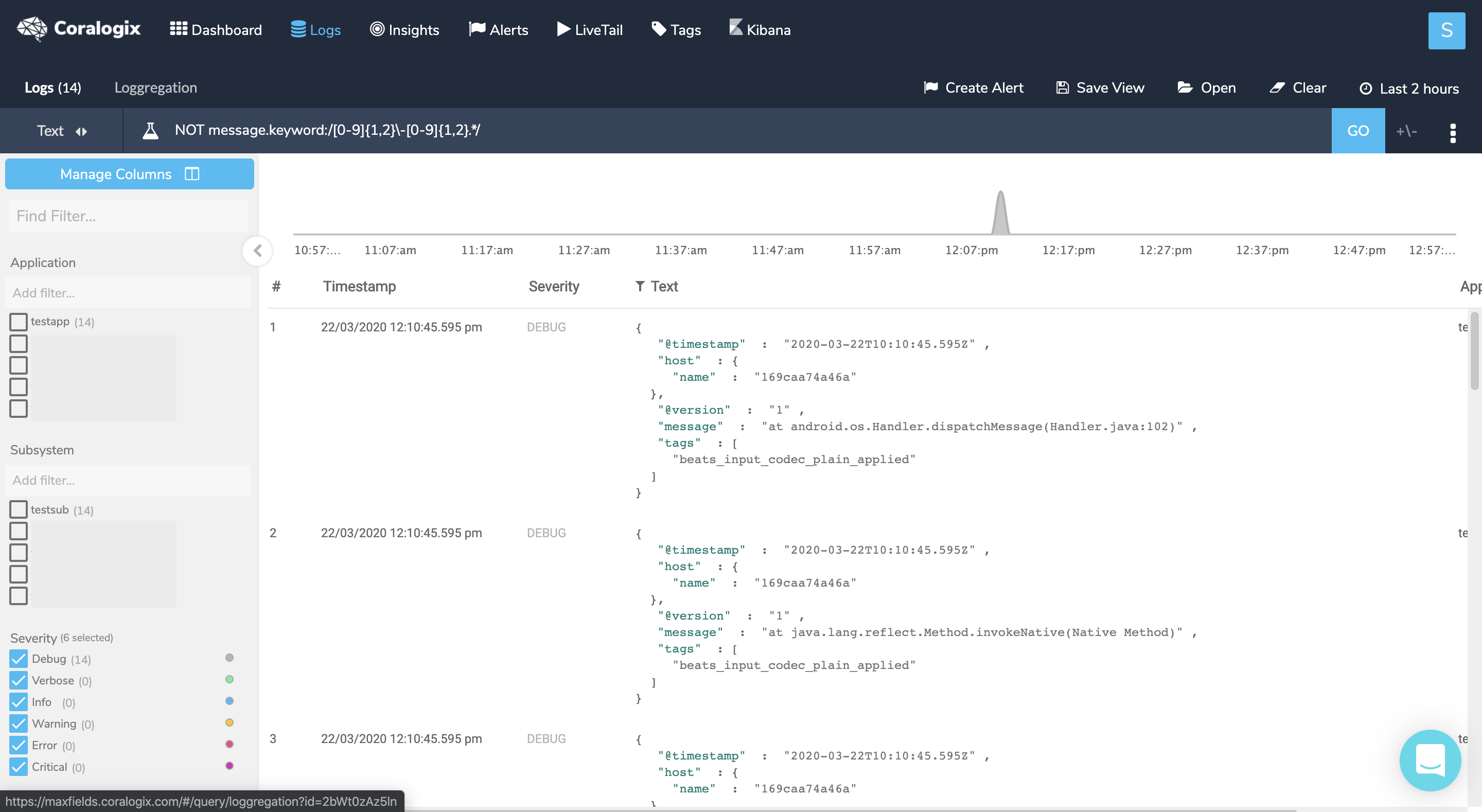
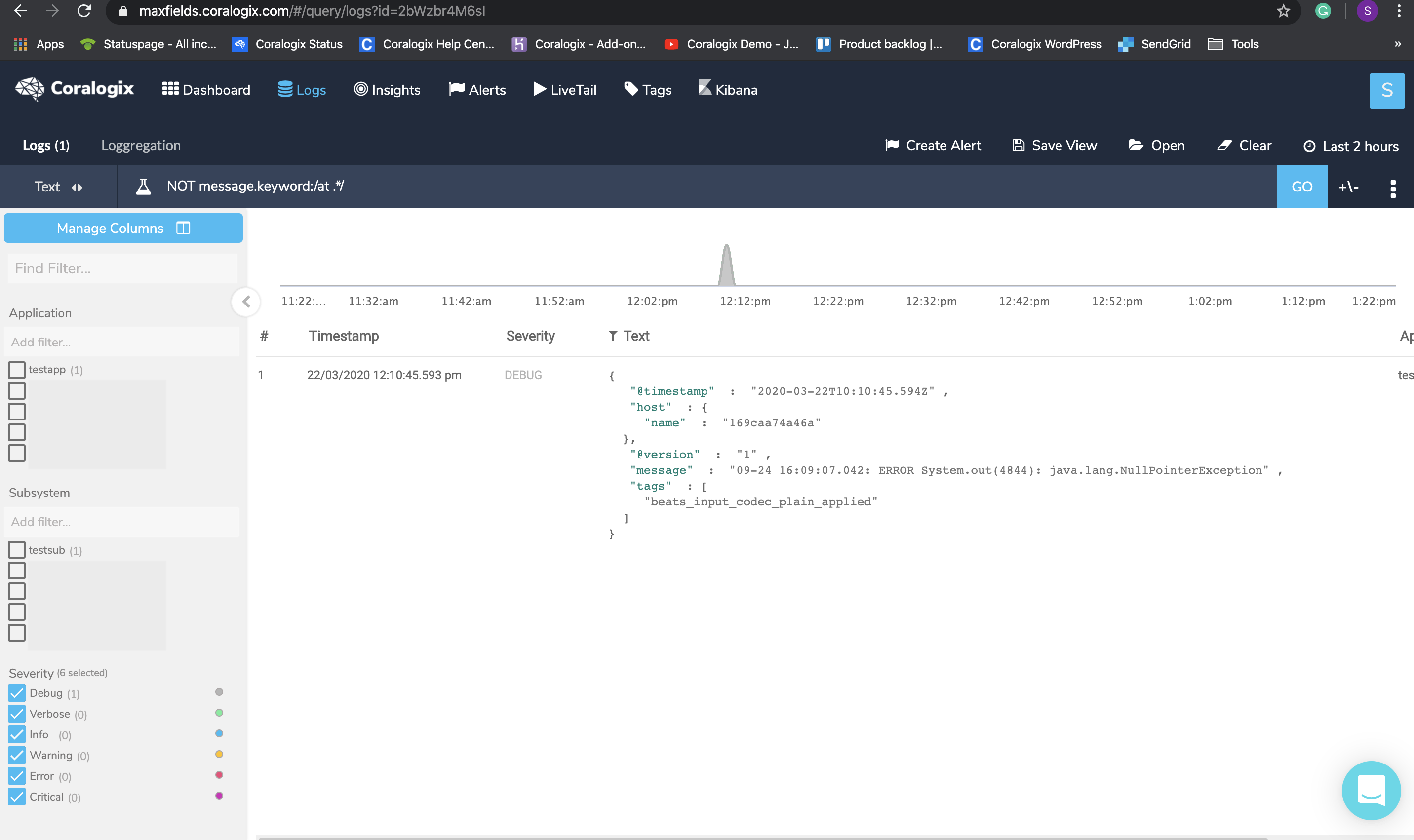
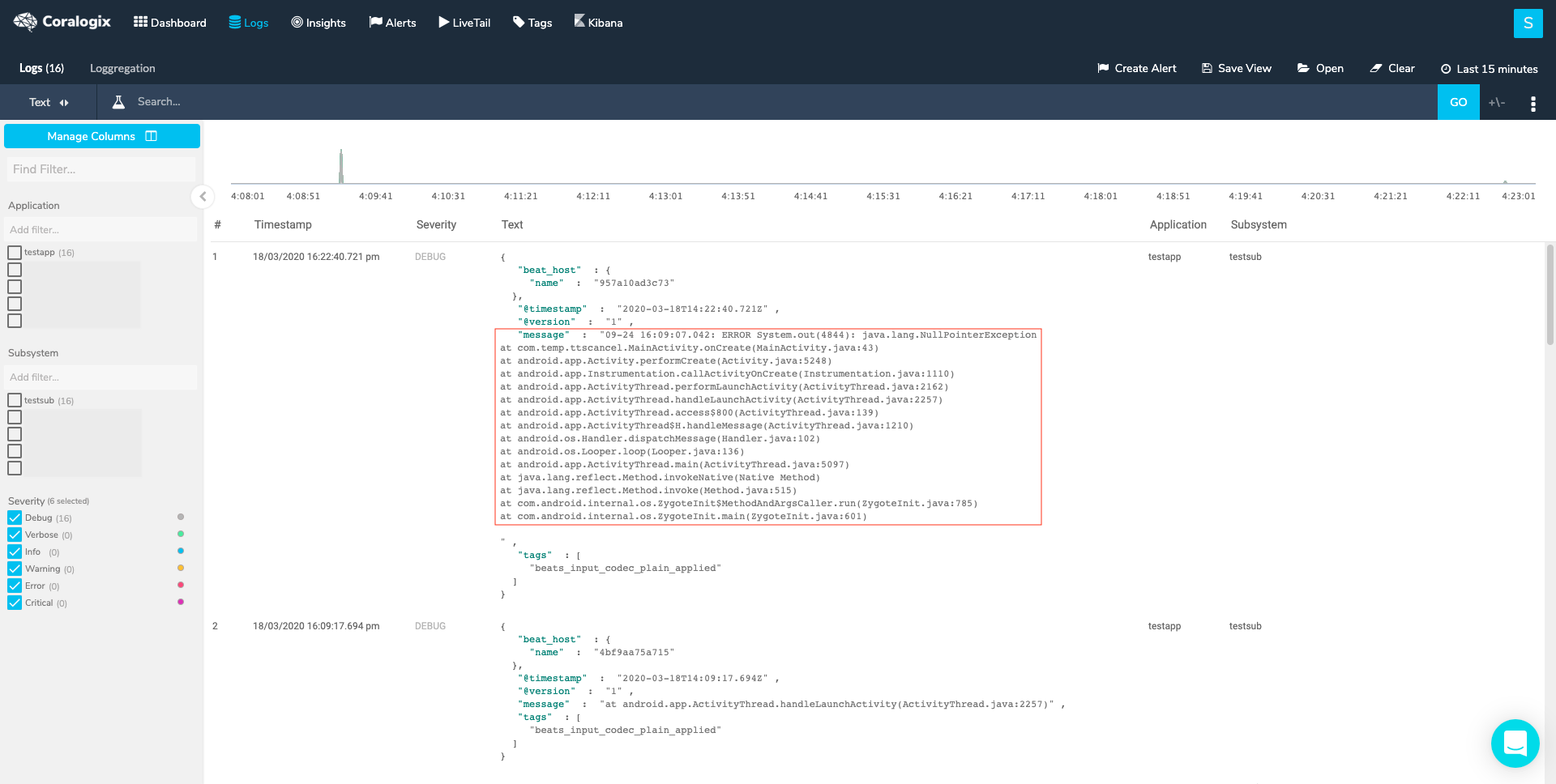
One of the commonly used built-in parsers is ‘multiline’. Multiline logs are logs that span across lines. Log shippers will ship these lines as separate logs, making it hard to get the needed information from the log. The ‘Multiline’ parser enables the restructuring and formatting of multiline logs into the one log they represent. You can see a few examples of this parser in action in our examples’ section. See here for a full logging in multiline guide
An example of a multiline configuration file using regex:
<span style="font-weight: 400;"><source></span>
<span style="font-weight: 400;">  @type tail</span>
<span style="font-weight: 400;">  path /var/log/msystem.log</span>
<span style="font-weight: 400;">  pos_file /var/log/msystem.log.pos</span>
<span style="font-weight: 400;">  tag mytag</span>
<span style="font-weight: 400;">  <parse></span>
<span style="font-weight: 400;">          @type multiline</span>
<span style="font-weight: 400;">          # Each firstline starts with a pattern matching the below REGEX.</span>
<span style="font-weight: 400;">          format_firstline /^d{2,4}-d{2,4}-d{2,4} d{2,4}:d{2,4}:d{2,4}.d{3,4}/</span>
<span style="font-weight: 400;">          format1 /(?<message>.*)/</span>
<span style="font-weight: 400;">  </parse></span>
<span style="font-weight: 400;"></source>

</span>
These input plug-ins support the parsing directive.
Match
The Match section uses a rule. Matches each incoming event to the rule and and routes it through an output plug-in. There are different output plug-ins. This is a simple example of a Match section:
<span style="font-weight: 400;"><match mytag**></span>
<span style="font-weight: 400;">   @type stdout</span>
<span style="font-weight: 400;"></match></span>
It will match the logs that have a tag name starting with mytag and direct them to stdout. Like the input plug-ins, the output ones come with their own parameters. See The http documentation as an example.
Combining the two previous directives’ examples will give us a functioning Fluentd configuration file that will read logs from a file and send them to stdout.
HTTP output plug-in
One of the most common plugins is HTTP. We recommend using the generic HTTP output plugin, as it has plenty of adjustability and exposed metrics. Just insert the private key and paste the correct endpoint (you can look at the table below). You can read more in our tutorial.
Here is a basic HTTP plug in example:
<match **>
  @type http
  @id out_http_coralogix
#The @id parameter specifies a unique name for the configuration. It is used as paths for buffer, storage, logging and for other purposes.
  endpoint "https://ingress.<domain>/logs/rest/singles"
  headers {"private_key":"xxxxxxx"}
  error_response_as_unrecoverable false
  <buffer tag>
    @type memory
    chunk_limit_size 5MB
    compress gzip
    flush_interval 1s
    overflow_action block
    retry_max_times 5
    retry_type periodic
    retry_wait 2
  </buffer>
  <secondary>
    #If any messages fail to send they will be send to STDOUT for debug.
    @type stdout
  </secondary>
</match>
Choose the correct https://ingress.<domain>/logs/rest/singles endpoint that matches the cluster under this URL.
Filter
Another common directive, and one that is mandatory in this case, is ‘filter’. The name of this directive is self explanatory. The filter plug-ins allow users to:
- Filter out events by grepping the value of one or more fields.
- Enrich events by adding new fields.
- Delete or mask certain fields for privacy and compliance.
- Parse text log messages into JSON logs
Filters can be chained together.
In order to pass our data to Coralogix API we must manipulate our data (using the record_transformer plugin) so the structure of the data will be valid by the API.
As an example, this filter will show the fields needed in order to be valid by the API:
  <filter **>
    @type record_transformer
    @log_level warn
    #will only show warn and info logs
    enable_ruby true
    #allows the usage of ${}
    auto_typecast true
    renew_record true
    <record>
      # In this example we are using record to set values.
      # Values can also be static, dynamic or simple variables
      applicationName app
      subsystemName subsystem
      timestamp ${time.strftime('%s%L')} # Optional
      text ${record.to_json} # using {record['message']} will display as txt
    </record>
  </filter><span style="font-weight: 400;">

</span>
At this point we have enough Fluentd knowledge to start exploring some actual configuration files.
The rest of this document includes more complex examples of Fluentd configurations. They include detailed comments and you can use them as references to get additional information about different plug-ins and parameters or to learn more about Fluentd.
Configuration examples
Example 1
This configuration example shows how to use the rewrite_tag_filter plug-in to separate the logs into two groups and send them with different metadata values.
<source>
  @type tail
  #Reading from file locateed in path and saving the pointer to the file line in pos_file
  @label @CORALOGIX
  #Label reduces complex tag handling by separating data pipelines, CORALOGIX events are routed to label @CORALOGIX
  path /var/log/nginx/access.log
  pos_file /var/log/td-agent/nginx/access.log.pos
  tag nginx.access
  #tagging it as the nginx access logs
  <parse>
    @type nginx
    #nginx parsing plugin
  </parse>
</source>

<source>
  @type tail
  @label @CORALOGIX
  path /var/log/nginx/error.log
  pos_file /var/log/td-agent/nginx/error.log.pos
  tag nginx.error
  #tagging it as the nginx error logs
  <parse>
    @type none
    #no parsing is done
  </parse>
</source>

<label @CORALOGIX>
#as mentioned above events are routed from @label @CORALOGIX
  <filter nginx.access>
  #nginx access logs will go through this filter
    @type record_transformer
    #using this plugin to manipulate our data
    <record>
      severity "info"
      #nginx access logs will be sent as info
    </record>
  </filter>

  <filter nginx.error>
    @type record_transformer
    #error logs will go throgh this filter
    <record>
      severity "error"
      #error logs will be sent as error
    </record>
  </filter>
  <filter **>
    @type record_transformer
    @log_level warn
    enable_ruby true
    auto_typecast true
    renew_record true
    <record>
      # In this example we are using record.dig to dynamically set values.
      # Values can also be static or simple variables
      applicationName fluentD
      subsystemName ${tag}
      timestamp ${time.strftime('%s%L')} # Optional
      text ${record['message']}
#will send the log as a regular text
    </record>
  </filter>
  <match **>
    @type http
    @id coralogix
    endpoint "https://ingress.coralogixstg.wpengine.com/logs/rest/singles"
    headers {"private_key":"XXXXX"}
    retryable_response_codes 503
    error_response_as_unrecoverable false
    <buffer>
      @type memory
      chunk_limit_size 5MB
      compress gzip
      flush_interval 1s
      overflow_action block
      retry_max_times 5
      retry_type periodic
      retry_wait 2
    </buffer>
    <secondary>
      #If any messages fail to send they will be send to STDOUT for debug.
      @type stdout
    </secondary>
  </match>
</label>
Example 2
In this example a file is read starting with the last line (the default). The message section of the logs is extracted and the multiline logs are parsed into a json format.
<span style="font-weight: 400;"><source></span>
<span style="font-weight: 400;">  @type tail</span>
<span style="font-weight: 400;">  path M:/var/logs/inputlogs.log</span>
<span style="font-weight: 400;">  pos_file M:/var/logs/inputlogs.log.pos</span>
<span style="font-weight: 400;">  tag mycompany</span>
<span style="font-weight: 400;">  <parse></span>
<span style="font-weight: 400;"># This parse section will find the first line of the log that starts with a date. The log </span>
<span style="font-weight: 400;">#includes  the substring “message”. ‘Parse’ will extract what follows “message” into a #json field called ‘message’. See additional details in #Example 1.</span>
<span style="font-weight: 400;">    @type multiline</span>
<span style="font-weight: 400;">    format_firstline /^d{2,4}-d{2}-d{2,4}/</span>
<span style="font-weight: 400;">    format1 /(?<message>.*)/</span>
<span style="font-weight: 400;">  </parse></span>
<span style="font-weight: 400;"></source>
</span>  <match **>
#match is going to use the HTTP plugin
    @type http
    @davidcoralogix-com
#The @id parameter specifies a unique name for the configuration. It is used as paths for buffer, storage, logging and for other purposes.
    endpoint "https://ingress.coralogixstg.wpengine.com/logs/rest/singles"
    headers {"private_key":"XXXXX"}
    retryable_response_codes 503
    error_response_as_unrecoverable false
    <buffer>
      @type memory
      chunk_limit_size 5MB
      compress gzip
      flush_interval 1s
      overflow_action block
      retry_max_times 5
      retry_type periodic
      retry_wait 2
    </buffer>
    <secondary>
      #If any messages fail to send they will be send to STDOUT for debug.
      @type stdout
    </secondary>
  </match><span style="font-weight: 400;">

</span>
Example 3
This example uses the http input plug-in. This plug-in enables you to gather logs while sending them to an end point. It uses the enable_ruby option to transform the logs and uses the copy plug-in to send logs to two different inputs.
<span style="font-weight: 400;"><source></span>
<span style="font-weight: 400;">  @type http</span>
<span style="font-weight: 400;">  port 1977</span>
<span style="font-weight: 400;">  bind 0.0.0.0</span>
<span style="font-weight: 400;">  tag monitor</span>
<span style="font-weight: 400;">#This indicates the max size of a posted object   </span>
<span style="font-weight: 400;">  body_size_limit 2m</span>
<span style="font-weight: 400;">#This is the timeout to keep a connection alive</span>
<span style="font-weight: 400;">  keepalive_timeout 20s</span>
<span style="font-weight: 400;">#If true adds the http prefix to the log</span>
<span style="font-weight: 400;">  add_http_headers true</span>
<span style="font-weight: 400;">#If true adds the remote, client address, to the log. If there are multiple forward headers in the request it will take the first one  </span>
<span style="font-weight: 400;">  add_remote_addr true</span>
<span style="font-weight: 400;">  <parse> </span>
<span style="font-weight: 400;">     @type none</span>
<span style="font-weight: 400;">  </parse></span>
<span style="font-weight: 400;"></source></span>

<span style="font-weight: 400;"><filter monitor></span>
<span style="font-weight: 400;">#record_transformer is a filter plug-in that allows transforming, deleting, and adding events</span>
<span style="font-weight: 400;">  @type record_transformer</span>
<span style="font-weight: 400;">#With the enable_ruby option, an arbitrary Ruby expression can be used inside #${...}</span>
<span style="font-weight: 400;">  enable_ruby</span>
<span style="font-weight: 400;">#Parameters inside <record> directives are considered to be new key-value pairs</span>
<span style="font-weight: 400;">  <record></span>
<span style="font-weight: 400;">#Parse json data inside of the nested field called “log”. Very useful with #escaped fields. If log doesn’t exist or is not a valid json, it will do #nothing. </span>
<span style="font-weight: 400;">    log ${JSON.parse(record["log"]) rescue record["log"]}</span>
<span style="font-weight: 400;">#This will create a new message field under root that includes a parsed log.message field.</span>
<span style="font-weight: 400;">    message ${JSON.parse(record.dig(“log”, “message”)) rescue ""}</span>
<span style="font-weight: 400;">  </record></span>
<span style="font-weight: 400;"></filter></span>
<span style="font-weight: 400;"><match monitor></span>
<span style="font-weight: 400;">  @type copy</span>
<span style="font-weight: 400;">  <store></span>
    @type http
    @id coralogix
    endpoint "https://ingress.coralogixstg.wpengine.com/logs/rest/singles"
    headers {"private_key":"XXXXX"}
    retryable_response_codes 503
    error_response_as_unrecoverable false
    <buffer>
      @type memory
      chunk_limit_size 5MB
      compress gzip
      flush_interval 1s
      overflow_action block
      retry_max_times 5
      retry_type periodic
      retry_wait 2
    </buffer>
<span style="font-weight: 400;">  </store></span>

<span style="font-weight: 400;">  <store></span>
<span style="font-weight: 400;">    @type stdout</span>
<span style="font-weight: 400;">    output_type json</span>
<span style="font-weight: 400;">  </store></span>
<span style="font-weight: 400;"></match></span>

<span style="font-weight: 400;"><match **></span>
<span style="font-weight: 400;">#</span><a href="https://github.com/kazegusuri/fluent-plugin-split"><span style="font-weight: 400;">Split</span></a><span style="font-weight: 400;"> is a third party output plug-in. It helps split a log and parse #specific fields.</span>
<span style="font-weight: 400;">  @type split</span>
<span style="font-weight: 400;">#separator between split elements </span>
<span style="font-weight: 400;">  separator   s+</span>
<span style="font-weight: 400;">#regex that matches the keys and values within the splitted key</span>
<span style="font-weight: 400;">  format      ^(?<key>[^=]+?)=(?<value>.*)$</span>
<span style="font-weight: 400;">#Key that holds the information to be splitted</span>
<span style="font-weight: 400;">  key_name message</span>
<span style="font-weight: 400;">#keep the original field</span>
<span style="font-weight: 400;">  reserve_msg yes
</span> <span style="font-weight: 400;"> keep_keys HTTP_PRIVATE_KEY</span>
<span style="font-weight: 400;"></match>

</span>
Example 4
This example uses label in order to route the logs through its Fluentd journey. At the end we send Fluentd logs to stdout for debug purpose.
<span style="font-weight: 400;"># Read Tomcat logs</span>
<span style="font-weight: 400;"><source></span>
<span style="font-weight: 400;">#Logs are read from a file located at path. A pointer to the last position in #the log file is located at pos_file</span>
<span style="font-weight: 400;">  @type tail</span>
<span style="font-weight: 400;">#Labels allow users to separate data pipelines. You will see the lable section #down the file.</span>
<span style="font-weight: 400;">  @label @AGGREGATION</span>
<span style="font-weight: 400;">  path /usr/local/tomcat/logs/*.*</span>
<span style="font-weight: 400;">#adds the watched file path as a value of a new key filename in the log</span>
<span style="font-weight: 400;">  path_key filename</span>
<span style="font-weight: 400;">#This path will not be watched by fluentd</span>
<span style="font-weight: 400;">  exclude_path ["/usr/local/tomcat/logs/gc*"]</span>
<span style="font-weight: 400;">  pos_file /fluentd/log/tomcat.log.pos</span>
<span style="font-weight: 400;">  <parse></span>
<span style="font-weight: 400;">#This parse section uses the </span><a href="https://github.com/repeatedly/fluent-plugin-multi-format-parser"><span style="font-weight: 400;">multi_format</span></a><span style="font-weight: 400;"> plug-in. This plug-in needs to be #downloaded and doesn’t come with Fluentd. After installing it users can #configure multiple <pattern>s to #specify multiple parser formats. In this #configuration file we have 2 patterns being formatted. </span>
<span style="font-weight: 400;">    @type multi_format</span>
<span style="font-weight: 400;">    # Access logs</span>
<span style="font-weight: 400;">    <pattern></span>
<span style="font-weight: 400;">      format regexp</span>
<span style="font-weight: 400;">      expression /^(?<client_ip>.*?) [(?<timestamp>d{2}/[a-zA-Z]{3}/d{4}:d{2}:d{2}:d{2} +d{4})] "(?<message>.*?)" (?<response_code>d+) (?<bytes_send>[0-9-]+) (?<request_time>d+)$/</span>
<span style="font-weight: 400;">      types response_code:integer,bytes_send:integer,request_time:integer</span>
<span style="font-weight: 400;">#Specifies time field for event time. If the event doesn't have this field, #current time is used.</span>
<span style="font-weight: 400;">      time_key timestamp</span>
<span style="font-weight: 400;">#Processes value using specific</span><a href="https://docs.fluentd.org/configuration/parse-section#time-parameters"><span style="font-weight: 400;"> formats</span></a>
<span style="font-weight: 400;">      time_format %d/%b/%Y:%T %z</span>
<span style="font-weight: 400;">#When true keeps the time key in the log</span>
<span style="font-weight: 400;">      keep_time_key true</span>
<span style="font-weight: 400;">    </pattern></span>
<span style="font-weight: 400;"># Stacktrace or undefined logs are kept as is</span>
<span style="font-weight: 400;">    <pattern></span>
<span style="font-weight: 400;">      format none</span>
<span style="font-weight: 400;">    </pattern></span>
<span style="font-weight: 400;">  </parse></span>
<span style="font-weight: 400;">  tag tomcat</span>
<span style="font-weight: 400;"></source></span>

<span style="font-weight: 400;"># Read Cloud logs</span>
<span style="font-weight: 400;"><source></span>
<span style="font-weight: 400;">  @type tail</span>
<span style="font-weight: 400;">  @label @AWS</span>
<span style="font-weight: 400;">  path /usr/local/tomcat/logs/gc*</span>
<span style="font-weight: 400;">  pos_file /fluentd/log/gc.log.pos</span>
<span style="font-weight: 400;">  format none</span>
<span style="font-weight: 400;">  tag gclogs</span>
<span style="font-weight: 400;"></source></span>

<span style="font-weight: 400;"># Route logs according to their types</span>
<span style="font-weight: 400;"><label @AGGREGATION></span>
<span style="font-weight: 400;">  # Strip log message using a filter section</span>
<span style="font-weight: 400;">  <filter tomcat.**></span>
<span style="font-weight: 400;">#record_transformer is a filter plug-in that allows transforming, deleting, and #adding events</span>
<span style="font-weight: 400;">    @type record_transformer</span>
<span style="font-weight: 400;">#With the enable_ruby option, an arbitrary Ruby expression can be used inside #${...}</span>
<span style="font-weight: 400;">    enable_ruby</span>
<span style="font-weight: 400;">#Parameters inside <record> directives are considered to be new key-value pairs</span>
<span style="font-weight: 400;">    <record></span>
<span style="font-weight: 400;">      message ${record["message"].strip rescue record["message"]}</span>
<span style="font-weight: 400;">    </record></span>
<span style="font-weight: 400;">  </filter></span>
<span style="font-weight: 400;"># Delete undefined character</span>
<span style="font-weight: 400;"># This filter section filters the tomcat logs </span>
<span style="font-weight: 400;">  <filter tomcat.**></span>
<span style="font-weight: 400;">#record_transformer is a filter plug-in that allows transforming, deleting, and #adding events</span>
<span style="font-weight: 400;">    @type record_transformer</span>
<span style="font-weight: 400;">    Enable_ruby</span>
<span style="font-weight: 400;">#Parameters inside <record> directives are considered to be new key-value pairs</span>
<span style="font-weight: 400;">    <record></span>
<span style="font-weight: 400;">      message ${record["message"].encode('UTF-8', invalid: :replace, undef: :replace, replace: '?') rescue record["message"]}</span>
<span style="font-weight: 400;">    </record></span>
<span style="font-weight: 400;">  </filter></span>

<span style="font-weight: 400;"># Concat stacktrace logs to processing</span>
<span style="font-weight: 400;">  <filter tomcat.**></span>
<span style="font-weight: 400;">#A plug-in that needs to be </span><a href="https://github.com/fluent-plugins-nursery/fluent-plugin-concat"><span style="font-weight: 400;">installed</span></a>
<span style="font-weight: 400;">    @type concat</span>
<span style="font-weight: 400;">#This is the key for part of the multiline log</span>
<span style="font-weight: 400;">    key message</span>
<span style="font-weight: 400;">#This defines the separator</span>
<span style="font-weight: 400;">    separator " "</span>
<span style="font-weight: 400;">#The key to determine which stream an event belongs to</span>
<span style="font-weight: 400;">    stream_identity_key filename</span>
<span style="font-weight: 400;">#The regexp to match beginning of multiline.</span>
<span style="font-weight: 400;">    multiline_start_regexp /^((d{2}/d{2}/d{4} d{2}:d{2}:d{2}.d{1,3})|(d{2}-[a-zA-Z]{3}-d{4} d{2}:d{2}:d{2}.d{1,3})|NOTE:) /</span>
<span style="font-weight: 400;">#Use timestamp of first record when buffer is flushed.</span>
<span style="font-weight: 400;">    use_first_timestamp true</span>
<span style="font-weight: 400;">#The number of seconds after which the last received event log will be flushed</span>
<span style="font-weight: 400;">    flush_interval 5</span>
<span style="font-weight: 400;">#The label name to handle events caused by timeout</span>
<span style="font-weight: 400;">    timeout_label @PROCESSING</span>
<span style="font-weight: 400;">  </filter></span>
<span style="font-weight: 400;"># Route logs to processing</span>
<span style="font-weight: 400;">  <match tomcat.**></span>
<span style="font-weight: 400;">    @type relabel</span>
<span style="font-weight: 400;">    @label @PROCESSING</span>
<span style="font-weight: 400;">  </match></span>
<span style="font-weight: 400;"></label></span>

 <span style="font-weight: 400;"># Process simple logs before sending to Coralogix</span>
<span style="font-weight: 400;"><label @PROCESSING></span>
<span style="font-weight: 400;"># Parse stacktrace logs</span>
<span style="font-weight: 400;">  <filter tomcat.**></span>
<span style="font-weight: 400;">    @type parser</span>
<span style="font-weight: 400;">    format /^(?<timestamp>d{2}/d{2}/d{4} d{2}:d{2}:d{2}.d{1,3}) (?<hostname>.*?)|(?<thread>.*?)|(?<severity>[A-Z ]+)|(?<TenantId>.*?)|(?<UserId>.*?)|(?<executor>.*?) - (?<message>.*)$/</span>
<span style="font-weight: 400;">#Specifies time field for event time. If the event doesn't have this field, #current time is used.</span>
<span style="font-weight: 400;">    time_key timestamp</span>
<span style="font-weight: 400;">#Processes value using specific</span><a href="https://docs.fluentd.org/configuration/parse-section#time-parameters"><span style="font-weight: 400;"> formats</span></a>
<span style="font-weight: 400;">    time_format %d/%m/%Y %T.%L</span>
<span style="font-weight: 400;">#When true keeps the time key in the log</span>
<span style="font-weight: 400;">    keep_time_key true</span>
<span style="font-weight: 400;">    key_name message</span>
<span style="font-weight: 400;">    reserve_data true</span>
<span style="font-weight: 400;">    emit_invalid_record_to_error false</span>
<span style="font-weight: 400;">  </filter></span>

 <span style="font-weight: 400;"># Parse access logs request info</span>
<span style="font-weight: 400;">  <filter tomcat.**></span>
<span style="font-weight: 400;">    @type parser</span>
<span style="font-weight: 400;">    format /^(?<method>GET|HEAD|POST|PUT|DELETE|CONNECT|OPTIONS|TRACE|PATCH) (?<path>/.*?) (?<protocol>.+)$/</span>
<span style="font-weight: 400;">    key_name message</span>
<span style="font-weight: 400;">    hash_value_field request</span>
<span style="font-weight: 400;">    reserve_data true</span>
<span style="font-weight: 400;">    emit_invalid_record_to_error false</span>
<span style="font-weight: 400;">  </filter></span>

<span style="font-weight: 400;"># Other logs  </span>
<span style="font-weight: 400;">  <filter tomcat.**></span>
<span style="font-weight: 400;">#This is a filter plug-in that pases the logs</span>
<span style="font-weight: 400;">    @type parser</span>
<span style="font-weight: 400;">    format /^(?<timestamp>d{2}-[a-zA-Z]{3}-d{4} d{2}:d{2}:d{2}.d{1,3}) (?<severity>[A-Z ]+) [(?<thread>.*?)] (?<executor>.*?) (?<message>.*)$/</span>
<span style="font-weight: 400;">#Specifies time field for event time. If the event doesn't have this field, #current time is used.</span>
<span style="font-weight: 400;">    time_key timestamp</span>
<span style="font-weight: 400;">#Processes value using specific</span><a href="https://docs.fluentd.org/configuration/parse-section#time-parameters"><span style="font-weight: 400;"> formats</span></a>
<span style="font-weight: 400;">    time_format %d-%b-%Y %T.%L</span>
<span style="font-weight: 400;">#When true keeps the time key in the log</span>
<span style="font-weight: 400;">    keep_time_key true</span>
<span style="font-weight: 400;">#message is a key in the log to be filtered</span>
<span style="font-weight: 400;">    key_name message</span>
<span style="font-weight: 400;">#keep the other key:value pairs</span>
<span style="font-weight: 400;">    reserve_data true</span>
<span style="font-weight: 400;">#Emit invalid records to @ERROR label. Invalid cases are key not exist, format #is not matched, and unexpected error. If you want to ignore these errors set #to false.</span>
<span style="font-weight: 400;">    emit_invalid_record_to_error false</span>
<span style="font-weight: 400;">  </filter></span>

<span style="font-weight: 400;"># Add filename and severity</span>
<span style="font-weight: 400;">  <filter tomcat.**></span>
<span style="font-weight: 400;">#record_transformet is a filter plug-in that allows transforming, deleting, and #adding events</span>
<span style="font-weight: 400;">    @type record_transformer</span>
<span style="font-weight: 400;">#With the enable_ruby option, an arbitrary Ruby expression can be used inside #${...}</span>
<span style="font-weight: 400;">    Enable_ruby</span>
<span style="font-weight: 400;">#Parameters inside <record> directives are considered to be new key-value pairs</span>
<span style="font-weight: 400;">    <record></span>
<span style="font-weight: 400;">#Overwrite the value of filename with the filename itself without the full path</span>
<span style="font-weight: 400;">      filename ${File.basename(record["filename"])}</span>
<span style="font-weight: 400;">#Takes the value of the field “severity” and trims it. If there is no severity #field create it and return the value DEBUG</span>
<span style="font-weight: 400;">      severity ${record["severity"].strip rescue "DEBUG"}</span>
<span style="font-weight: 400;">    </record></span>
<span style="font-weight: 400;">  </filter></span>
<span style="font-weight: 400;">  # Route logs to output</span>
<span style="font-weight: 400;">  <match tomcat.**></span>
<span style="font-weight: 400;">#Routes all logs to @labe</span>
<span style="font-weight: 400;">    @type relabel</span>
<span style="font-weight: 400;">    @label @CORALOGIX</span>
<span style="font-weight: 400;">  </match></span>
<span style="font-weight: 400;"></label></span>

<label @CORALOGIX>
  <match **>
    @type http
    @id coralogix
    endpoint "https://ingress.coralogixstg.wpengine.com/logs/rest/singles"
    headers {"private_key":"d2aaf000-4bd8-154a-b7e0-aebaef7a9b2f"}
    retryable_response_codes 503
    error_response_as_unrecoverable false
    <buffer>
      @type memory
      chunk_limit_size 5MB
      compress gzip
      flush_interval 1s
      overflow_action block
      retry_max_times 5
      retry_type periodic
      retry_wait 2
    </buffer>
</label>

<span style="font-weight: 400;"># Send GC logs to AWS S3 bucket</span>
<span style="font-weight: 400;">#<label> indicates that only AWS labeled logs will be processed here. They will #skip sections not labeled with AWS</span>
<span style="font-weight: 400;"><label @AWS></span>
<span style="font-weight: 400;">  <match gclogs.**></span>
<span style="font-weight: 400;">#The </span><a href="https://docs.fluentd.org/output/s3"><span style="font-weight: 400;">S3 output plugin</span></a><span style="font-weight: 400;"> is included with td-agent (not with Fluentd). You can get #information about its specific parameters in the </span><a href="https://docs.fluentd.org/output/s3"><span style="font-weight: 400;">documentation</span></a>
<span style="font-weight: 400;">   @type s3</span>
<span style="font-weight: 400;">   aws_key_id "#{ENV['AWS_ACCESS_KEY_ID']}"</span>
<span style="font-weight: 400;">   aws_sec_key "#{ENV['AWS_SECRET_ACCESS_KEY']}"</span>
<span style="font-weight: 400;">   s3_bucket "#{ENV['S3Bucket']}"</span>
<span style="font-weight: 400;">   s3_region us-east-1</span>
<span style="font-weight: 400;">   path /logs/"#{ENV['SUBSYSTEM_NAME']}"</span>
<span style="font-weight: 400;">   buffer_path /fluentd/logs</span>
<span style="font-weight: 400;">   store_as text</span>
<span style="font-weight: 400;">   utc</span>
<span style="font-weight: 400;">   time_slice_format %Y%m%d%H</span>
<span style="font-weight: 400;">   time_slice_wait 10m</span>
<span style="font-weight: 400;">   s3_object_key_format "%{path}%{time_slice}_#{Socket.gethostname}%{index}.%{file_extension}"</span>
<span style="font-weight: 400;">   buffer_chunk_limit 256m</span>
<span style="font-weight: 400;">   <buffer time></span>
<span style="font-weight: 400;">    timekey      1h # chunks per hours ("3600" also available)</span>
<span style="font-weight: 400;">    timekey_wait 5m # 5mins delay for flush ("300" also available)</span>
<span style="font-weight: 400;">   </buffer></span>
<span style="font-weight: 400;">  </match></span>
<span style="font-weight: 400;"></label></span>

<span style="font-weight: 400;"># Print internal Fluentd logs to console for debug</span>
<span style="font-weight: 400;"><match fluent.**></span>
<span style="font-weight: 400;">  @type stdout</span>
<span style="font-weight: 400;">  output_type hash</span>
<span style="font-weight: 400;"></match>

</span>
Example 5
The following configuration reads the input files starting with the first line. Then transform multi line logs into a json format. It sends the logs to stdout.
<span style="font-weight: 400;"><source></span>
<span style="font-weight: 400;">  @type tail</span>
<span style="font-weight: 400;">#The parameter ‘read_from_head’ is set to true. It will read all files from the #first line instead of #the default last line</span>
<span style="font-weight: 400;">  tag audit</span>
<span style="font-weight: 400;">  read_from_head true</span>
<span style="font-weight: 400;"># Adds the file name to the sent log.  </span>
<span style="font-weight: 400;">  path_key filename</span>
<span style="font-weight: 400;">  path /etc/logs/product_failure/*.*.testInfo/smoke*-vsim-*/mroot/etc/log/auditlog.log.*</span>
<span style="font-weight: 400;">  pos_file /etc/logs/product_failure/audit_logs.fluentd.pos</span>
<span style="font-weight: 400;">  <parse></span>
<span style="font-weight: 400;">#The multiline parser plugin parses multiline logs. This plugin is multiline #version of regexp parser.</span>
<span style="font-weight: 400;">    @type multiline</span>
<span style="font-weight: 400;">#This will match the first line of the log to be parsed. The plugin can skip #the logs until format_firstline is matched.</span>
<span style="font-weight: 400;">    format_firstline /^(?<timestamp>[a-zA-Z]{3} [a-zA-Z]{3} *[0-9]{1,2} [0-9]{2}:[0-9]{2}:[0-9]{2}(?: [A-Z]+)?)/</span>
<span style="font-weight: 400;">#Specifies regexp patterns. For readability, you can separate regexp patterns #into multiple format1 … formatN. The regex will match the log and each named #group will become a key:value pair in a json formatted log. The key will be #the group name and the value will be the group value.</span>
<span style="font-weight: 400;">    format1 /^(?<timestamp>[a-zA-Z]{3} [a-zA-Z]{3} *[0-9]{1,2} [0-9]{2}:[0-9]{2}:[0-9]{2}(?: [A-Z]+)?) [(?<machine>[^:]+):(?<shell>[^:]+):(?<severity>[^]]+)]: (?<message>.*)/</span>
<span style="font-weight: 400;">  </parse></span>
<span style="font-weight: 400;"></source></span>

<span style="font-weight: 400;"># Send to STDOUT</span>
<span style="font-weight: 400;"><match *></span>
<span style="font-weight: 400;">  @type stdout</span>
<span style="font-weight: 400;"></match></span>